
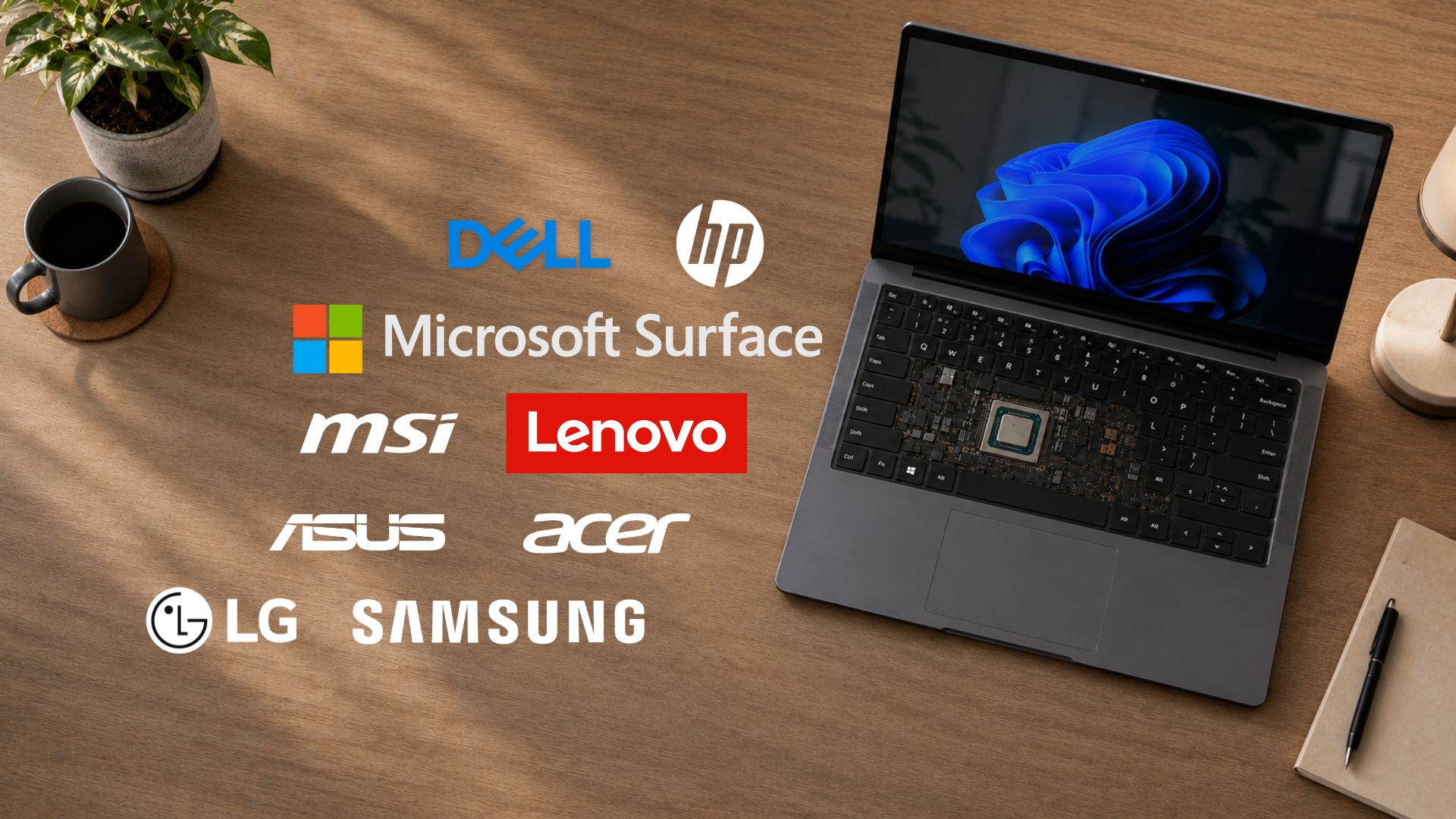
Microsoft closed out its OEM Secure Boot Office Hours event on July 15, with engineers from Microsoft joining representatives from Acer, Asus, Cisco, Clevo, Dell, Fsas/Fujitsu, Honor, HP, Lenovo, LG, Surface, and Xiaomi to answer live questions from IT admins on the Tech Community forum.
Comments were open for 12 hours, and by the time the session wrapped, the thread had grown into one of the most detailed technical records of the Secure Boot 2023 rollout, more than three weeks after the first certificates expired.
Microsoft and OEM engineers answered a long list of specific, hardware-level questions, while suggesting fixes, but the thread also shows admins running out of patience with BitLocker recovery loops, stuck confidence ratings, and failing Intune policies with no useful error code.
Windows Latest has covered the Secure Boot certificate rollout extensively since March, and this office hours session added some of the best technical answers yet for IT admins managing the transition.
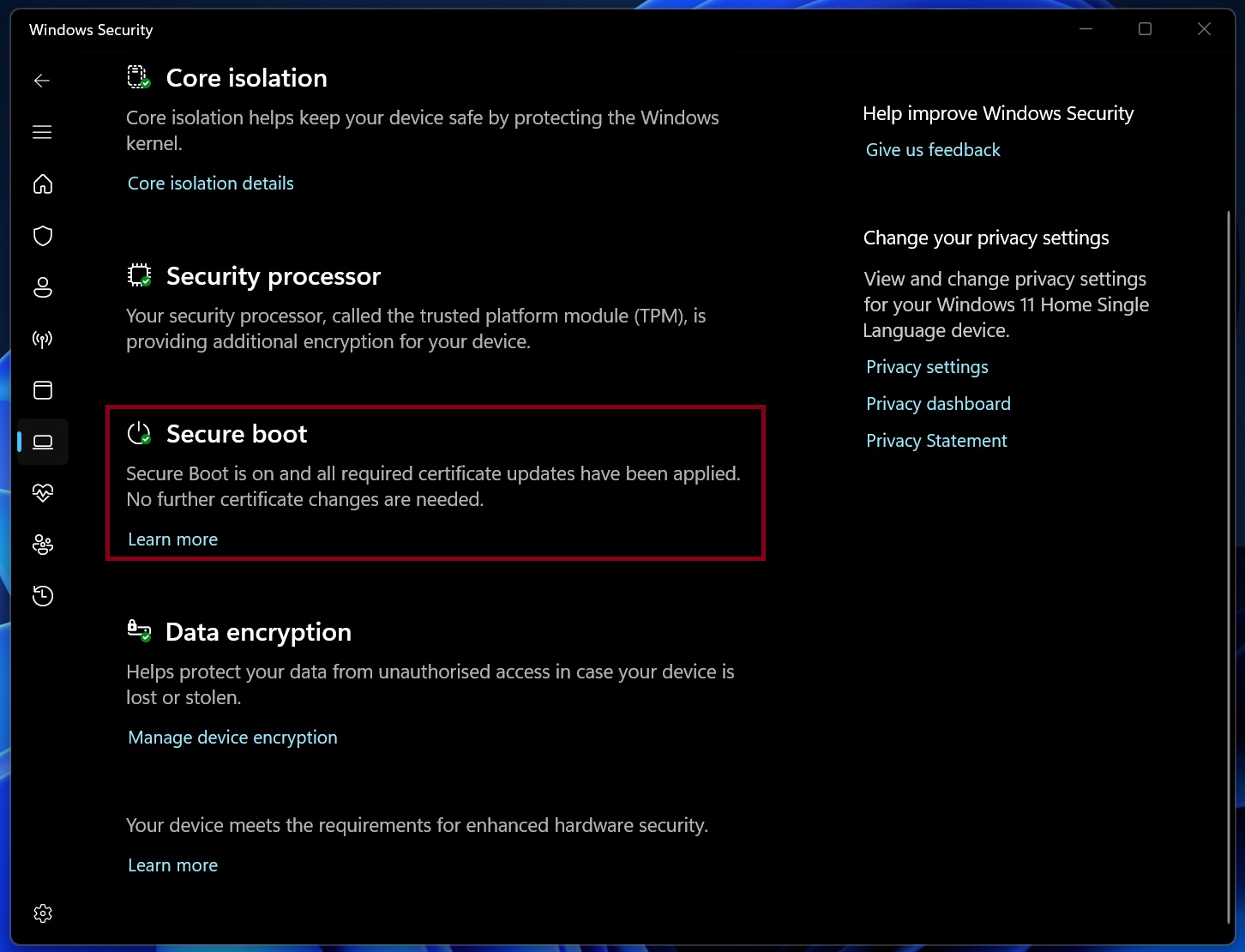
Note: This article is for IT admins and enterprise fleet managers who deploy Secure Boot certificate updates across managed devices. If you’re a regular Windows 11 user, you don’t need to panic. Open Windows Security > Device security > Secure Boot and check the status. If it says Secure Boot is on and all certificate updates have been applied, your PC is fine and Windows Update will keep it that way.
Key highlights
- Devices offline for months still get the 2023 certificates the first time they reconnect to Windows Update.
- Devices that already have 2023 certificates in firmware switch to the new boot manager automatically after the latest Windows patches install.
- A hidden script called Detect-SecureBootCertUpdateStatus.ps1 now ships inside Windows and checks certificate status on a single PC.
- A BIOS update can reset a device’s confidence rating to unrated, but this is normal and does not mean the certificates failed.
- The AvailableUpdates registry key is the one admins should edit by hand, not AvailableUpdatesPolicy, which is managed automatically by Intune and Group Policy.
- A licensing bug that broke AvailableUpdatesPolicy on Pro-to-Enterprise upgraded devices was already fixed by Microsoft earlier in 2026.
- BitLocker recovery is not an expected part of the certificate update and usually points to a device-specific firmware or PCR issue.
- Dell and HP fleet managers got clear guidance on which BIOS versions carry the 2023 certificates for their newer enterprise models.
- Older HP EliteBook 840 G5 units can only get the new certificates through a manual update package, not a standard BIOS update.
- HP and Microsoft’s Surface team both confirmed that eligible devices keep the ability to receive the 2023 certificates at any point later.
- Surface devices from 2024 onward already ship with the 2023 certificates.
Microsoft and OEMs fixed multiple issues during the Secure Boot office hours AMA
Most of the useful information from this session came from Microsoft’s Prabhakar_MSFT and Jason_Sandys, who handled the bulk of the enterprise questions, alongside OEM engineers from HP and Dell who filled in device-specific details.
Devices left on old firmware will still get the 2023 certificates
One admin asked what happens to devices that have gone unused on a shelf for months, or new machines that were imaged a while ago without getting Windows Update since. Microsoft confirmed that the Secure Boot update process runs the same way regardless of how long a device has been offline. Any machine whose Secure Boot databases still hold the 2011 certificates will pick up the 2023 chain the first time it reconnects and processes updates. There’s no cutoff where an idle device gets left behind.
But what about devices that already ship with the 2023 certificates in firmware but still boot using the 2011 chain? Microsoft’s Prabhakar clarified that once the latest Windows patches come to these devices, the boot manager switches over to the 2023-signed version automatically, no separate trigger required.
If a device is stuck showing the 2011 boot manager even after full patching, that points to the update not having completed yet instead of some hidden intermediate state. To check, Microsoft told admins about a useful script.
The SecureBoot scripts folder that comes inside Windows
Windows updates released after May 12, 2026 quietly drop a set of PowerShell scripts into %systemroot%SecureBootExampleRolloutScripts. Microsoft used to publish these as copy-paste code blocks on separate support pages, but they’re now bundled directly with the OS.
For a single device, the relevant script is Detect-SecureBootCertUpdateStatus.ps1, which reads the local registry and event log and prints a full status report without making any changes. Prabhakar recommended this to a user asking about Secure Boot Status = Unknown despite having the right certificates and an enabled TPM, since the script can show data that may get missed by Autopatch reporting or Intune remediations.
For fleet-wide monitoring, the companion script is Get-SecureBootRolloutStatus.ps1. One admin, Cliff_Hughes, ran into this script erroring out on a test machine because it expects a rollout to already be in progress at the enterprise level.
Prabhakar confirmed that’s expected behavior on a single device and that Detect-SecureBootCertUpdateStatus.ps1 is the correct tool for checking one PC at a time, while the rollout status script and its aggregation reporting are meant for larger deployments coordinated through Microsoft’s Sample Secure Boot E2E Automation Guide, which walks through setting up detection GPOs, a network file share for collected data, and an orchestrator that rolls certificates out in progressively doubling waves.
What ConfidenceLevel means when a firmware update resets it
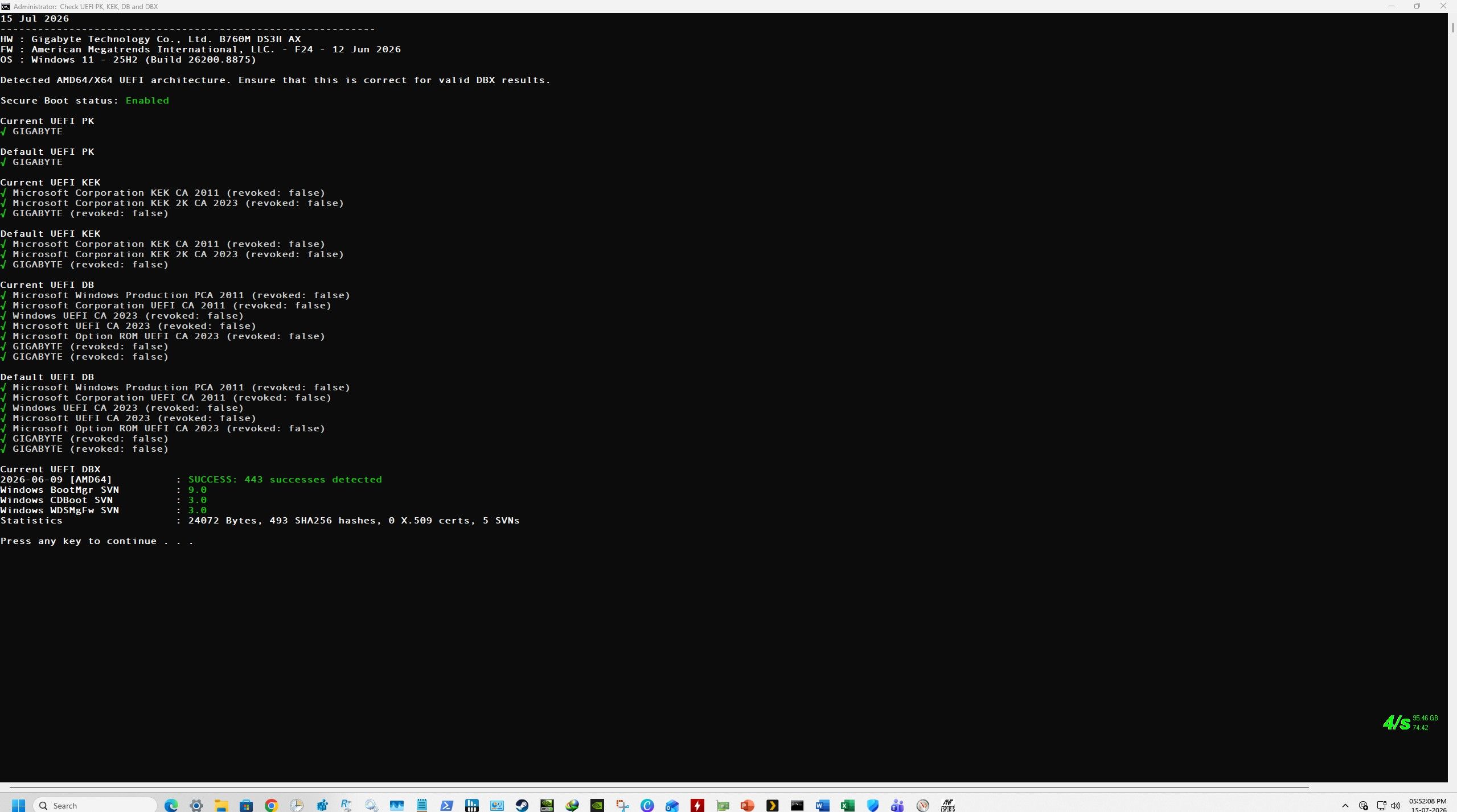
An admin with the handle RAJUMATHEMATICSMSC upgraded a Gigabyte B760M motherboard’s BIOS from an April 28 build to a June 11 build and watched the device’s confidence rating flip from High Confidence to No Data Observed – Action Required in the registry, even though nothing about the Secure Boot certificates had changed.
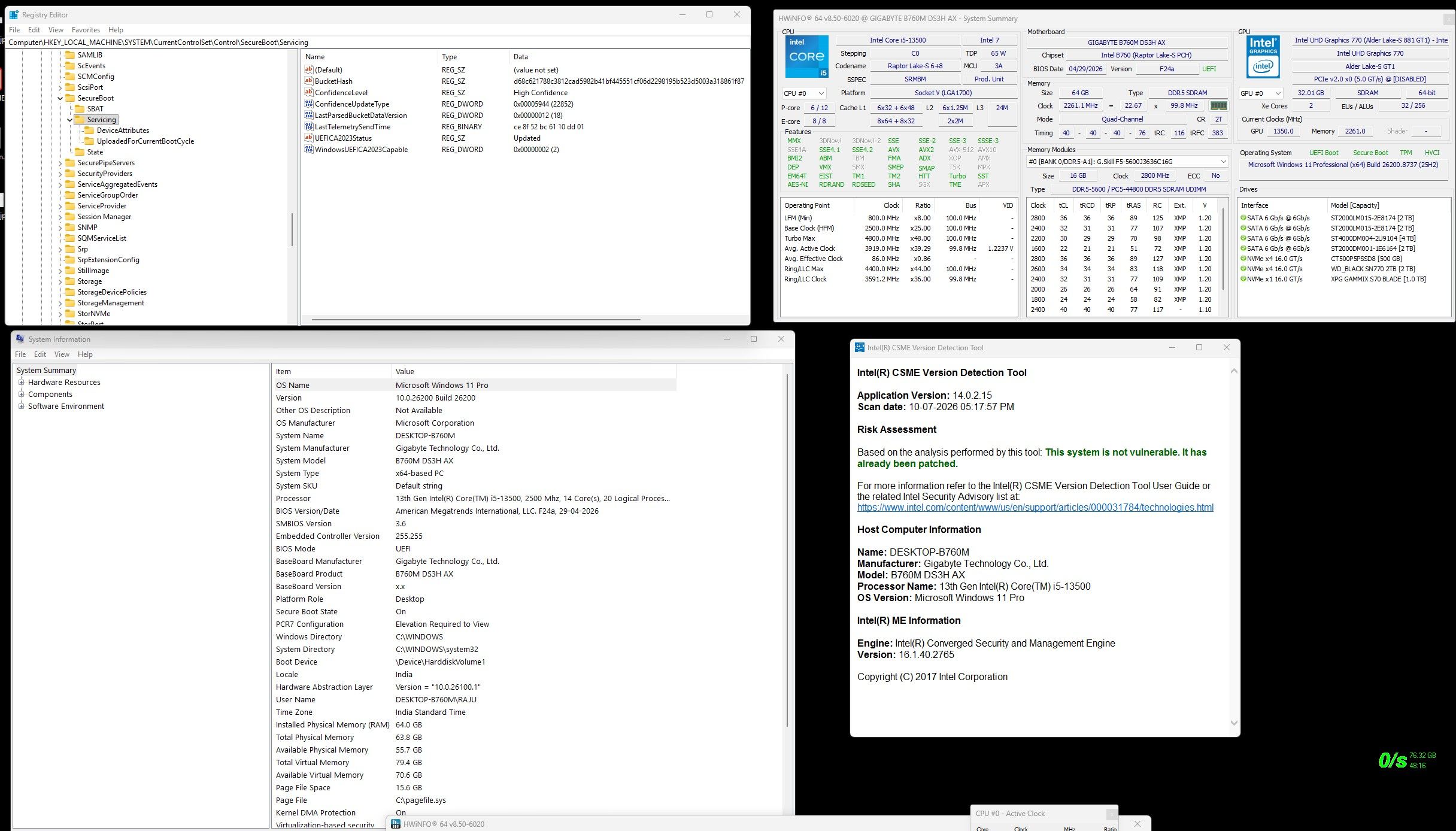
Prabhakar explained that confidence ratings are connected to the firmware version reported by a device, not the hardware itself.
Microsoft groups devices into buckets based on firmware fingerprint, and each bucket earns a confidence rating separately by accumulating successful update telemetry from Windows client devices with that same firmware. When the BIOS changes, the device gets assigned to a new bucket that Microsoft hasn’t yet gathered enough data on, so it temporarily shows as unrated instead of carrying over the previous rating. It’s a side effect of how the High Confidence Database works.
If a device’s certificates are already current, Prabhakar said the confidence label can be safely ignored. For anyone who wants a second opinion beyond the registry, he pointed to Detect-SecureBootCertUpdateStatus.ps1 again!
The AvailableUpdates registry key, explained
There was visible confusion between two similarly named registry values:
- AvailableUpdates is the key admins are meant to set by hand or through scripts, at HKLMSYSTEMCurrentControlSetControlSecureBoot. Setting it to 0x5944 tells Windows to deploy every part of the 2023 chain in one pass, the DB certificates, the KEK, and the new boot manager. Microsoft documents the behavior in its registry key updates support article.
- AvailableUpdatesPolicy, is explicitly marked “for reference only, do not update this key through the registry” in Microsoft’s documentation. It exists so Group Policy and Intune have a way to communicate their own Secure Boot settings back to Windows, and it’s set automatically once an admin configures the policy through one of those tools.
When one admin, Swartz99, asked Prabhakar to confirm which key he should be editing directly for a GPO-based rollout, Microsoft’s Jason_Sandys stepped in to point him to the two dedicated deployment guides instead, the Group Policy Objects method and the Microsoft Intune method, both of which set AvailableUpdatesPolicy automatically.
Swartz99’s organization tried to apply the AvailableUpdatesPolicy setting through Intune or GPO, but it failed in his environment because his devices were licensed as Pro and then upgraded to Enterprise through Cloud Microsoft Admin Licensing instead of being Enterprise from the start. Microsoft’s Jason_Sandys confirmed this was a known, already-resolved issue, fixed on Microsoft’s side earlier this year around February or March, requiring no changes on the customer’s end.
BitLocker recovery isn’t tied to any one deployment method
JoshMcWilliams6070, managing roughly 3,700 mixed Dell and Lenovo devices, asked how organizations without Intune are handling the certificate rollout without triggering BitLocker recovery, since around 500 of his devices had failed the Intune configuration. Jason_Sandys says BitLocker recovery being triggered isn’t expected behavior for the certificate update, regardless of whether it’s pushed through Intune, GPO, the registry key, or a third-party RMM script. When it does happen, the cause falls outside Microsoft’s visibility and is usually custom PCR configurations or firmware issues specific to that hardware.
This is why Microsoft keeps repeating in every one of these sessions to test representative hardware from your fleet before rolling out broadly, and make sure BitLocker recovery keys are backed up and reachable ahead of time. JoshMcWilliams later confirmed his organization already stores keys in Entra, Intune, and their RMM, which meant the roughly 30 devices that did hit BitLocker recovery out of around 2,800 processed so far were a time sink for his three-person team instead of a real crisis.
On the Intune failures specifically, Jason_Sandys asked for more detail since JoshMcWilliams was only seeing a generic State Error, Error Type 2, Error Code 0 for the Settings Catalog policy, which isn’t descriptive enough to diagnose on its own. Shelved devices waiting for repair or kept as spares don’t need any special handling either; Jason_Sandys confirmed they’ll pick up the same Windows Update process, or follow whatever policy is configured once they’re back in circulation.
Dell and HP on aging firmware and Intune-managed rollouts
SimoneTac, managing a Dell fleet where most devices already had certificates updated through Intune, asked what risk remains for machines still running old firmware even after the certificates are current. Dell’s Marcus_Molner confirmed that updating certificates alone is supported, but staying on old firmware means missing out on other firmware-level security fixes and recovery capabilities that ship separately from the certificate work.
Dell’s recommended patch bundles both together, syncing certificates to match whatever Windows Update would apply anyway, according to Dell’s Secure Boot Transition FAQ. For managing the rollout, Dell mentions deploying Dell Command Update through Intune, which supports letting end users defer their own reboots and not forcing one.
A separate question asked when Dell and HP’s full enterprise catalog would ship BIOS versions with the 2023 certificates already in the default databases, specifically HP G8 and newer, EliteBook G11, and Dell Latitude 7000 and Pro series.
- HP’s Juergen_Bayer confirmed every G8-and-newer model has the 2023 certificates in its default database once updated to the latest BIOS, downloadable as a SoftPaq or through HP’s Client Management Script Library.
- Dell’s Marcus_Molner pointed to the Microsoft 2011 Secure Boot Certificate Expiration knowledge base article, which keeps a running list of supported platforms and their corresponding BIOS versions.
Legacy HP hardware still has a manual path
Kenny77 asked whether older EliteBook 840 G5 and G6 units would ever get firmware updates carrying the 2023 certificates. HP split its answer by model generation. The G6 has a proper BIOS update, version 01.35.02, which lets Windows append the 2023 certificates through the normal update process.
The G5 and earlier models, which have already reached end of service life, don’t get a new BIOS at all. Instead, HP has a manual update package available on request through HP Support that writes the 2023 certificates directly into the KEK and DB databases, though HP was careful to note this package doesn’t touch the default databases, so a factory reset would revert the device to the 2011 chain again.
A compatible PC won’t lose the ability to update to 2023 Secure Boot Certificates later
Swartz99 asked whether there’s a date after which a device still running 2011 certificates becomes permanently unable to receive the 2023 chain. Both HP and Microsoft’s Surface team answered this:
- HP confirmed that any commercial platform from 2019 onward with the latest BIOS installed will always be capable of having the 2023 certificates applied, since the active Secure Boot database can be reinitialized from the updated defaults at any point.
- Microsoft’s Dan_Pandre gave the same answer for Surface. Any Surface model currently eligible for the update stays eligible indefinitely, and Windows Update remains the simplest path, with a more manual process documented on Microsoft’s Surface Secure Boot Certificates page for anyone managing IT-updated devices directly. The only Surface devices permanently excluded are the ones that shipped with Windows 8, meaning the Surface Pro 3, Surface 3, and anything older. Everything Surface has released since 2024 already ships with the 2023 certificates built in and needs no update at all.
What IT admins should do before the October Secure Boot deadline
The office hours session answered a lot of the smaller, device-specific questions that had been piling up since Microsoft’s earlier AMA sessions, but the deadline pressure behind all of it hasn’t gone away.
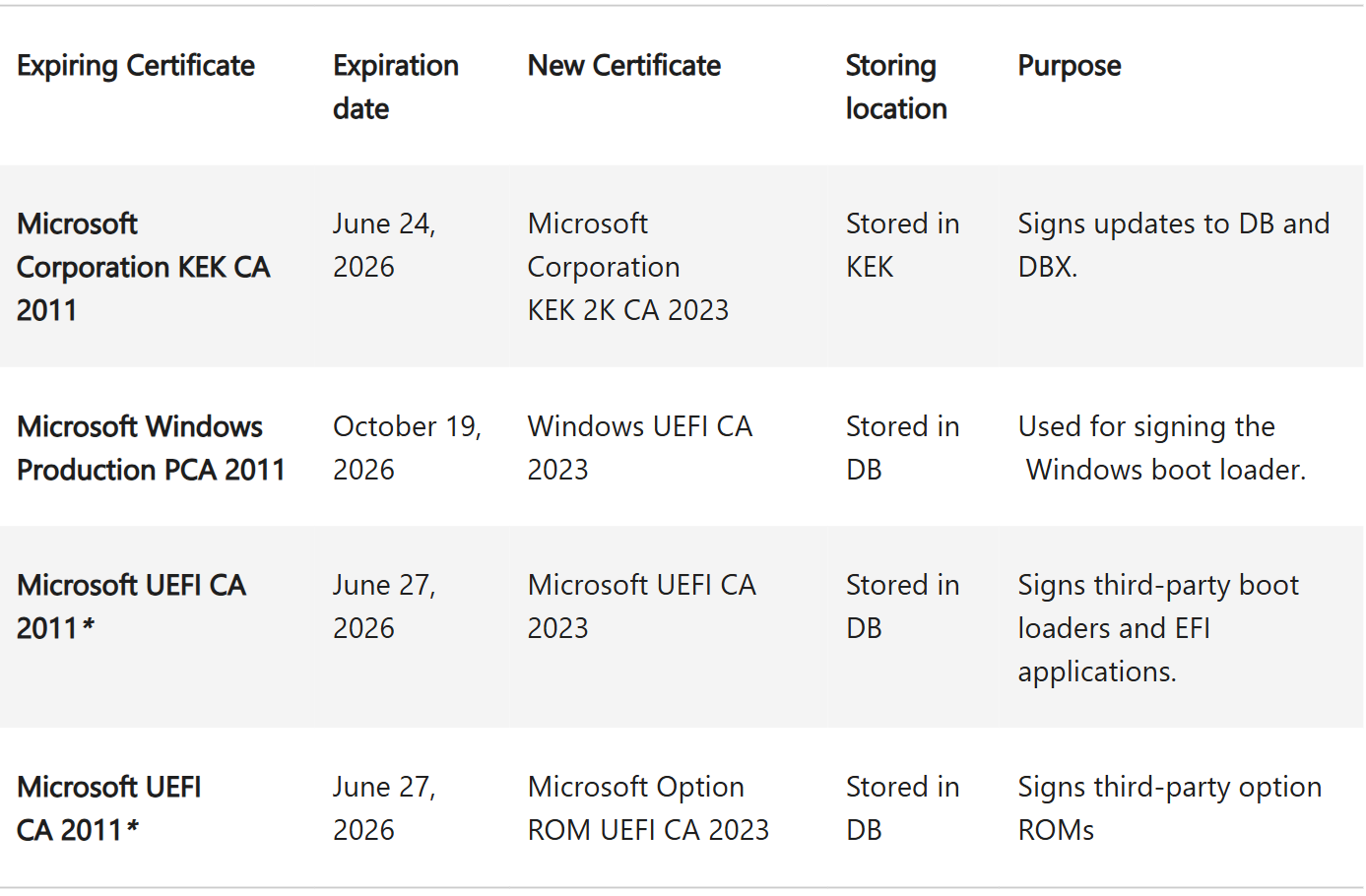
The Microsoft Corporation KEK CA 2011 and Microsoft UEFI CA 2011 certificates have already expired, and the third certificate in the chain, Microsoft Windows Production PCA 2011, is set to expire on October 19, 2026, which gives fleet managers roughly three months from this session to confirm every device in their environment is either already on the 2023 chain or has a documented plan to get there.
The good news is that admins now have a real script to check status on individual machines, a clear answer on which registry key to touch, and direct confirmation from HP, Dell, and Microsoft’s Surface team that eligible hardware won’t lose the ability to update later, even for devices still waiting on a BIOS release.
If you manage a fleet that hasn’t started this process, Microsoft’s guidance on what happens if you miss the Secure Boot deadline is an easy starting point, and Windows Latest already provided detailed information on how to verify your Secure Boot status.
For device-specific BIOS versions across different OEMs, the internet’s most detailed OEM Secure Boot guide tells you what Lenovo, Asus, Acer, and others have published. And if a device in your fleet is showing errors that this session didn’t resolve, including BitLocker loops on fully updated BIOS versions and stuck KEK updates, we have a separate analysis of the unresolved issues from this office hours thread.
The post Windows 11 Secure Boot certificates have expired, and Microsoft says what to do next appeared first on Windows Latest