
Intel has finally confirmed Wi-Fi and Bluetooth conflicts in Windows 11, particularly when the two connections compete for the same wireless channel. Sometimes, when you’re using your PC and listening to a song, your Bluetooth device disappears from Quick Settings and is nowhere to be found. April 2026 update tries to address these pain points.
I’ve never had a good experience with Bluetooth on my Intel PCs, and while it’s improved a lot with newer Intel wireless adapters, it’s nowhere close to perfect. Bluetooth audio can lag when Wi-Fi is connected because Bluetooth and 2.4 GHz Wi-Fi are both in use in the same space.
Intel says it’s aware of the problem and has rolled out two new wireless drivers for Windows 11 this week. Wi-Fi is getting driver v24.40.0, while Bluetooth is getting updated to v24.40.0.3.
In the release notes, Intel noted that it patched a bug that improves coexistence between Bluetooth and Wi-Fi. Now, that means your Bluetooth earbuds or headphones will stutter less while Wi-Fi is busy. Likewise, Wi-Fi speed would remain stable when a Bluetooth mouse, keyboard, controller, or headset is connected.
Intel also confirmed that April 2026 wireless driver updates should offer better system stability for Wi-Fi and Bluetooth
Last but not least, Intel says Advanced setting Channel-Load for AP selection is now set to Disable, and there are general bug fixes included in the update.
How to download Intel’s April 2026 wireless driver for Windows 11
Microsoft publishes drivers automatically via Windows Update, so you don’t have to rush and download these drivers from OEMs directly. But the catch is that most OEMs do not bother releasing the latest drivers unless you own one of the premium products, such as the XPS 13 and Surface Pro.
Regardless, you can use Intel’s Driver and Support Assistant tool to update your drivers.
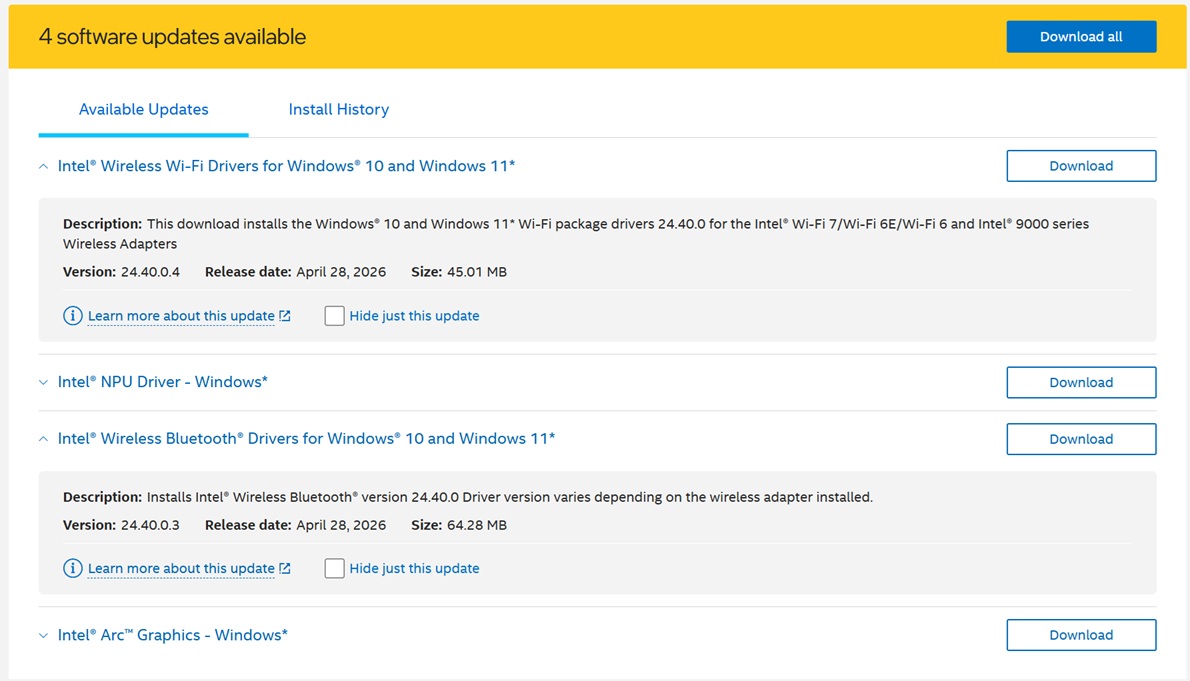
Microsoft has promised to make Windows 11 more dependable
These Bluetooth and Wi-Fi troubles aren’t always the OEM’s fault, as Windows 11 also has a reliability issue that affects wireless connections, including keyboard, mouse, and Bluetooth. In fact, Microsoft recently confirmed it’s aware of the unreliable OS driver updates, including issues causing OS level crashes.
Microsoft said that it’ll improve driver quality, reduce OS level crashes, and work with OEM partners, including ISV, on stability concerns of drivers.
“Creating easier, faster, and stable connections with Bluetooth accessories, fewer USB-related crashes and connection loss, and improved printer discoverability and connections,” Microsoft noted in a blog post announcing Windows 11’s 2026 quality update.
Microsoft also confirmed that there are plans to build more reliable camera and audio connections, and even enable consistent device wake.
The post Intel admits Wi-Fi and Bluetooth conflicts on Windows 11, rolls out fixes with April 2026 driver update appeared first on Windows Latest