
With the April 2026 Update, Microsoft shipped several meaningful changes, including the ability to turn Smart App Control on or off without reinstalling Windows 11. But another improvement that deserves attention is support for Secure Boot certificate status in the Windows Security app.
Secure Boot certificates are used to validate boot software, and if they are expired, your computer could be exposed to boot-level malware (bootkits) or unauthorized modifications in the worst-case scenario.
It’s been known for a while that Secure Boot certificates originally issued in 2011 are set to expire in June 2026. Microsoft has already confirmed that these older certificates will be replaced with Secure Boot 2023 via Windows Update. While that sounds like a good plan, the catch is that Secure Boot status has mostly been unclear to regular users.
You can verify whether the Secure Boot 2023 certificate is applied to your computer using PowerShell commands or Event Viewer logs. But you can’t expect a regular user to be familiar with that process, which is why Microsoft is finally adding Secure Boot certificate status to Windows Security.
Until now, the Windows Security app has only revealed whether the Secure Boot feature is enabled.
After the April 2026 Update, you can also verify if the certificates are updated. It’s visible under the “Secure Boot” section under the ‘Device Security‘ tab in Windows Security, and here’s what it looks like on my PC:
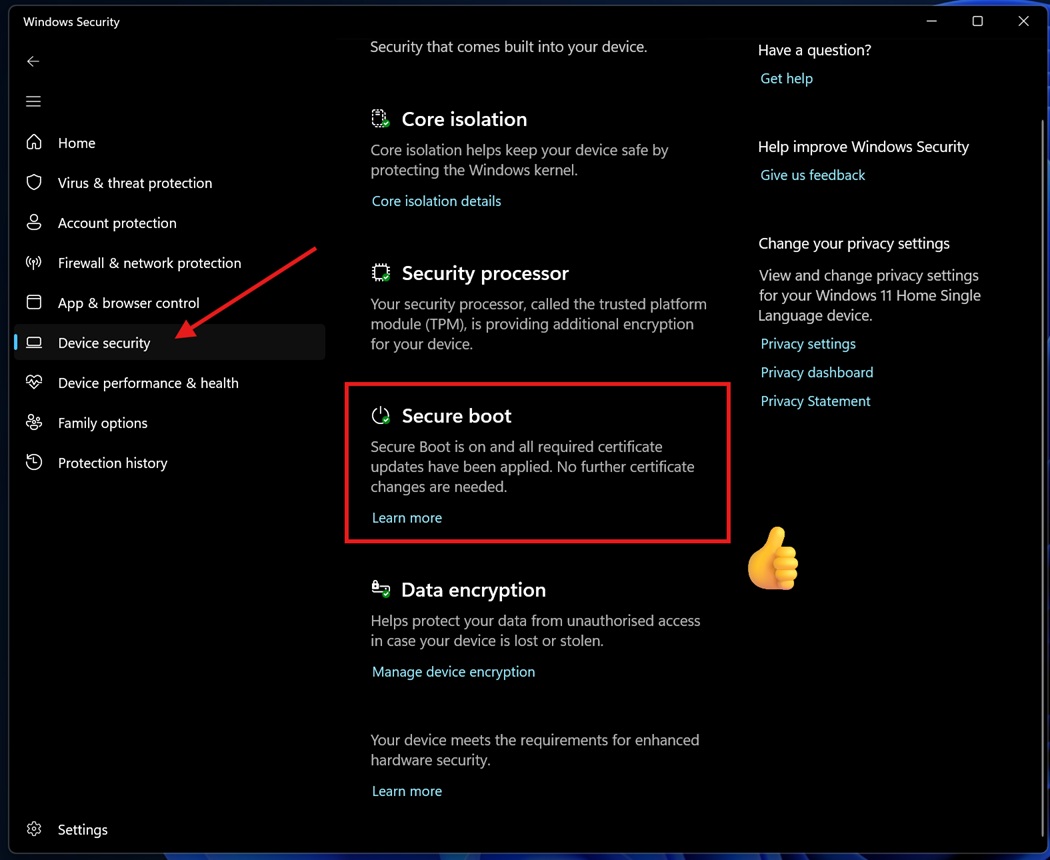
In my case, the Secure Boot 2023 certificate is applied, so the Windows Security app clearly tells me that no action is required.
“Secure Boot is on, and all required certificate updates have been applied. No further certificate changes are needed,” the alert with a green check reads.
Microsoft told Windows Latest that the Secure Boot status in Windows Security is rolling out via Windows 11 KB5083769 (Build 26200.8246 / 26100.8246 or newer), but it won’t show up immediately on all PCs. I am told that the rollout is expected to finish by the end of April 2026, so if you don’t see it already, it should appear soon.
“Updated 2023 certificates are being delivered automatically through Windows Update. The Windows Security app now shows whether your device has received these updates, what your current status is, and whether any action is needed,” Microsoft explained in a support document spotted by Windows Latest.
How can you verify the Secure Boot certificate status in Windows 11?
You can quickly verify how secure your Secure Boot setup is by looking at the badge in Windows Security > Device Security > Secure Boot.
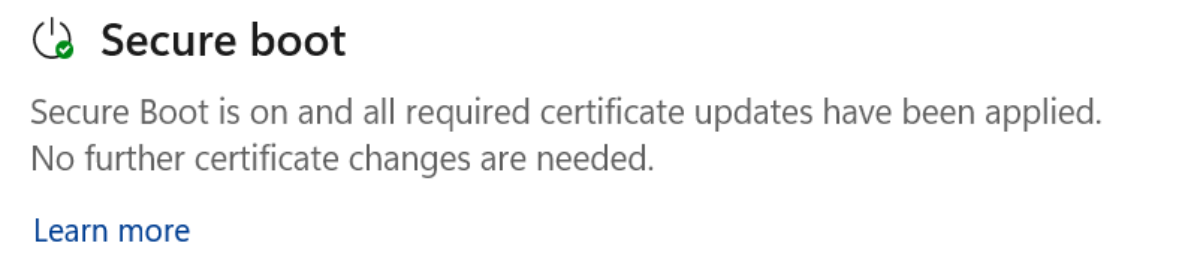
If it’s green, your device is fully protected, but if it’s yellow, it means there’s a recommendation for you. A recommendation could be to reach out to your PC manufacturer for updated firmware.
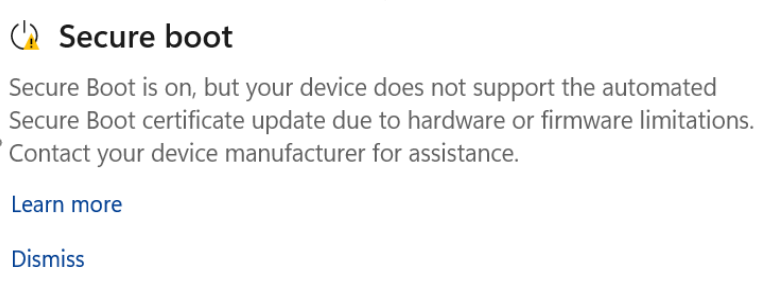
This happens when the current firmware does not allow Microsoft to roll out newer Secure Boot certificates via Windows Update.
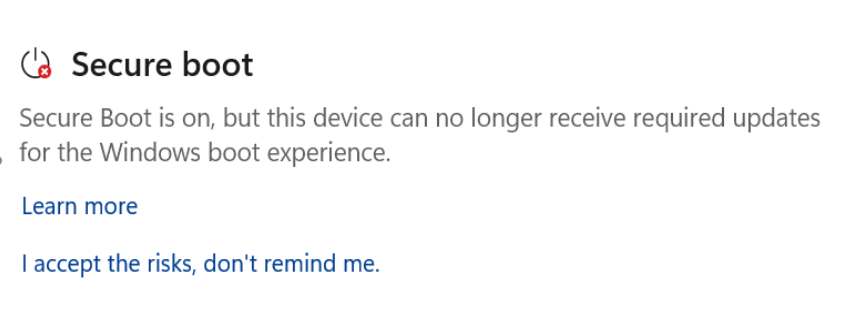
There’s also a red icon, which means Windows needs immediate attention for Secure Boot, and you’re likely to run into it when it’s impossible for Microsoft to apply the certificates to your PC due to hardware limitations.
For those unaware, Secure Boot is one of the mandatory requirements for officially installing and running Windows 11. However, if you bypassed the requirement to upgrade from Windows 10, you may see a red alert stating that Secure Boot is not enabled on your PC and that you’re missing the newer certificates.
| Status | Official definition | Course of action recommended by MSFT |
|---|---|---|
| Green check mark | Your device is protected and no action is needed. | No action needed. |
| Yellow warning | Your device has a safety recommendation. | Check the message and update your device if needed. |
| Red X | Your device needs immediate attention. | Fix the issue as soon as possible. |
In either case, you don’t have to panic, as Microsoft has assured that it’ll take care of Secure Boot certificates on most PCs.
However, Windows Latest observed that the Secure Boot certificate update is failing on some PCs due to firmware limitations. In those cases, you may never recieve the updated certificates, and you’ll either have a yellow or red alert in Windows Security app.
Even if you never receive Secure Boot 2023 certificates, it doesn’t mean your device is unstable. Most consumers will almost never experience security issues due to outdated Secure Boot certificates.
The post Windows 11 April update now reveals if Secure Boot 2023 certificate is applied to your PC appeared first on Windows Latest