
Microsoft has clarified that it’s not giving up on an agentic Windows 11 experience and is still bringing agents to your taskbar. This means you’ll be able to invoke AI agents directly from the taskbar, including third-party agents, but the feature is going to be optional, and it won’t be turned on automatically.
Microsoft previously said it would reduce Copilot in Windows 11 and integrate AI where it’s “most meaningful,” but that never meant the company wouldn’t add AI to the OS.
In fact, Microsoft is moving forward with its plans to add AI agents to the taskbar, and this change is now rolling out in the Release Preview Channel of the Insider Program.
On April 17, 2026, Microsoft rolled out Windows 11 Build 26200.8313 to the Release Preview Channel, and it comes with a long list of improvements, including a faster File Explorer, but there’s a change tucked in the release notes. That is an agentic taskbar with support for third-party agents.
How is Microsoft integrating AI agents into your taskbar on Windows 11
Agents are autonomous, which means they’re designed to plan, research, reason, and execute without your intervention. When Microsoft begins rolling out AI integration in Windows 11, you’ll be able to trigger agents like Microsoft 365 Researcher directly on the taskbar.
To get started, you’ll need to be able to hover over the Microsoft 365 Copilot icon on the taskbar to monitor or control the agent.
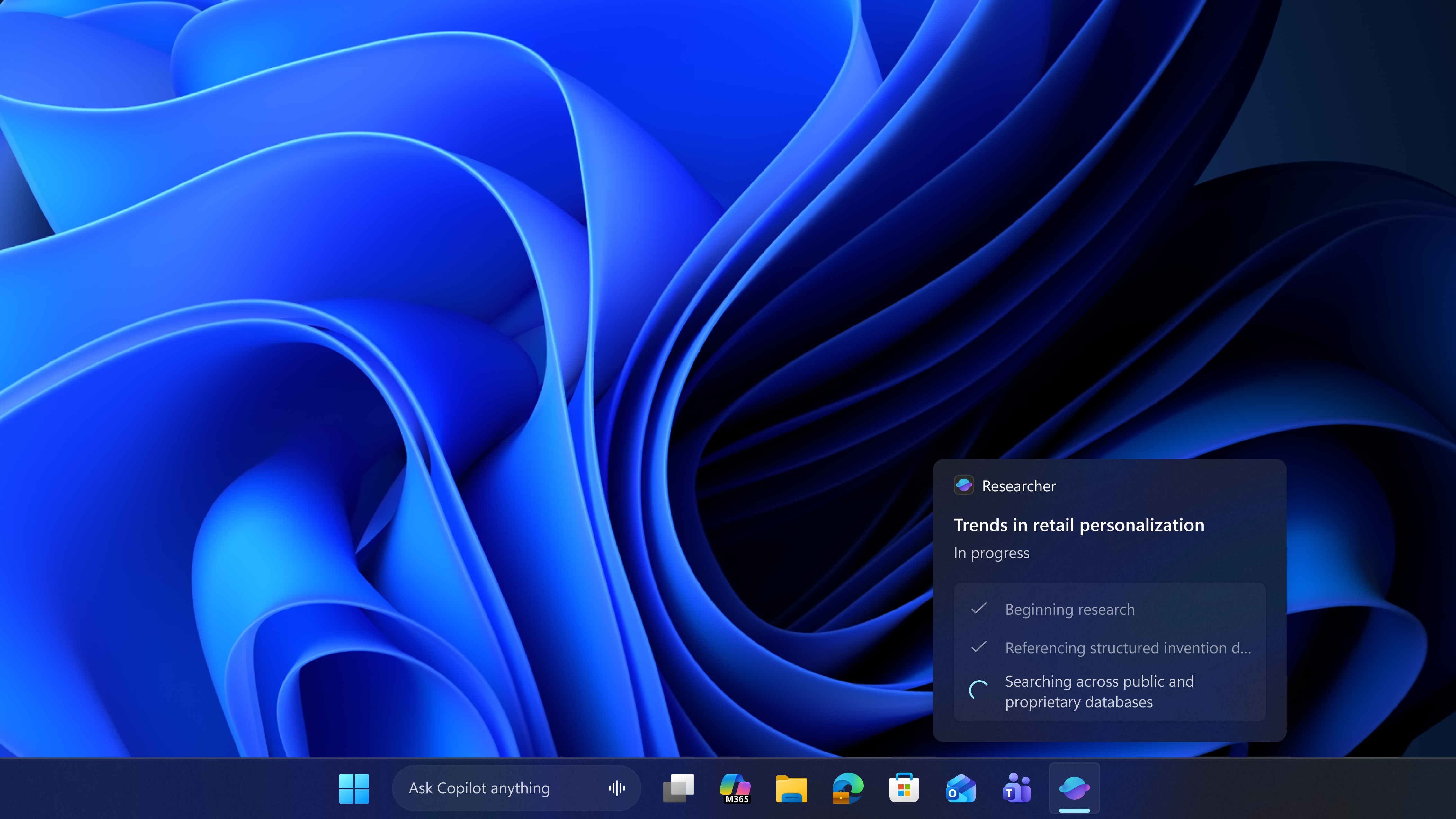
As you can see in the above screenshot, Microsoft 365 Researcher executes multi-step research tasks, and it’s similar to ChatGPT or Google Gemini’s Deep Research, but it also has access to your OneDrive or Microsoft 365 files uploaded in the past.
This allows Microsoft 365 Researcher to generate more comprehensive reports, and all of that will now happen directly on the taskbar.
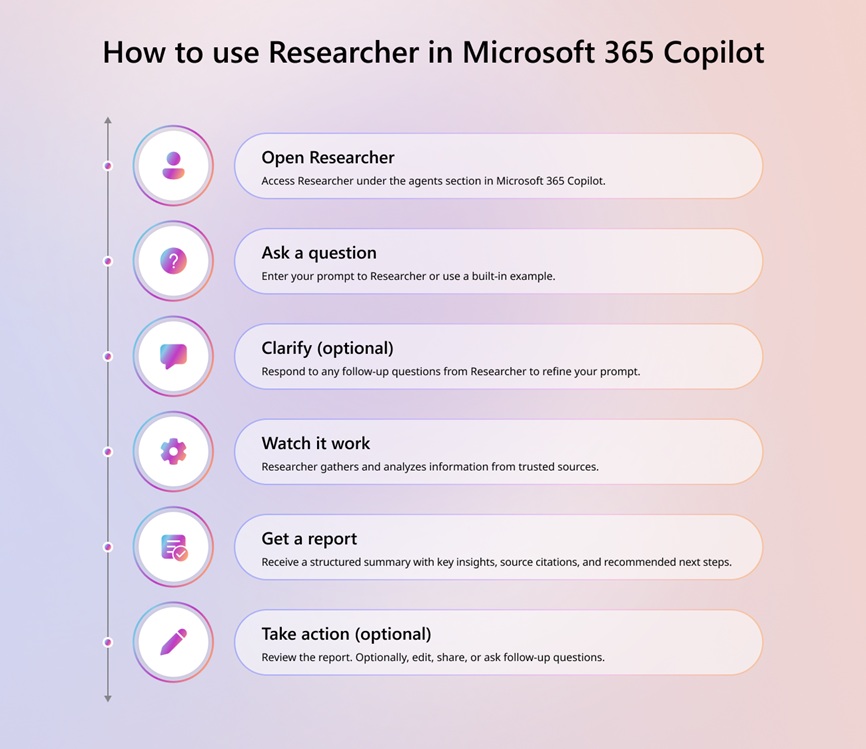
Microsoft 365 Researcher is included with Microsoft 365 Copilot, so if you don’t have the app on your PC or don’t have a Microsoft 365 subscription, you won’t be able to use it.
It’s all part of the ‘Ask Copilot’ plans… which may or may not ship
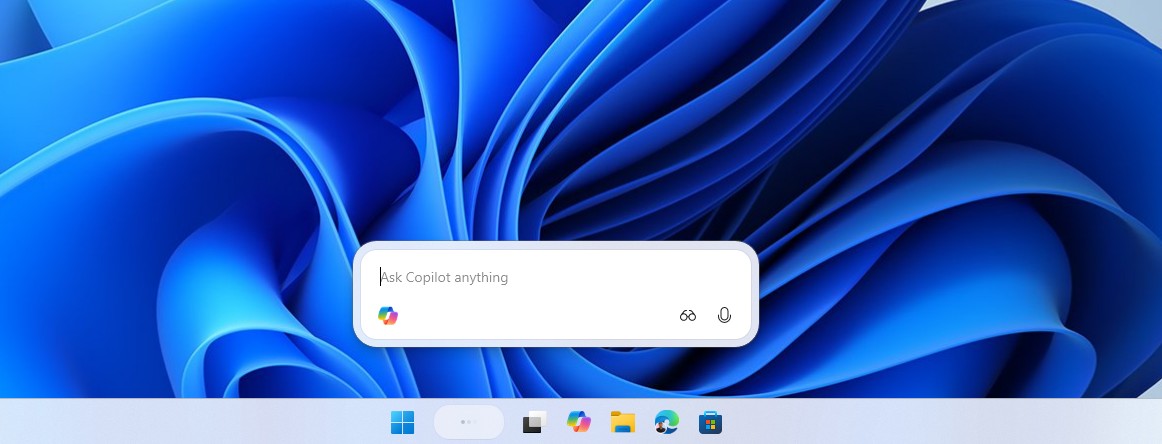
At the same time, there’s a new ‘Ask Copilot’ search experience coming to Windows 11’s taskbar. When and if that optional feature rolls out, you can use “@” to tag and trigger agents like Microsoft 365 Researcher. The “@” will automatically surface all agents available on your PC, and you’ll be able to choose from the list.
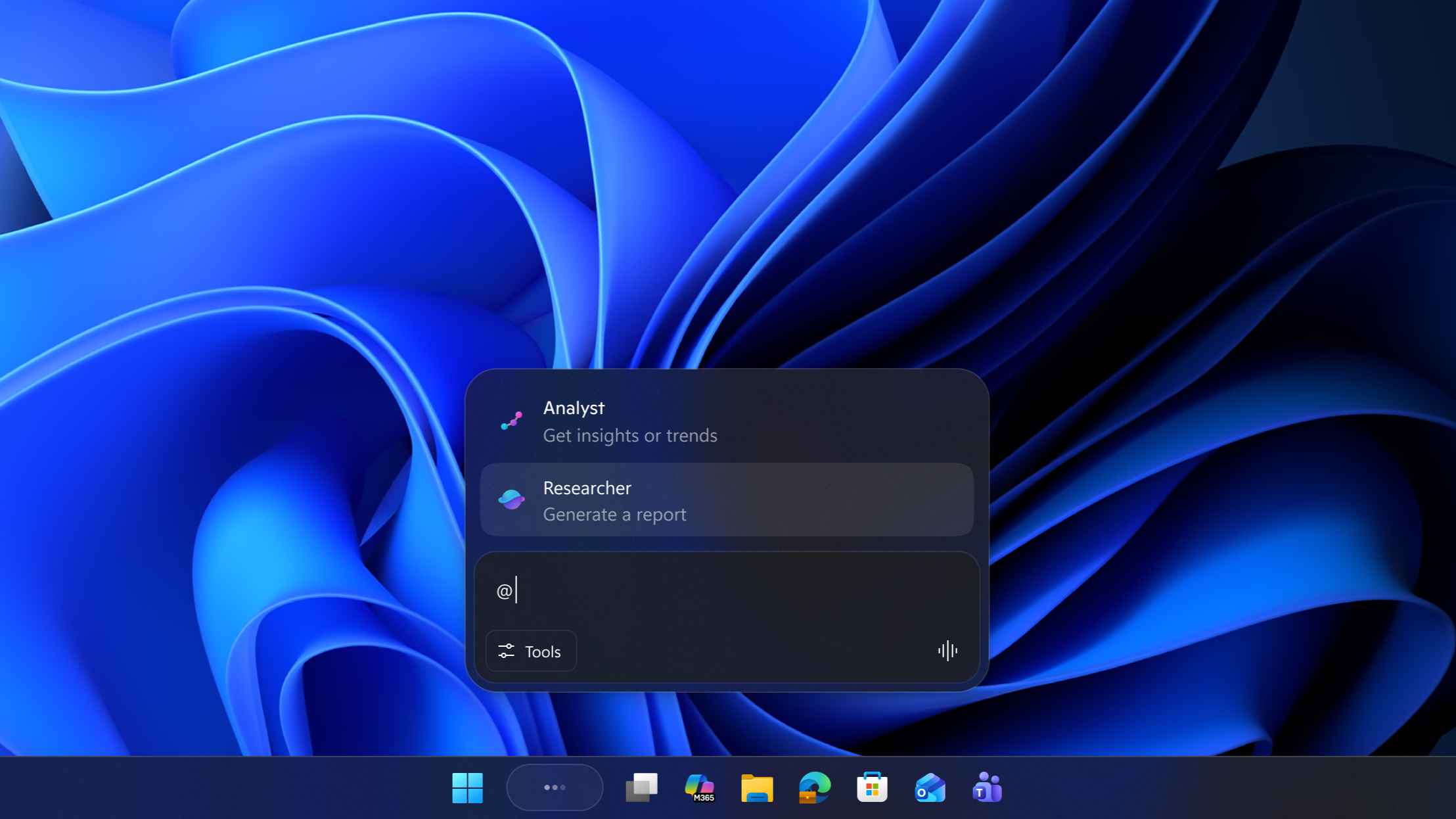
This new agentic experience is powered by Model Context Protocol (MCP), which allows any AI model or agent to connect to existing apps or files, including the operating system.
Developers can plug their agents into MCP and connect to Windows 11’s taskbar. If a developer wants to integrate their apps into Windows 11’s shell, they can use the Windows.UI.Shell.Tasks API.
It’s unclear if companies like Anthropic or OpenAI are on board with the idea or not, but the Microsoft 365 app is one of the early adopters.
But what happened to “less AI” in Windows 11?
Microsoft previously confirmed that it’s scaling back AI in Windows 11, so why are we getting taskbar AI agents?
The truth is that Microsoft is not giving up on AI in Windows 11, but it’s going to be more cautious with its approach.
Microsoft will not force you to try agents on your taskbar, as the feature is entirely optional. It will also not nag you to use Copilot or AI on your taskbar, including Microsoft 365 Researcher, but that doesn’t mean it’s giving up on AI.
In fact, this was implied in Microsoft’s original statement:
“You will see us be more intentional about how and where Copilot integrates across Windows, focusing on experiences that are genuinely useful and well-crafted. As part of this, we are reducing unnecessary Copilot entry points, starting with apps like Snipping Tool, Photos, Widgets and Notepad.” – Microsoft.
If you read between the lines, Microsoft said it’s reducing “unnecessary Copilot entry points, starting with apps like Snipping Tool, Photos, Widgets and Notepad.”
Now, that does not mean “AI” itself is going away. While Copilot branding won’t be used, AI will continue to exist on Windows 11.
That’s why AI is still coming to your taskbar as an optional feature, but it’s quite clear that Microsoft won’t add Copilot to places where it makes less sense, including the Snipping Tool.
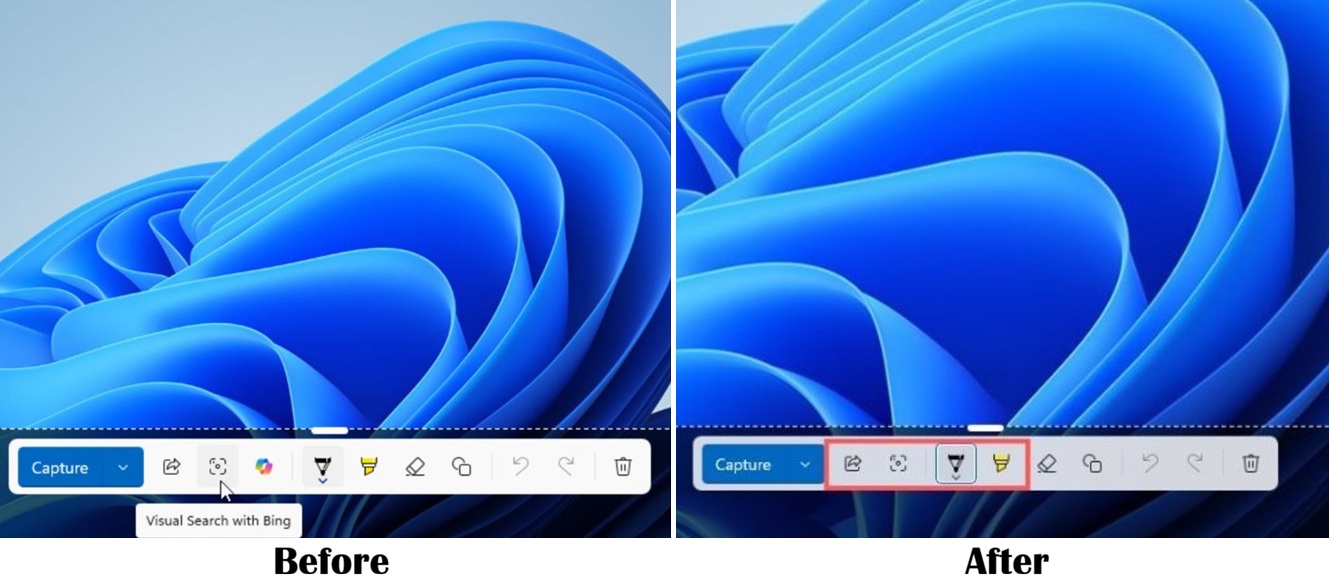
Microsoft has already begun removing Copilot from Snipping Tool and rebranding Copilot as ‘Writing Tools’ in Windows Notepad. That’s only the start, and we’re going to see less AI in Windows 11 in the coming months, but less does not mean zero.
There are many use cases for AI, such as hiding personal information in screenshots, but we’re not seeing those efforts from Microsoft yet. Instead, we’re getting agents on the taskbar.
I am personally not a fan of taskbar agents yet, but I don’t care as long as it’s optional, and that appears to be the case for now. What about you? Do you think agents on the taskbar are a good idea? Let me know in the comments below.
The post Microsoft confirms AI agents are still coming to the Windows 11 taskbar as it prepares for public rollout appeared first on Windows Latest