
Windows 11’s built-in Weather app is basically MSN adware wearing a forecast icon, and it uses about five times the RAM of macOS native Weather, all while showing ads on an OS you already paid for.
My place has had severe rainfall for the past two weeks. My phone was charging on the side, so I opened the Weather app on my PC just to check if the rain would let up before I had to head out. Task Manager was already open. The weather data was good. But I didn’t expect the RAM usage to climb past 1.2GB without clicking or scrolling through the app.
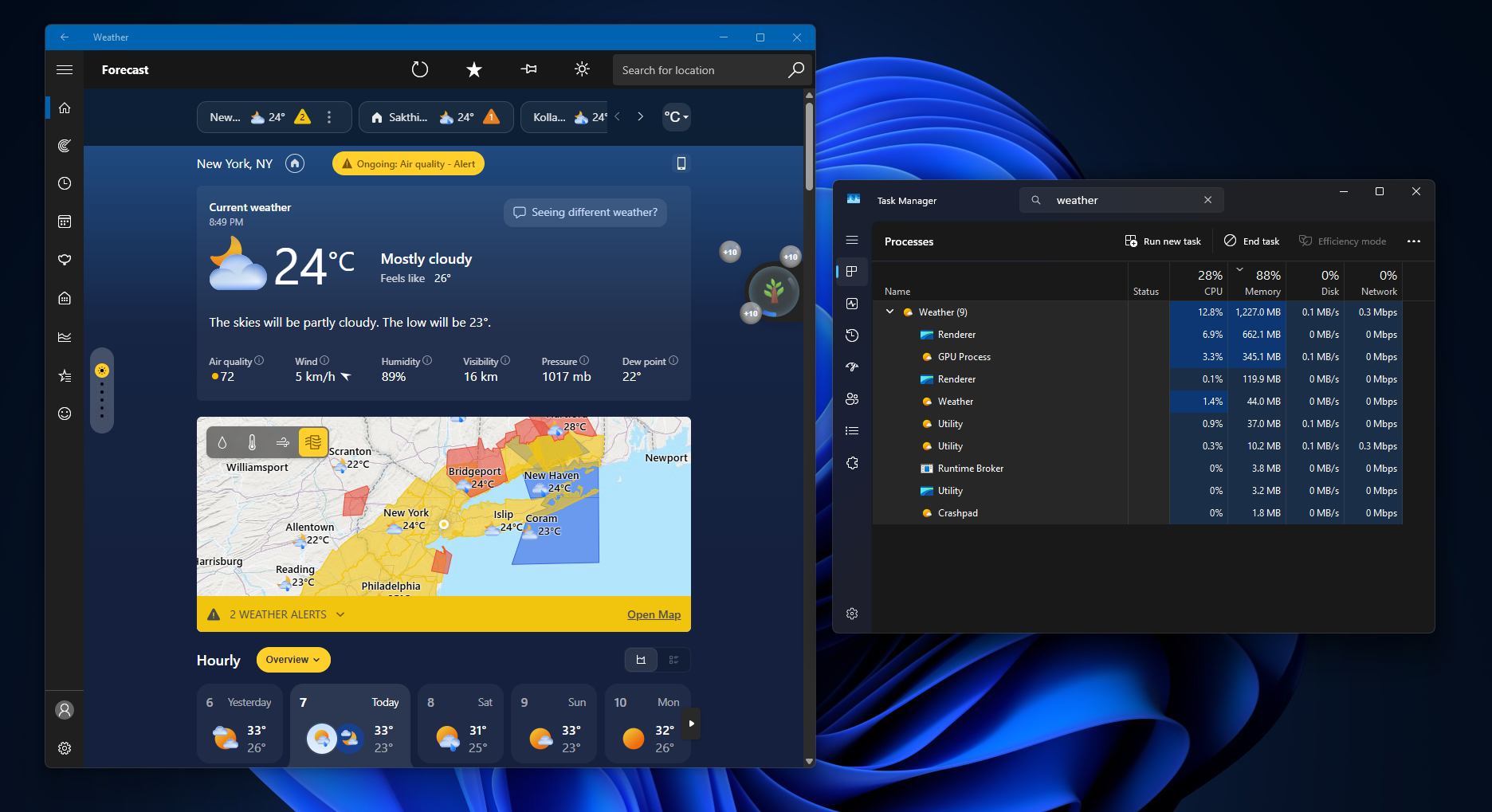
Then there were the ads in the Weather app! I have said this before, and I’ll say it again: Windows 11 is not a free OS. It should not be showing more ads. I searched for the app in the Microsoft Store and realised that the Windows default Weather app is actually “MSN” Weather, which explains the ads.
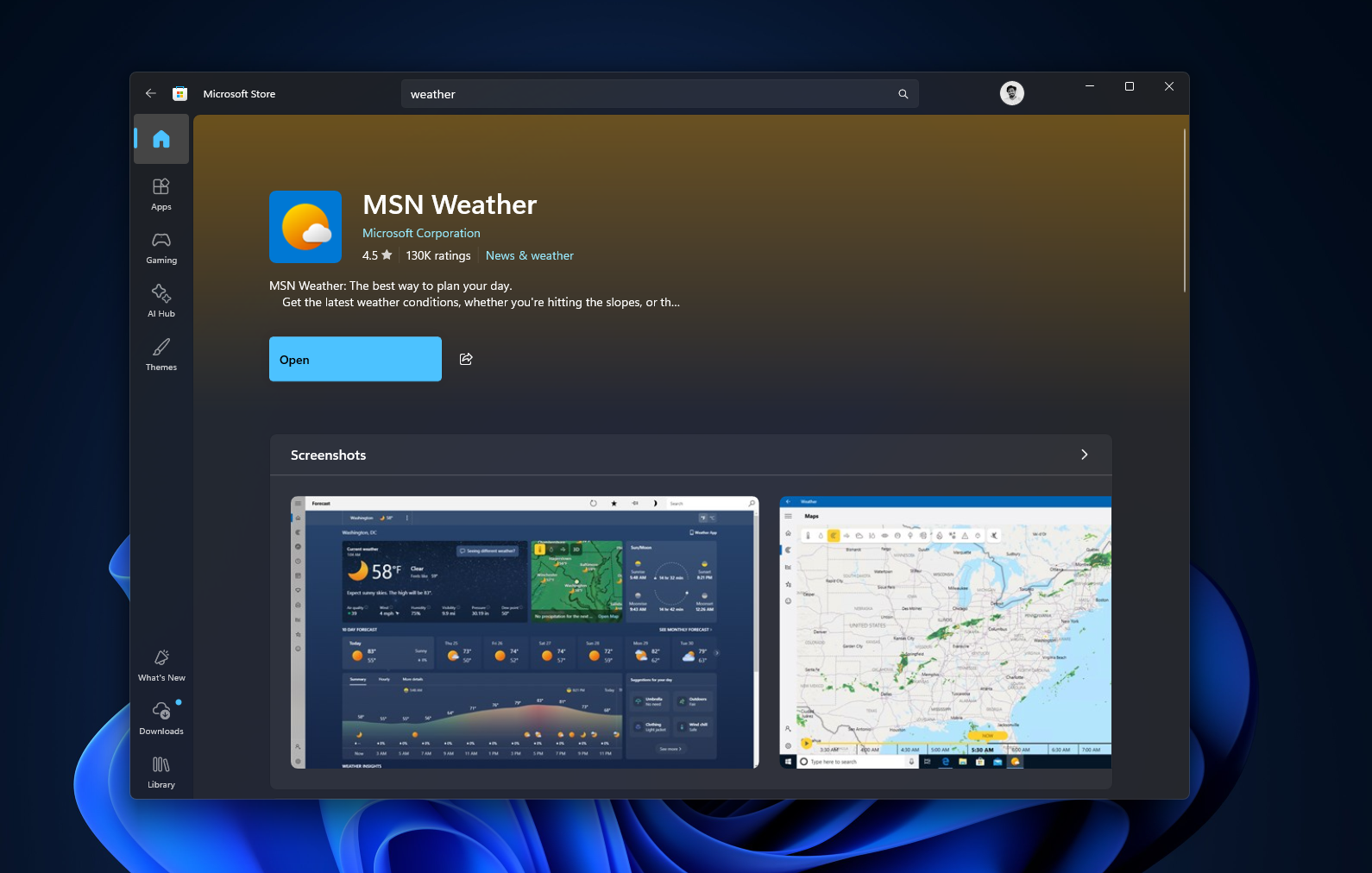
Windows 11’s Weather app shows ads while also being a lazy web app
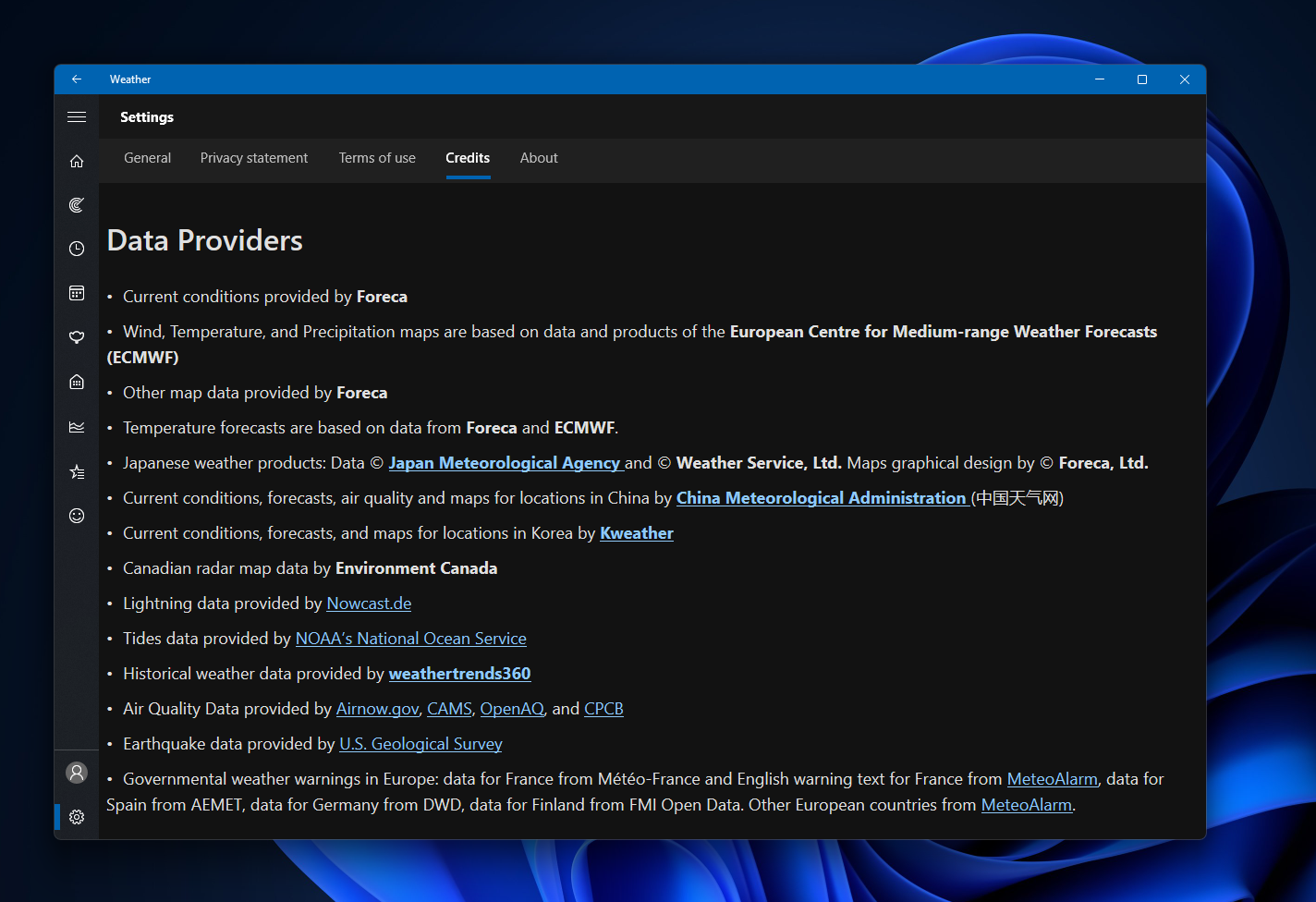
Let’s try to be fair here. Weather forecasting isn’t charity work, and detailed, accurate weather data costs money to license. Microsoft’s credits page lists sources including Foreca, the European Centre for Medium-range Weather Forecasts, and several other weather services across the globe.
In my testing, the app showed real detail, live radar overlays, hourly wind and precipitation breakdowns, air quality index, moon phase with the next full moon date, and severe weather alerts pulled from the National Weather Service.
Scroll through the forecast, and you’ll find sponsored tiles, like an “Adobe Acrobat” ad for AI document chat, sitting inside the visual grid as your Temperature and Wind cards, styled almost identical to real weather data.
Apple’s Weather app shows zero ads while pulling in the same granular data, and Apple isn’t a nonprofit either. If Cupertino can do it ad-free, Redmond can too. Microsoft doesn’t get the profit margins that Apple enjoys from selling hardware, so I’ll let the ads slide for a bit.
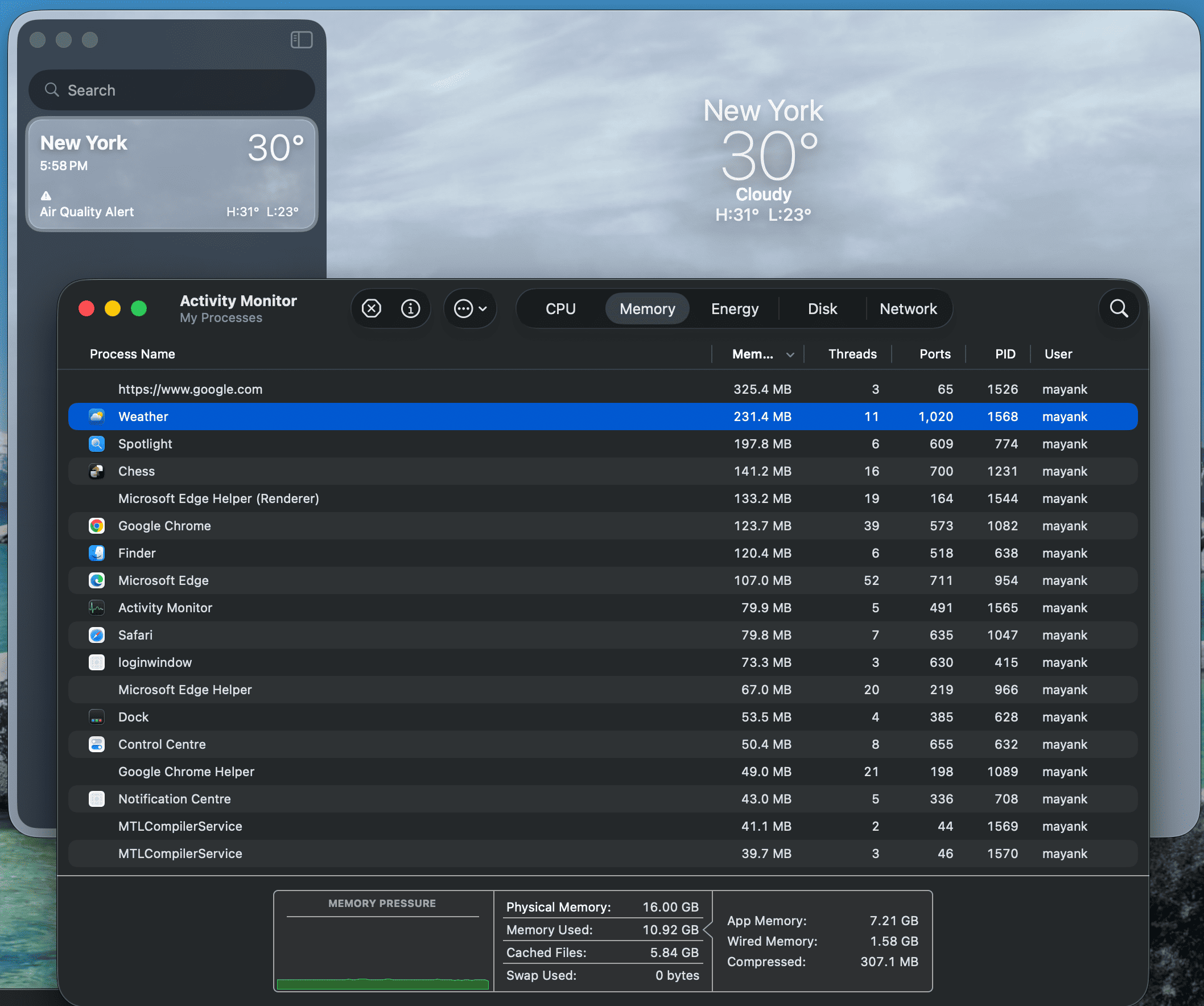
The real issue is the RAM usage
When idle, Windows 11’s Weather app was consuming over 1.2GB of memory. Task Manager showed why once I expanded the process tree: nine separate sub-processes running under Weather. They’re Chromium process names.
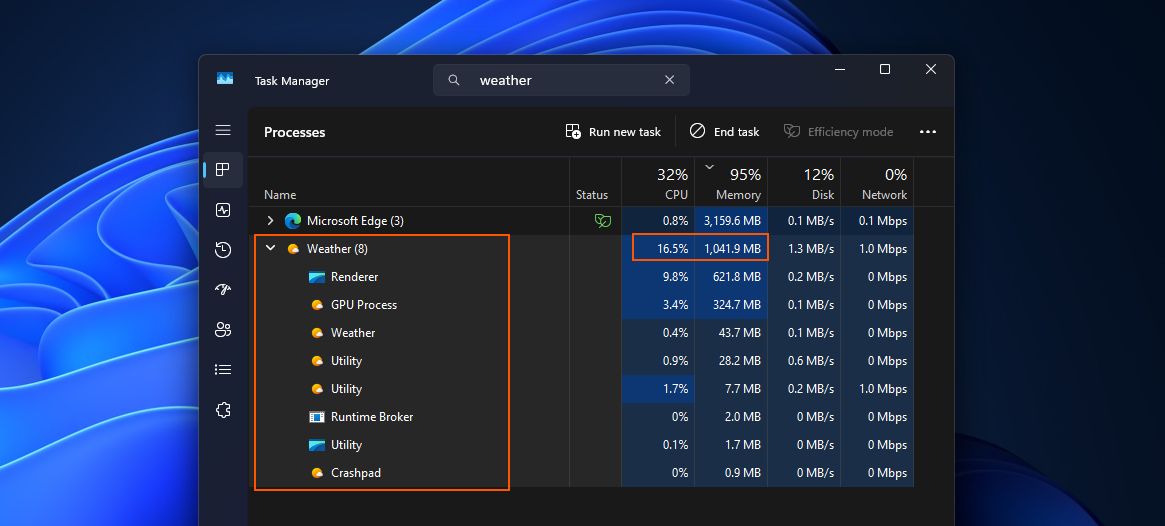
Windows 11’s Weather app is basically a website, rendered through WebView2.
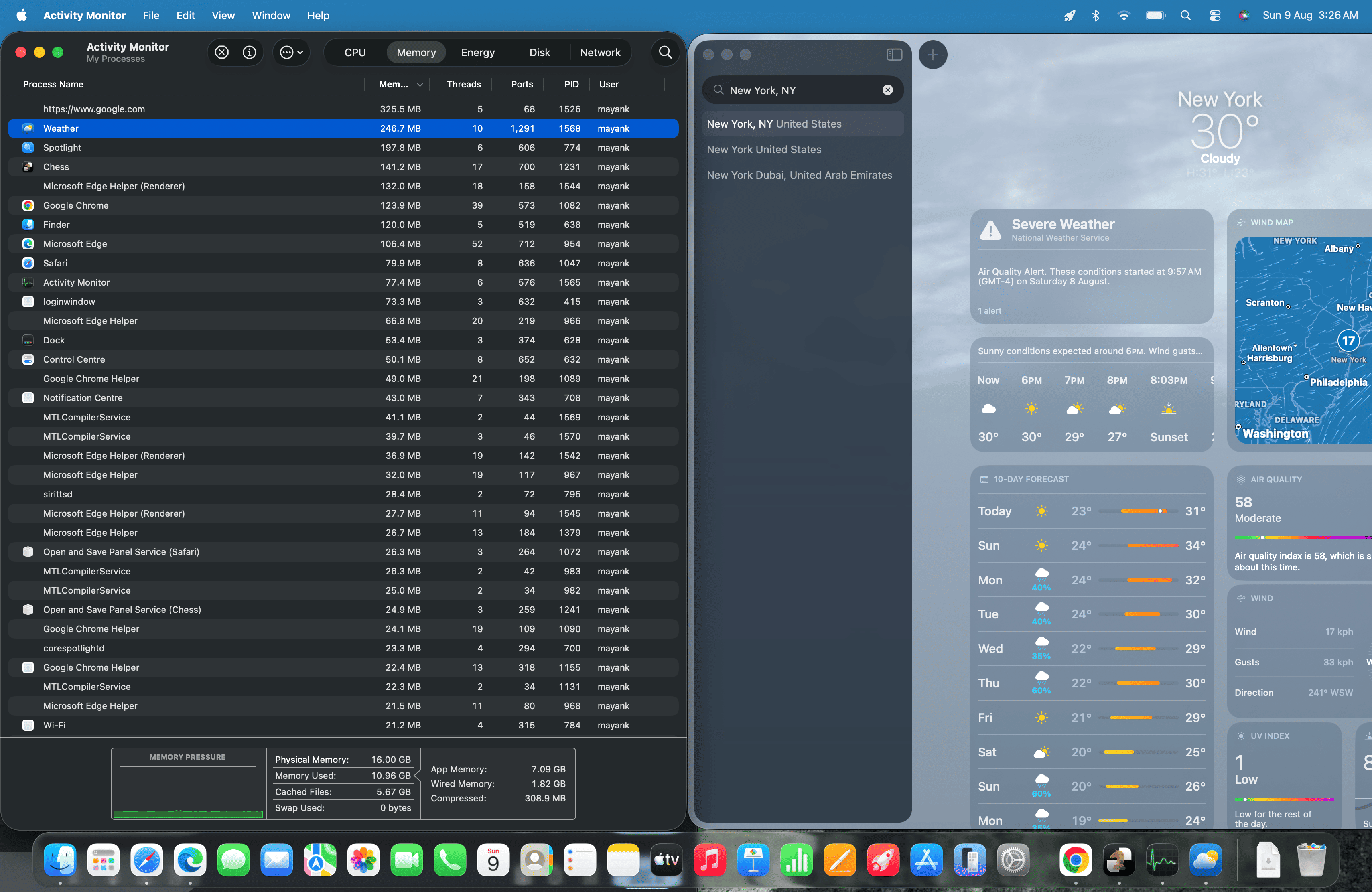
Apple’s Weather app on macOS is a single native process using 246.7MB of memory. Windows 11’s Weather app uses almost five times the RAM for the sole reason that it’s a web app.
Microsoft has been paying attention to its inbox apps this year. Windows Latest recently covered eight inbox apps getting a real update, covering Calculator, Camera, Clock, Media Player, Paint, Photos, and Sound Recorder. Weather isn’t on that list, and it’s easy to see why. Weather is an MSN-branded web wrapper.
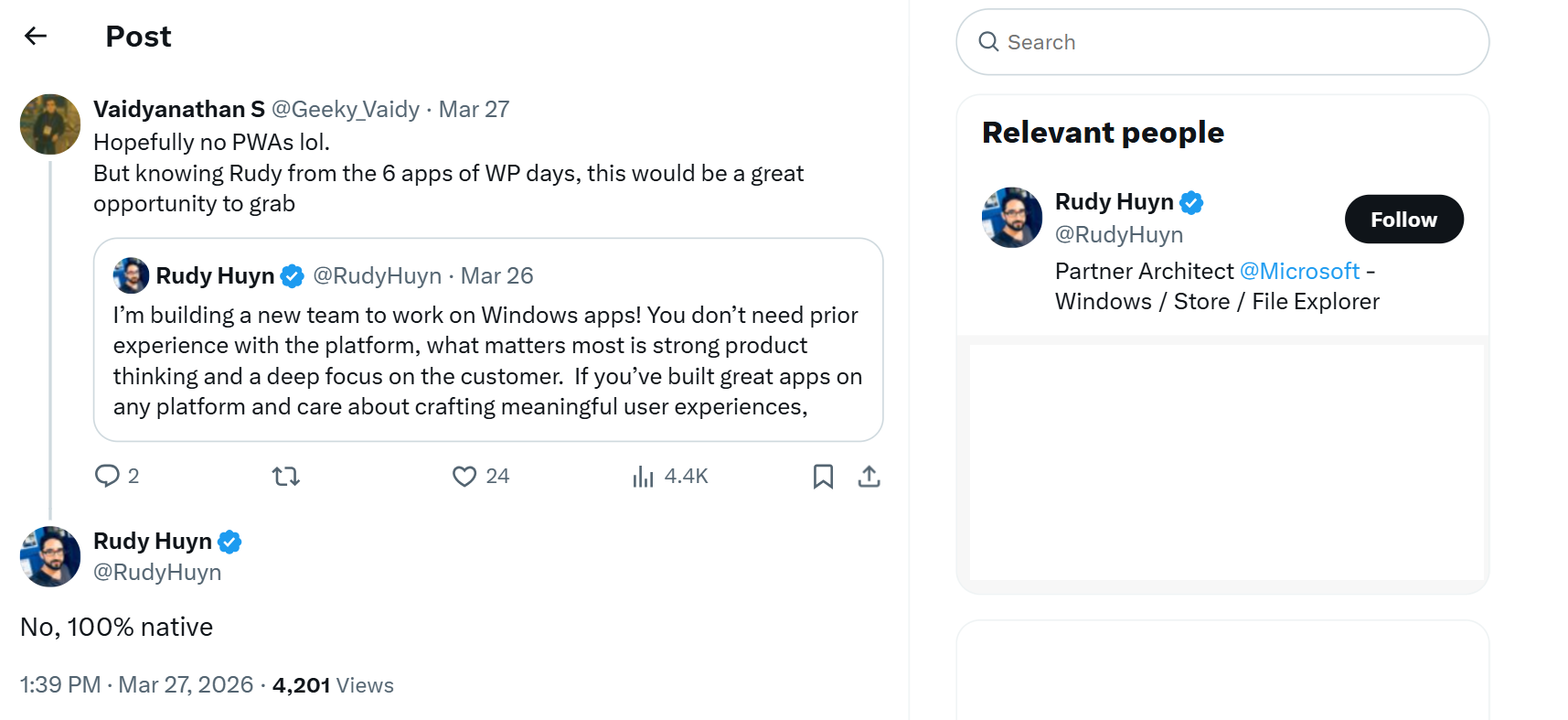
Rudy Huyn, who leads native app development at Microsoft, publicly committed in March to building fully native Windows apps, though it’s unclear whether that extends to MSN-branded apps like Weather and MSN News.
The Weather app’s store listing also recommends signing into a Microsoft account to use it! Of course, we all know how stubborn Microsoft is with MSA, as even the new Insider blog about Windows quality doesn’t mention removing MSA requirement in OOBE.
WinUI is the fix, and Weather would be a perfect proof of concept
Microsoft is already putting effort into dumping legacy Win32 and WebView2 code across Windows 11 in favor of WinUI, and also admitted native apps still use more RAM than they should.

Microsoft’s most recent Insider blog also mentions tuning WebView2 to be more efficient, but tuning a browser engine only goes so far. What Windows 11 needs is a full stack of WinUI-based inbox apps, including Weather, and the dreadfully slow but capable Clipchamp video editor.
There’s already a push to make Windows 11 faster and drop ads across the OS this year. But a native, ad-free-by-default Weather app rebuilt in WinUI would be a great example for every third-party developer still thinking of publishing web wrapper apps for Windows.
The post Windows 11’s Weather app uses 5x the RAM of macOS Weather, and it still shows ads appeared first on Windows Latest