
Windows 11 has just rolled out a new feature that allows two or more apps to use your camera, ending the one-app-at-a-time camera lock. This change is included with Windows 11 KB5089573 (May 2026 optional update), and it’ll roll out to everyone with the June 2026 Patch Tuesday.
Right now, Windows 11 does not allow two apps to use your camera at the same time, so if you open Teams and Zoom, only the app that you launched first will have access to your webcam. That also means if Microsoft Teams has access to your camera and you’d like to record yourself using OBS while joining a video call, OBS would not see you.
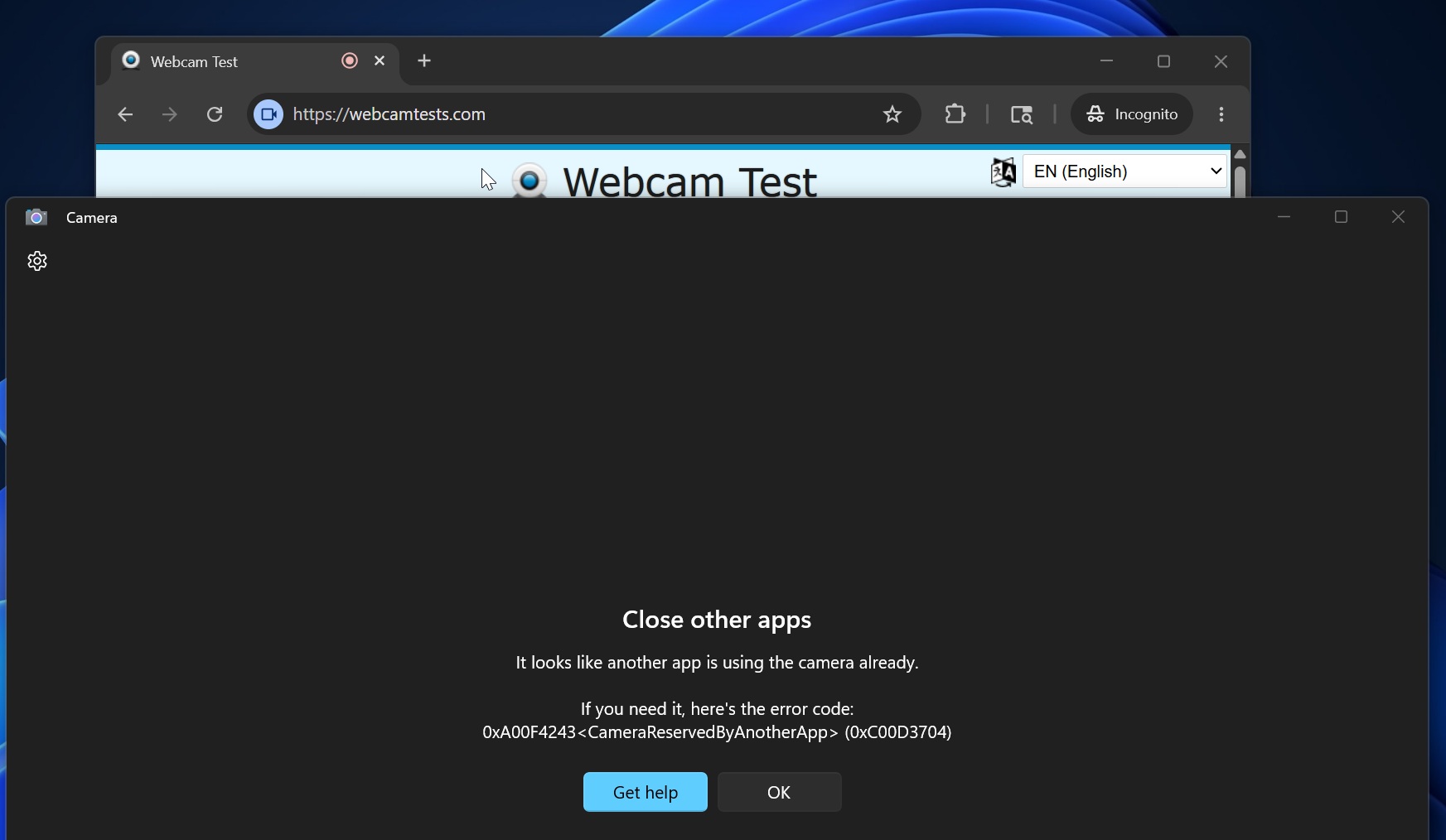
In the above example, I’ve opened the camera in a web-based camera test tool, and I’ve also opened the Windows Camera app. In this case, the Windows Camera app itself does not have access to the webcam hardware, and it displays an error that clearly states you should close other apps using your camera.
“It looks like another app is using the camera already. If you need it, here’s the error code: (0xC00D3704),” the error reads.
Thankfully, that decades-old restriction is finally being removed with Windows 11 KB5089573 (Build 26200.8524+), and all your apps can now access the camera at the same time.
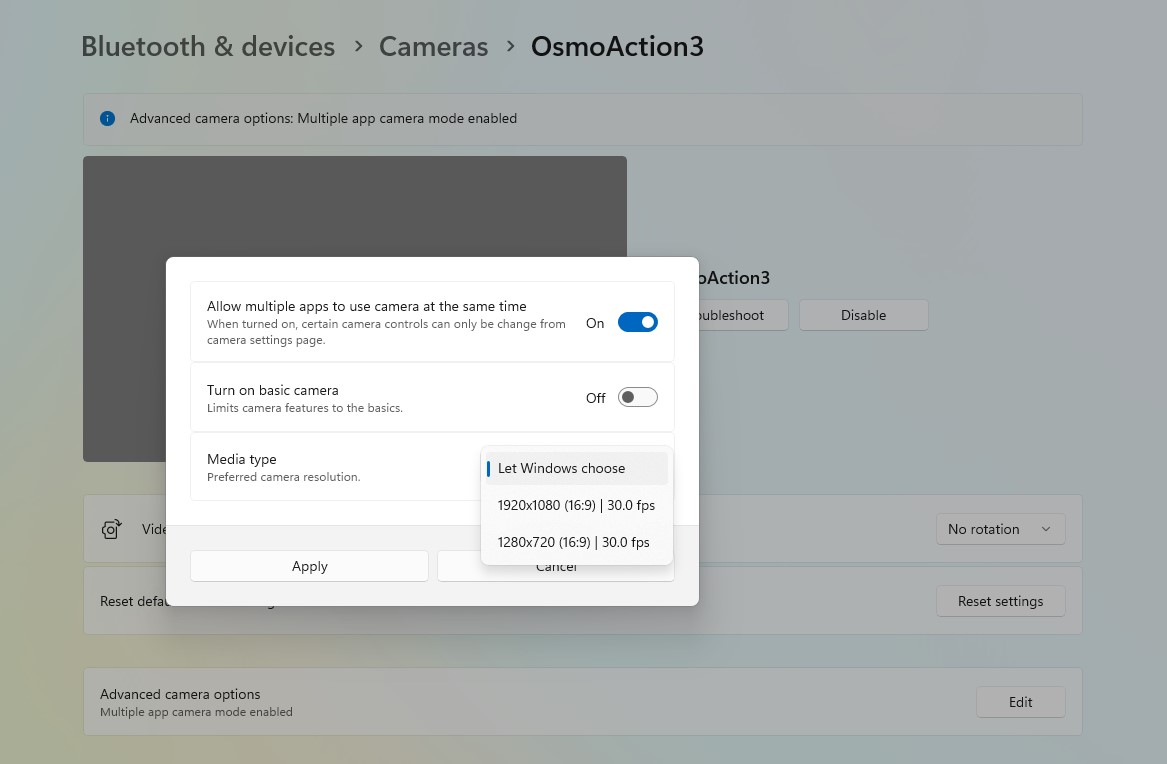
If multi-camera mode isn’t working out of the box for you, make sure you turn on the feature from Settings > Bluetooth & devices > Cameras, and then select the camera you use. Finally, scroll down, and you’ll find a toggle to edit advanced settings. Click “Edit” and turn on “Let multiple apps use your camera.”
Multi-camera mode is a great addition to Windows, but it’s not the only change rolling out today.
Microsoft says it’ll make Windows Camera more reliable, and some changes are already shipping
When Microsoft confirmed it’s working on a major Windows update that improves nearly every aspect of Windows 11, it also told us that the camera experience would become more reliable.
At the time, Microsoft admitted that cameras can disappear from Windows or stop working reliably during meetings. The company also noted that audio issues remain common, with microphones or speakers sometimes failing to work properly. These problems still affect some users, and Microsoft has made it clear that it plans to address them.
“More reliable camera and audio connections to increase your productivity at work and play,” the company said.
Most camera issues in Windows are largely due to drivers. For example, when my Spectre’s camera disappeared overnight, and I assumed it was due to a Windows update, it wasn’t until I reinstalled the camera driver that I realised it was HP’s fault after all.
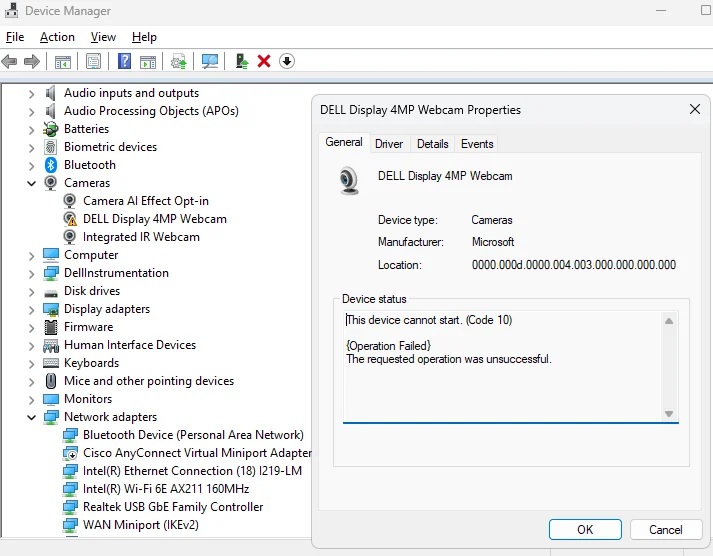
With the May 2026 optional update, Microsoft has added a new feature that allows you to figure out whether a broken camera is caused by Windows or a hardware failure. It’s called “Basic Camera.”
When you turn it on, Windows falls back to Microsoft’s basic driver and settings to run your camera, and if the camera works, it means the issue is due to the OEM’s driver.
It’s worth noting that these two changes are gradually rolling out alongside other improvements like a user-friendly name in Windows Setup and a Low Latency Profile for faster performance.
The post Microsoft is killing the one-app-at-a-time camera limit in Windows 11 with new Multi-App mode appeared first on Windows Latest