
Microsoft told us that Windows 11 is rolling out Shared Audio, a Bluetooth LE Audio feature that lets two pairs of headphones, earbuds, or other audio hardware listen to the same PC at once. This feature is similar to the Apple ecosystem, where you can let your friend listen to audio using two sets of wireless earbuds.
iOS has a feature called “Share Audio,” which allows you to use two sets of AirPods with an iPhone at the same time. On macOS, you can use the Audio MIDI Setup app to use two AirPods together, but this experience has been entirely missing from Windows 11.
By default, Microsoft has never allowed you to use two Bluetooth headsets at the same time. This changes with Windows 11 KB5089573 (build 26200.8524), which comes with the highly anticipated ‘Shared Audio’ feature.
In a statement, Microsoft told Windows Latest that the Shared Audio feature is being rolled out gradually, so it’s not immediately available, but once it rolls out to all PCs, you’ll notice the toggle in the Quick Settings (speaker icon on the taskbar).
You can now use two Bluetooth earbuds or headphones together on Windows 11
If you have access to Shared audio, you’ll find the toggle in Quick Settings. This toggle shows up on PCs with Build 26200.8524 or newer. You can verify the OS build in Settings > System > About.
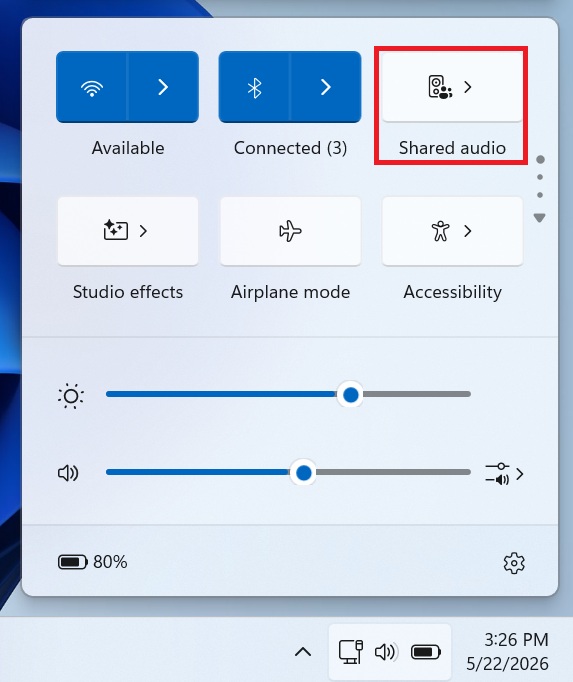
To get started, you need to click Shared audio in Quick Settings, and it’ll open a new panel where Windows 11 lists all supported Bluetooth devices.
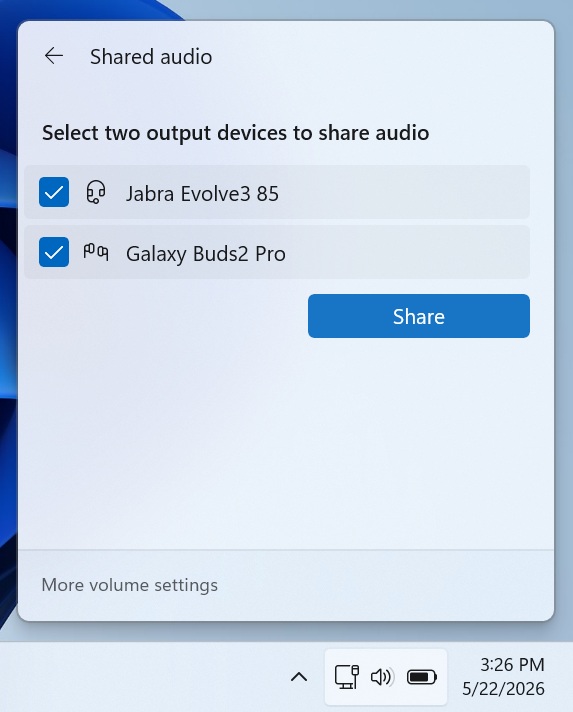
If your headset is missing, it means it’s not supported by the Shared audio feature, which is powered by Bluetooth LE Audio. Finally, select the two Bluetooth outputs, and click on Share to begin sharing the audio.
How to verify if Bluetooth LE audio is supported on your PC
Bluetooth LE Audio was first announced in January 2020, so most PCs and Bluetooth headsets that shipped in 2020 and later support the feature.
To verify if Bluetooth LE is natively supported on your PC, open Settings > Bluetooth & devices > Devices, and you’ll find a toggle “Use LE Audio when available” under Device settings.
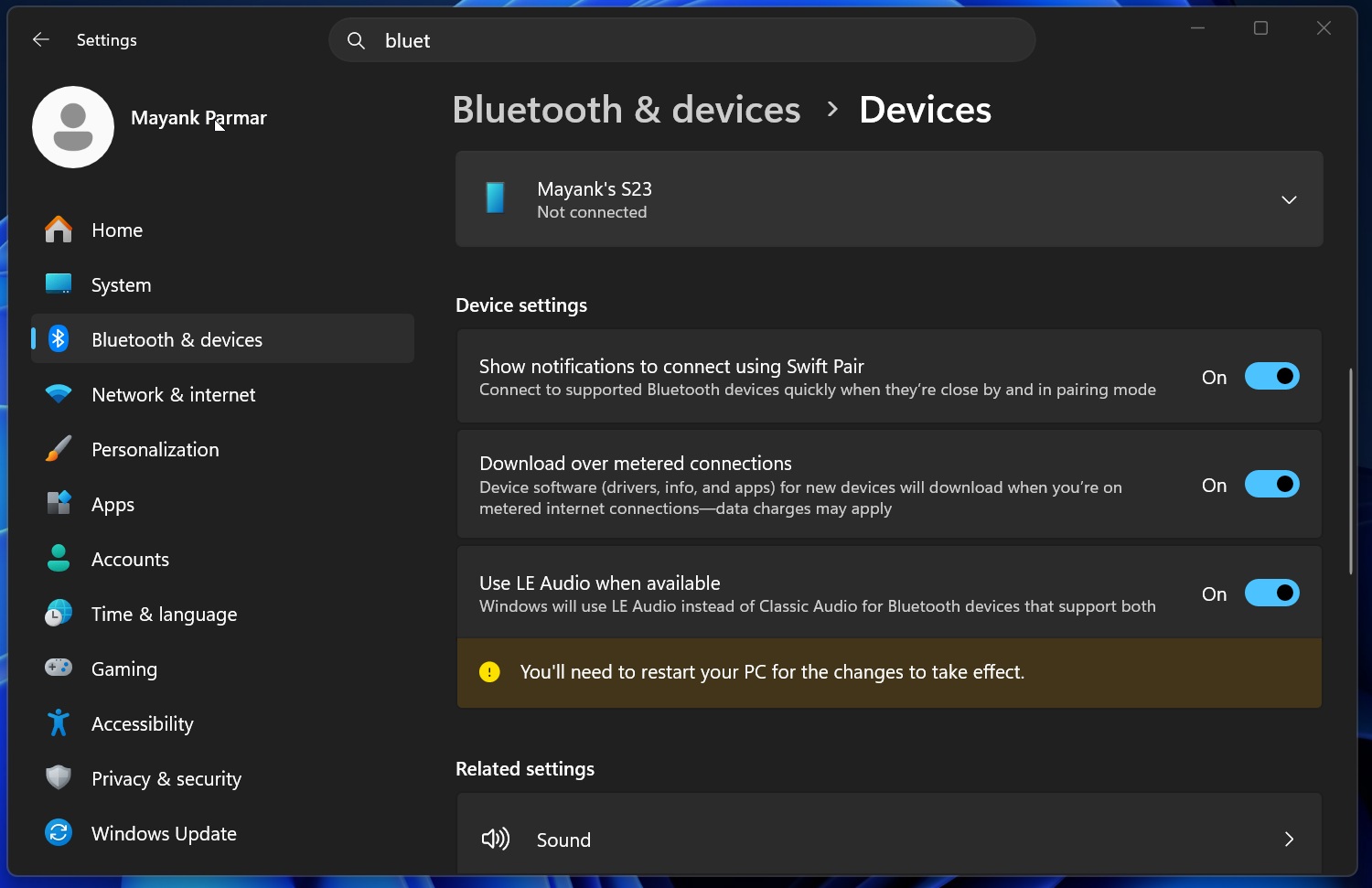
If this toggle is missing, your PC likely does not support Bluetooth LE Audio, and you’ll need to upgrade the Bluetooth adapter to use the Shared audio feature.
Bluetooth’s audio broadcast is also required
It is worth noting that having a PC with Bluetooth LE Audio support is not enough. Your PC must also support the “audio broadcast” feature.
Right now, there’s no manual way to verify whether your PC supports audio broadcast. If the “Shared audio” toggle doesn’t appear in Quick Settings today or over the next few weeks as the feature rolls out, it likely means your PC doesn’t support it.
In addition, you need to own two Bluetooth headsets with Bluetooth LE audio. Microsoft lists earbuds, headphones, and even assistive hearing devices as supported hardware for Shared audio.
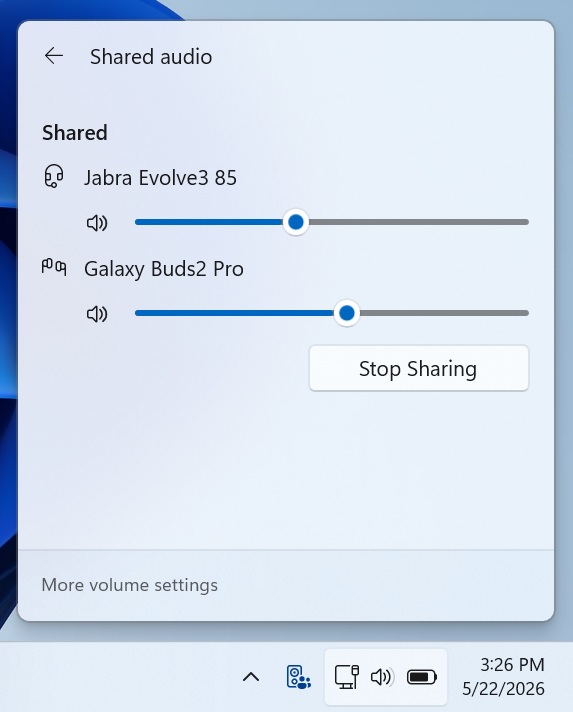
Windows 11’s shared audio feature also lets you modify the volume for each connected headset
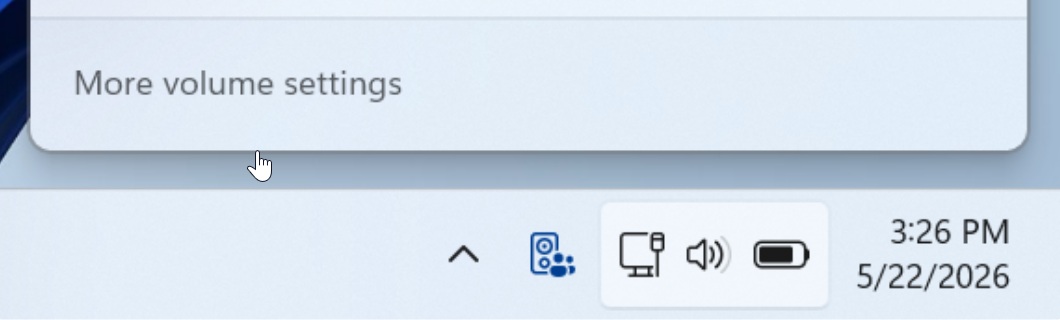
Finally, if you have a fully capable setup with supported hardware and Shared audio shows up on your PC, you can turn it on from Quick Settings. You’ll also notice a new icon on the taskbar when Shared audio is in use.
Shared audio well because audio is transmitted using standardized Bluetooth LE Audio broadcast streams. That means both connected headsets can use this stream and work at the same time.
In our tests, Windows Latest observed that Windows 11 also lets you modify volume for each connected headset in a shared setup. By default, the same system volume is shared between the two headsets.
As I mentioned at the outset, Shared audio is still rolling out with Windows 11 Build 26200.8524, which also comes with a Low Latency Profile for faster performance. Microsoft expects the rollout to finish in the coming weeks.
The post Microsoft brings AirPods-style audio sharing to Windows 11, letting two people listen on one PC with their own headphones appeared first on Windows Latest