
Microsoft has confirmed that Secure Boot certificate updates are failing or being blocked on some Windows 11 PCs, and the company says it is working with PC makers on a patch, but you may still need to take action if the certificate is blocked due to other reasons.
In an updated support document first spotted by Windows Latest, Microsoft says it has paused the Secure Boot rollout for some PCs due to potential known issues. If your device is affected, you’ll see a detailed error message in the Windows Security app.
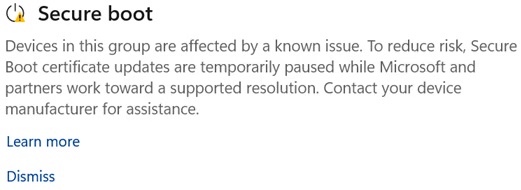
“Devices in this group are affected by a known issue. To reduce risk, Secure Boot certificate updates are temporarily paused while Microsoft and partners work toward a supported resolution,” Microsoft noted.
As you might be aware, Secure Boot certificates issued in 2011 or earlier have now expired, and Microsoft has been trying to replace them with a new certificate issued in 2023.
The company said all “eligible” PCs will automatically start using supported certificates via Windows Update, but that’s not the case for all PCs, including some supposedly eligible machines.
I’m not really surprised, as Windows Latest’s veteran journalist Ed found that Windows PCs, particularly older ones, have a firmware problem, and many are not ready for the D-day, which has already passed. Either OEMs do not offer the firmware required for Secure Boot 2023 to be applied, or users have incorrectly disabled Secure Boot itself to install Windows 11.
Microsoft confirms some PCs are blocked from getting new Secure Boot certificates
I’ve been asking Microsoft tough questions around Secure Boot certificates, and so far, it’s quite impressive how the Windows giant has tackled the situation. All modern hardware is already using the Secure Boot certificate issued in 2023, and those that are not have either disabled Secure Boot without realizing it or use faulty firmware.
You can verify if Secure Boot is turned on and fully updated by opening Windows Security > Device security > Secure Boot.
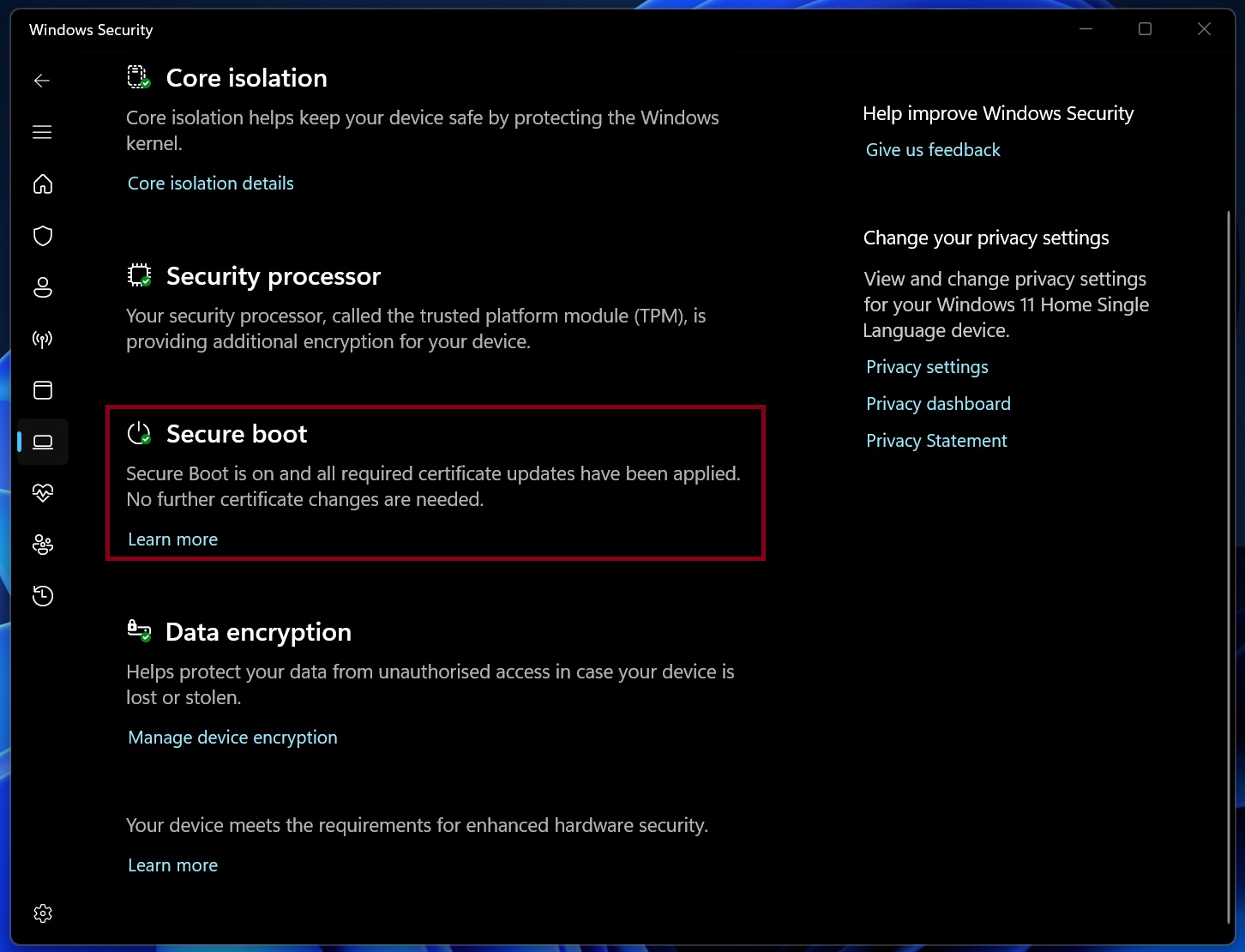
If it says Secure Boot is on and certificates are applied, you don’t have to worry about anything. But in some cases, it only says Secure Boot is on, and there’s no clear indication about the certificates.
Microsoft says it worked with PC manufacturers and identified a set of devices or firmware where the Secure Boot certificate update could cause trouble. If affected, the devices need a fresh firmware update, but since that is not yet available, Microsoft has blocked Secure Boot certificate updates to reduce risk.
“Devices in this group are affected by a known issue,” Microsoft warns without sharing examples of the affected PCs.
“To reduce risk, Secure Boot certificate updates are temporarily paused while Microsoft and partners work toward a supported resolution. Contact your device manufacturer for assistance.”
This new alert began rolling out recently, so if you’ve been seeing Secure Boot is on, but no clear information about the installed certificate, you should check the Security app again.
“A firmware update is required but might not yet be available. When it becomes available, the firmware update will be released and installed through your OEM’s standard update channel,” Microsoft explained.
There’s another warning where Windows reports Secure Boot status as on, but also points out that the device will not receive the Secure Boot certificate update due to hardware or firmware limitations.
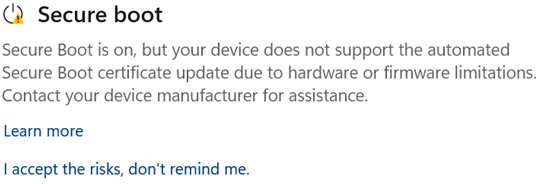
In the above case, if your device is a few years old and is not one of the OEM’s most sold units, do not expect an update. OEMs rarely release firmware updates for older PCs, and when the UEFI firmware is not supported, Microsoft won’t release the Secure Boot 2023 certificate update for your PC.
“Your PC model might no longer be supported by the OEM, or the OEM might no longer be able to provide the firmware updates needed to update your device’s Secure Boot trust configuration,” Microsoft warned.
Why some PCs are not getting Secure Boot 2023 yet
Microsoft told Windows Latest that most PCs have already received the Secure Boot certificates, and they install automatically through Windows Update.
In some cases, Windows Update detects potential compatibility issues, which is why it never sends the Secure Boot 2023 update your way. In other cases, the Secure Boot update is blocked due to outdated firmware.
“Many OEMs are actively releasing these firmware updates through their standard update channels. If a firmware update is required, check your OEM’s Secure Boot support page for next steps,” Microsoft noted, and it aligns with our previous findings.
Windows Latest previously found that OEMs have quietly updated their Secure Boot documentation to acknowledge Secure Boot problems and the lack of firmware updates required for necessary security changes.
Why Secure Boot 2023 is required, but it’s not a deal breaker
For those unaware, Secure Boot is a security feature that’s built into your computer’s UEFI firmware and is officially required by Windows 11 unless you bypassed it. When Secure Boot is turned on and certificates are up to date, Windows blocks unauthorized or invalid software and potential malware from running at boot level.
Secure Boot 2011 and the new 2023 certificates are used to process and verify updates to the Secure Boot DBX, also known as the Forbidden Signature Database. Without an updated certificate, a PC cannot securely receive new lists of compromised or vulnerable bootloaders to block.
As we’ve previously reported, an expired Secure Boot certificate doesn’t mean your PC will stop booting or working. In fact, it’s almost impossible for a casual consumer to notice any difference, but that doesn’t mean the Secure Boot 2023 certificate update is not important.
At the end of the day, Secure Boot is a “firmware-based boot chain verification mechanism,” and updated certificates are required to ensure PCs only run verified software.
What happens if Secure Boot certificates are not updated?
Microsoft insists that you must not turn off Secure Boot if you are not getting the update, as that would make Windows security worse than it already is without the updated certificates. If you don’t have Secure Boot 2023, there’s nothing you can do other than ask your OEM.
As I noted above, this is not an immediate disaster for most consumers. Your PC will continue to boot, Windows updates will still install, and everyday tasks will remain unchanged. The problem is long-term protection, especially against newly discovered malicious or vulnerable bootloaders.
| What continues to work without Secure Boot 2023 | What no longer works without Secure Boot 2023 |
|---|---|
| The device continues to start normally. | New Secure Boot and Boot Manager protections can’t be applied. |
| Windows feature and quality updates, including monthly security updates, continue to install. | Boot-related security components that require updated certificates may not install. |
| Everyday tasks, including apps, networking, and browsing, remain unchanged. | Newly discovered malicious or vulnerable bootloaders might not be blocked. |
| Secure Boot remains enabled and continues to protect against previously known threats. | Some non-Microsoft components relying on Microsoft Secure Boot trust may fail to update if they need newer certificate entries. |
| The device does not face an immediate risk or system failure. | Long-term security protection may gradually fall behind fully updated devices. |
The post Microsoft confirms Secure Boot update failing on some Windows 11 PCs, promises a resolution appeared first on Windows Latest