
There’s no denying that Bluetooth on Windows is a hot mess, and we’ve all had those moments where connections are unstable or Bluetooth simply disappears like it never existed. Microsoft is aware of most of the issues, and it’s rolling out a big update that addresses several problems with Bluetooth.
Today, Microsoft rolled out the new update (26200.9539) to testers in the Release Preview Channel of the Insider Program, and it has up to nine notable Bluetooth fixes. And it’s a big deal because Bluetooth rarely gets notable bug fixes.
In fact, if you look at Windows 11’s changelogs for the past five years, you’d realise Microsoft has barely tried to make Bluetooth better.
Now, Microsoft says it’s making the connection state more accurate. For example, if you connect or disconnect a Bluetooth device and look at Quick Settings, you might notice that the device still shows as connected or continues to appear even after it has been disconnected. This is getting better, as Bluetooth can now display a more accurate connection state.
Better calling experience with Bluetooth on Windows 11
Microsoft is also enabling a better calling experience on Windows 11 when you use Bluetooth headsets during a meeting, whether it’s Teams or Google Meet.
Now, when you’re in a voice call and try to adjust the volume of the connected Bluetooth headset, you’ll notice that Windows’ built-in volume flyout appears.
Microsoft calls it improved “visual feedback of the new volume level,” while the broader Bluetooth changes are supposed to improve reliability and the experience when connecting to and using Bluetooth devices. This is an operating system-wide improvement, so you’ll get the same experience whether you use Teams, Google Meet, WhatsApp, or Telegram.
This update also improves the stability of the Bluetooth & devices page in Settings when managing Bluetooth and audio devices.
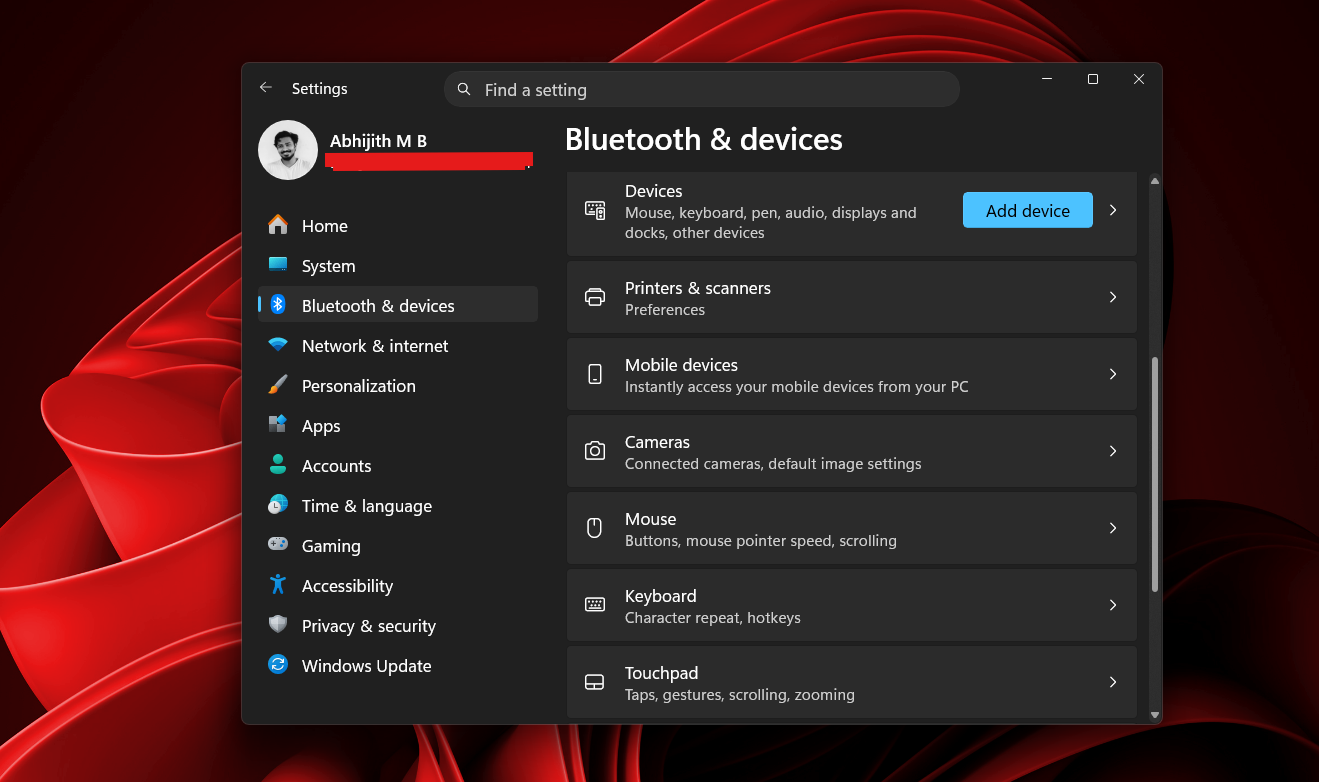
There’s another change that should improve microphone compatibility on certain PCs that use Bluetooth Classic Audio accessories. It also patches a bug where the Bluetooth radio could actually be turned off even when the radio toggle appeared enabled on the Bluetooth & devices page in Settings.
Finally, if you’ve got one of those newer Bluetooth headsets with LE Audio, you’ll notice better performance and reliability.
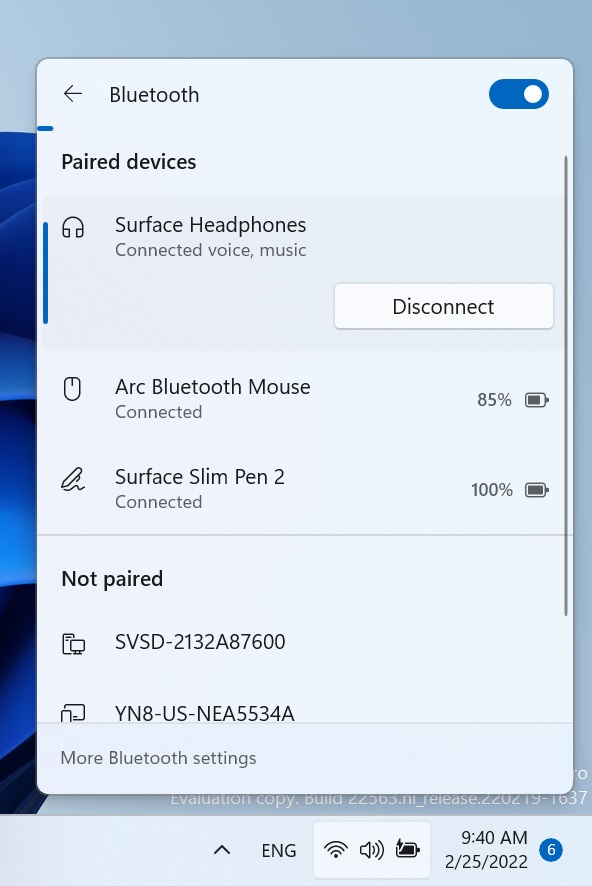
Again, Microsoft is not explaining exactly how it has made Bluetooth more reliable, and I suspect the company will most likely never share the behind-the-scenes fixes it made. But as a consumer, you should expect:
- Bluetooth to connect faster and correctly reflect when it’s disconnected
- Bluetooth to have more stable connections with reduced stuttering and disconnects
- Audio calling to be better
I’m also told that OEMs like Intel are going to follow up with another driver update that matches Microsoft’s new quality guidelines. We’ve already seen Intel begin adopting Microsoft’s new driver quality standards with its wireless drivers.
Microsoft says Windows 11’s driver quality will improve significantly
In May 2026, Microsoft brought OEMs and its other hardware partners together at the Windows Hardware Engineering Conference (WinHEC) to work on the next big “ecosystem” update. The Windows team spent time with OEM, ODM, silicon and IHV partners to discuss what really makes the OS unstable and how much drivers contribute to that.
“[We wanted] to talk honestly about where we are, opportunities to be better connected as an ecosystem and where we’re going together,” Microsoft said at the event, and it’s part of the company’s broader plan to raise the bar on quality.
Windows can’t magically get better if drivers are botched up. Even as Bluetooth gets better, if the underlying driver has a problem, you can’t expect what Microsoft calls “improved reliability.” It doesn’t work that way.
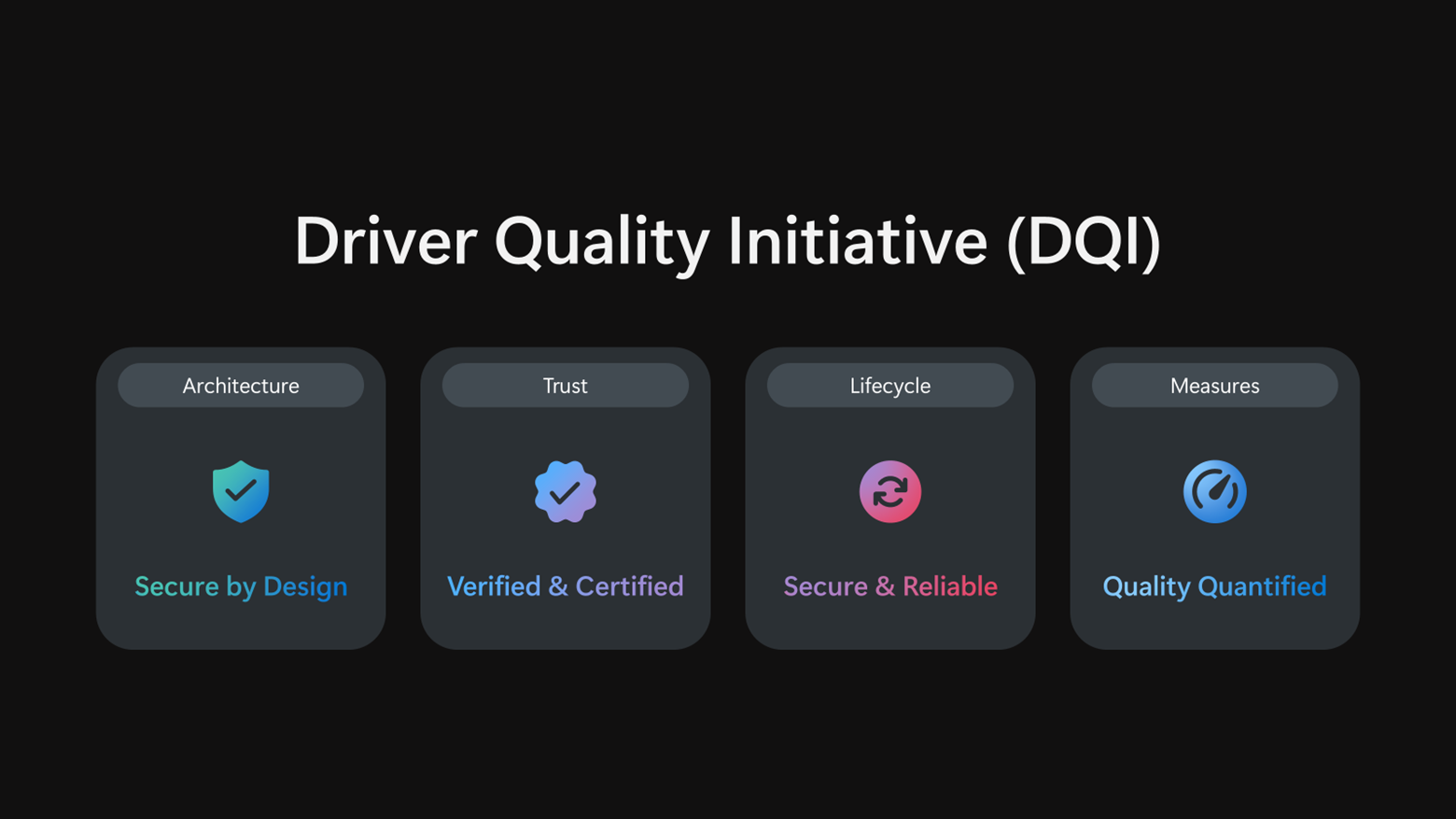
Microsoft told its partners to follow the new Driver Quality Initiative (DQI), which aims to make drivers more trustworthy, remove older or low-quality drivers that cause compatibility issues, and improve the security and reliability of updates that come through Windows Update. We’ve previously covered how Microsoft’s driver quality reset targets crashes, performance and battery life.
“Great platforms aren’t built in isolation. Platform quality depends on early, honest collaboration across OEMs, ODMs, silicon partners and IHVs. WinHEC brings engineers together with Microsoft to align early, solve real problems and deliver higher-quality solutions for our shared customers,” Syam Poluri, Distinguished Engineer at Dell Technologies, noted.
“When drivers are high quality, customers experience reliable, secure, performant devices. When drivers fail, customers experience it as a device problem, regardless of where the root cause sits,” Microsoft said.
With DQI, Microsoft says it’s heavily investing in hardening kernel-mode drivers and moving more third-party kernel-mode drivers to user-mode drivers or Microsoft-authored class drivers. The idea is to improve security, reliability and resiliency by reducing how much third-party driver code needs to operate deep inside Windows.
Microsoft is also cleaning up Windows Update by deprecating outdated or low-quality drivers. In a related change, Microsoft has started rejecting known problematic driver files during the signing process before they can even be published through Windows Update.
Instead of largely looking at crashes, the company says it will also focus specifically on stability, functionality, performance, power and thermal impact.
Most of these driver-related changes are still being worked on, and we’ll learn more later this year.
The post Microsoft acknowledges Bluetooth on Windows 11 is a hot mess, begins testing nine major fixes appeared first on Windows Latest