
I previously noticed that Microsoft has finally acknowledged that some of us accidentally share our screens and end up in an embarrassing situation. It’s largely due to how Teams’ current meeting UI is designed. In addition, some of us also accidentally leave the meeting. Two months later, a new meeting UI that addresses both issues is finally rolling out.
Microsoft Teams used to be a simple meeting app when it debuted during the lockdown, but it has grown into powerful collaboration software. At this point, most Microsoft apps, such as Word, PowerPoint, and now Planner, live inside Teams. You also have Copilot inside Teams, and it’s one of the reasons why the CMA is going after Microsoft.
Well, that’s a different story, and I’m not going to dive deep into Microsoft’s anti-competitive practices, but the new Teams update is far more interesting.
Teams’ existing design has contributed to accidental screen shares and meeting exits
Right now, Teams’ interface can contribute to misclicks between high-impact actions. Now, what counts as a high-impact action is subjective, but Microsoft’s internal study found that most of the time, it’s either Share, which starts screen sharing, or Leave. It can also be Raise Hand, but that’s still less embarrassing and disruptive.
Microsoft also found in its own study that many users end up clicking Share when they don’t want to and leaving the meeting while trying to access a different button.
Based on all the feedback, Microsoft says it developed two major changes. First, we’re getting a redesigned meeting interface, and second, we’re getting new sharing controls, so you have more control over what you share. More importantly, it is now almost impossible to accidentally share your screen. IMPOSSIBLE. Really.
“They make core actions easier to find, reduce accidental clicks, and give users more confidence when sharing content,” Microsoft said in a statement to Windows Latest.
The company also told us that most users have already begun seeing the new experiences, but if you don’t have them, you will get them by the end of August 2026.
Hands-on with new Teams meeting UI and share controls
Teams is redesigning the meeting controls, so your main actions are moving to the centre at the top, while Audio, Video, and Share are placed next to each other. Microsoft told me it’ll reduce accidental clicks, as the Leave button previously lived alongside these options. Now, it’s located at the far right.
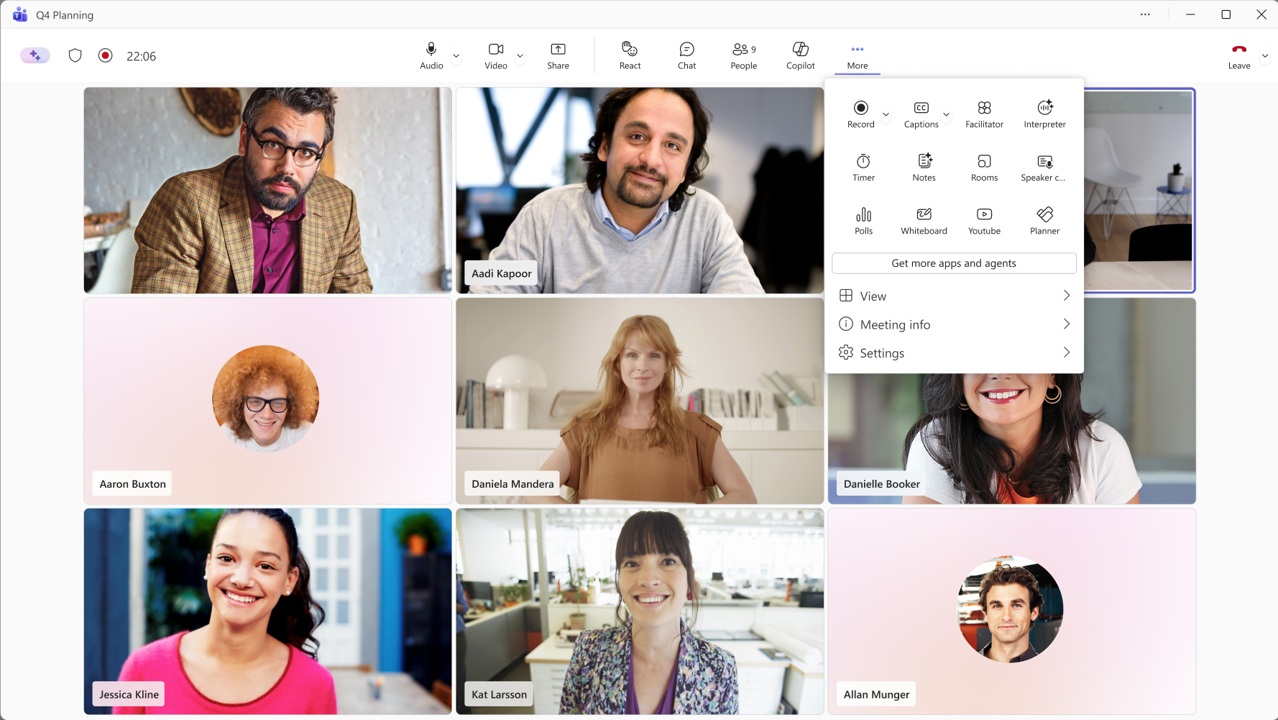
Other features in Teams, which are internally called “less frequently used,” are now inside a new More menu. You will find options such as recording, captions, meeting notes, breakout rooms, polls, Whiteboard, YouTube, Planner, and other tools inside the More menu.
Also, if you dislike how it’s all organized, you can always pin, unpin, and rearrange these controls based on what you use most often.
Finally, we’re getting a new sharing panel, as moving the Share button alone is not enough. Now, you can see screens, individual windows, and other sharing options on the left in the new Sharing menu, while a large preview on the right shows exactly what other participants will see.
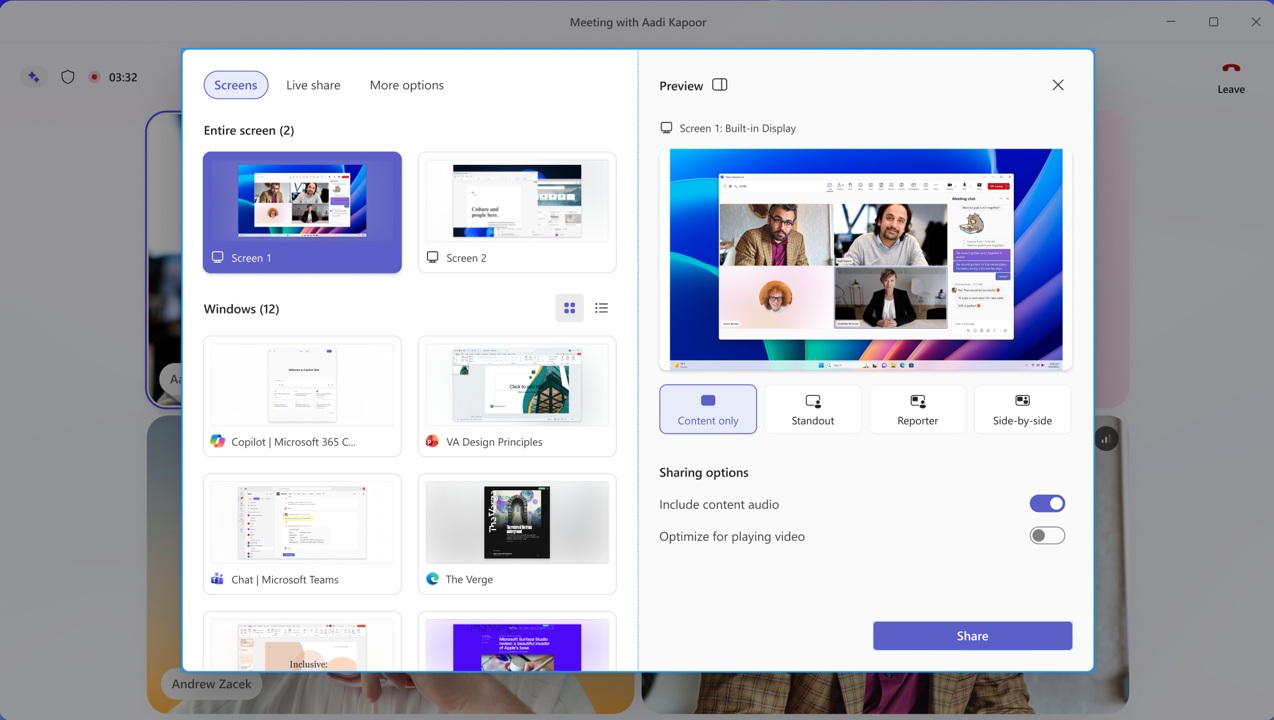
Before sharing, you can choose presentation modes such as Content only, Standout, Reporter, and Side-by-side. You can also decide whether the app should include your system audio and optimize your audio using AI.
Even at this point, you can’t share the screen by mistake because the final Share button is at the bottom, so it’s a two-step process, and it will 100% reduce accidental clicks unless you are daydreaming.
In addition, Microsoft Teams is adding the following features in the coming weeks:
- You can now test your mic and speakers before joining a meeting. It’s similar to the preview screen we have on Google Meet.
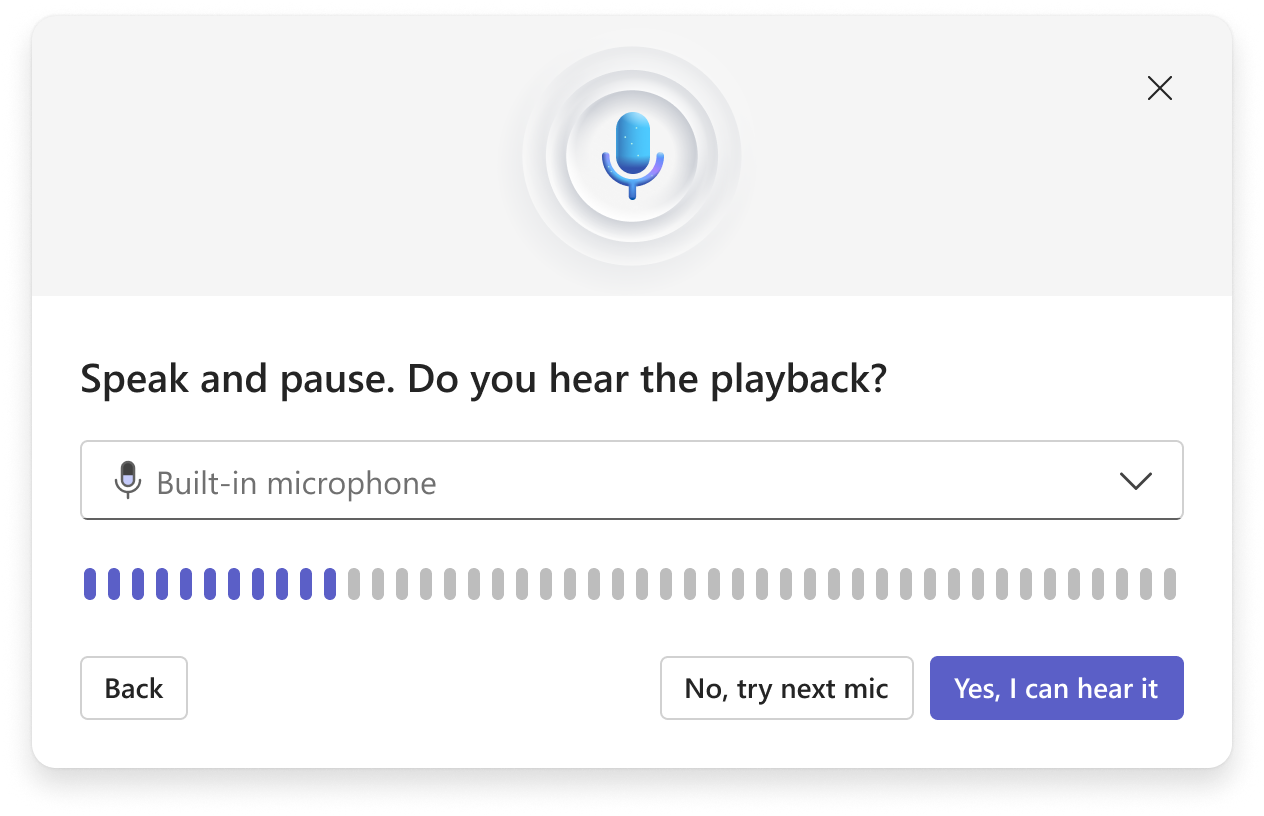 The idea is to end the endless “can you hear me” chaos, but only time will tell if it really works out (spoiler, it won’t).
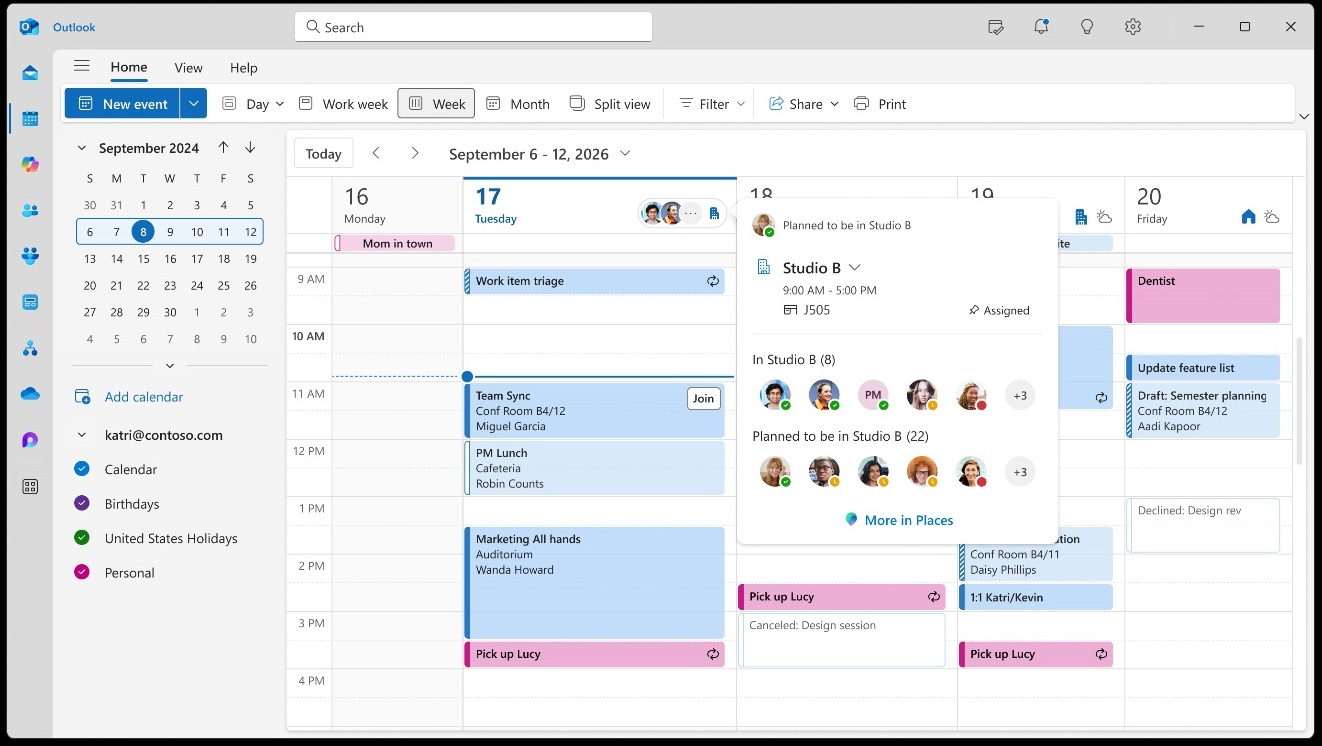
 - Teams is rolling out a potential surveillance feature that can detect your current location in an organization, but only if you are connected to the organization’s network or devices.
- Teams is using AI to create archives and let Copilot analyze your meetings if you don’t choose to turn off the feature.
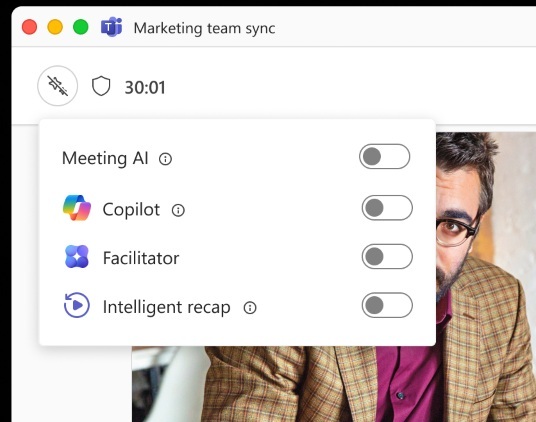
Last but not least, Teams is also letting you turn off all AI features with just a single tap in any meeting without specific permission from the organization’s IT admin.
The post Microsoft Teams’ redesign stops your accidental screen shares and Leave clicks, rolling out now appeared first on Windows Latest