
If you’ve got a gut feeling that something is using your storage on Windows 11, and it’s not your random downloads, I recommend opening Settings > Storage and checking the System & Reserved section. If it’s using hundreds of gigabytes of storage, it’s most likely due to a recent bug where the CapabilityAccessManager.db-wal file fills up the system drive.
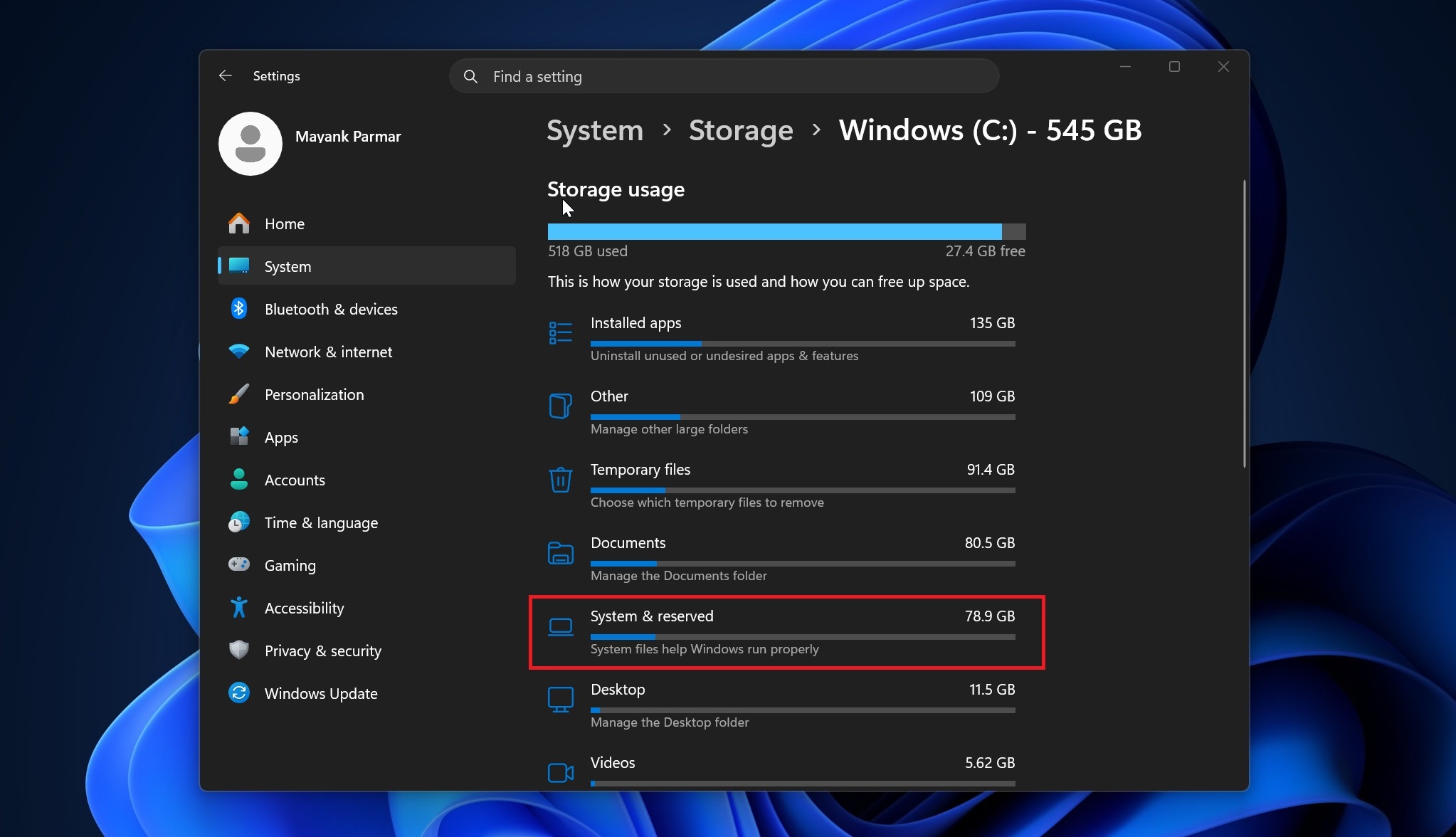
In our tests, Windows Latest found that one particular file can use most of your system storage:
C:ProgramDataMicrosoftWindowsCapabilityAccessManagerCapabilityAccessManager.db-wal
Not everybody is affected, and that makes sense, as the above file is linked to Windows’ Capability Access Manager service. As the name suggests, it is tied to app permissions for things like camera, microphone, location, screen capture, and related privacy controls.
This specific “.db-wal” file is apparently a database where Windows stores logs for the above permissions, and naturally, it’s not supposed to use more than a few megabytes. If it’s using tens or hundreds of gigabytes on your PC, you have an alarming problem on your hands.
On one of my PCs, it was using less than 3MB of storage, which is normal. But judging by the reports and our tests, this file can grow out of control and silently eat storage until the C: drive is full.
CapabilityAccessManager can use up to 500GB of storage, and it won’t stop even then
In a Feedback Hub post, one user flagged that CapabilityAccessManager.db-wal had grown to around 200GB on their system.
I also found a thread on Reddit’s r/techsupport where one user flagged an even worse case, saying TreeSize showed the same file using about 513GB, while pagefile.sys and hiberfil.sys together were only around 29GB. Other comments in the same thread mention 70GB, 110GB, 200GB, and the file returning to 4GB or 15GB after cleanup on some machines.
In fact, you wouldn’t realize you are affected until you manually check the file storage, as Windows Storage shows the usage under “System files” or “System & reserved,” but does not directly show the real file causing the problem.
In an updated document spotted by Windows Latest, Microsoft now confirmed it’s aware of an issue where CapabilityAccessManager.db-wal keeps filling up system drive storage for no clear reason, and it plans to patch it in the next major update, which is scheduled for July 14, 2026 (Patch Tuesday). And no, the fix won’t gradually roll out. It’ll ship for all.
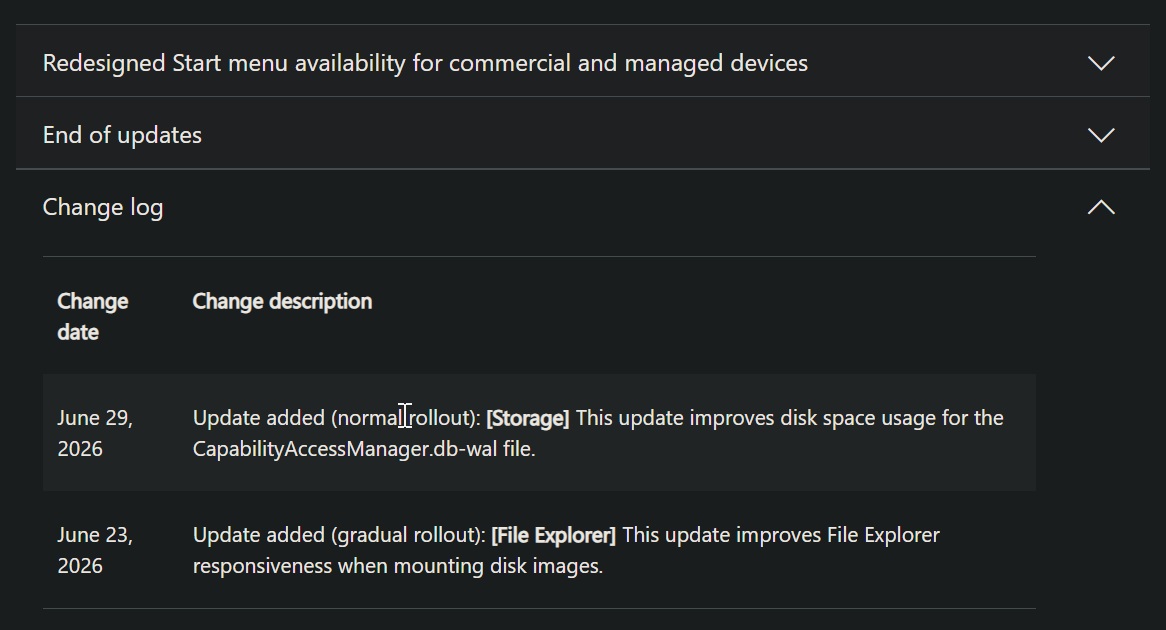
“[Storage] This update improves disk space usage for the CapabilityAccessManager.db-wal file,” Microsoft noted in the release notes of Windows 11 KB5095093 (June 2026 optional update). This fix will be bundled with the July 2026 Patch Tuesday release and will roll out on July 14.
However, I would not call it a proper acknowledgment of a major issue affecting certain Windows installations. The company did not exactly publicly announce that it messed up Windows 11 storage management, as the support document was published on June 23 without any mention of this bug.
Then, on June 29, it was quietly updated with a short note confirming disk space usage improvement for the CapabilityAccessManager.db-wal file.
How to check if your PC is affected
I personally observed this problem when I opened Settings > Storage > System & Reserved and noticed that it was using a massive 89GB of my storage. And it did not make sense because I had recently clean-installed the operating system.
My virtual storage for apps was quite low (29GB), and I do not use hibernation, so even that did not justify the problem. After a bit of research, I figured that the problem is due to CapabilityAccessManager.
So unless you have read this article, there’s no easy way to realize that CapabilityAccessManager is at fault.
Once you’ve figured out that it may be CapabilityAccessManager, you can use WizTree, TreeSize, or WinDirStat as administrator, sort files by size, and hunt down the database file that’s using most of your system storage.
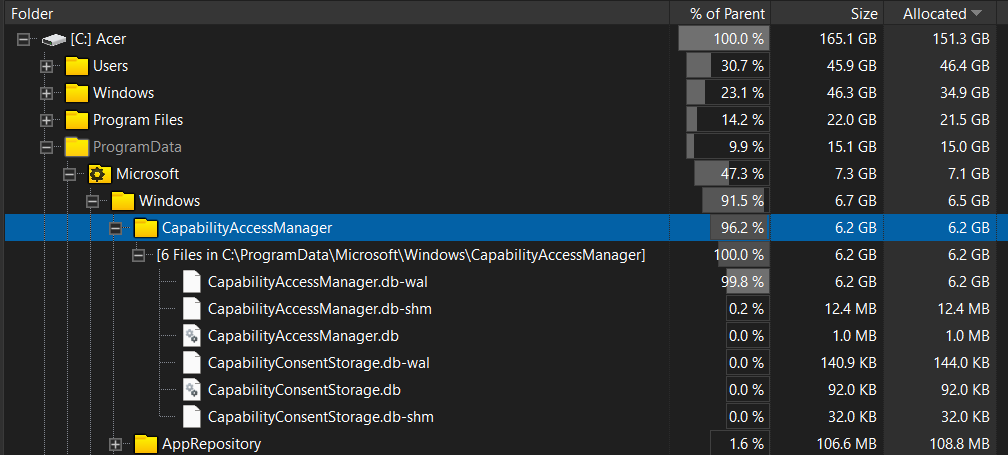
But my personal recommendation is to run a simple command in Command Prompt (elevated) without changing permissions:
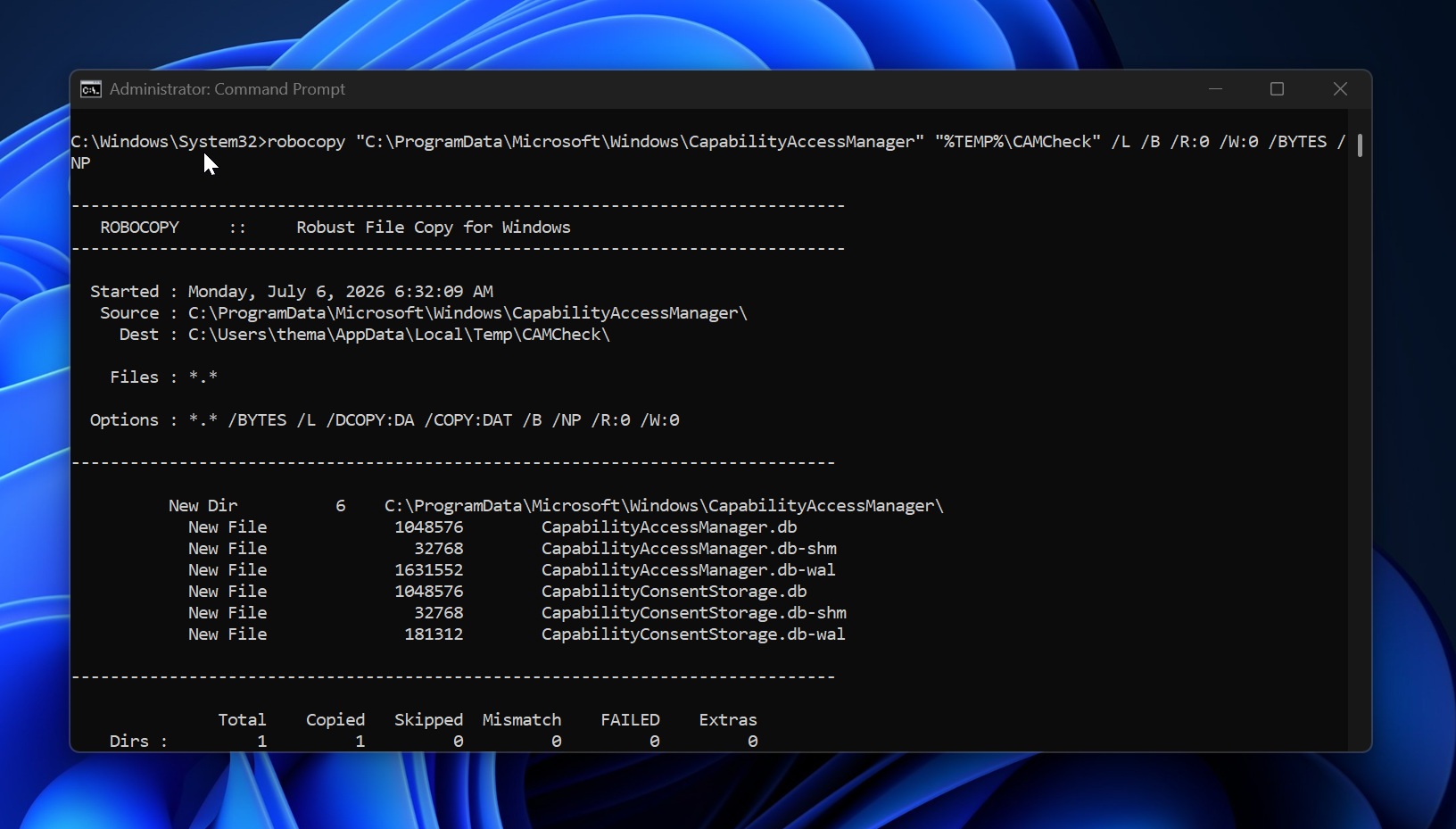
robocopy "C:ProgramDataMicrosoftWindowsCapabilityAccessManager" "%TEMP%CAMCheck" /L /B /R:0 /W:0 /BYTES /NP
Now, look for CapabilityAccessManager.db-wal. If it is a few MB, as shown in the screenshot below, you are fine. On one unaffected system we checked, the whole CapabilityAccessManager folder was under 4MB, and the CapabilityAccessManager.db-wal file was about 1.6MB.
If it is several GB or keeps growing every few minutes, your PC is affected. The safest workaround is to wait for the July 14 Patch Tuesday update, or you can rename CapabilityAccessManager.db-wal so Windows can regenerate it. I do not recommend deleting system files, as it can always go wrong.
The post Microsoft admits a Windows 11 bug is eating up to 500GB of storage, verify if you are affected appeared first on Windows Latest