
Windows 11’s “modern” right-click menu is far from perfect. It’s cluttered and considerably slower than the original Windows 10 context menu. But it’s getting better, and our benchmark shows the upcoming version is almost as fast as its predecessor. But what happens to Windows 10’s context menu that’s tucked behind “Show more options”?
Microsoft says it won’t remove the classic context menu entirely, but you may not see it as often as you do right now.

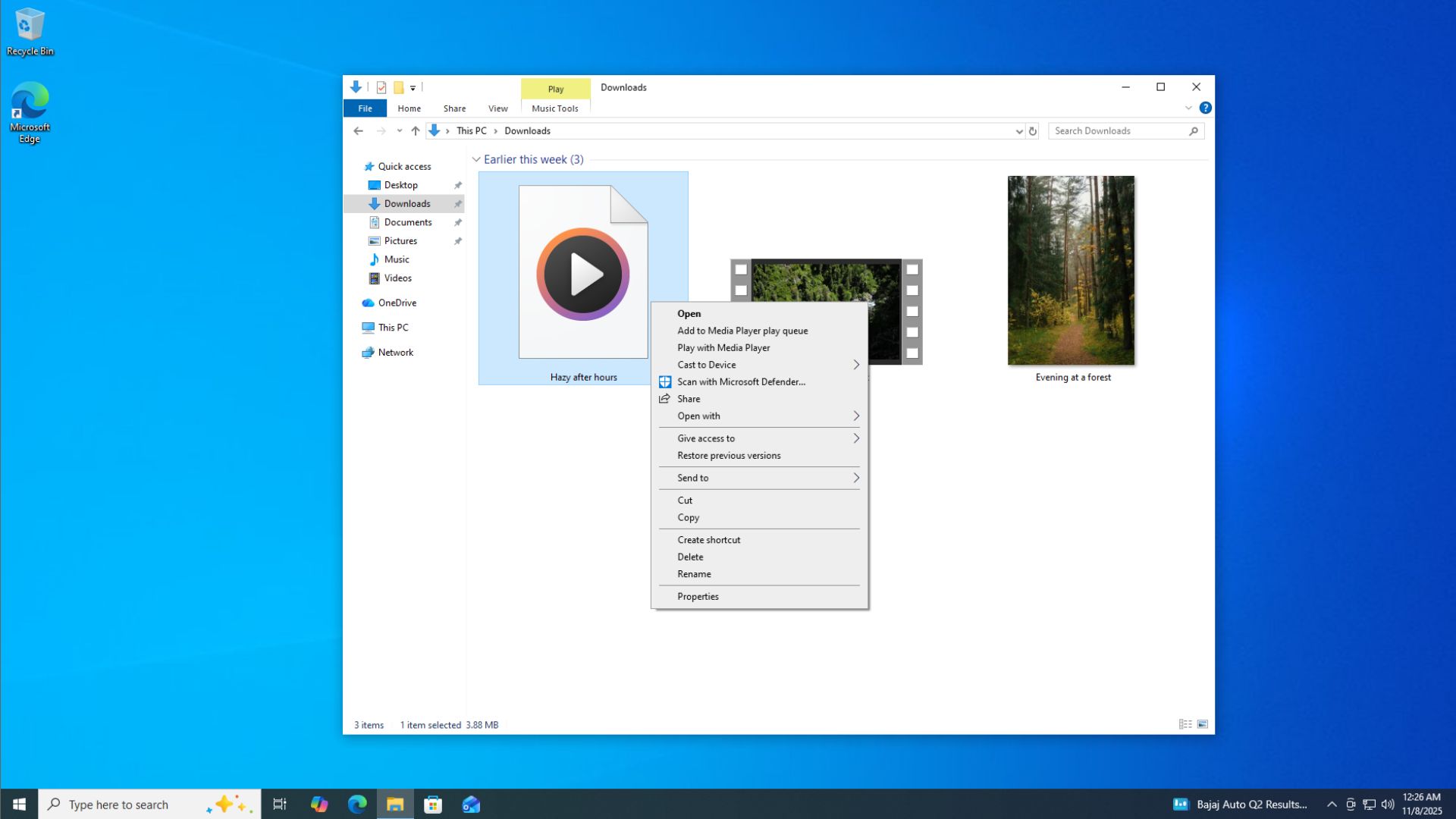
In 2021, Microsoft proudly said Windows 11 would “address” the problems you’ve had on Windows 10 or older versions of the operating system, including pain points like the context menu taking up a lot of space, especially on PCs with low-resolution displays.
At the time, the company said Windows 10’s context menu had become a cluttered mess, largely because it had been “unregulated.”
Microsoft argued that the Windows 10 context menu was useful, but given how unregulated it had become, most apps abused it. As a result, you could end up with an exceptionally long menu where you kept looking for options regardless of the file you right-clicked.
“The menu is exceptionally long,” Microsoft’s Xander Fiss, who has been with the company for almost two decades, noted in a support document discussing Windows 10. “It has grown in an unregulated environment for 20 years, since Windows XP, when IContextMenu was introduced.”
Microsoft said it was rebuilding the context menu on Windows 11 to be as “useful as the Windows 10 context menu is,” and it listed as many as six steps it was taking to make it better. That was in 2021, mind you, and some of the ideas were actually good, at least on paper.
For example, the company moved common commands to a dedicated space in the right-click menu. It also said it would group commands such as “Open” and “Open with” where it makes sense.
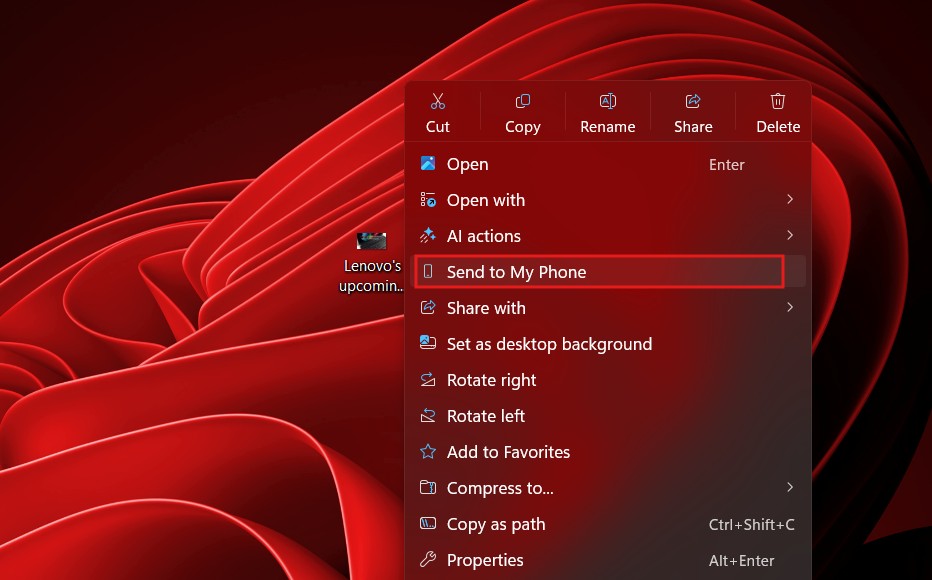
Another goal was to make the context menu faster. Yes, Microsoft really argued that Windows 11’s context menu would be faster than Windows 10’s version.
“Many commands run in-process in Explorer, which can cause performance and reliability issues,” the company noted.
Microsoft admits Windows 11’s modern context menu became cluttered and sluggish
As appealing as it sounded on paper, Windows 11’s context menu somehow failed to be better than Windows 10’s version, and Microsoft has now openly acknowledged for the first time that it messed up.
“When we launched Windows 11, we introduced a new context menu with a modernized design, improved organization, and a new approach to application extensions,” Microsoft said in a recent announcement.
“Over time, though, the menu became cluttered and sluggish, and we recognized the need to dramatically reduce the time between right-clicking and having a menu that’s fully ready to use.”
As the saying goes, better late than never. Windows 11 is finally getting a new context menu experience where you can customize what appears in the right-click menu, and it’s also becoming almost as fast as Windows 10.
Our tests show notable improvements, and at this rate, I wouldn’t be surprised if Windows 11 actually ends up better than Windows 10 in this area.
It’s not just about the right-click menu, either. We’re seeing other improvements as part of Microsoft’s efforts to address Windows 11’s consistency problems, including a modern AutoPlay dialog, Properties sheet, and more.
Windows 11 isn’t removing the legacy right-click menu
But what happens to the Windows 10-era context menu? Right now, you can click “Show more options” and go back to the legacy menu. Does Microsoft plan to remove it?
Microsoft’s Windows Insider boss has denied that the company will remove the legacy context menu, largely because it can’t simply disappear while legacy apps and extensions still rely on it.
However, Windows 11 is changing how “Show more options” works. The option that brings back the Windows 10-style right-click menu will no longer necessarily appear by default. Instead, it will mainly be relevant when you have third-party apps with extensions that still require the legacy context menu.
Microsoft is also reaching out to developers and publishing guidance to help them migrate their extensions to the modern context menu.
But if you still want access to the Windows 10-style menu, you’ll have a setting that lets you turn on “Show more options.”
“‘Show more options’ is off by default. It can be turned on in settings if a user has legacy extensions,” Microsoft’s Marcus noted in an X post, as first spotted by Windows Latest. “We are releasing guidance to help customers move their extensions to the new context menu so they won’t need the setting.”
At this point, it’s clear that Microsoft has no plans to completely remove the legacy context menu just to push everyone toward the modern experience. The company still has enterprise customers, as well as regular users, who may rely on apps that need the legacy menu to expose their extensions.
At the end of the day, I like the new approach. Microsoft is building a modern context menu that’s faster and can be customized, while at the same time not alienating users who still need the legacy version for one reason or another, including support for older extensions.
The post Will Windows 11 remove the Windows 10-era right-click menu? Microsoft reveals what’s next appeared first on Windows Latest