
The clock is ticking on one of the most fundamental security architectures inside your PC. In June 2026, the original Secure Boot certificates that have governed Windows hardware since 2011 will officially expire. To prevent millions of PCs from suddenly becoming vulnerable or failing to boot altogether, Microsoft is in the midst of a monumental, multi-year rollout of the new 2023 Secure Boot certificates.
Because this transition directly manipulates the UEFI firmware on your motherboard, it is a highly delicate process. To clear up the confusion, Microsoft recently hosted a detailed “Ask Microsoft Anything” (AMA) session in March 2026 featuring Principal Security Engineer Arden White, Principal Software Architect Scott Shell, and Group Engineering Manager Richard Powell.
I watched the full AMA, along with additional research to understand the full context, as it contains critical insights into how the update works, what happens if you ignore it, and how enterprises should handle edge cases. I have compiled, organized, and analyzed every single question and answer from that session, so you’ll know everything about Secure Boot.
What is Secure Boot, and why the sudden change?
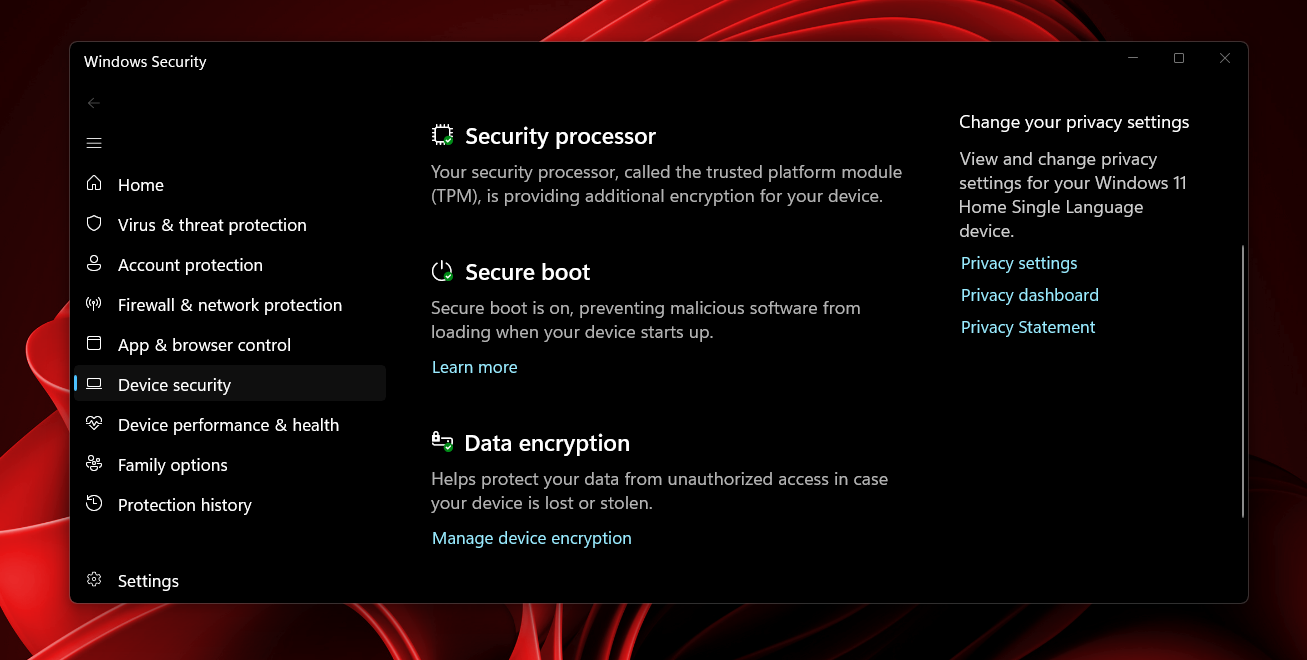
Secure Boot is a security standard developed by members of the PC industry to ensure that a device boots using only software that is trusted by the Original Equipment Manufacturer (OEM).
When your PC starts, the firmware checks the cryptographic signature of each piece of boot software, including UEFI firmware drivers (Option ROMs), EFI applications, and the operating system’s Boot Manager. The system depends on a hierarchy of keys:
- PK (Platform Key): Owned by the OEM, it controls access to the KEK.
- KEK (Key Exchange Key): Used to update the signature databases.
- DB (Signature Database): Contains the trusted certificates (like the 2011 and new 2023 Microsoft certificates) that allow the Windows Boot Manager to load.
- DBX (Revoked Signature Database): A blacklist of compromised signatures. If malware like the BlackLotus bootkit is discovered, its signature goes here.
The original 2011 certificates are nearing their cryptographic expiration in 2026. Microsoft must push the new 2023 certificates down to the firmware, swap the Boot Manager to a version signed by the new keys, and eventually stop trusting the old ones.
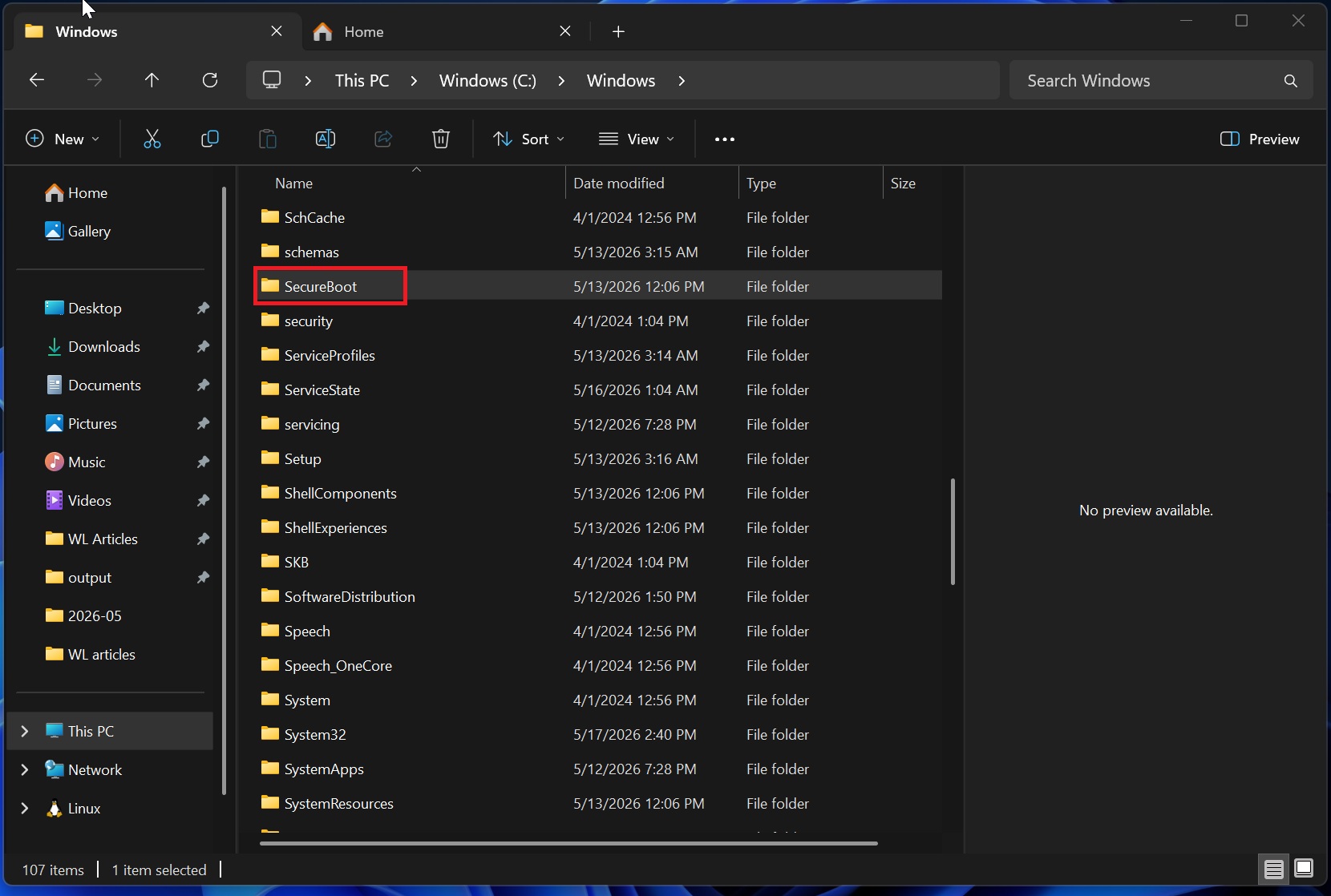
As part of this rollout, Microsoft already confirmed the new Secure Boot folder in Windows 11 isn’t a bug, and you don’t need to delete it. This folder is simply where the OS adds the cryptographic files before flashing them to your motherboard.
Older hardware and disabled Secure Boot configurations will block the update
One of the first questions raised during the AMA was about older hardware, and to be honest, this was my biggest concern as well, because I have an old ThinkCentre mini PC: What happens if you set the registry settings to force the update on a device still using Legacy BIOS? Is the update process smart enough to ignore those devices?
Scott Shell says the update process is indeed smart enough. If your machine runs on a literal Legacy BIOS, it is physically incapable of Secure Boot. The system registers as SecureBootCapable = False and SecureBootEnabled = False, meaning Windows will entirely skip the update attempt. Also, if your device uses a Compatibility Support Module (CSM) to emulate legacy BIOS but still possesses UEFI and Secure Boot capabilities, the update will still process normally without failing.
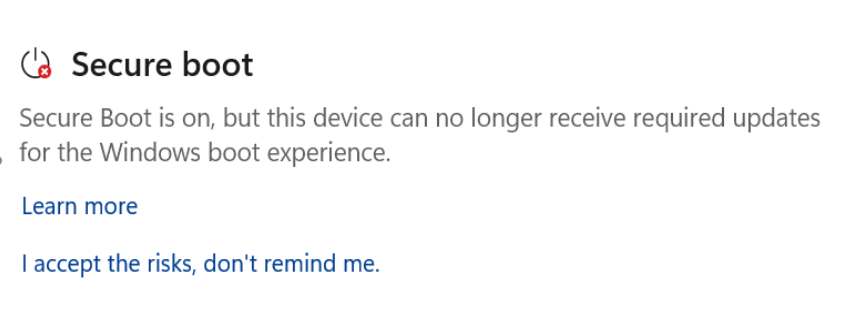
Another common scenario is when users attempt to update the Secure Boot certificates when the feature is currently disabled in the BIOS.
Microsoft intentionally errors out the update process if Secure Boot is turned off, because of the wildly inconsistent UEFI ecosystem. Some motherboard firmware can update certificates while the feature is disabled, while others will corrupt the boot sequence or abruptly change certificates the moment you toggle it back on. To avoid bricking systems, Microsoft requires Secure Boot to be actively running. If your device refuses to boot Windows with Secure Boot on, you must resolve your BIOS misconfigurations (often related to MBR vs. GPT disk formatting) before you can receive the 2023 certificates.
The update process is BitLocker aware but involves multiple reboots
Updating firmware is risky, which is why Microsoft is rolling this out in phases via Controlled Feature Rollouts (CFR) and Latest Cumulative Updates (LCU).
Users have noticed that applying the update causes unusual reboot behavior. A user asked: I manually forced the scheduled task, and the server restarted several more times on its own before it settled down. Will multiple server reboots be required every time?
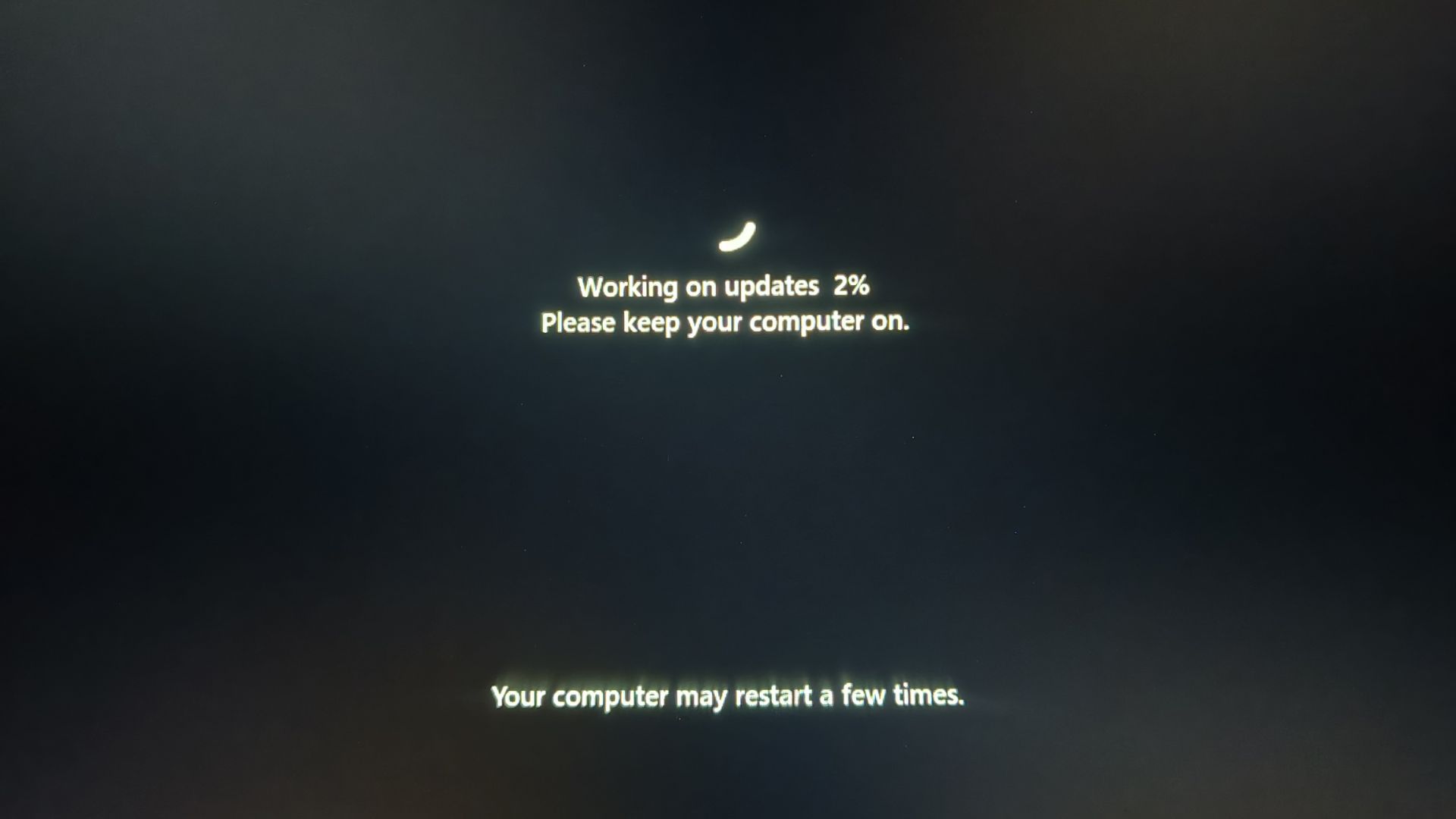
Richard Powell confirmed that Windows 11 may restart multiple times after updates, and your PC isn’t broken, as it’s due to Secure Boot 2023. Pushing data into the firmware requires one reboot to stage the certificates, another for the firmware to apply them, and a subsequent reboot to load the newly signed bootloader. While automated flows try to hide this early in the boot sequence, manual triggers make the multiple reboots highly visible.
This naturally raised concerns about encryption and whether users need to suspend BitLocker for the multiple reboots during this process.
You do not need to suspend BitLocker. Shell clarified that the update process is fully BitLocker-aware. The sequence automatically reseals the keys for BitLocker and Virtual Secure Mode (VSM), ensuring that features like Windows Hello remain protected across reboots without locking you out.
However, there are reports of users receiving driver updates that require BitLocker keys after reboot and they wonder if this is expected.
Standard driver updates do not touch the Secure Boot chain. But, firmware updates deployed via Windows Update that specifically change the Platform Key (PK) or Key Exchange Key (KEK) can change the BitLocker key ceiling. While they shouldn’t ask you for the recovery key, complex enterprise environments might occasionally trip the sensor.
Because of these firmware variables, administrators might wonder about the impact of blanketly applying the “Enable Secure Boot Certificate Updates” policy setting across a whole fleet.
Microsoft strongly advises against this. Windows 11’s Secure Boot 2023 updates are failing across some PCs, exposing a wider firmware problem. Since Microsoft cannot physically test the millions of unique motherboard variations in the world, blanket deployments risk breaking productivity. IT admins should test a subset of their specific hardware models before force-enabling the policy.
Enterprise deployment limits require careful PXE and Boot Manager planning
For enterprises managing thousands of devices via Microsoft Endpoint Configuration Manager (SCCM), Preboot Execution Environment (PXE) boot scenarios are critical.
A systems administrator noted that their PXE boot stopped working after revoking the 2011 certificate because their boot.wim file did not contain the new 2023 cert. They asked: Will the boot.wim naturally get the 2023 cert, and can the 2011 and 2023 certs live side-by-side in the boot.wim?
Shell explained a fundamental limitation of the PXE protocol, which is that it can only offer one Boot Manager to a client device. Therefore, side-by-side boot managers in a single boot.wim won’t work. Microsoft has not yet updated the default boot.wim to the 2023 certificate because doing so prematurely would break network booting for the massive population of PCs that haven’t updated their firmware yet. However, once your specific fleet is fully updated with the 2023 certs, you can use DISM tools to manually mount your boot.wim and replace the Boot Manager ahead of Microsoft’s official schedule.
Another highly technical question addressed firmware rollback. Microsoft was asked if they could confirm that updating the firmware SVN (Security Version Number) only consists of adding SVNs to the DBX? And for testing purposes, is resetting the DBX enough to cancel rollback prevention?
Yes. The SVN prevents a system from rolling back to an older, vulnerable boot manager (which is how attacks like BlackLotus operate). Newer boot managers signed with the 2023 certificate check their own revocation using this SVN. To truly protect a system, the 2011 certificate must be removed or revoked via the DBX. For testing, clearing the DBX removes that rollback prevention, allowing older boot managers to run again.
Also, when asked about custom Secure Boot modifications, Shell confirmed that Microsoft relaxed the strict check for Microsoft’s “Owner GUID” on signatures, a change necessary to prevent breaking BitLocker on heavily customized enterprise machines.
Microsoft provides alternative monitoring tools for rollout timelines and telemetry
Monitoring who has the update and who doesn’t is a massive undertaking. Windows 11 April Update now reveals if the Secure Boot 2023 certificate is applied to your PC, but enterprises need fleet-wide data.
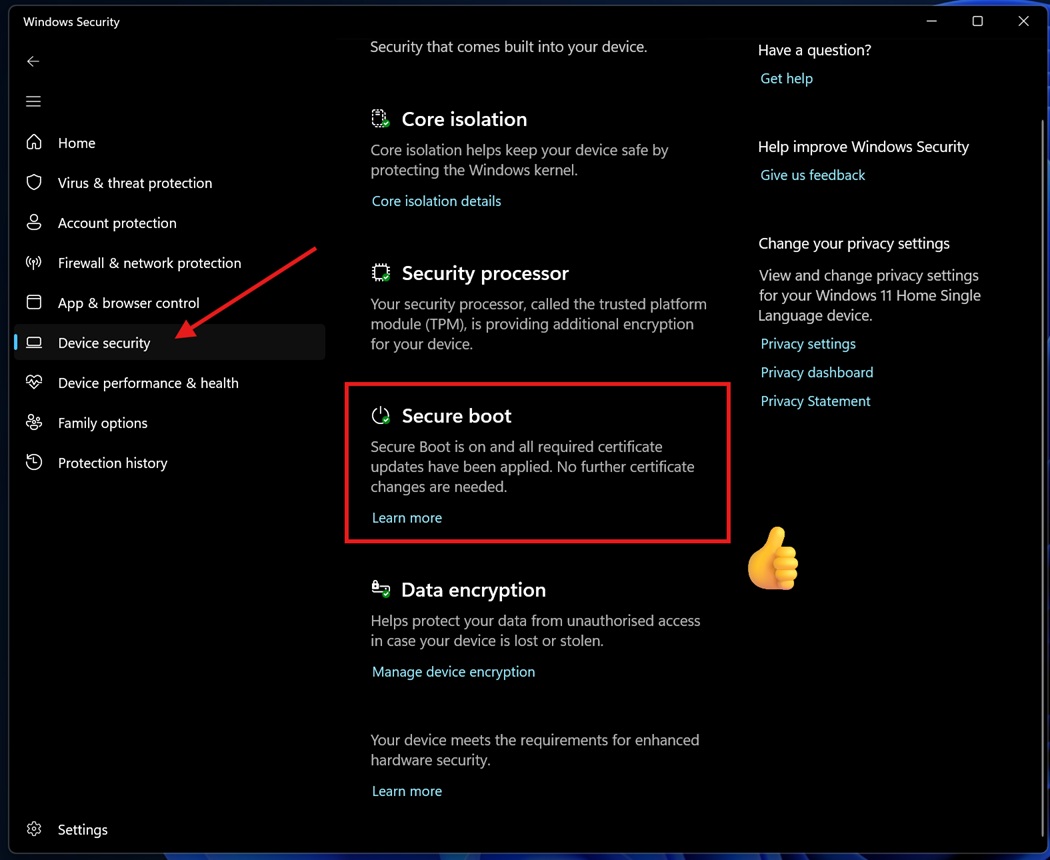
For environments where companies do not allow Intune or AutoPatch, IT professionals need alternative tools to inventory and generate compliance reports. Microsoft provides dedicated PowerShell scripts on their aka.ms/GetSecureBoot IT Pro portal. Additionally, the system logs detailed activity in the Event Viewer under the TPM WMI event source. You can use standard monitoring software to scrape these logs and build custom PowerBI dashboards.
One user who did use Intune reported a confusing error: I deployed the remediation through Intune and see Event ID 1801 saying certificates are available but not applied, and the BucketConfidenceLevel shows “Need more data.” Do I need to take action?
This means the system has downloaded the certificates but the telemetry “bucket” for that specific hardware model hasn’t reached the required confidence threshold to trigger the automatic installation. If you see this on a large portion of your fleet, you should manually test one of the devices. If the manual update succeeds, you can override the confidence bucket and force the deployment via registry keys. Additionally, Event ID 1801 can sometimes simply mean the machine is waiting for a reboot to seal BitLocker.
As for Microsoft’s rollout strategy, users wanted to know the timeframe for the cert to upgrade if they leave the Latest Cumulative Update (LCU) to do the job based on a high confidence level, compared to enabling Controlled Feature Rollout (CFR) settings.
Microsoft uses CFRs to slowly test hardware. Once a specific motherboard model proves it won’t break, it gets added to the “high confidence” bucket and pushed broadly via LCU. If you depend only on LCUs, the timeline will be slower, but it is accelerating as Microsoft gathers more telemetry.
Windows update release notes mention additional high-confidence device targeting data, which fully depends on global Windows diagnostic data telemetry. While you do not have to send telemetry for your device to be updated (it will piggyback off the telemetry sent by others with the same hardware), if you are running a highly custom or rare machine, turning on diagnostic data is the only way Microsoft will know your PC safely survived the update, allowing them to flag it as high-confidence.
Windows Server and Hyper-V require specific manual interventions
While client PCs are highly connected and generate massive telemetry, servers are usually isolated.
Virtualization introduces its own quirks. Some administrators noticed devices running on Hyper-V with the March 2026 updates applied, showing inconsistent statuses, where some Server 2019 VMs display capable=0 while others on the same patch level show capable=2.
Arden White explained that this relates to a legacy registry key. There was a known bug in Hyper-V regarding the updating of the Key Exchange Key (KEK) on long-running virtual machines. Microsoft issued a two-part fix where you must apply the March updates to the Hyper-V Host server to enable KEK updates, and you must apply the updates to the Guest VM so it possesses the Hyper-V PK-signed KEK to apply. If you only update one side of the virtualized environment, the update will stall.
For newer server operating systems, Server 2025 does not automagically comply with fresh installs and Server 2022 upgrades. Server 2025 shares the same compliance database as Server 2022. More importantly, Windows Server does not participate in the automated Controlled Feature Rollout (CFR) program used by consumer Windows 11 PCs. Because servers are mission-critical, Microsoft requires server administrators to take manual action to apply the certificates using specific PowerShell commands.
Ignoring the update will permanently degrade your system security after June 2026
Given the headaches, many users naturally wonder if their devices will continue to boot if they ignore the update and do nothing.
Your PC will not turn into a paperweight. However, it will run in a permanently degraded security state. If you do not have the 2023 DB certificate installed, your PC will be physically incapable of running the newest Windows Boot Manager. Therefore, Microsoft will stop sending you security updates for boot-critical binaries. Also, your system will be unable to download new DBX revocation lists, leaving you permanently exposed to future bootkit malware.
This lack of updates will impact feature releases as well. Microsoft confirmed that future full-OS upgrades will eventually require the EFI partition to be signed with the 2023 certificate, although the upcoming Windows 11 26H2 will still install normally. If your device lacks the certificates, the Windows installer will intentionally fail the upgrade process to prevent putting your system into an unbootable state. Windows 11 will now tell you if your Secure Boot certificates need attention, specifically to warn users before they hit these upgrade blockers.
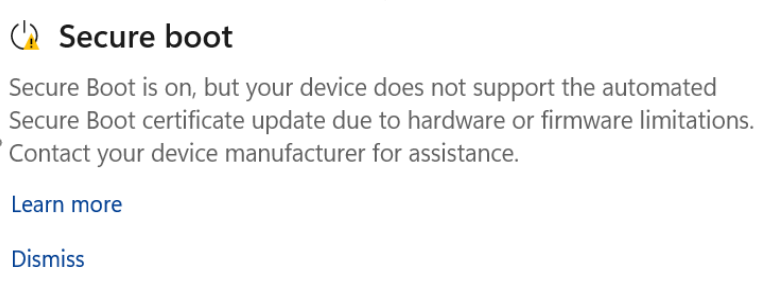
It is absolutely critical that the system already boots trusting the 2023 certificate instead of the 2011 certificate before the expiration deadline. Microsoft stated that Windows 11 gets Secure Boot Allowed Key Exchange Key (KEK) update on more PCs precisely because, come expiration day, Microsoft will no longer possess the cryptographic authority to sign any new updates using the 2011 KEK. If your system is not booting through the 2023 chain by then, you are permanently cut off from boot-level security patches.
Finally, looking toward the horizon, a user asked: How long will the 2023 certs last? Will this process need to be repeated?
The root certificate that issues the new 2023 keys expires in 2038, granting them a little over a decade of life. However, Scott Shell noted a looming industry shift where the Post-Quantum cryptography mandate takes effect in 2030.
While legacy hardware currently receiving the 2023 certificates will ride them out until the end of their usable life, new hardware manufactured in the 2030s will ship with entirely new Post-Quantum certificates. As we march toward June 2026, it is imperative to check if Windows 11 has applied the new Secure Boot 2023 certificates and ensure your fleet and your data remain secure against the next generation of threats.
The post Microsoft reveals what happens to Windows 11 PCs if you ignore the Secure Boot deadline in June 2026 appeared first on Windows Latest