
Microsoft still can’t figure out how to integrate Copilot into Windows 11, as it appears to be going back to the original idea where AI is docked to the desktop, pushing your apps aside to make room. This change was first spotted by Windows Latest and is slowly rolling out to everyone.
I tested Copilot’s new docking capabilities on Windows 11
By default, Copilot still opens as an app, but if you hover over the new drop-down menu that appears in the title bar, you can access “snapping” options.
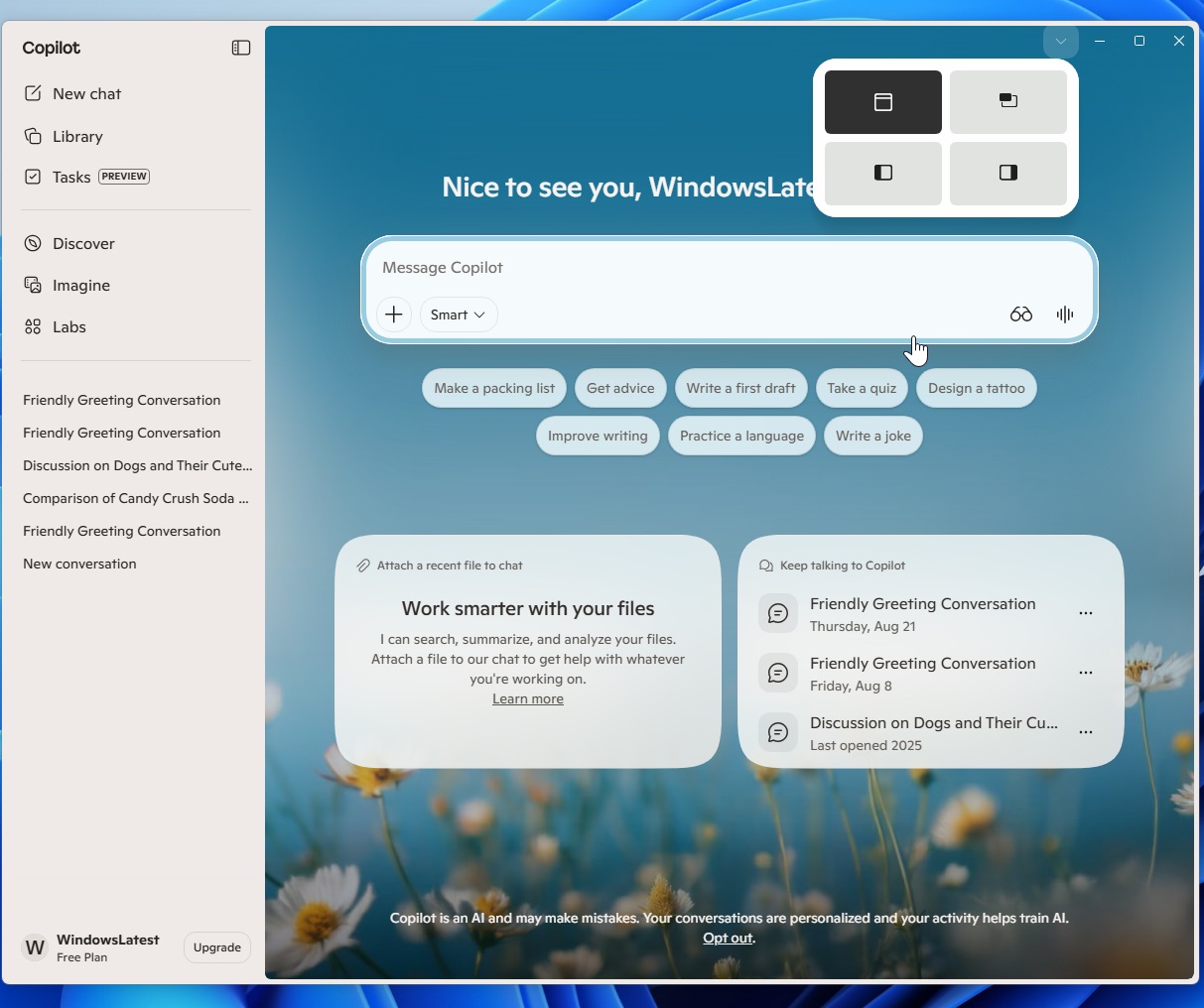
Now, if you carefully look at the screenshot, you’ll realize that Copilot’s new window snap suggestions are similar to the native Snap Layouts experience for app windows in Windows 11. However, they’re two separate options.
When I hovered over Copilot’s new menu, it revealed dedicated layouts for Copilot. One is the current experience, where Copilot appears as an app, and another is the existing picture-in-picture mode. Then, there are two new options. One docks Copilot to the left side, and the other docks it to the right side.
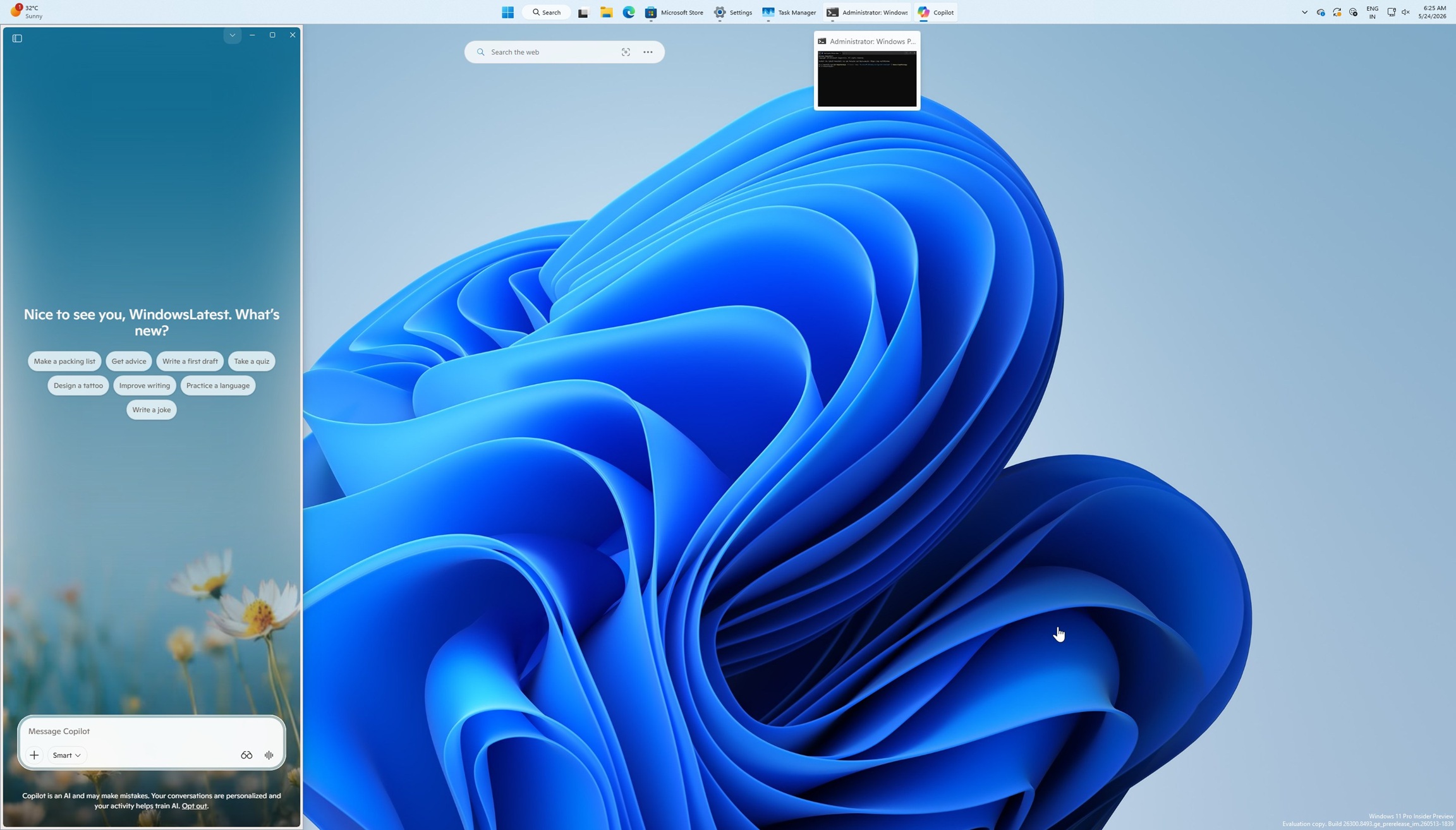
Windows 11’s interface automatically resizes, moving your desktop watermark or desktop to the other side. It also repositions your other apps to fill the remaining space.
For example, if you look at the screenshot below, I’ve opened File Explorer in full screen, and yet Copilot is occupying its space on the right side. This is the new “docking” experience.
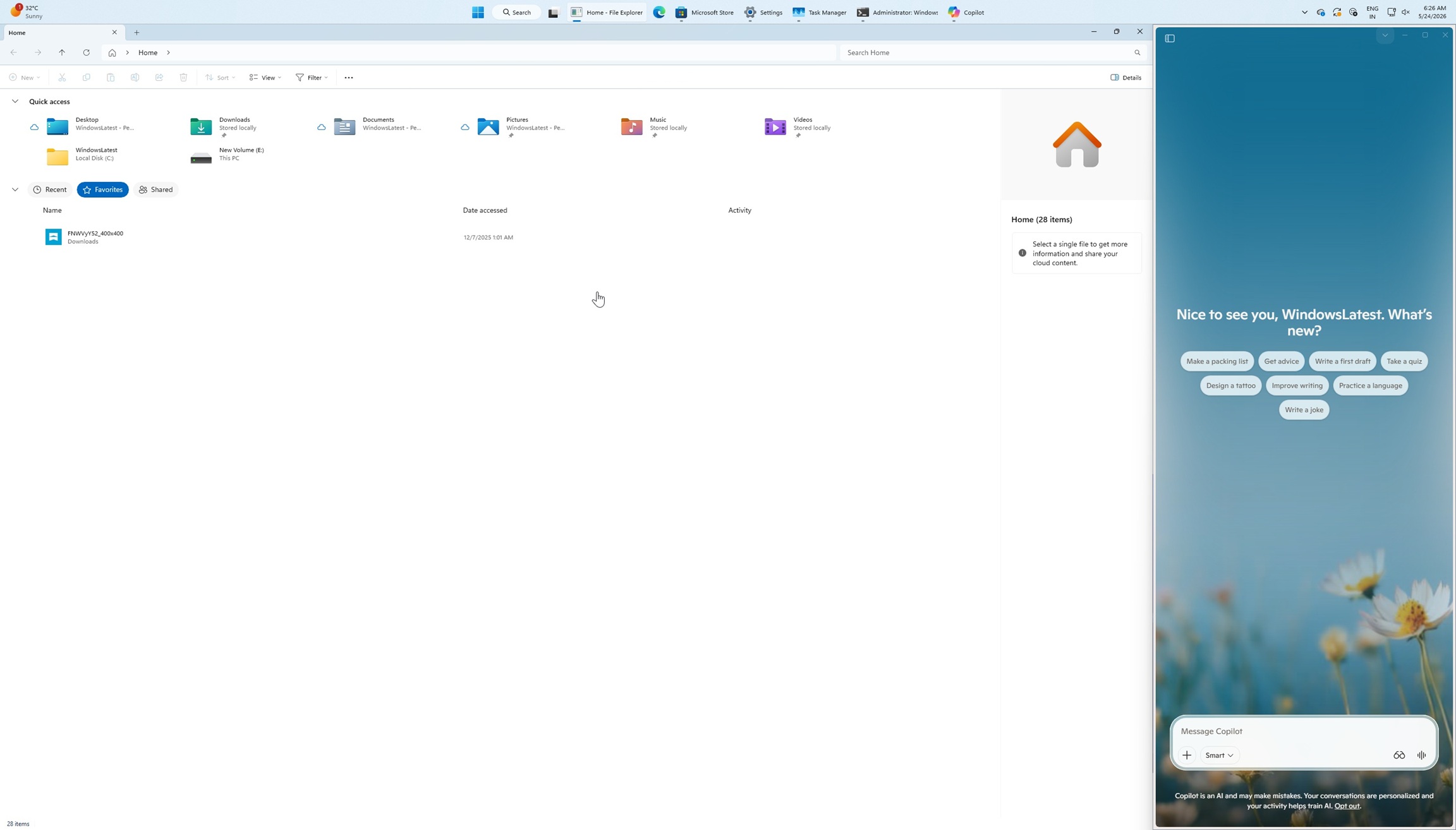
The idea is similar to the original Windows 11 Copilot experience, where AI lived alongside your apps instead of floating as a separate window. Once docked, Copilot stays pinned to the edge of the screen, and the rest of your desktop adjusts around it.
Unlike the old implementation, this version gives you greater control over how you’d like Copilot to appear on Windows. You can also dock it to the left or turn it into a small window that stays on top of your apps, similar to picture-in-picture mode.
Copilot is going back to the original UI/UX routes after several design revamps
Copilot on Windows 11 has been revamped countless times. In fact, Microsoft has redesigned Copilot almost six times in Windows 11, but the original idea was still more appealing because it felt more native. For those who don’t remember, Copilot originally shipped on Windows 11 as a sidebar, which was later replaced.
Here’s what Copilot looked like when it first shipped on Windows 11, and later on Windows 10:
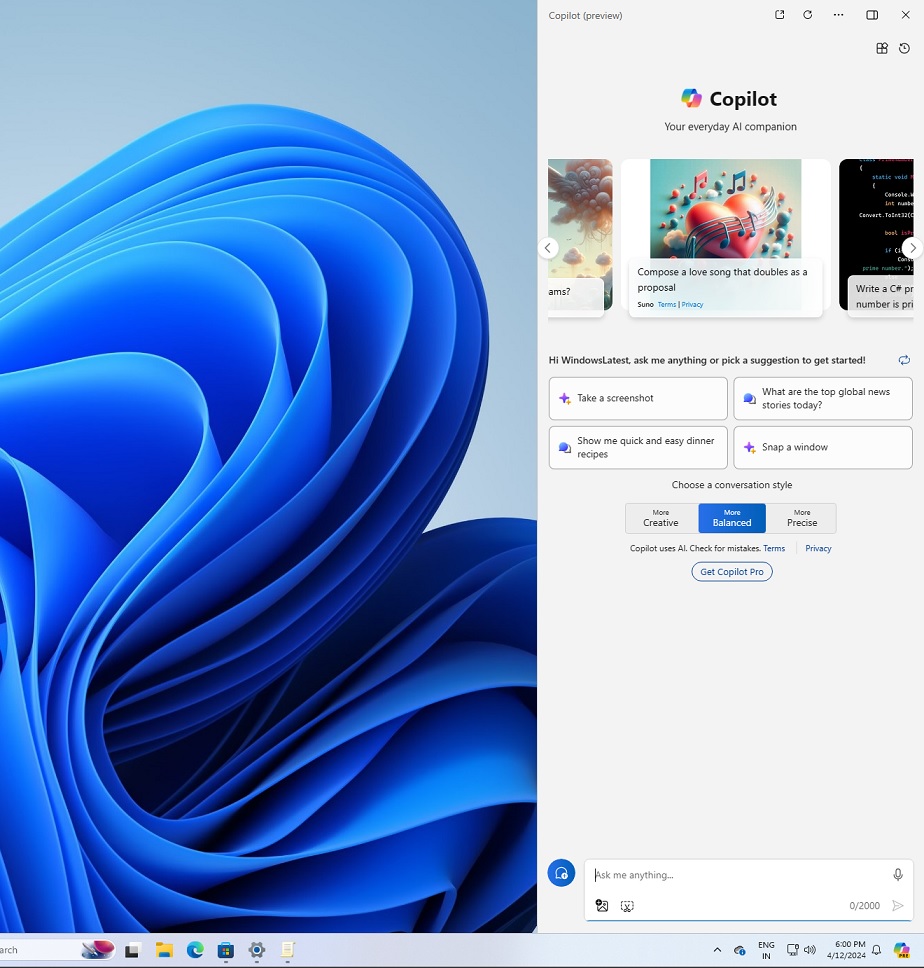
At that point, Microsoft wanted Copilot to appear alongside your apps, so you could ask it anything related to what was on your screen. It wasn’t exactly a horrible idea, but the implementation was poor because Copilot was entirely powered by web technologies and barely integrated with other apps.
Later, Microsoft dropped Windows 11’s Copilot sidebar integration in favor of a full-fledged Copilot app, which was recently converted into a web app again.
Windows Latest recently found that Copilot on Windows is now an Edge-based wrapper, and it also ships with a private copy of Microsoft’s browser. It’s unclear why Microsoft is bundling Copilot with its own private Edge instance, but there’s a chance it helps with the new docking experience.
What do you think about this new Copilot UI? Let me know in the comments below.
The post Microsoft’s new Copilot turns into a Windows 11 sidebar that pushes your apps aside to make room appeared first on Windows Latest