
Recently, Microsoft has been on a massive PR push, placing Windows 11 quality in the limelight. Following a highly anticipated progress report from Marcus Ash, the Windows Insider lead, the company confirmed that they have shipped a plethora of performance and reliability fixes that power users have been begging for.
However, when Tali Roth, Microsoft’s Head of Product for Windows Shell, took to X to celebrate the team’s delivery of these promised performance updates, it revived a familiar debate. Many users have reacted negatively to File Explorer’s improved startup times, as they believe Microsoft’s solution of “preloading” File Explorer is an inelegant band-aid that wastes system resources instead of optimizing the foundational code.
Roth responded by offering a rare glimpse into how Microsoft is taking on the notoriously sluggish File Explorer from multiple angles.
Why some users hate File Explorer preloading
If you fondly remember the File Explorer in Windows 10 or any previous version, then, while using Windows 11, you know that the same app has consistently felt slower. The sluggishness is largely due to Microsoft layering modern UI frameworks, like XAML and WinUI 3, on top of an ancient Win32 foundation.
To combat the slow launch times, Microsoft introduced background preloading. Essentially, the OS pre-caches the application in memory before you even click it, which, in theory, helps it appear instantly when you click it.
While effective at making the window open faster, critics argue it’s a brute-force method. As we noted in our own testing of Windows 11’s File Explorer preloading, the feature does consume an additional ~35MB of RAM.
While 35MB is a drop in the bucket for modern PCs, the real frustration comes from the fact that preloading only fixes the initial launch. Once the app is open, navigating folders, rendering thumbnails, or opening the context menu can still feel heavy and delayed.
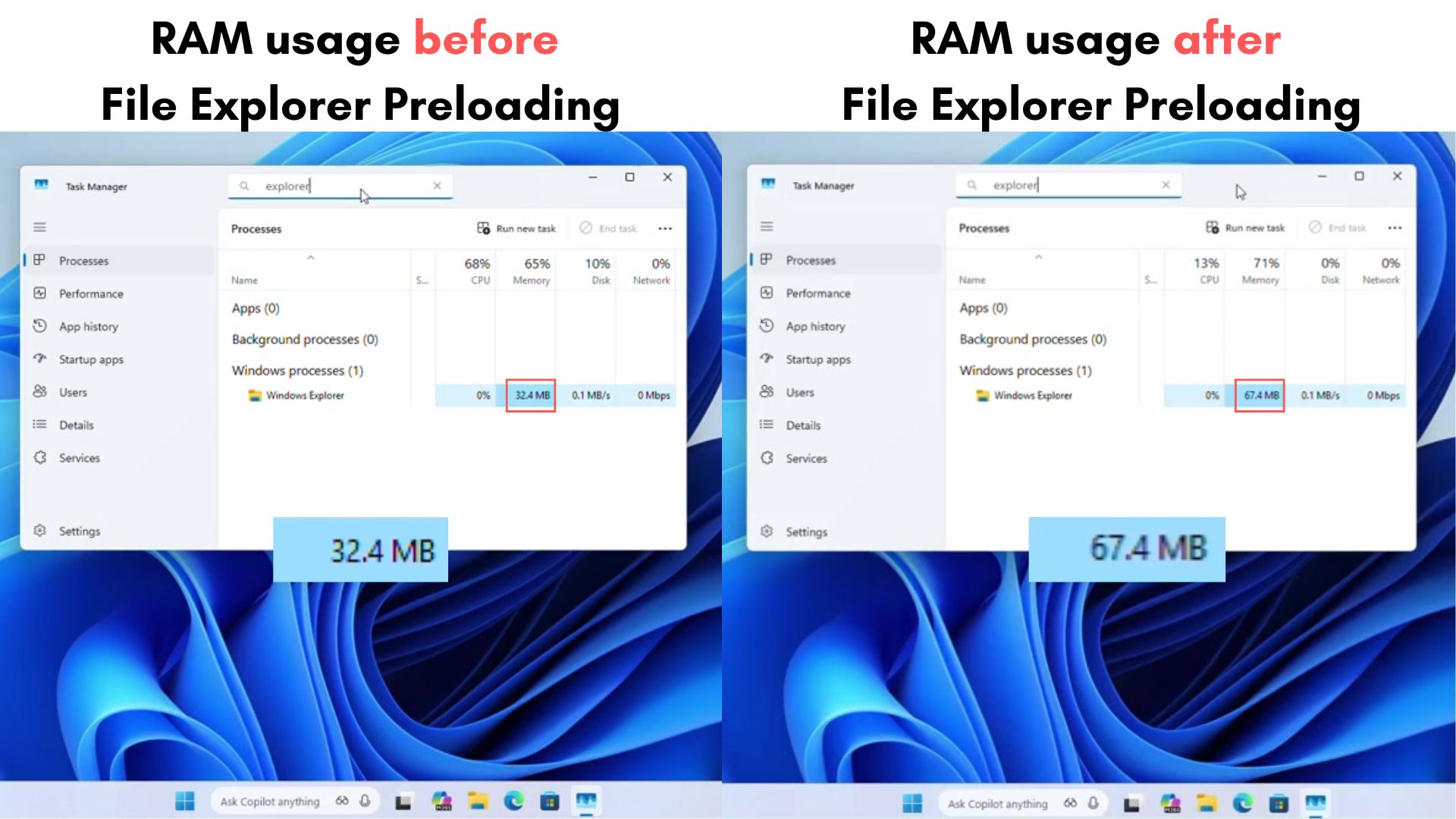
This is why many power users switched to third-party alternatives, like File Pilot, which, in our testing, launches instantly and navigates smoothly without the need for aggressive background caching, proving that a file manager can be built efficiently.
Microsoft says it’s an “AND” approach
In response to the accusations that preloading is an “inelegant” shortcut, Tali Roth clarified that Microsoft’s strategy is not a matter of choosing one method over the other.
“As with many things, the answer is an AND,” Roth explained on X.
She noted that Microsoft views startup performance holistically, utilizing a range of techniques to guarantee responsiveness in the areas users access most frequently. Preloading the key components of File Explorer so they are ready the second you click is just one piece of the puzzle.
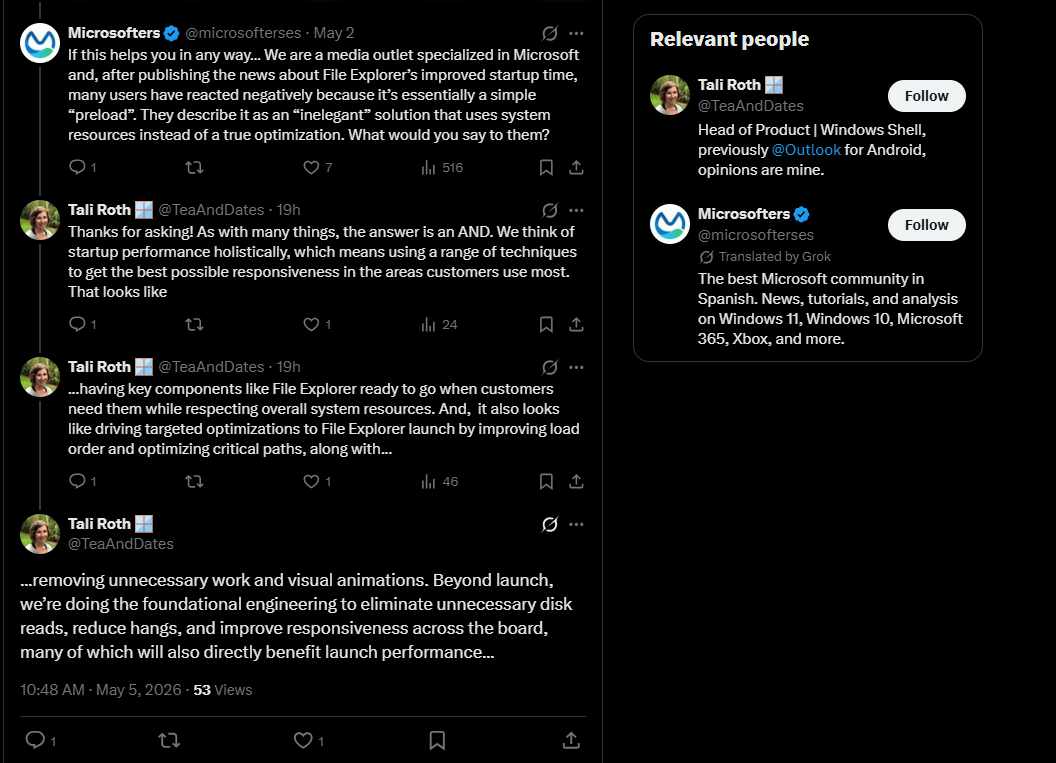
Notably, Roth confirmed that true optimization of the File Explorer is happening simultaneously. She outlined several foundational engineering efforts the Windows Shell team is actively working on, including:
- Targeted optimizations to the launch sequence: Microsoft is actively improving the load order and optimizing critical paths within the File Explorer code.
- Removing bloat: The team is stripping out unnecessary work and visual animations that contribute to perceived latency.
- Deep foundational fixes: Beyond just the launch speed, developers are working to eliminate unnecessary disk reads and reduce hangs across the board.
These architectural changes can potentially fix the in-app sluggishness that preloading cannot address. Reducing unnecessary disk reads, for example, impacts how fast a folder populates when you click into it.
What to expect next?
Microsoft’s transparency here is commendable. It confirms that the company is fully aware of the hybrid framework’s performance tax and isn’t just planning to use your system’s RAM to sweep the problem under the rug.
As Roth noted, these foundational optimizations are rolling out incrementally over the coming months.
We are already seeing the fruits of this labor in recent Insider builds, which finally eliminate the blinding white flashes in File Explorer’s dark mode and introduce a faster navigation experience. We even recently discovered that the ancient Windows 95-era Properties dialog is finally getting a modern WinUI 3 replacement.
If Microsoft can successfully combine intelligent preloading with stripped-down, optimized code, Windows 11 might finally have a File Explorer that outpaces Windows 10.
Do you think preloading is a fair optimization technique, or should Microsoft zero in on just slimming down the code? Let us know in the comments.
The post Microsoft confirms Windows 11’s File Explorer is sluggish, and preloading isn’t the only fix coming appeared first on Windows Latest