
When I installed the April 2026 Patch Tuesday update, my PC rebooted twice and took more than 20 minutes to complete the update. At one point, I feared that my Windows 11 installation was busted, but it turns out it’s intentional. Microsoft acknowledged it as expected behavior due to Secure Boot.
Typically, Windows updates require no more than one reboot to finish applying changes, and this is true for all monthly updates, including optional updates released in the fourth week of the month.
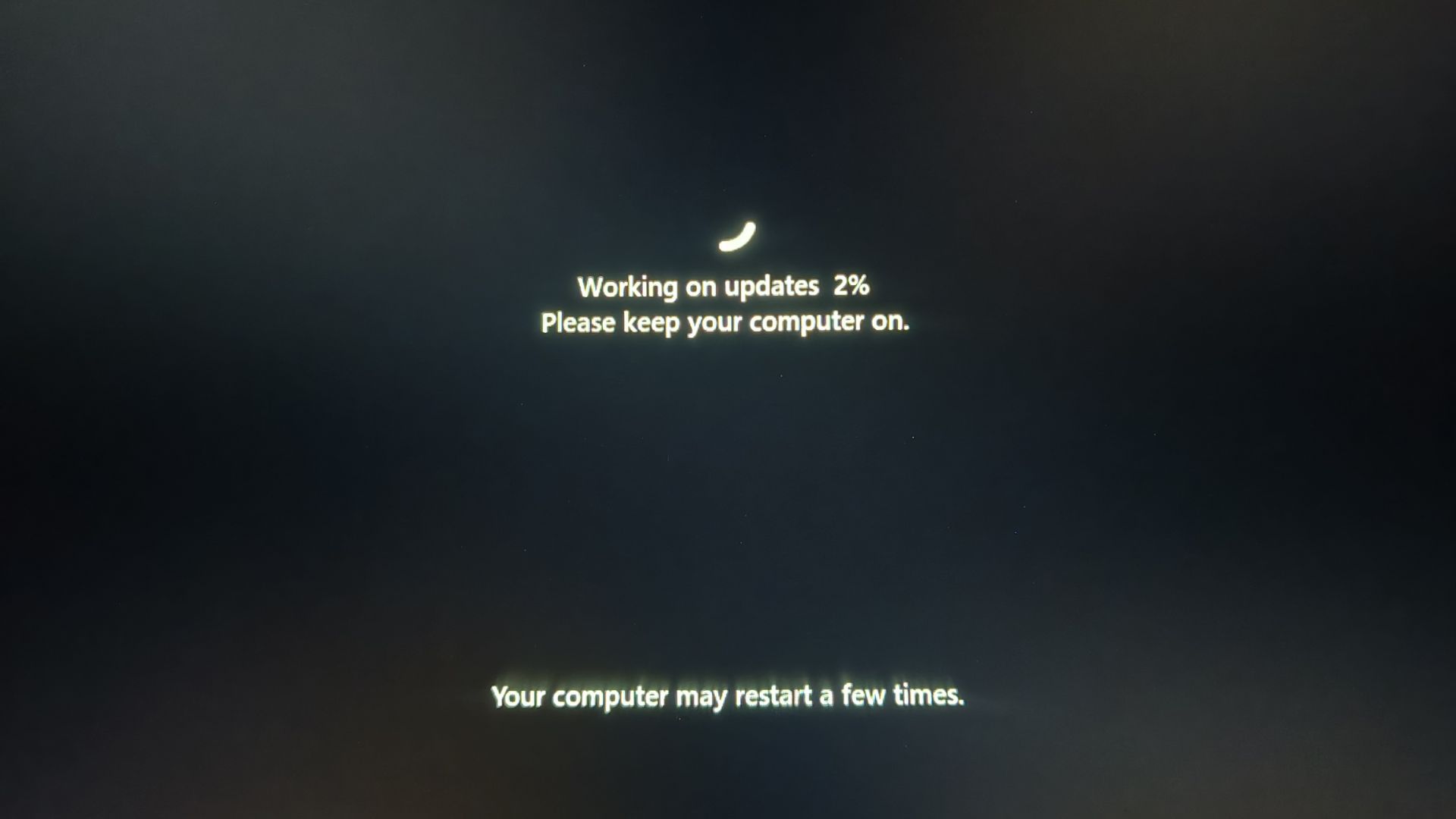
Only annual feature updates need more than one reboot to install changes, so you’re extremely unlikely to run into multiple reboots unless you have pending driver updates or a firmware/BIOS update.
However, Windows Latest and many users have recently observed that Windows is rebooting twice or even thrice after monthly updates. According to Microsoft, it’s intentional because Windows is trying to install the Secure Boot 2023 certificates, and it aligns with our previous testing.
In an updated support document spotted by Windows Latest, Microsoft noted that a limited number of computers will reboot more than once to finish applying the Secure Boot 2023 certificate.
“With recent and upcoming Windows updates over the next few months, a limited number of consumer and business devices might experience one additional restart during installation,” the company explained. “This one-time restart occurs after a Secure Boot certificate update is applied as part of the Secure Boot update process.”
Microsoft says the rollout expanded with Windows 11’s April 2026 updates, including the optional update released on April 30. For those unaware, Secure Boot 2023 certificates replace the older certificates issued in 2011, which are set to expire in June 2026.
Microsoft is now exposing Secure Boot status via the Windows Security app
If your PC has rebooted two or more times, and you’re unsure if it’s due to a Secure Boot certificate, you can verify its status in the Windows Security app.
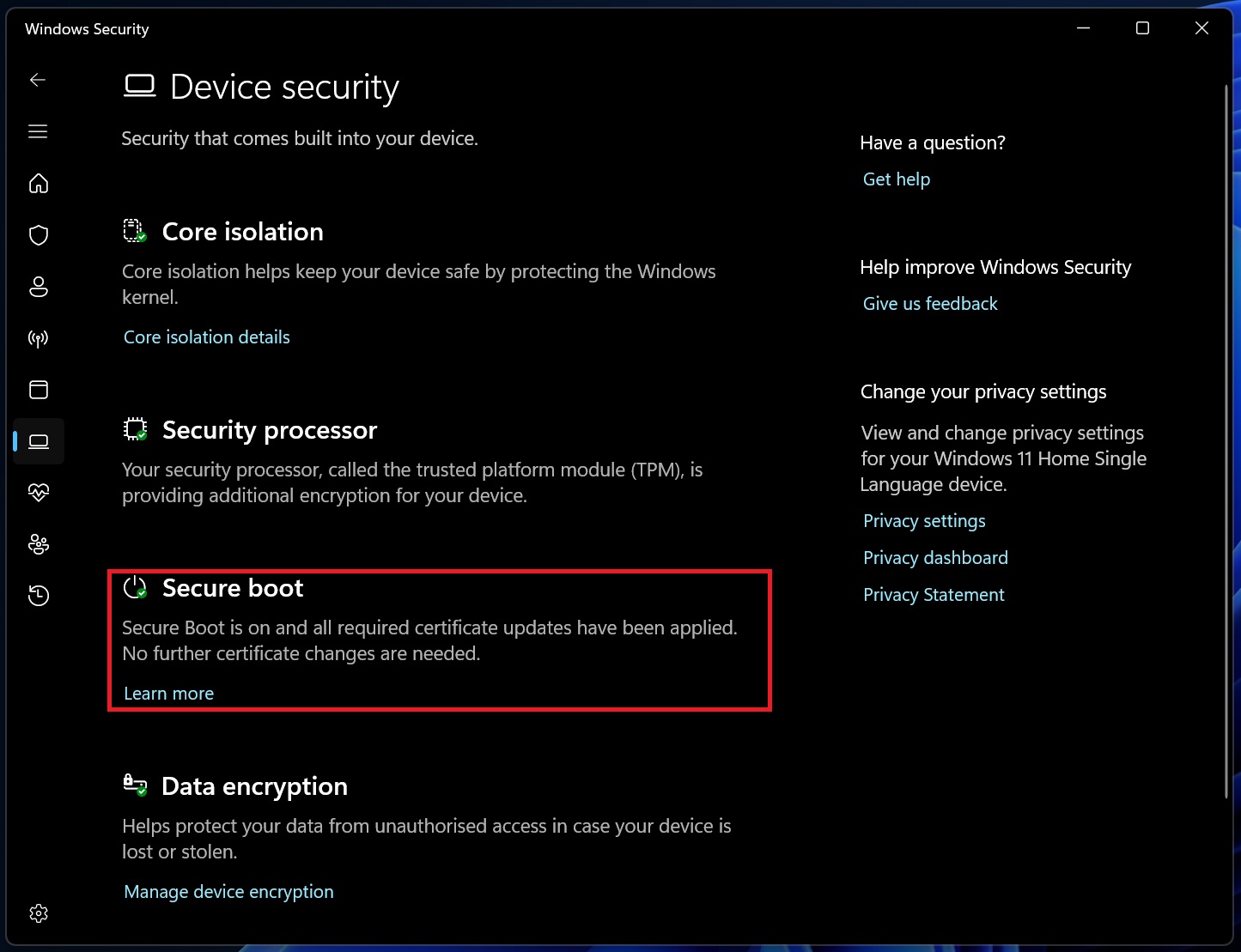
This information appears under the Secure Boot section in the Device Security tab in Windows Settings. Secure Boot status, including whether the certificate is updated, is reflected via three badges: green, yellow, and red.
On most PCs with updated BIOS/firmware, you’re going to see a green check mark, which means your PC is in a good state and no action is needed. I also have the green badge, which clearly notes that Secure Boot certificates are already updated.
However, you shouldn’t conclude that Secure Boot is in a good state by just looking at the green badge. It must also state “Secure Boot is on and all required certificate updates have been applied.”
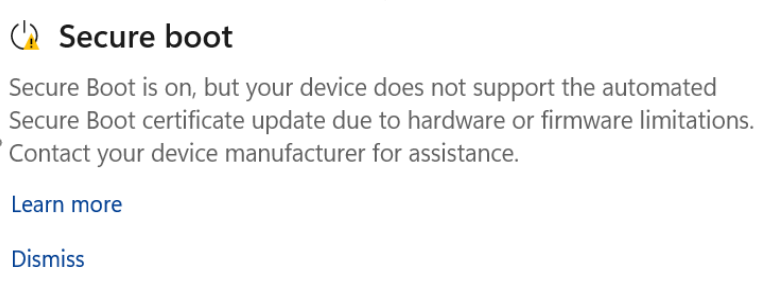
In all other cases, you’ll either have a yellow warning badge, which means Windows is still using the older boot trust configuration, and Windows Update is expected to apply the newer certificate automatically.
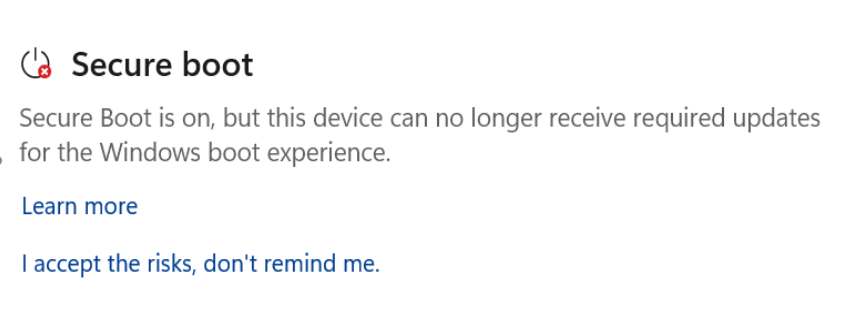
In the worst case, you’ll have a red badge, which means Windows needs your attention, as it cannot install the newer certificates.
Microsoft says it’s fully committed to taking care of Secure Boot certificates on modern PCs, but if you own one of the older machines without any support from the OEM, you may not get the Secure Boot certificate. Secure Boot certificate updates still require updated BIOS/firmware, and if it’s missing, Windows Update could fail.
Our investigation found that Secure Boot certificates are failing across thousands of older PCs due to firmware limitations, which could explain why the update has not been applied to your PC yet.
What about you? Is Secure Boot correctly applied to your PC? Let me know in the comments below.
The post Microsoft confirms Windows 11 may restart multiple times after updates and your PC isn’t broken, as it’s due to Secure Boot 2023 appeared first on Windows Latest