
“Break up with your MacBook,” says the Windows blog about pre-ordering the most powerful Surface devices, and the company is willing to pay you to do it. Trade in a MacBook Pro when you buy the RTX Spark-powered Surface Laptop Ultra, and Microsoft adds up to $1,000 in cash back as a bonus to your old Apple devices’ trade-in value if you order from the Microsoft Store in the US or Canada by November 23.
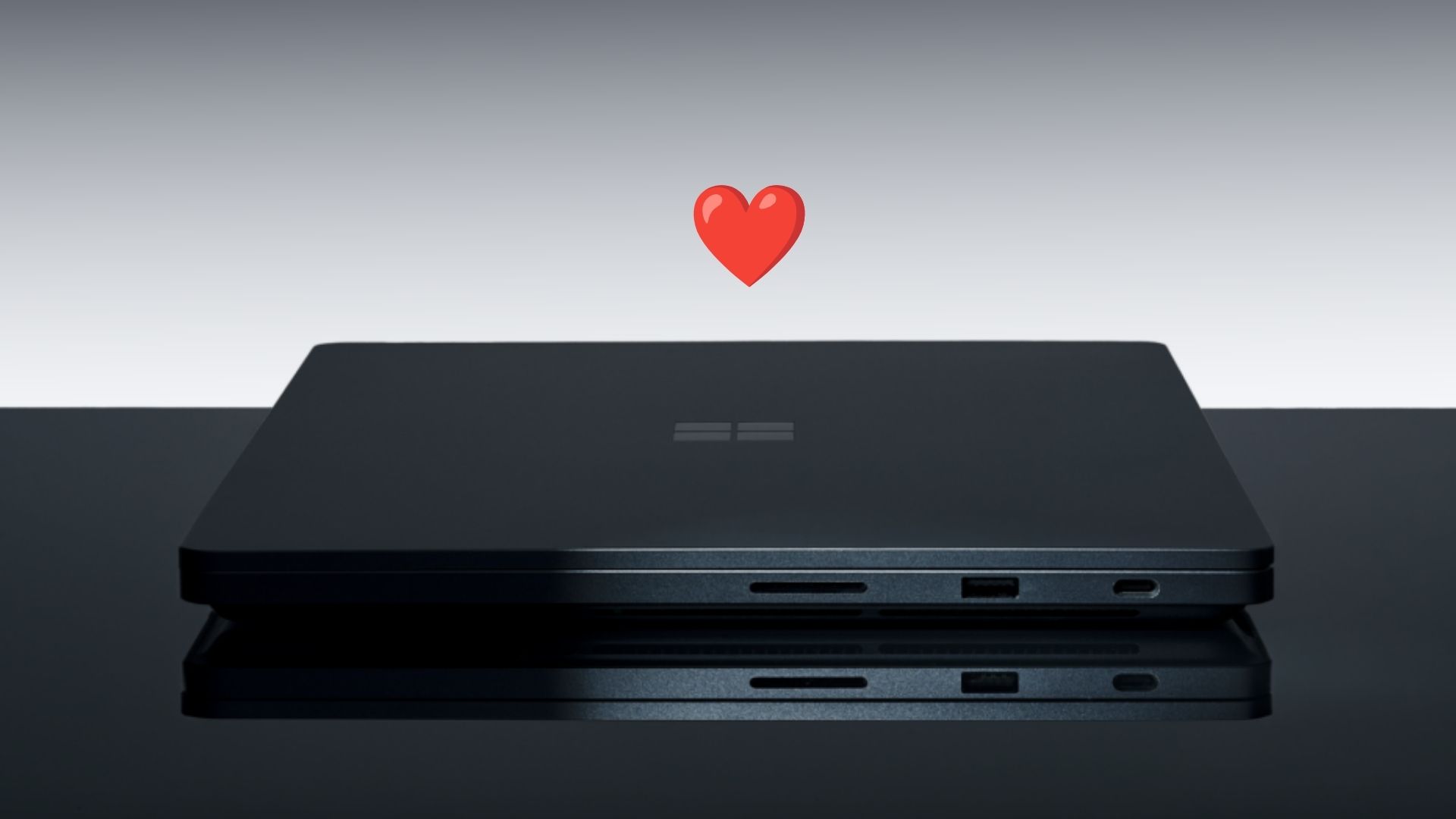
Microsoft has pitched it as its ultimate MacBook Pro rival since June, and unsurprisingly, skipped the Copilot+ PC branding to sell it on NVIDIA’s chip. Now it is going after MacBook users, old and new.
Microsoft pays your MacBook Pro’s trade-in value, plus up to $1,000 more
The offer is limited from October 7 to November 23, 2026, through the Microsoft Store Trade-in Program, which Teladvance operates. You buy the Surface Laptop Ultra first, wait for the pre-order to ship, submit the trade-in online with your order PDF as proof of purchase, and mail the MacBook within 15 days. Teladvance then pays you by PayPal or bank transfer, so the $1,000 doesn’t come off at checkout.
Microsoft’s terms say the extra cash back “varies depending on device purchased and value of trade in,” so a worn-out MacBook Pro won’t unlock the full $1,000. The MacBook must power on, hold a charge, and arrive with its charger and without cracks, liquid damage, or a password lock, which means turning off Find My before you pack it. It’s one offer per customer, and trade-ins are final, even though Microsoft lets you return the Surface until January 31, 2027.
Funnily enough, Teladvance’s list goes back to 2016 Intel MacBook Pros and even includes newer MacBook Airs up to the M4 model. The banner names the MacBook Pro, while the terms only say “qualifying device,” so check eligibility before you assume your Air counts.
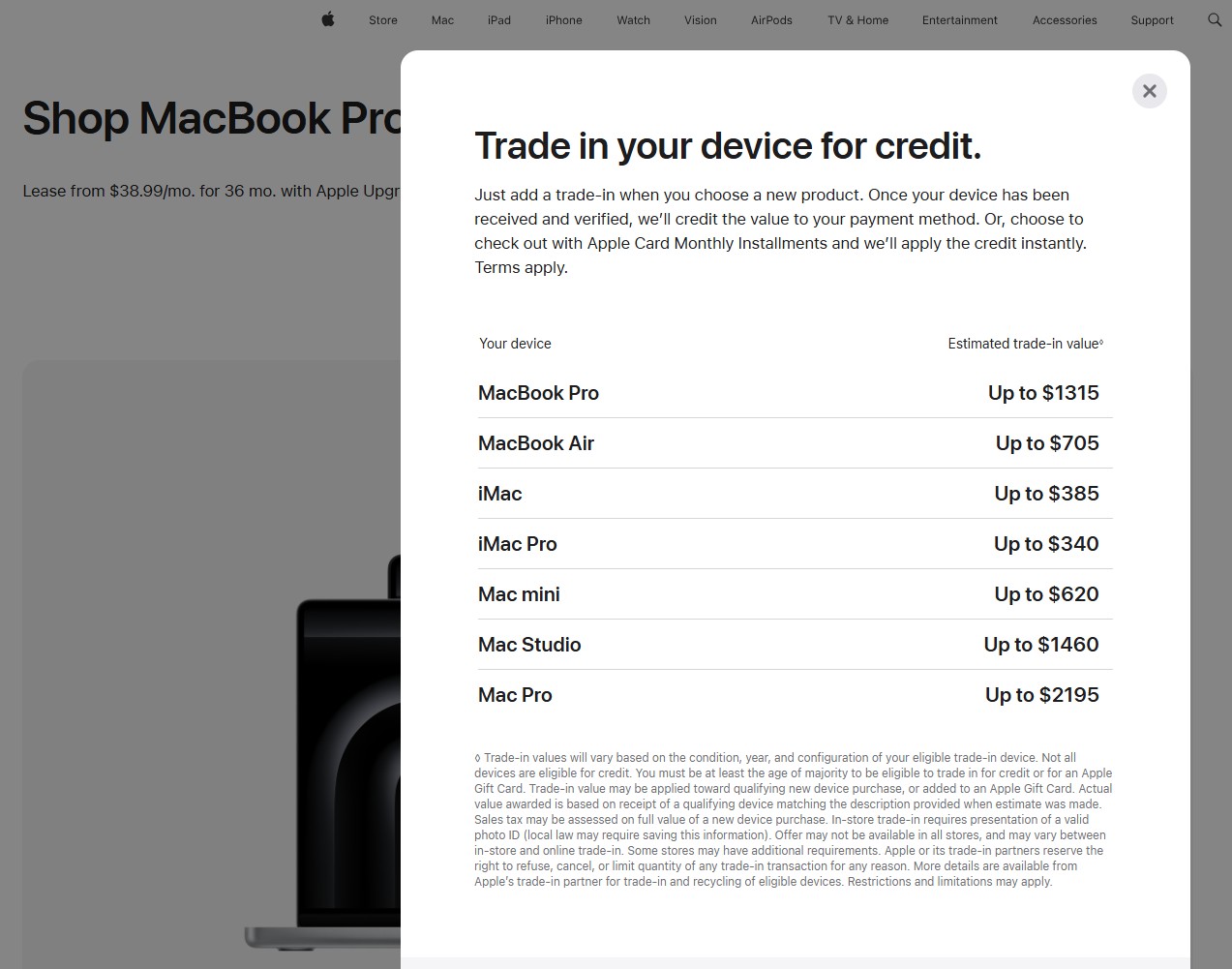
Apple’s Trade In program values a MacBook Pro at up to $1,315, but only as Apple credit or an Apple Gift Card.
Microsoft pays you in cash.
Interestingly, Microsoft has tried this before, offering up to $650 for MacBooks in 2014 and 2016. Back then, the selling point was the Surface Pen. Now, it’s CUDA and 128GB of memory.
Surface Laptop Ultra will look familiar to MacBook Pro owners
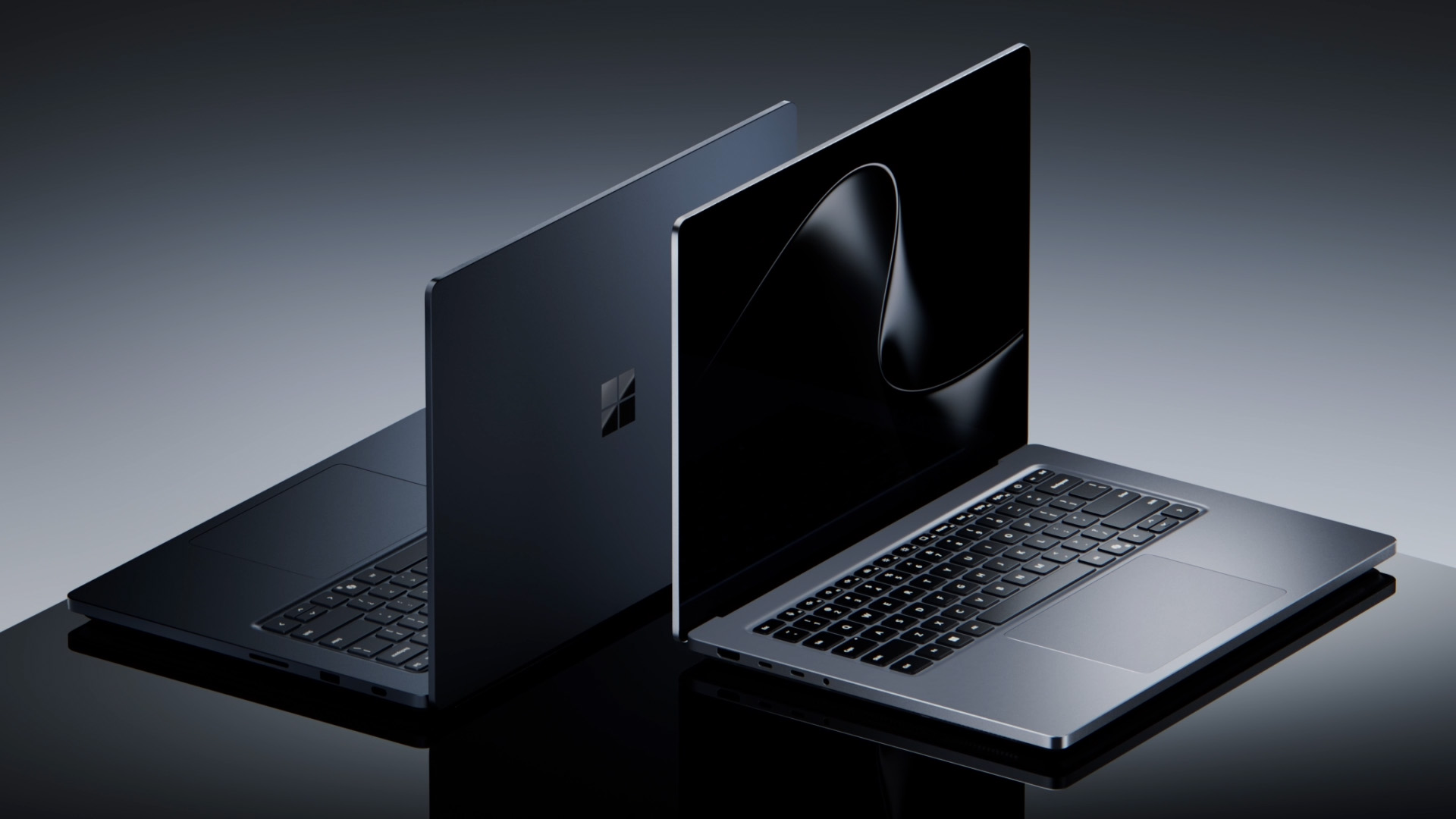
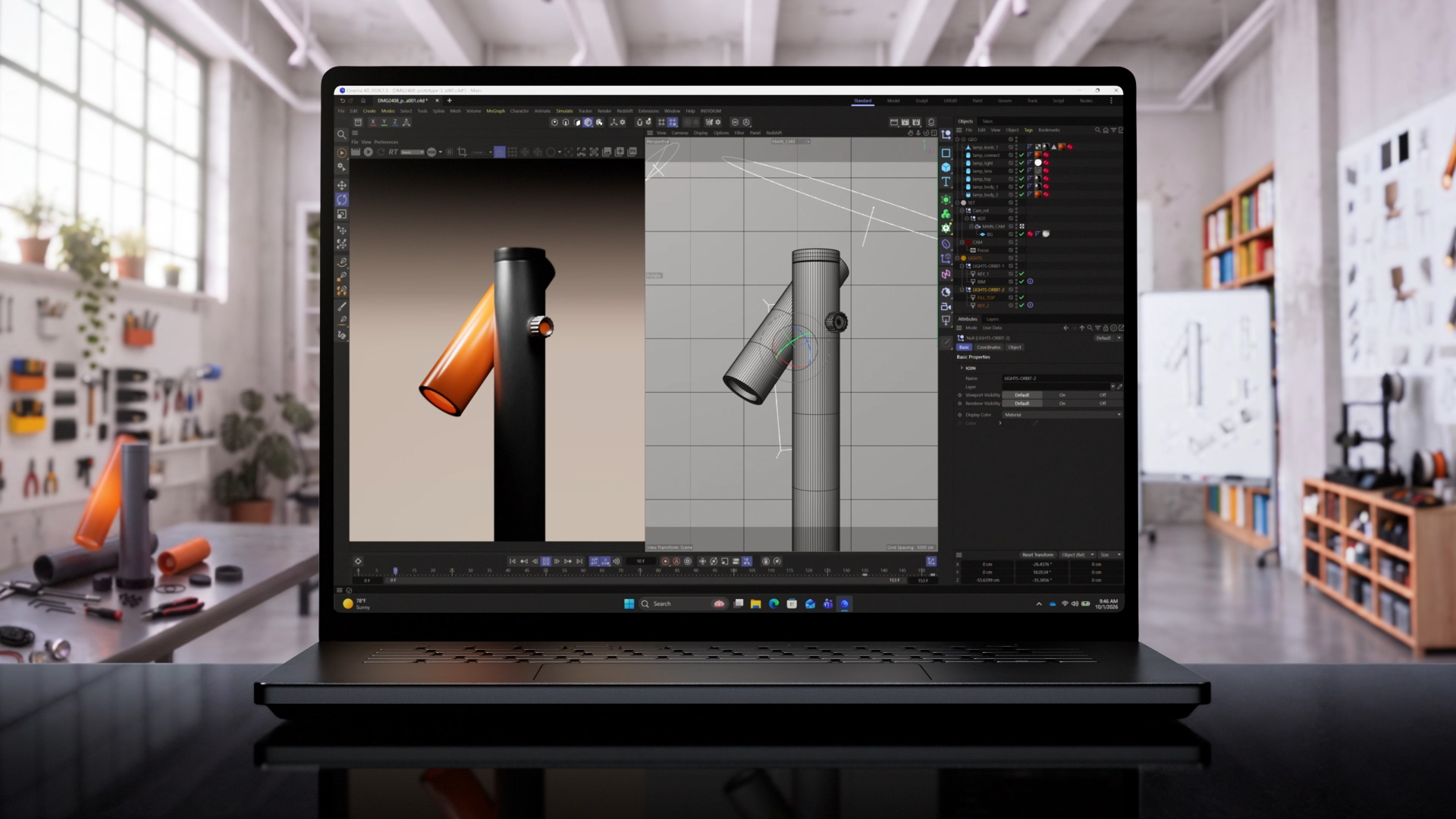
While some say the Surface Laptop Ultra is basically a MacBook Pro clone, I do not agree, but more importantly, it isn’t necessarily a bad thing. There are only so many ways to make a big, thin, powerful laptop, and Microsoft nailed it with a chassis under 18mm and 4.5 pounds, a 15-inch mini-LED display that peaks at 2,000 nits, and its largest haptic touchpad yet.
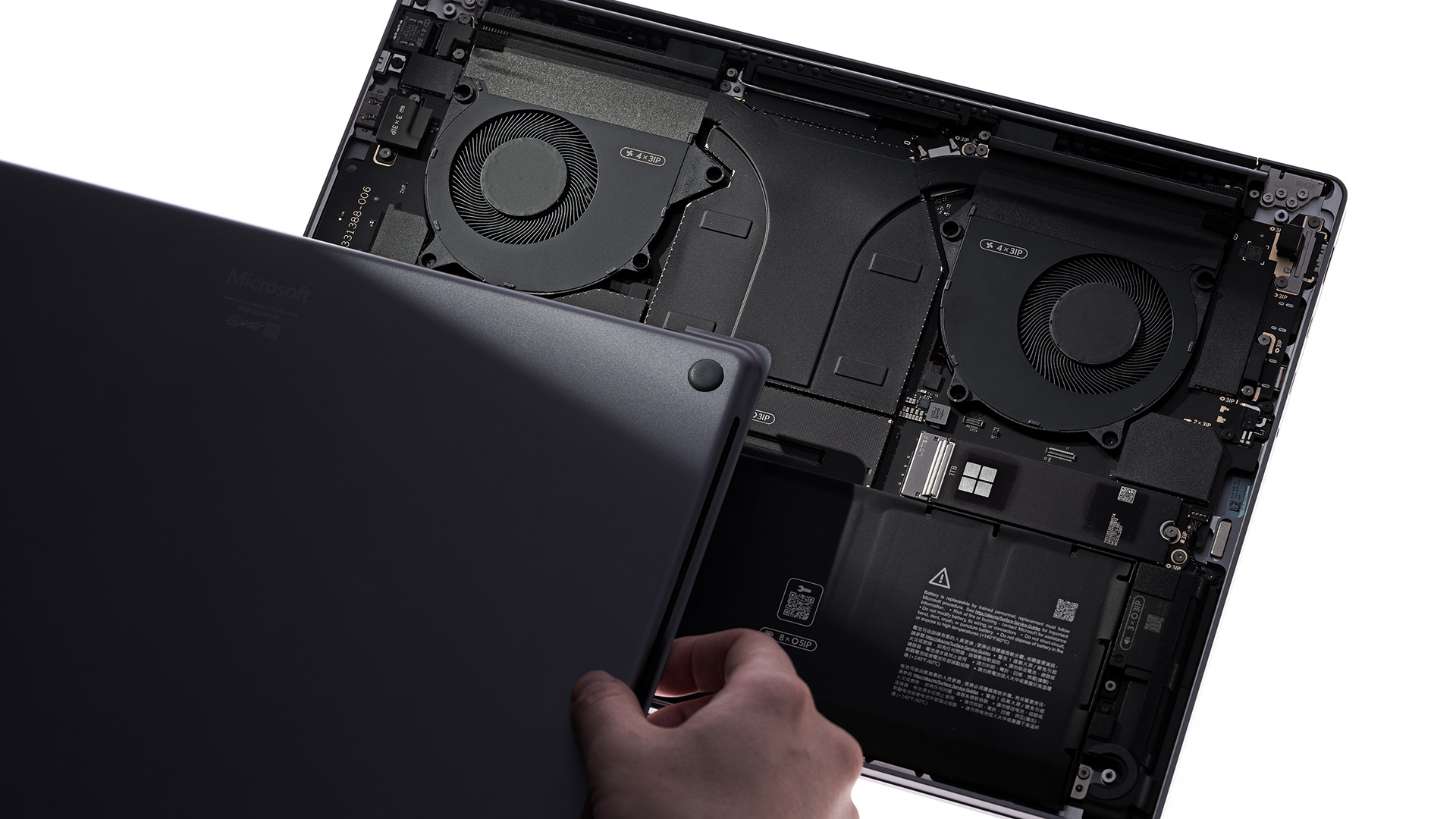
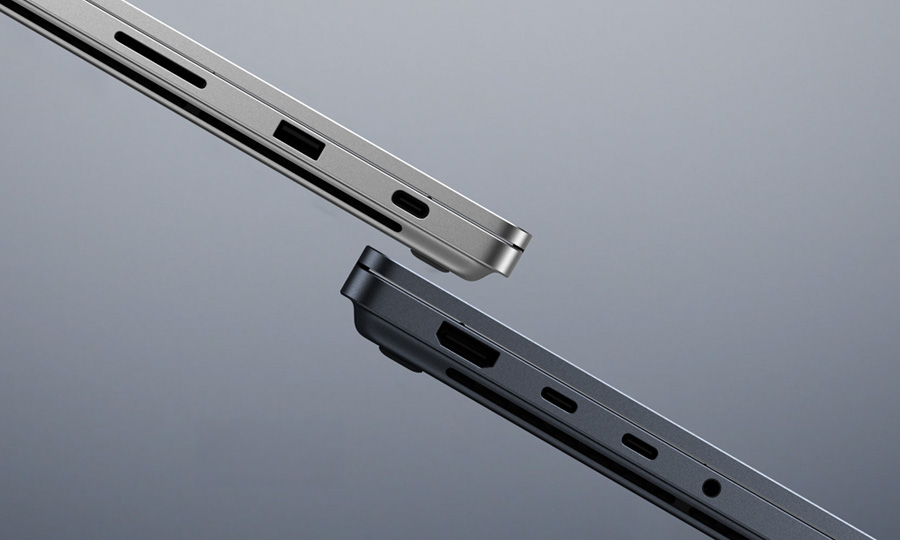
Surface does pull ahead in a few places. You get a touchscreen, a USB-A port and a user-replaceable SSD, and one of the three USB-C ports doubles as the world’s first built‑in magnetic USB‑C charging system (magnetic connect). Apple, on the other hand, gives you Thunderbolt 5 on all three of its ports.
RTX Spark brings CUDA, which no MacBook Pro can run
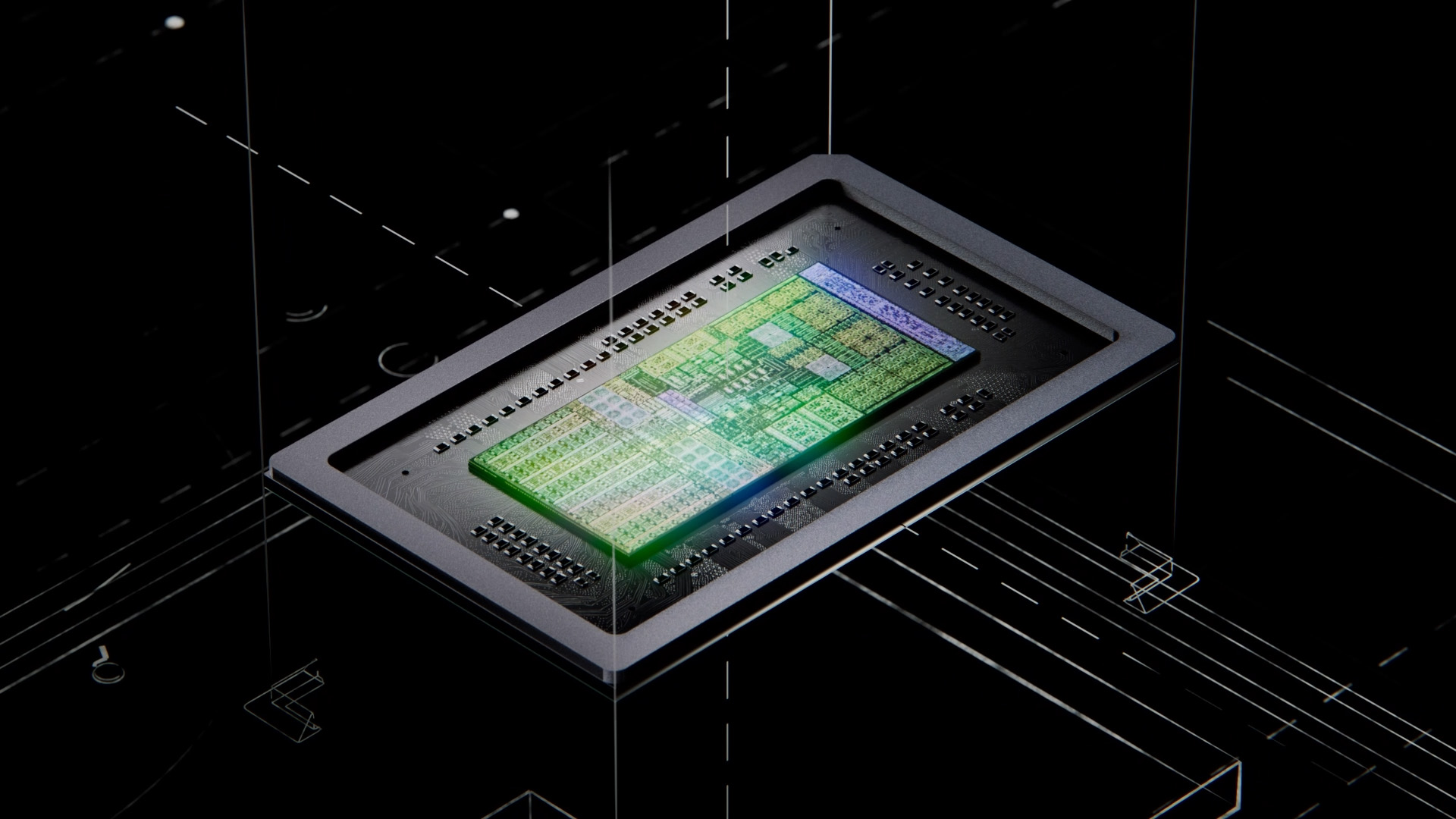
RTX Spark pairs up to 20-core Grace CPU with an up to 6,144-core Blackwell GPU, sharing up to 128GB of memory. NVIDIA rates it at 1 petaflop of FP4 AI compute, enough for 120-billion-parameter models.
While the M5 Max matches that with 128GB, 614GB/s of bandwidth and a Neural Accelerator in every GPU core, it would take the MacBook Pro to $6,999, which is $1,100 higher than the highest-tier Surface Laptop Ultra.
The difference is software. RTX Spark runs CUDA and TensorRT natively, and NVIDIA says what you build on it runs unchanged on other NVIDIA GPUs. Mac developers work in Metal or MLX, and usually port their projects once they reach NVIDIA-powered servers. Windows 11’s local AI APIs already run on RTX GPUs, too.
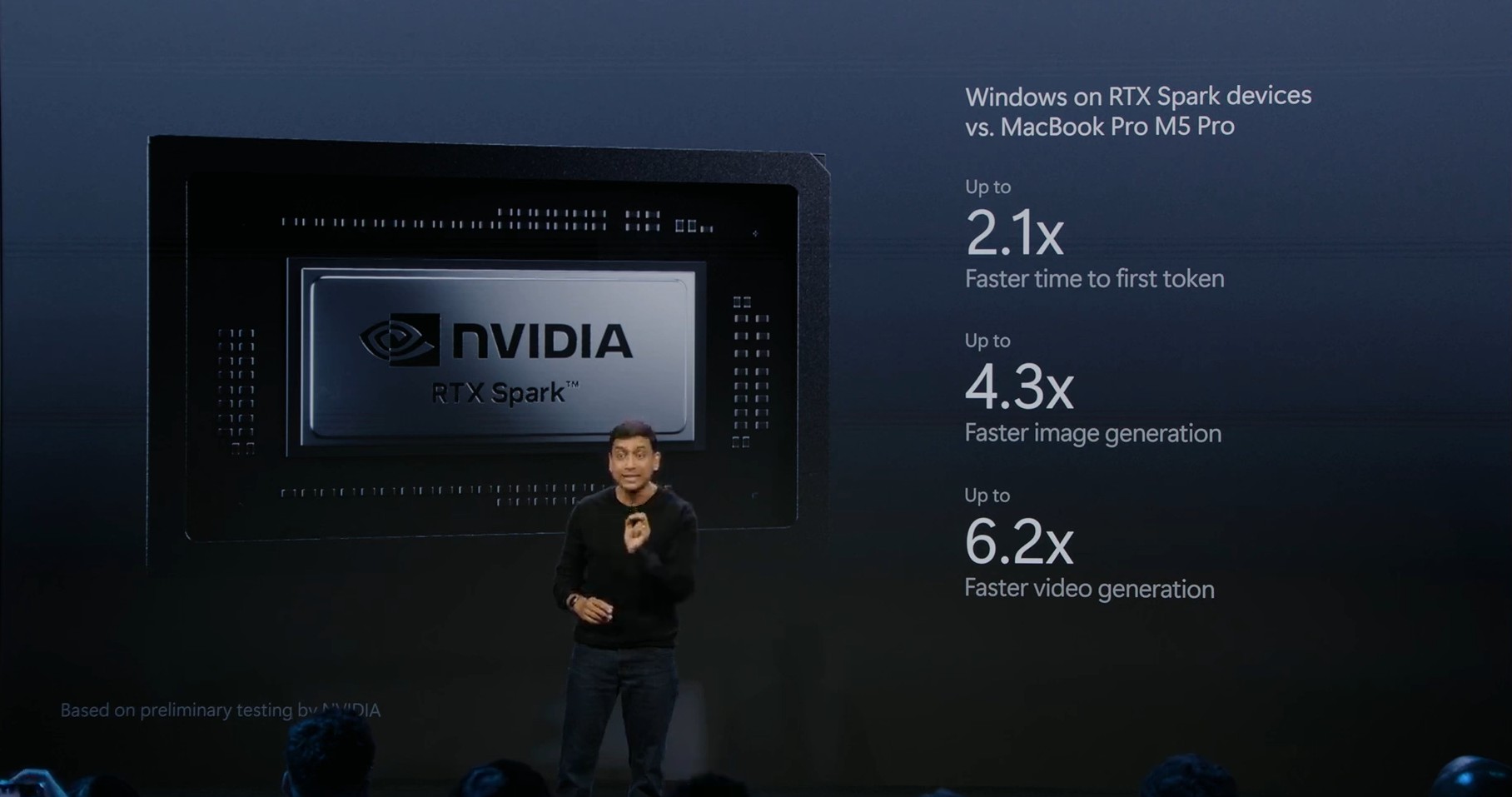
Microsoft claims RTX Spark is up to 6.2x faster than a 64GB M5 Pro MacBook Pro, but you can wait until benchmark results arrive.
Windows 11 now locks AI agents inside Microsoft Execution Containers
Remember when people bought Macs by the hundreds of thousands just to run OpenClaw? Agents like that typically run as the logged-in user, with access to whatever that user can open. Obviously, it’s not ideal, and enterprises wouldn’t want that.
Microsoft’s answer is Microsoft Execution Containers (MXC), which became generally available on Windows 11 on October 7. Pavan Davuluri, who leads Windows + Devices, says it lets organizations “define which files and networks agents can access, with those policies enforced at runtime.” It works with Windows’ agent accounts and agent workspace, and OpenClaw already runs inside it.
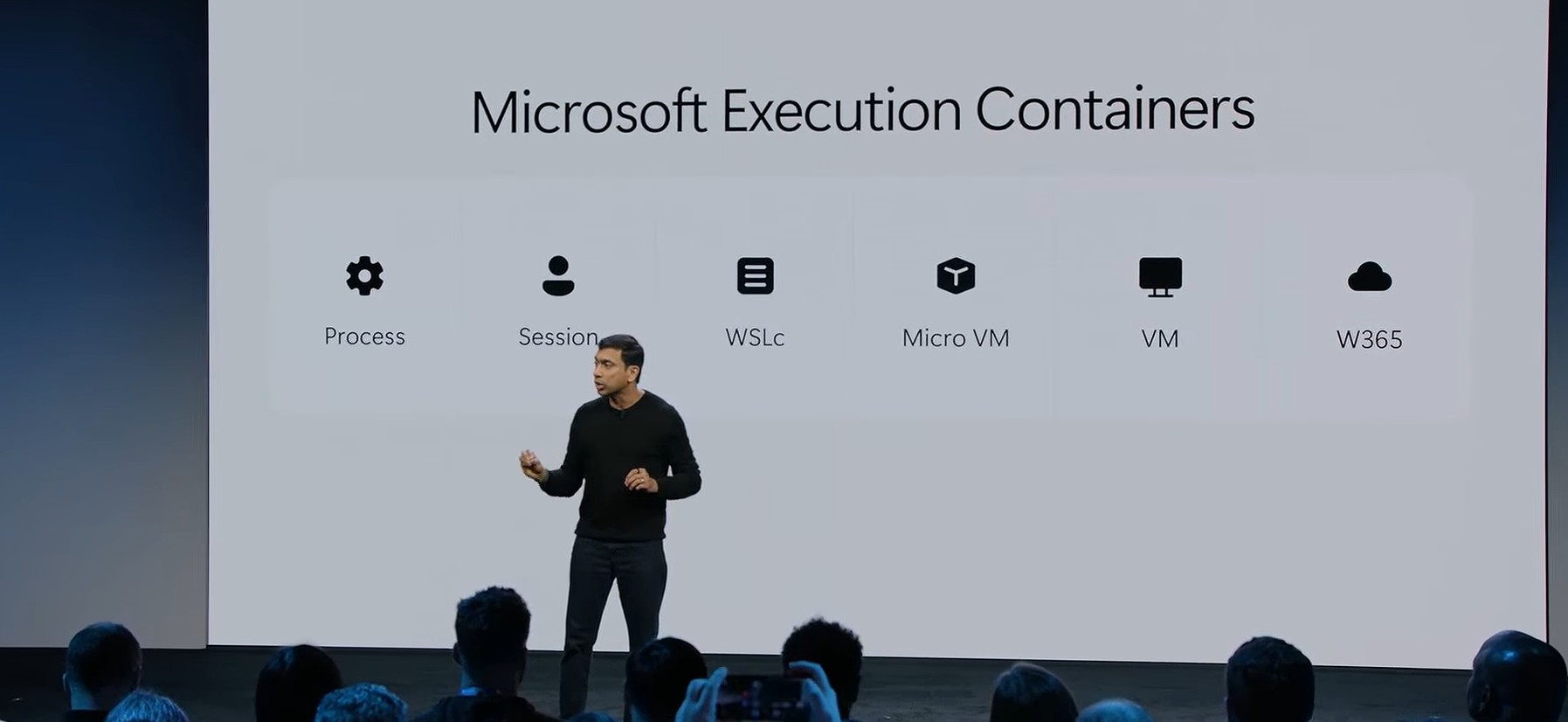
Ironically, MXC is open source and even has an experimental macOS backend, but its stronger session and WSL isolation is Windows-only. It’s how Microsoft plans to keep the promise they made at Build 2026 about making Windows 11 the OS for building AI.
Surface Laptop Ultra vs MacBook Pro specs and prices
Microsoft benchmarked against the 16-inch MacBook Pro, so the tables compare it with the 14-inch models at Apple’s current US prices, which went up in June.
| Spec | Surface Laptop Ultra | 14-inch MacBook Pro | 16-inch MacBook Pro |
|---|---|---|---|
| Starting price (US) | $2,599.99 | $2,499 (M5 Pro) | $2,999 (M5 Pro) |
| Chip | NVIDIA RTX Spark N1X with 18-core CPU and 5,120-core GPU, or 20-core CPU and 6,144-core GPU | M5 Pro with 15-core CPU and 16-core GPU, or 18-core CPU and 20-core GPU. M5 Max with 18-core CPU and 32-core or 40-core GPU | M5 Pro with 18-core CPU and 20-core GPU. M5 Max with 18-core CPU and 32-core or 40-core GPU |
| AI hardware | NVIDIA NPU, Blackwell RTX GPU with up to 1 petaflop of FP4 AI compute | Neural Accelerator in each GPU core, 16-core Neural Engine | Neural Accelerator in each GPU core, 16-core Neural Engine |
| Unified memory | 24GB, 32GB, 48GB, 64GB or 128GB LPDDR5x | 24GB, 48GB or 64GB on M5 Pro. 36GB to 128GB on M5 Max (128GB needs the 40-core GPU) | 24GB, 48GB or 64GB on M5 Pro. 36GB to 128GB on M5 Max (128GB needs the 40-core GPU) |
| Memory bandwidth | Not listed | 307GB/s (M5 Pro), 460GB/s or 614GB/s (M5 Max) | 307GB/s (M5 Pro), 460GB/s or 614GB/s (M5 Max) |
| Storage | 512GB Gen 4, or 1TB and 2TB Gen 5, removable | 1TB to 4TB (M5 Pro), 2TB to 8TB (M5 Max) | 1TB to 4TB (M5 Pro), 2TB to 8TB (M5 Max) |
| Display | 15-inch PixelSense Ultra mini-LED touchscreen, 3270 x 2180, 262 PPI, 3:2, up to 120Hz, 2,000 nits peak HDR, 100,000:1 contrast | 14.2-inch Liquid Retina XDR, 3024 x 1964, 254 PPI, up to 120Hz, 1,600 nits peak HDR, 1,000,000:1 contrast, not a touchscreen | 16.2-inch Liquid Retina XDR, 3456 x 2234, 254 PPI, up to 120Hz, 1,600 nits peak HDR, 1,000,000:1 contrast, not a touchscreen |
| Ports | 3x USB-C / USB4 (40Gbps, DisplayPort 2.1, 140W charging, Magnetic Connect cable in the box), HDMI 2.1b, USB-A 3.1, SD card reader, 3.5mm jack | 3x Thunderbolt 5 (up to 120Gb/s), HDMI, SDXC slot, MagSafe 3, 3.5mm jack | 3x Thunderbolt 5 (up to 120Gb/s), HDMI, SDXC slot, MagSafe 3, 3.5mm jack |
| External displays | Up to three 4K monitors at 60Hz | Up to three (M5 Pro) or four (M5 Max) | Up to three (M5 Pro) or four (M5 Max) |
| Battery | 92Wh. Up to 15 hours local video playback, 12 hours web | 72.4Wh. Up to 22 hours video streaming, 14 hours web (M5 Pro). 20 and 13 hours (M5 Max) | 100Wh. Up to 24 hours video streaming, 17 hours web (M5 Pro). 22 and 16 hours (M5 Max) |
| Charger in the box | 140W USB-C | 70W (15-core M5 Pro) or 96W | 140W USB-C |
| Camera | 1080p Surface Studio Camera with Windows Studio Effects | 12MP Center Stage camera, 1080p video | 12MP Center Stage camera, 1080p video |
| Sign-in | Windows Hello face recognition | Touch ID | Touch ID |
| Speakers | Quad Omnisonic speakers with Dolby Atmos | Six speakers with force-cancelling woofers | Six speakers with force-cancelling woofers |
| Wireless | Wi-Fi 7, Bluetooth 5.4 | Wi-Fi 7, Bluetooth 6 | Wi-Fi 7, Bluetooth 6 |
| Size | 328.8 x 238.7 x 17.99mm | 312.6 x 221.2 x 15.5mm | 355.7 x 248.1 x 16.8mm |
| Weight | 4.41 lbs (2.0kg) | 3.5 lbs (M5 Pro), 3.6 lbs (M5 Max) | 4.7 lbs |
| OS | Windows 11 Home (24GB), Windows 11 Pro (32GB and up) | macOS | macOS |
Keep in mind that Microsoft tests battery life with local video playback, while Apple uses video streaming in Safari, so the hours aren’t an apples-to-apples comparison (pun intended).
Apple doesn’t sell a 32GB M5 Pro or M5 Max, so the price table pairs every Surface Laptop Ultra configuration with the MacBook Pro that has equal memory, or the next step up.
| Surface Laptop Ultra | Price | MacBook Pro with matching memory | Price | Difference |
|---|---|---|---|---|
| 18-core, 24GB, 512GB | $2,599.99 | 14-inch M5 Pro (15-core), 24GB, 1TB | $2,499 | MacBook Pro $100.99 cheaper |
| 18-core, 24GB, 1TB | $2,999.99 | 16-inch M5 Pro, 24GB, 1TB | $2,999 | MacBook Pro $0.99 cheaper |
| 18-core, 32GB, 1TB | $3,299.99 | 16-inch M5 Pro, 48GB, 1TB | $3,599 | Surface $299.01 cheaper |
| 20-core, 32GB, 1TB | $3,699.99 | 16-inch M5 Pro, 48GB, 1TB | $3,599 | MacBook Pro $100.99 cheaper |
| 20-core, 48GB, 1TB | $3,999.99 | 16-inch M5 Pro, 48GB, 1TB | $3,599 | MacBook Pro $400.99 cheaper |
| 20-core, 64GB, 1TB | $4,299.99 | 16-inch M5 Pro, 64GB, 1TB | $3,999 | MacBook Pro $300.99 cheaper |
| 20-core, 64GB, 2TB | $4,699.99 | 16-inch M5 Pro, 64GB, 2TB | $4,499 | MacBook Pro $200.99 cheaper |
| 20-core, 128GB, 1TB | $5,899.99 | 16-inch M5 Max (40-core GPU), 128GB, 2TB | $6,999 | Surface $1,099.01 cheaper |
Unfortunately, once you match memory, the 16-inch MacBook Pro with M5 Pro undercuts the Surface Laptop Ultra in most of the mid-range by $100 to $400. In return, you get a 6,144-core RTX GPU with CUDA on the 20-core Surface, while the M5 Pro stops at a 20-core GPU and 64GB of memory.
The math flips at 128GB, because Apple only offers it on the 40-core M5 Max, and the M5 Max is a different price bracket.
| 16-inch MacBook Pro M5 Max | Price |
|---|---|
| 32-core GPU, 36GB, 2TB | $4,399 |
| 40-core GPU, 48GB, 2TB | $4,999 |
| 40-core GPU, 64GB, 2TB | $5,399 |
| 40-core GPU, 128GB, 2TB | $6,999 |
| 40-core GPU, 48GB, 8TB | $7,999 |
| 40-core GPU, 128GB, 8TB | $9,999 |
At $2,999.99, a 24GB/1TB Surface costs a dollar more than a 16-inch M5 Pro MacBook Pro with identical memory and storage, so the trade-in decides it. Higher up, Surface gives you more memory and Apple more storage, and 128GB on a MacBook Pro needs the 40-core M5 Max.
Say you trade in a 2021 16-inch MacBook Pro, and Teladvance values it at $700 (hypothetically!). You pay $4,299 upfront for the 64GB/1TB Surface Laptop Ultra, and if your MacBook qualifies for the full bonus, Teladvance sends you $1,700 through PayPal or bank transfer within 14 days of approving it. Your new Surface ends up costing $2,599 before tax, which is the price of the base model.
Even if Apple gave you $700 for the old MacBook toward a 64GB/1TB 16-inch MacBook Pro, you would still pay $3,299, or $699 more.
Apple has a trick up its sleeve called Apple Upgrade
Apple doesn’t need to bribe its users to stay. Apple Upgrade leases a Mac through Klarna for 24 or 36 months and swaps it for a new one at the end, with a $1,999 14-inch MacBook Pro costing $38.99 a month over 36 months. It’s US-only.
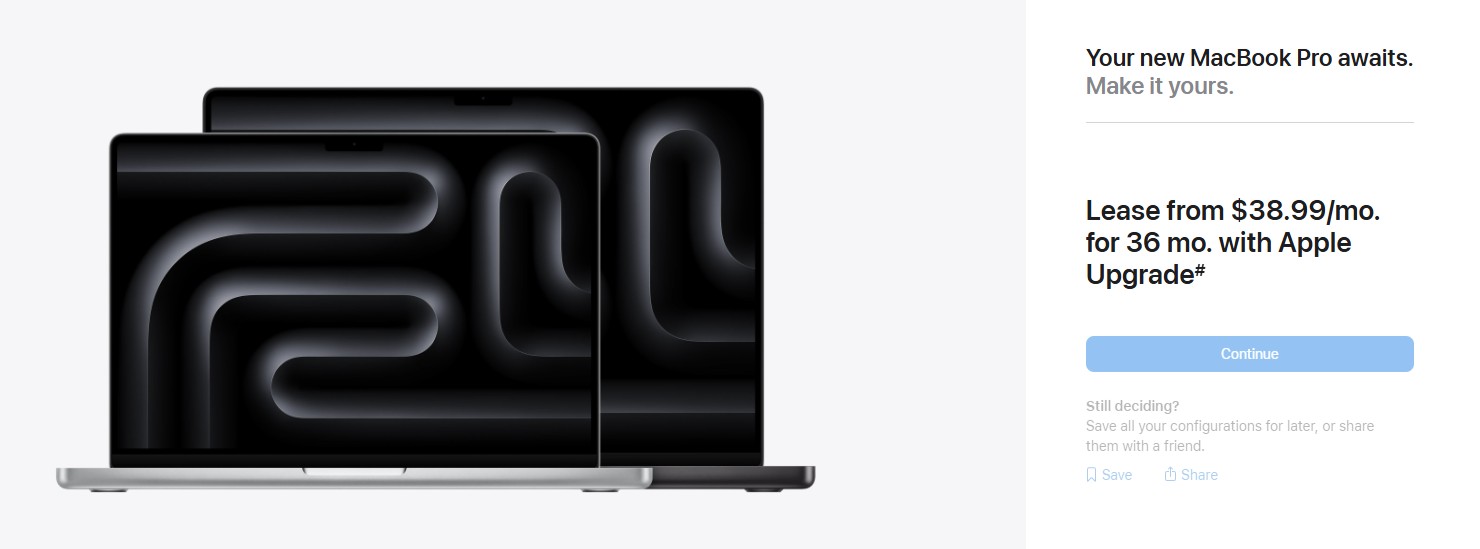
Apple keeps you upgrading inside its ecosystem, while Microsoft is paying you to leave it.
Should you trade in your MacBook Pro for a Surface Laptop Ultra?
If your day starts with Final Cut Pro or Xcode, or if your iPhone handles half your workday through AirDrop and iMessage, $1,000 won’t make Windows feel like Home or Pro (see what I did there!).
Battery life is also an unknown, as NVIDIA only promises “all-day” battery, while Microsoft rates Surface Laptop Ultra at up to 15 hours of local video playback. Also, Windows on Arm is traditionally considered efficient, so the 92Wh nominal battery capacity may hold up with Apple’s “up to 24 hours of video streaming” on the 16-inch M5 Pro MacBook Pro.
But if you build with CUDA, run large models locally, or still carry an Intel MacBook Pro that can’t run macOS 27, the offer is hard to ignore. Intel MacBook Pro owners are the easiest target, since Apple has stopped major updates for their laptops, and Teladvance will still take them. In my opinion, anyone with a MacBook older than 2025 can consider the Surface Laptop Ultra.
The post “Break up with your MacBook”: Microsoft bribes you with up to $1,000 extra to ditch Apple for its most powerful laptop appeared first on Windows Latest