
Microsoft has finally admitted that Windows 11’s right-click menu became “cluttered and sluggish,” and it’s rebuilding the experience with a faster default layout and control over what appears when you right-click a file, which is something users have wanted for years.
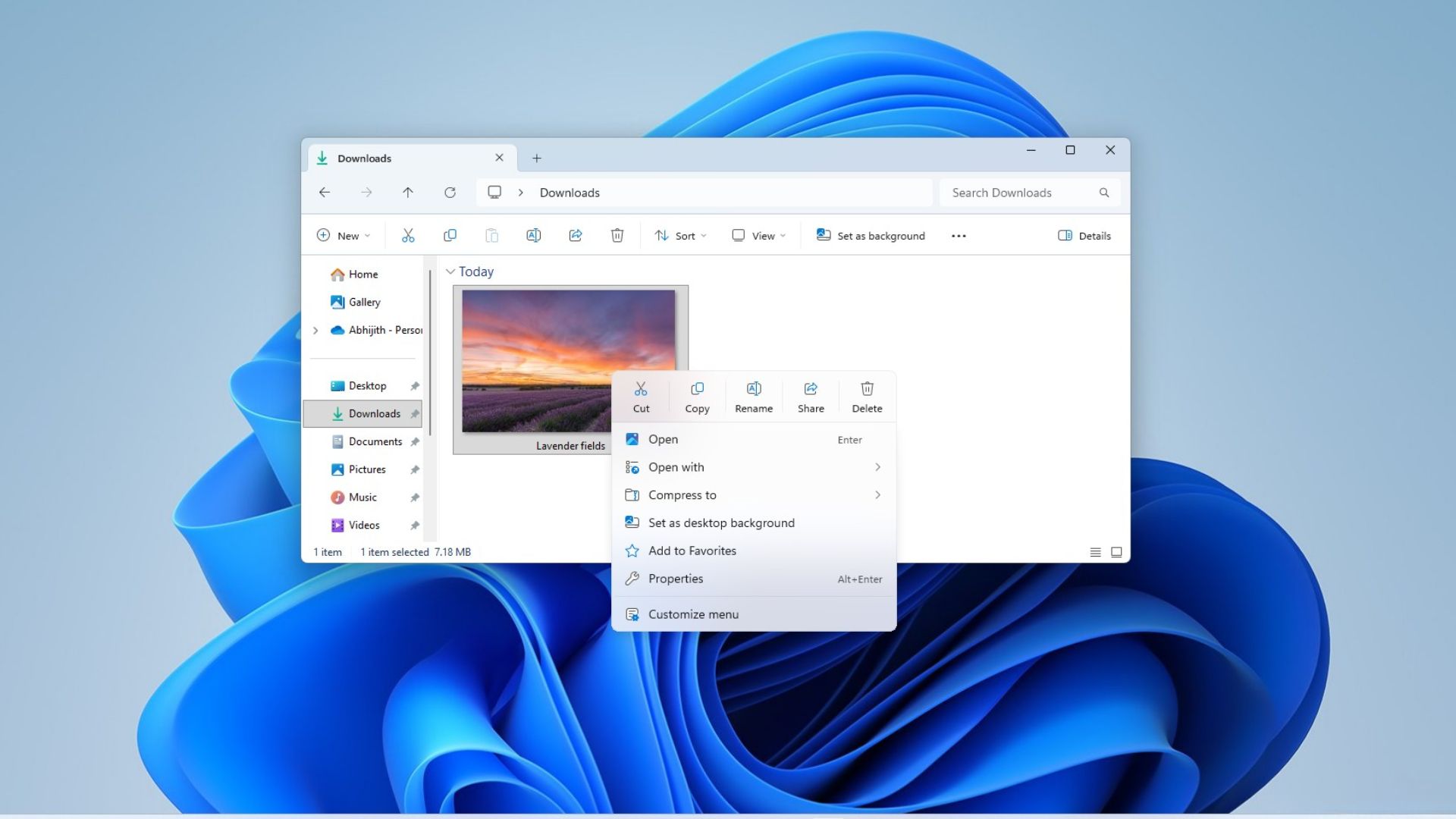
Interestingly, Microsoft made almost the opposite argument in 2021 when they launched Windows 11. Back then, the company said the Windows 10 context menu had become too long, poorly organized, and difficult to use, and presented the new Windows 11 menu as the fix!
Either way, I’m delighted to see that Microsoft made a U-turn and went back to making the context menu better than it ever was. And I say this because this isn’t a plan or a promise. Microsoft has already started rolling the redesigned context menu out to Windows Insiders in Experimental Build 26340.9212, released August 17. Windows Latest tested the new experience, and we love it.
Microsoft spent five years fixing the Windows 11 context menu it once called the solution, but…
Go back to Microsoft’s July 19, 2021 blog post, Extending the Context Menu and Share Dialog in Windows 11, and the company was blunt about what was wrong with Windows 10’s menu.
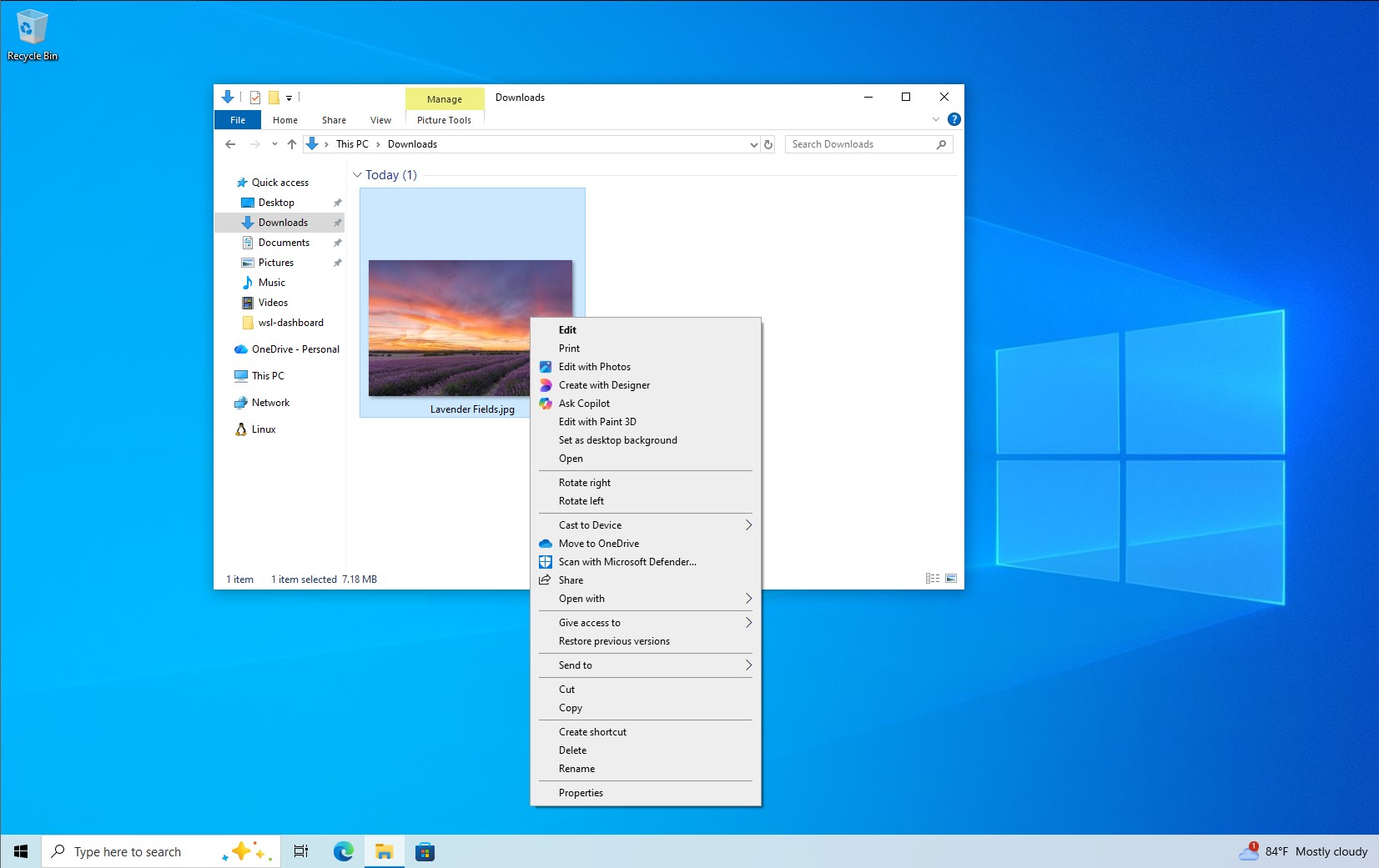
It had grown “in an unregulated environment for 20 years, since Windows XP,” Microsoft wrote. Common commands like Cut, Copy, Paste, Delete, and Rename were far from the cursor. The menu had become exceptionally long. Rarely used commands were mixed in with common ones. Open and Open with could end up separated. Third-party app commands had no consistent organization, and some extensions were directly inside Explorer’s process, which Microsoft said could hurt performance and reliability.
5 years ago, Windows 11’s “fix” moved common actions right next to where the menu was invoked, grouped Open and Open with together, gave app extensions a more structured system, and kept “Show more options” around as an escape hatch back to the old Windows 10 menu for anything that hadn’t been ported over yet.
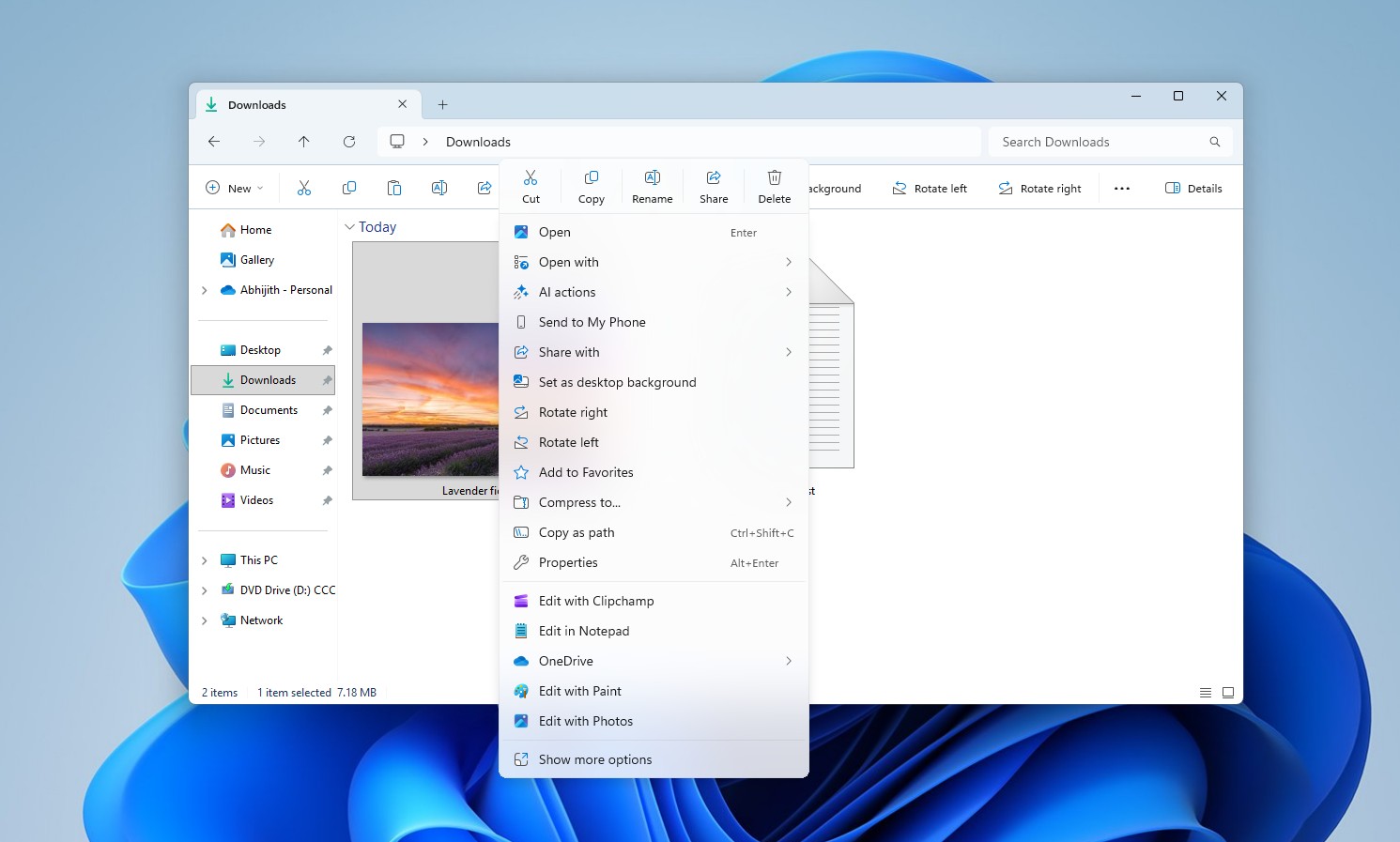
And then the problems happened. Most of the problems that Microsoft said about the Windows 10 context menu are now in a worse form in Windows 11, and it is also much slower, and that is an understatement.
As with most issues in Windows 11, Windows Latest had already been tracking this problem for almost two years before Microsoft’s admission. We wrote about the Windows 11 modern context menu falling into the same clutter trap as Windows 10 back in November 2024.
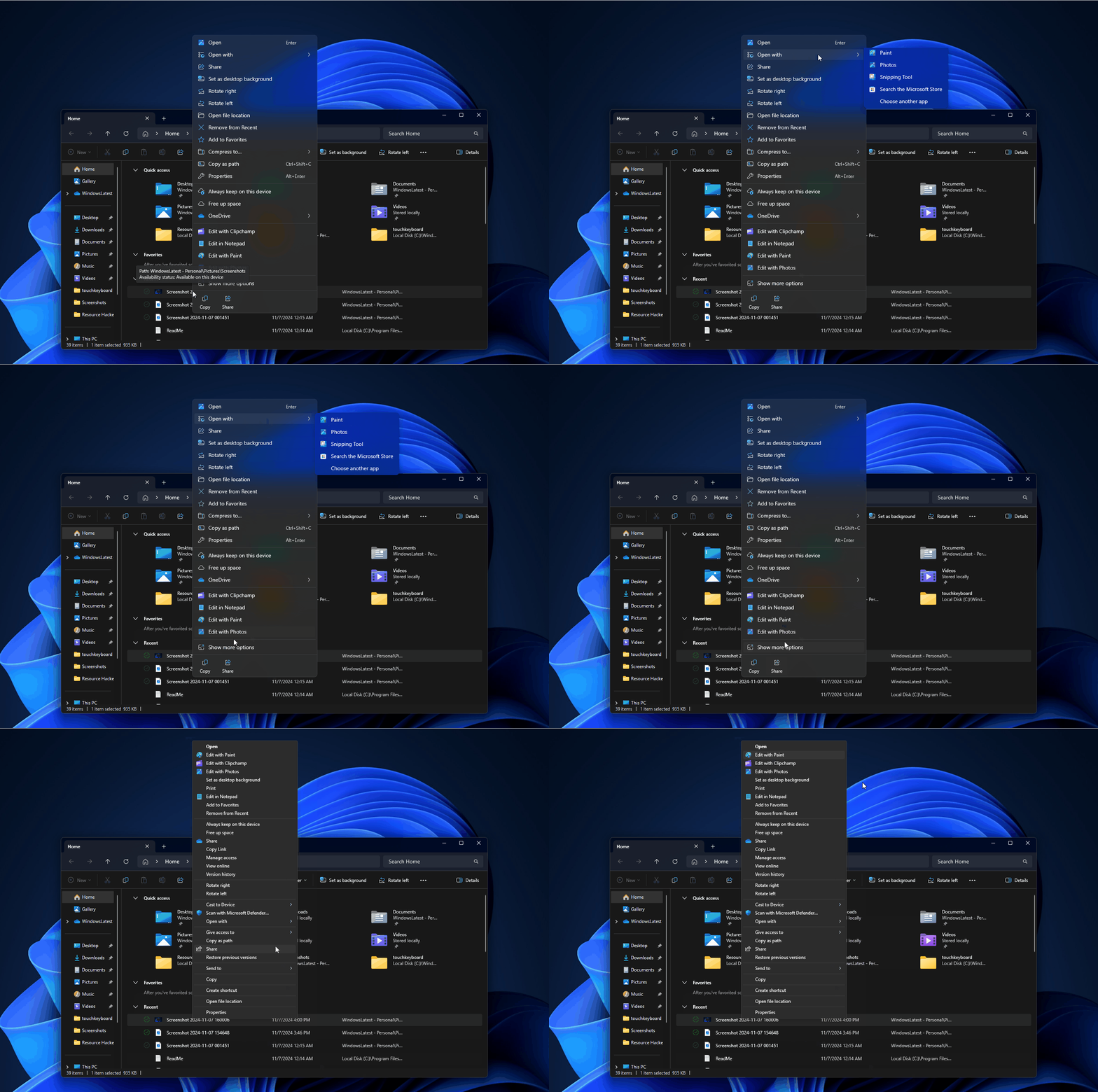
Our June 2026 testing showed how extensions like Ask Copilot, Clipchamp, Notepad, Paint, and Photos loaded in after the menu had already opened, causing misclicks because the cursor position shifted as new items loaded underneath it.
Surprisingly, in their August 17 announcement, Microsoft is now describing its Windows 11 replacement using language that sounds remarkably close to what it once said about Windows 10:
“When we launched Windows 11, we introduced a new context menu with a modernized design, improved organization, and a new approach to application extensions.
Over time, though, the menu became cluttered and sluggish, and we recognized the need to dramatically reduce the time between right-clicking and having a menu that’s fully ready to use.”
Microsoft is admitting that the replacement eventually developed the same problems it was designed to eliminate. All resentment aside, it’s not easy to admit such a mistake for a company as huge as Microsoft, and credit where it’s due, this is not just a promise, but they actually fixed the Windows 11 context menu.
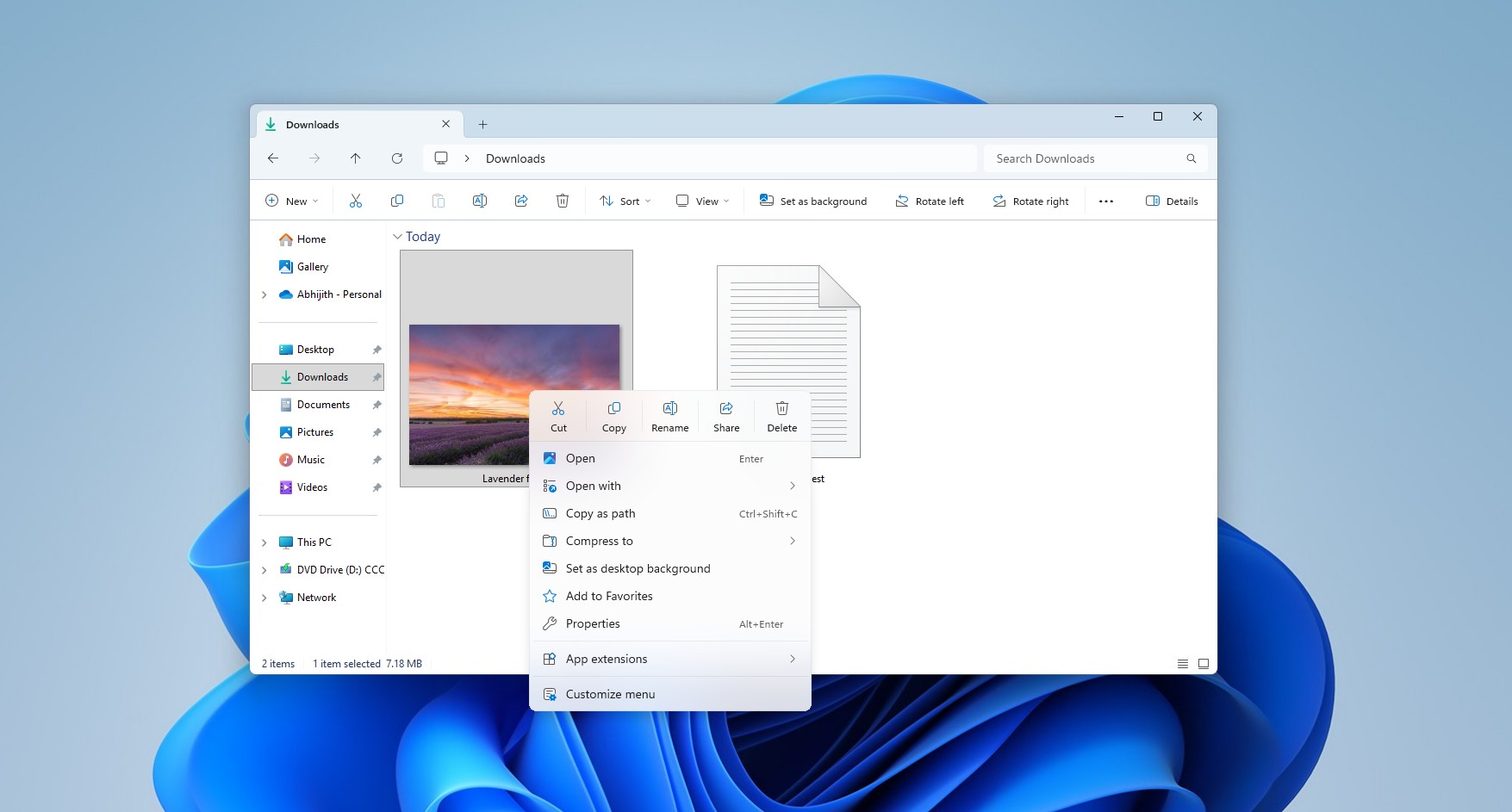
Windows 11’s new right-click menu is faster, cleaner, and finally customizable
Microsoft released Windows 11 Insider Preview Experimental Build 26340.9212 on August 17, 2026, based on Windows 11 26H2, and the release notes call out the redesigned File Explorer context menu as a feature rolling out gradually, so even if you’re an Insider in the Experimental channel, you may not see the new Context menu right away.
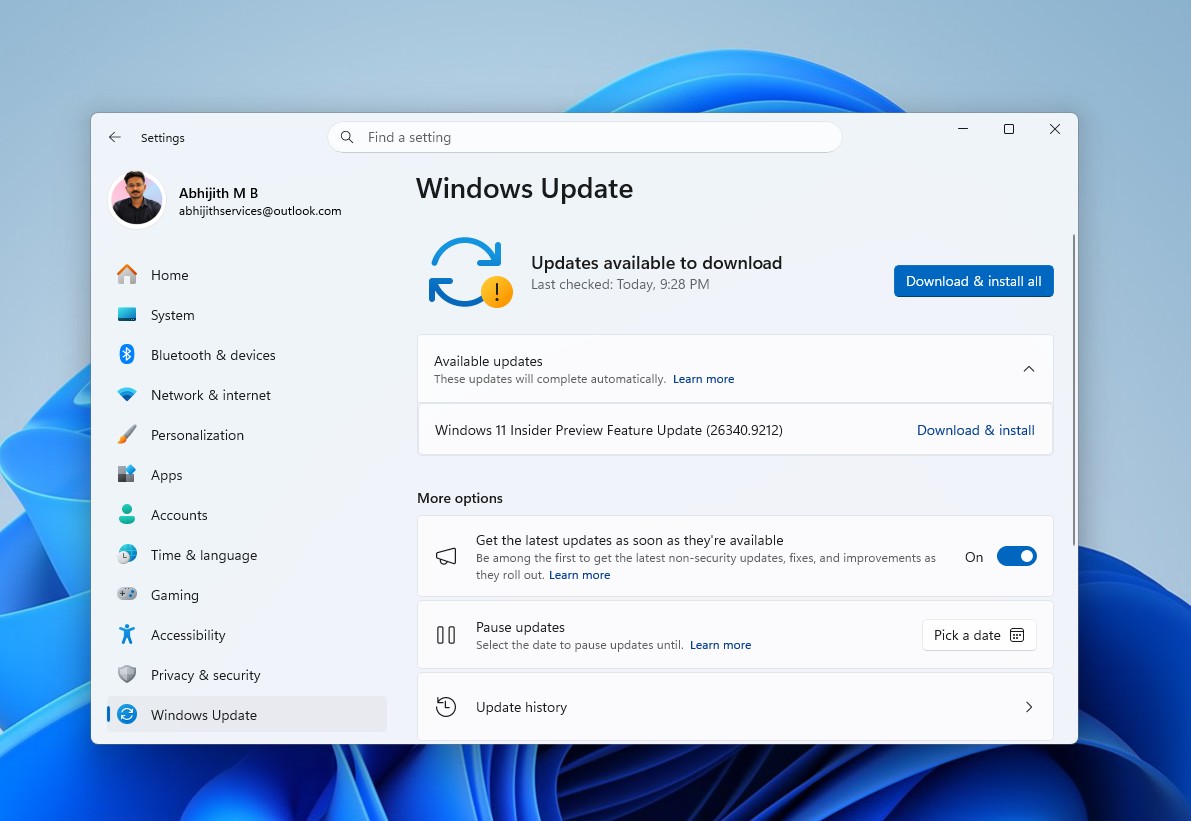
That said, we’ve got access to it, and in my brief testing, I feel it’s crazy good. It’s fast, clean, and everything that I wanted the right-click menu to be. All my testing was done on a low-spec PC which can barely do any task with speed, and even then, the context menu feels instant:
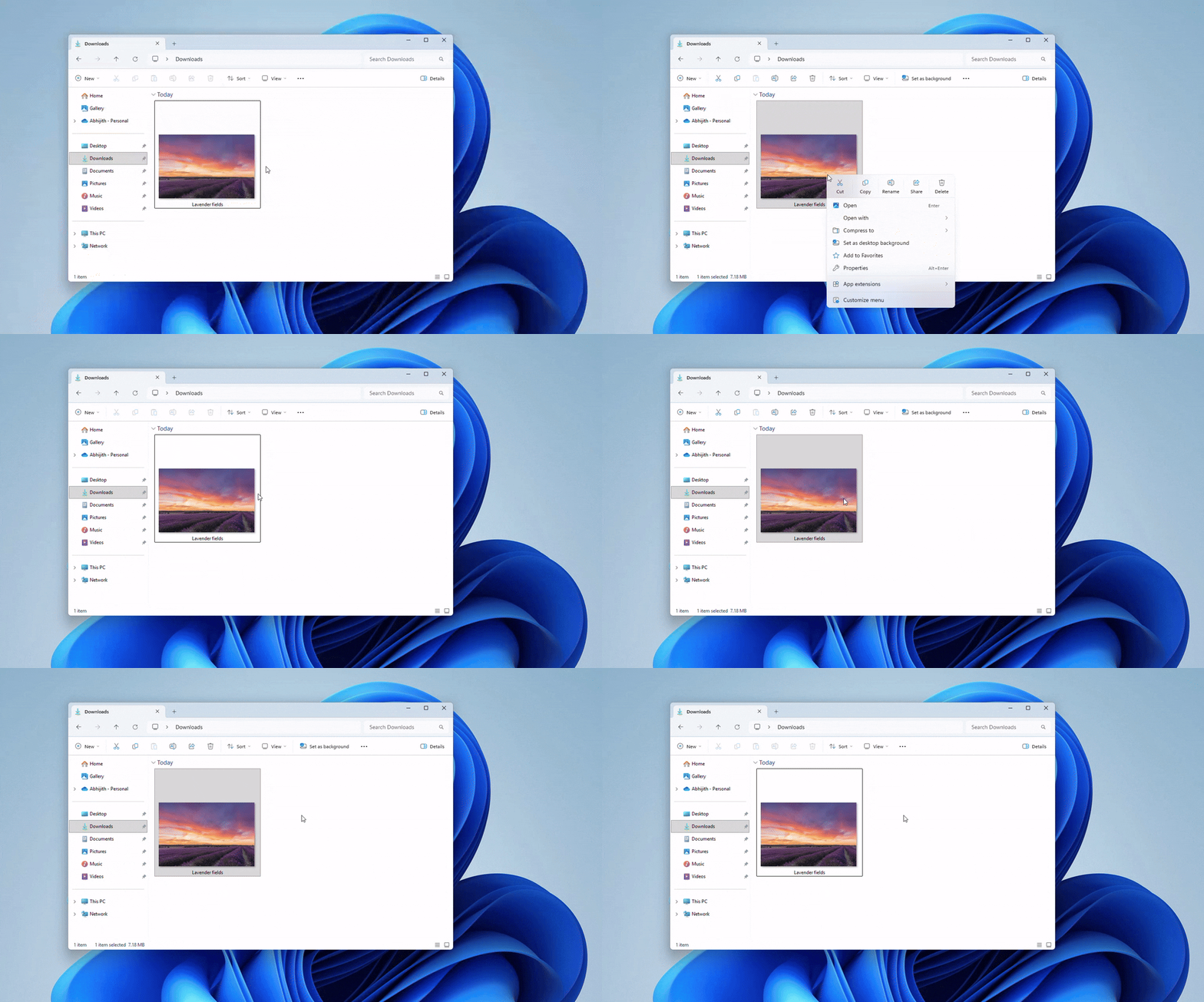
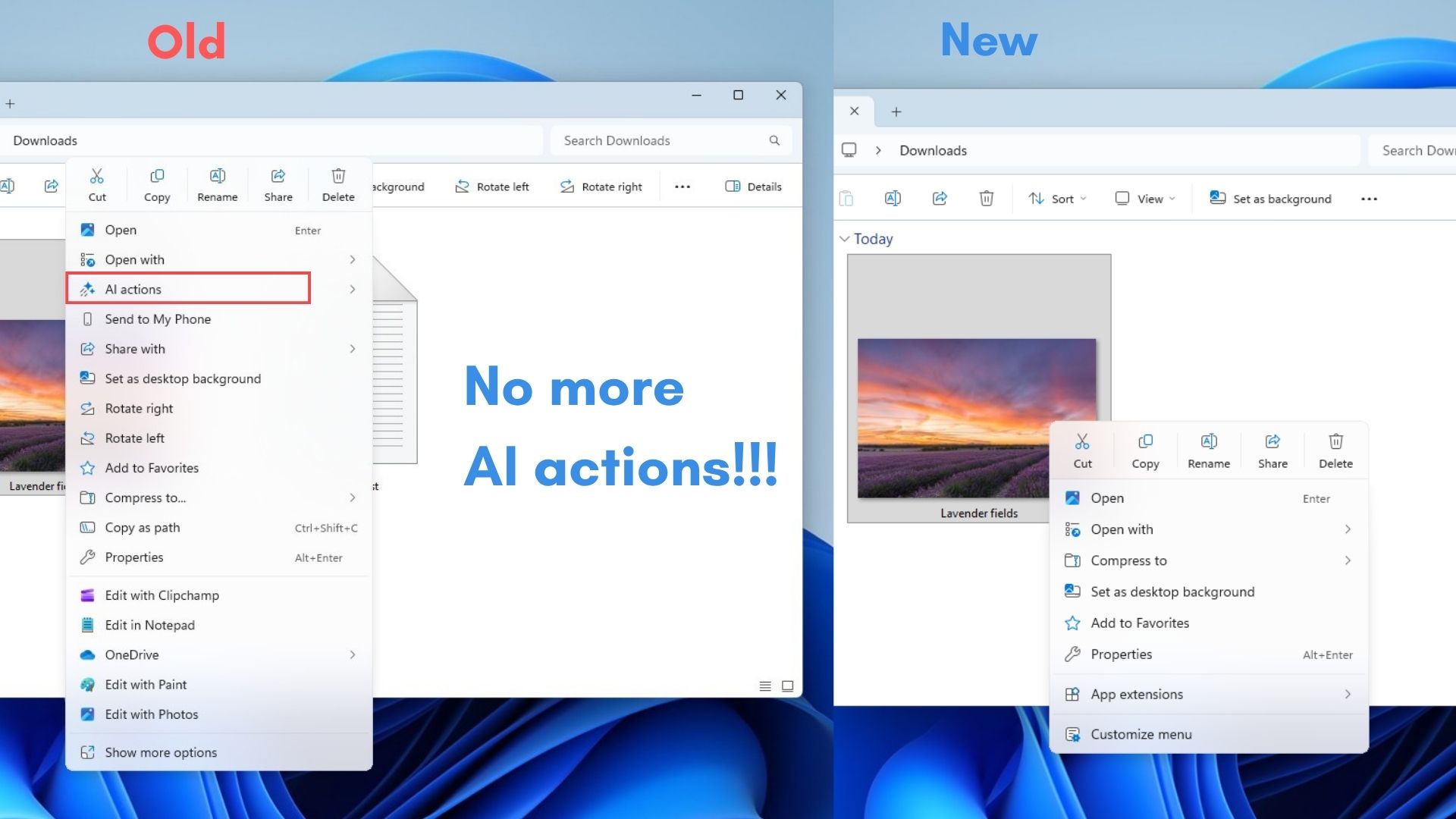
The menu is now smaller
The new default menu contains fewer top-level actions, and Microsoft says the goal is cutting clutter while keeping commonly used commands within reach. It is visibly shorter than the one Windows 11 originally shipped with.
The reduction isn’t cosmetic either. Each app extension added extra work for the OS, so removing them directly improves how fast the menu appears.
“Customize menu” finally gives users control
A new “Customize menu” option, the centerpiece of the whole redesign, now appears at the bottom of the right-click menu, and clicking it opens a dedicated Settings page under Personalization > Context menu.
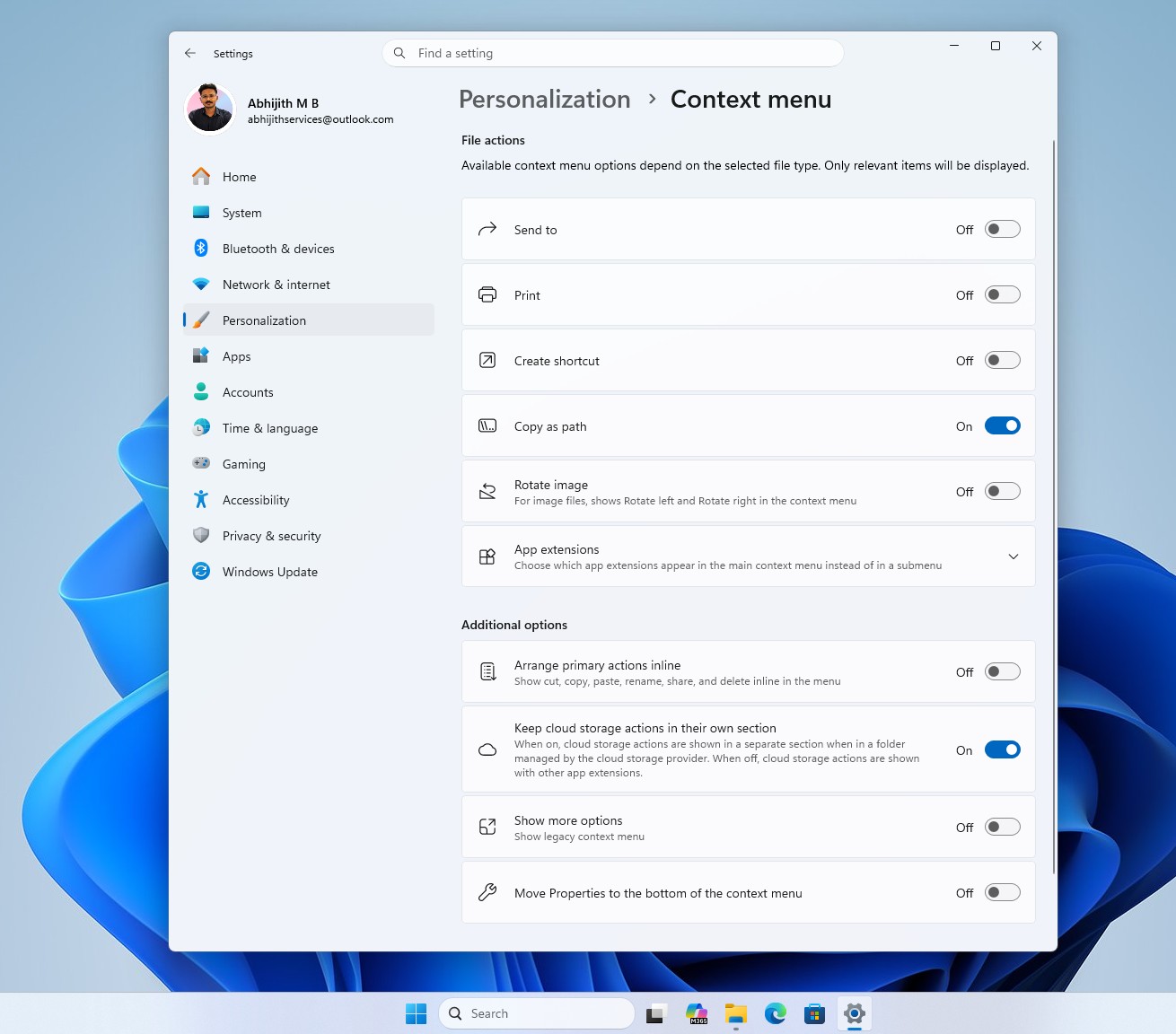
Three areas are worth knowing about:
- Built-in Windows actions like Send to, Print, Create shortcut, Copy as path, and Rotate image can each be switched on or off individually.
- App extensions can be shown directly in the main menu, tucked into a submenu, or hidden altogether.
- And a separate set of layout options controls how familiar commands are displayed.
In our testing, Send to is off, as Share already exists. Print is off by default, and understandably so since most of us won’t be printing often these days. Rotate image and Create shortcut are also both off by default, but all of these can just as easily be turned on if you use them often.
Copy as path is the only menu that came on, which makes sense given how often developers reach for it. Instead of assuming every user needs every command available at all times, Windows finally lets each person decide for themselves.
App extensions like Notepad, Paint, and Photos can be selected individually instead of being dumped into the menu as a package, and you get to choose whether they show up directly in the menu or get added into a submenu.
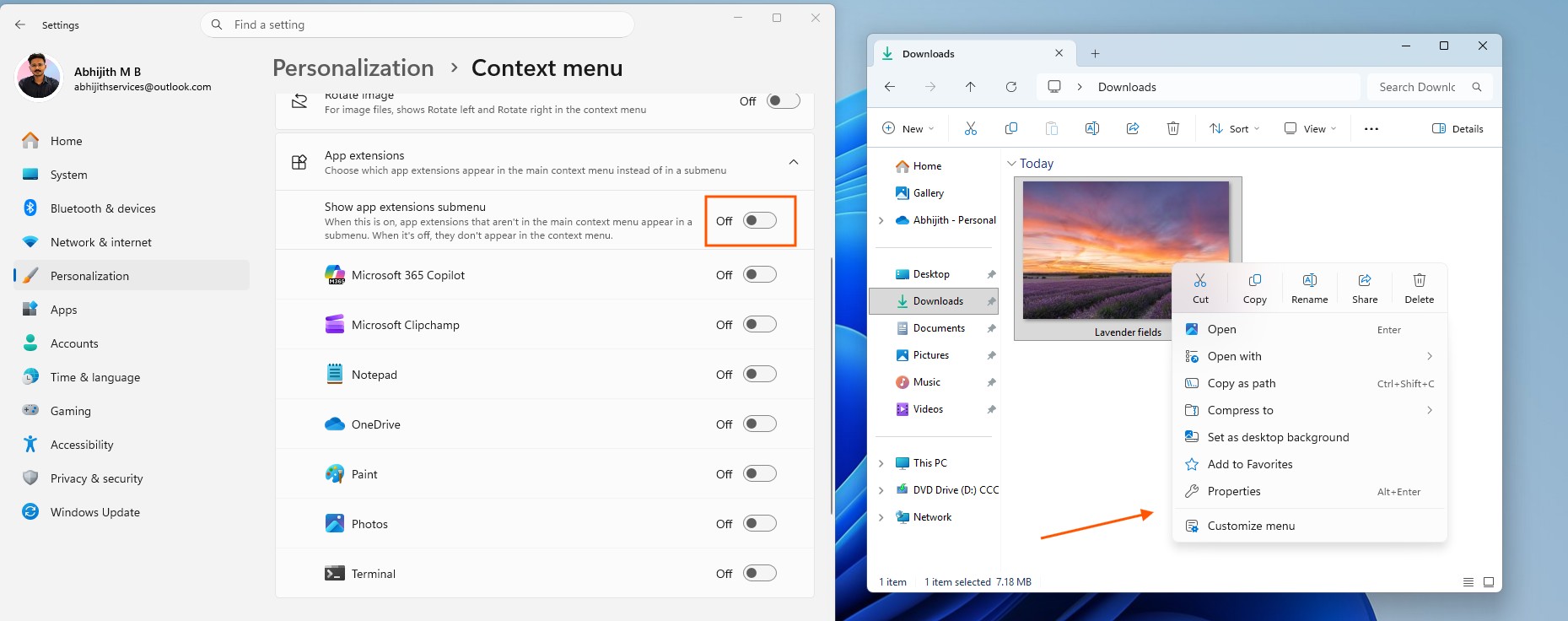
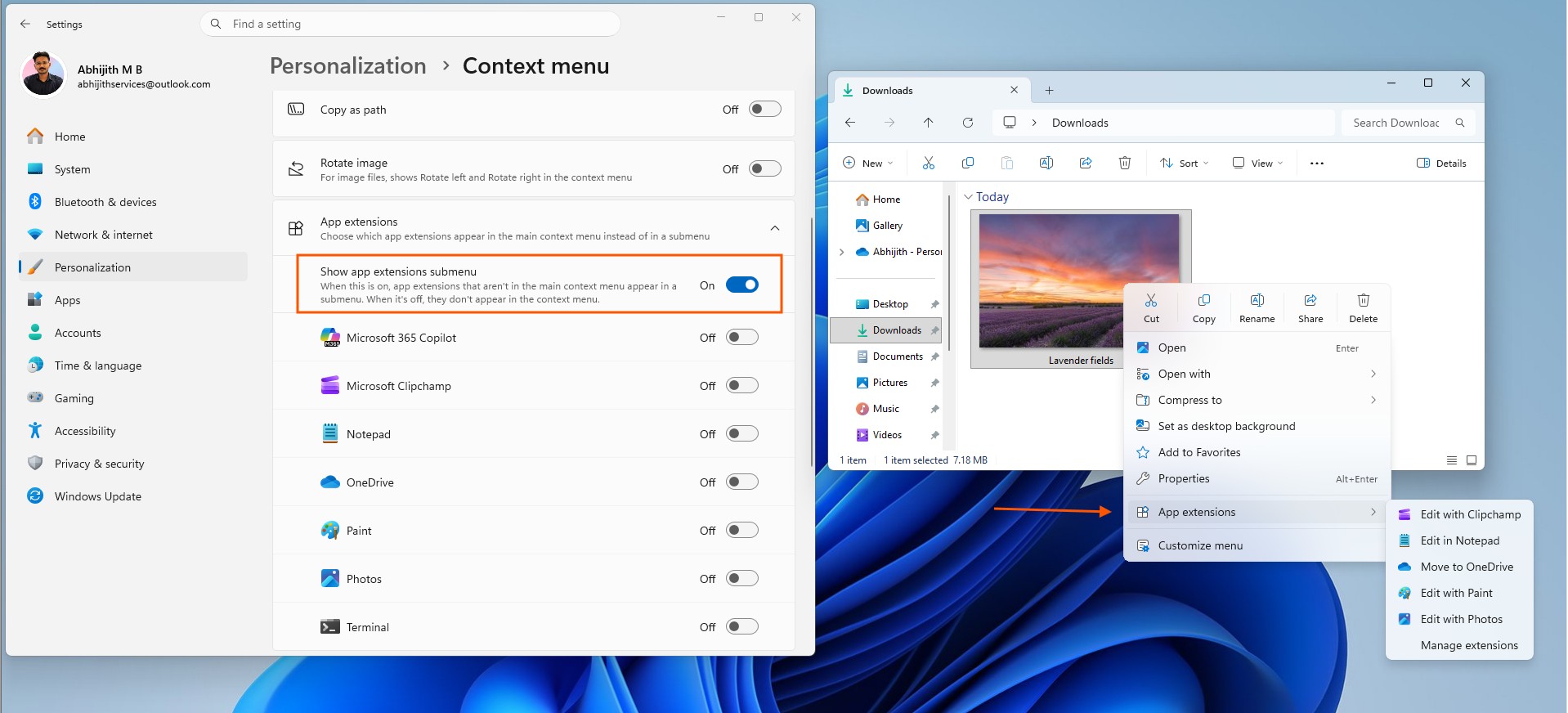
Microsoft is bringing back parts of the Windows 10 right-click menu
By default, Windows 11 puts Cut, Copy, Rename, Share, and Delete into a compact horizontal icon row along the top of the menu. Now, I have gotten used to this, but some users still prefer the vertical arrangement from Windows 10.
You can now do that in Windows 11. Toggle on “Arrange primary actions inline,” and those commands drop into a vertical list instead, closer to how Windows 10 always did them, but with the modern design.
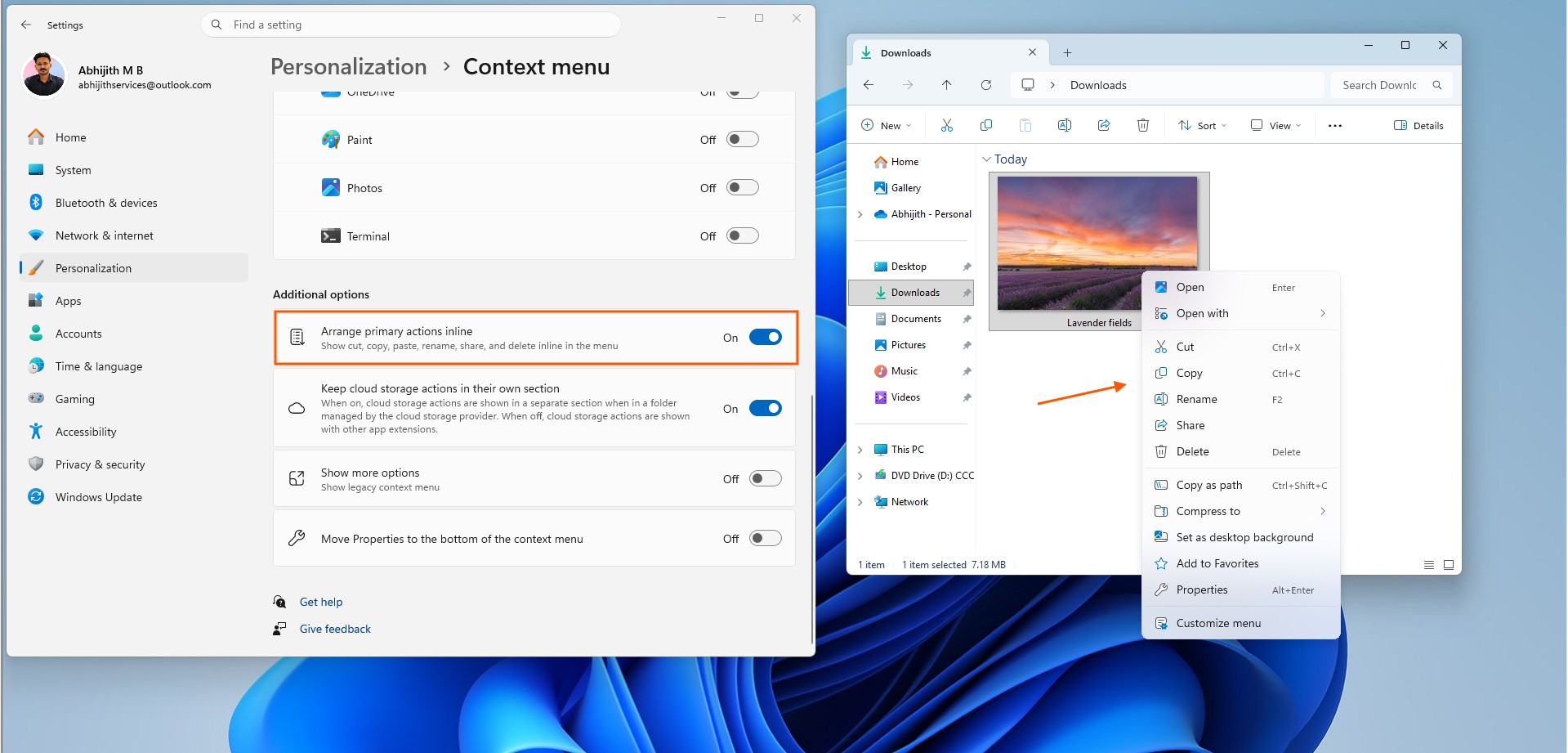
A few more settings round this out. “Keep cloud storage actions in their own section” stops OneDrive-related commands from mixing into the general extension list.
“Show more options” keeps the legacy context menu reachable for anyone who wants it, since not every application has adopted Windows 11’s newer context-menu extension model. Older tools like 7-Zip still depend on the legacy menu. Microsoft isn’t breaking compatibility just to make the modern menu look cleaner, and I appreciate it.
And “Move Properties to the bottom of the context menu” does exactly what it sounds like, instead of leaving Properties wherever it happens to land by default.
All this considered, this is what I always wanted from the Context menu, and the customization part makes me like this more than Windows 10’s version.
Everything about the File Explorer is being fixed
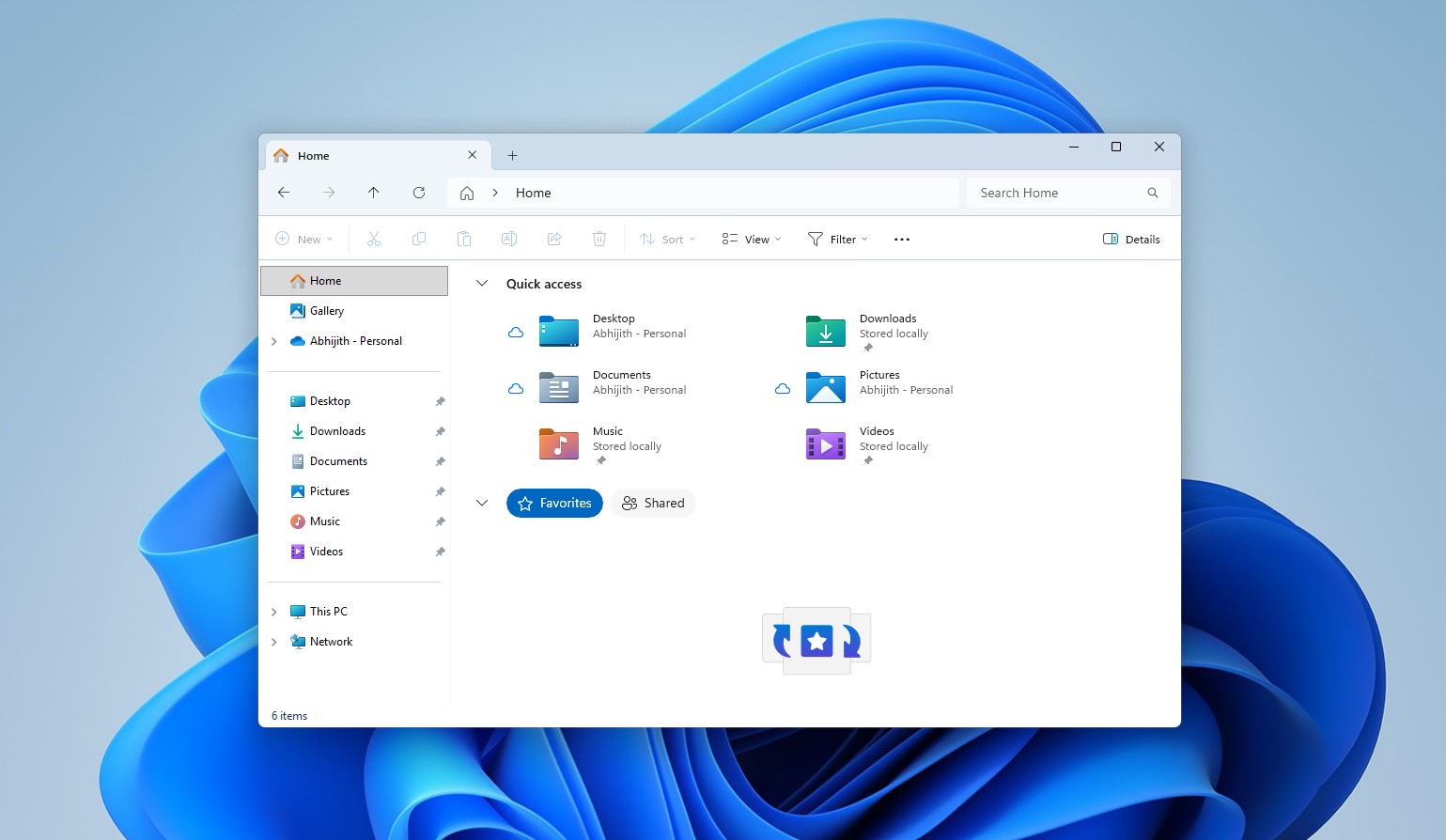
The new context menu is part of Microsoft’s bigger push to fix the File Explorer quality. The company has since worked on freezes, hangs, navigation, renaming, the Address Bar, and how file sizes get displayed, continuing work that started back in March 2026 when Microsoft first admitted File Explorer had been slower than its Windows 10 counterpart for years.
Five years ago, Microsoft thought they had solved the Windows context menu. Five years later, they have effectively admitted the replacement became more of the problem. Fortunately, this time Microsoft is giving us control over what the menu does, while also fixing the performance problems.
The new right-click menu is currently rolling out to Windows Insiders in Experimental Build 26340.9212, and Microsoft says Insider feedback will keep shaping it. Since the feature is still in active testing, regular users need to wait a bit more for the new context menu to come to their PCs.
The post Microsoft admits it made Windows 11 worse than Windows 10 for right-click menus, promises to fix “sluggish and cluttered” UX appeared first on Windows Latest