
I was two clicks away from buying an LG ultrawide monitor a few weeks ago. Fortunately, I didn’t, and after going through what’s been happening with LG monitors, I’m glad I held off, and I think you should too.
Over the past few weeks, LG monitor owners have been reporting that when they plug in their LG display, without any prompt, Windows Update quietly installs an app called LG Monitor App Installer. Its first order of business isn’t calibrating your screen, but showing you a pop-up for a McAfee trial.
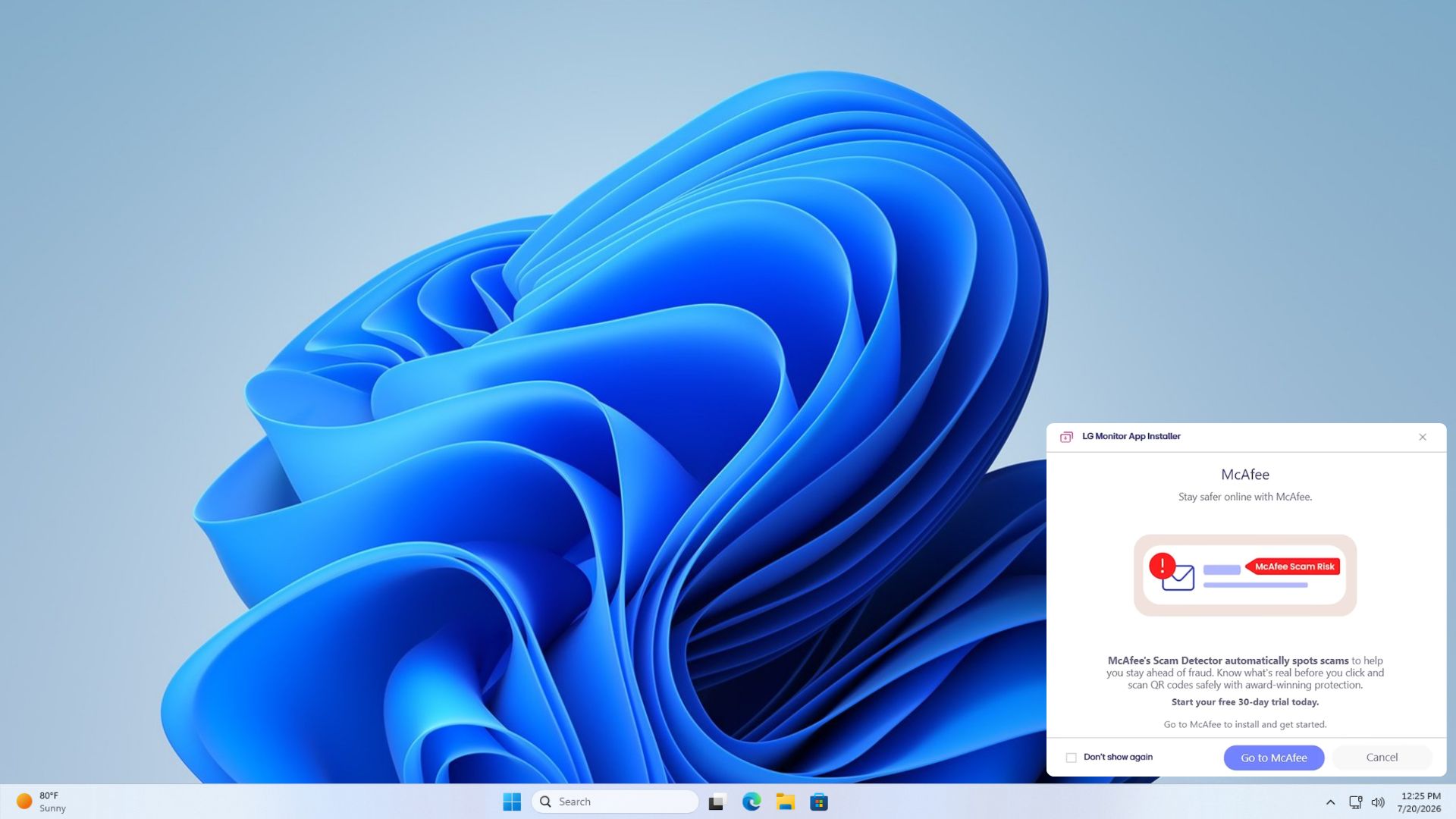
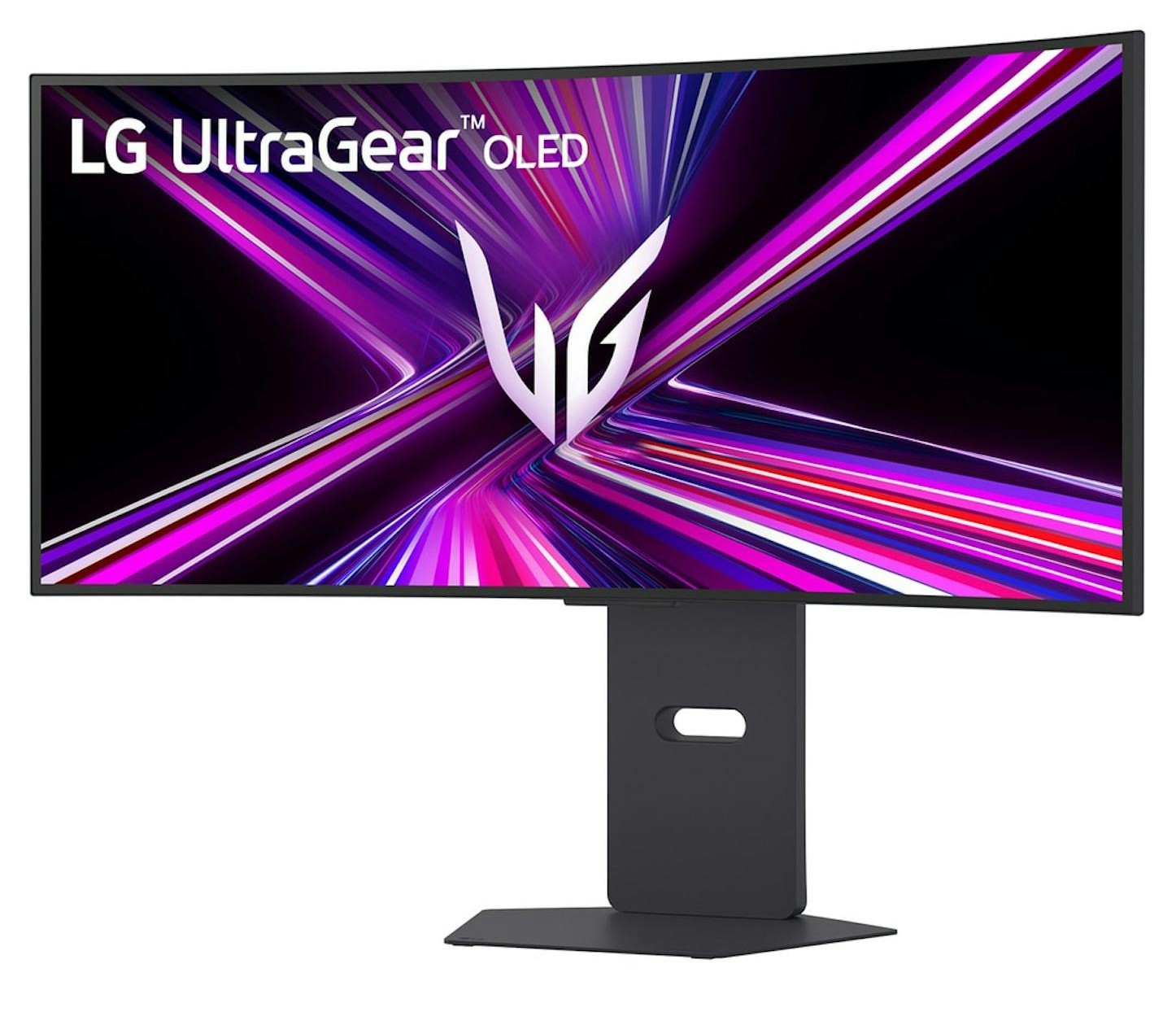
YouTuber Gamers Nexus bought a $1,200 LG UltraGear 34GX900A-B to test this, and replicated it by doing nothing more than plugging the monitor in. The tragic part is that this is otherwise very capable hardware.
Windows Update installed LG’s driver package, and one minute later, the LG Monitor App Installer showed up in the Start menu’s recommended section on its own. Across 32 consecutive boots, the McAfee popup appeared 31 times.
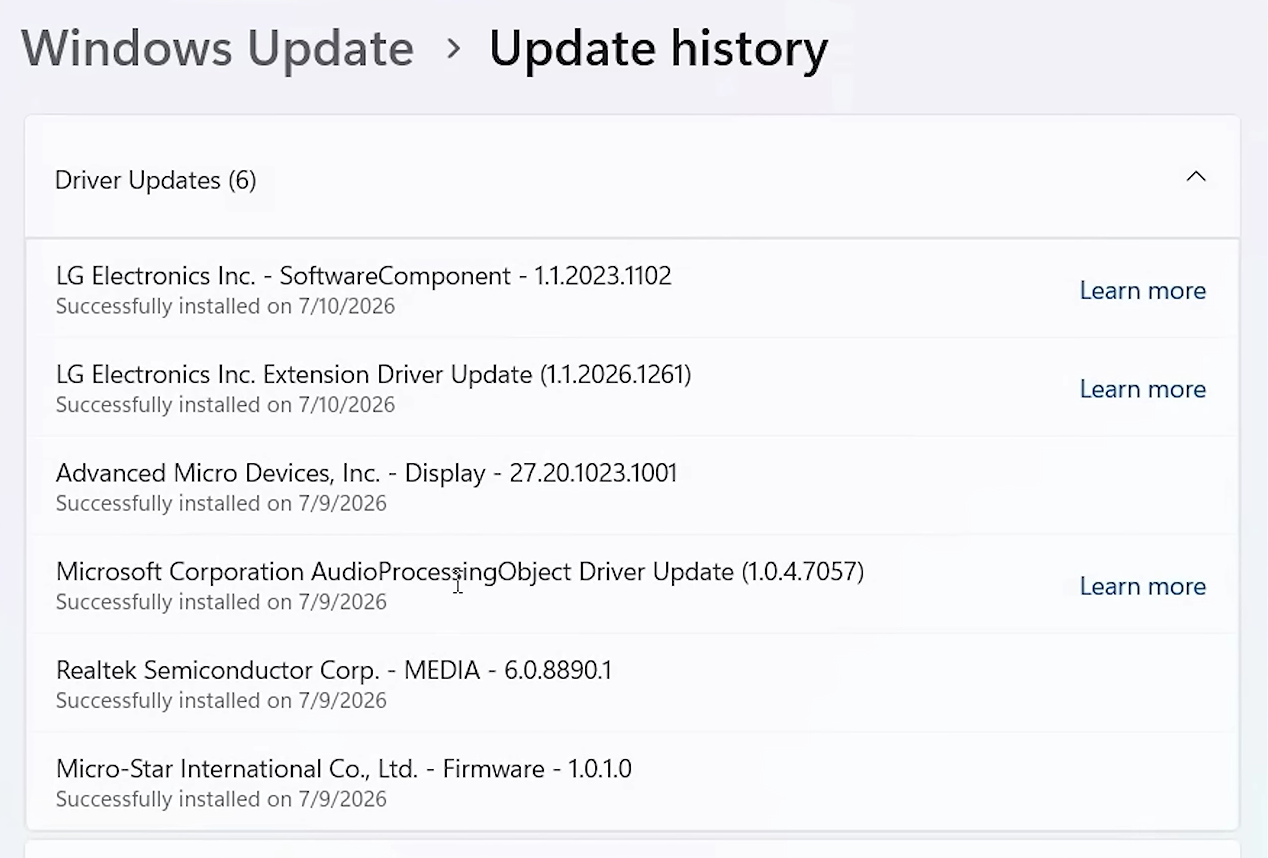
Note that an LG monitor shouldn’t be able to install such bloatware without Microsoft’s cooperation. Windows Update is the delivery mechanism here, and Microsoft’s documentation confirms this is by design, and as we just found out now, LG even shamelessly mentions it in their app description.
How Windows lets an LG monitor install software without asking you
The mechanism responsible for this atrocity is called device metadata, and it’s been part of Windows since Windows 8. Microsoft’s developer documentation for automatic installation of UWP device apps mentions it’s working where, when you connect a device, Windows requests metadata linked to that device from Microsoft’s servers, identifies an app associated with it, and downloads that app to your account. Drivers are delivered via Windows Update, and the app installs silently in the background.
What baffles me is what Microsoft says about this feature:
“The automatic installation feature does not provide a notification to the user when the app is installed. Some users may find this experience confusing and frustrating, and give your app a bad rating.”
Microsoft knew this could confuse people badly enough to tank an app’s rating, and still allows it anyway, with no consent screen anywhere in the four-step process.
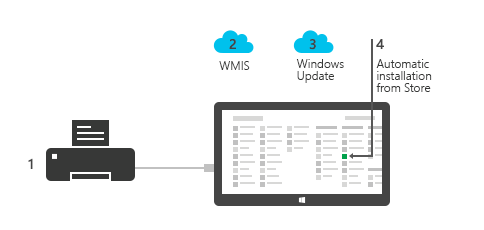
The only requirements on the user’s side are that you’re signed into the Microsoft Store, connected to the internet, and didn’t opt out of Recommended Settings during setup, which almost nobody does.
As mentioned by Albacore on X, Razer does the same thing too, where the camera drivers it publishes to Windows Update are really just setup bootstrappers for Synapse, Razer’s own bloated companion app.
Windows Latest previously reported that some Windows 11 PCs ship with bloatware built in that not even a clean install through the wrong region setting can avoid, and Microsoft told us at the time that they were aware of the behavior and looking into it. 3 years later, the company still hasn’t closed the door on OEMs using their own update pipeline to push ads.
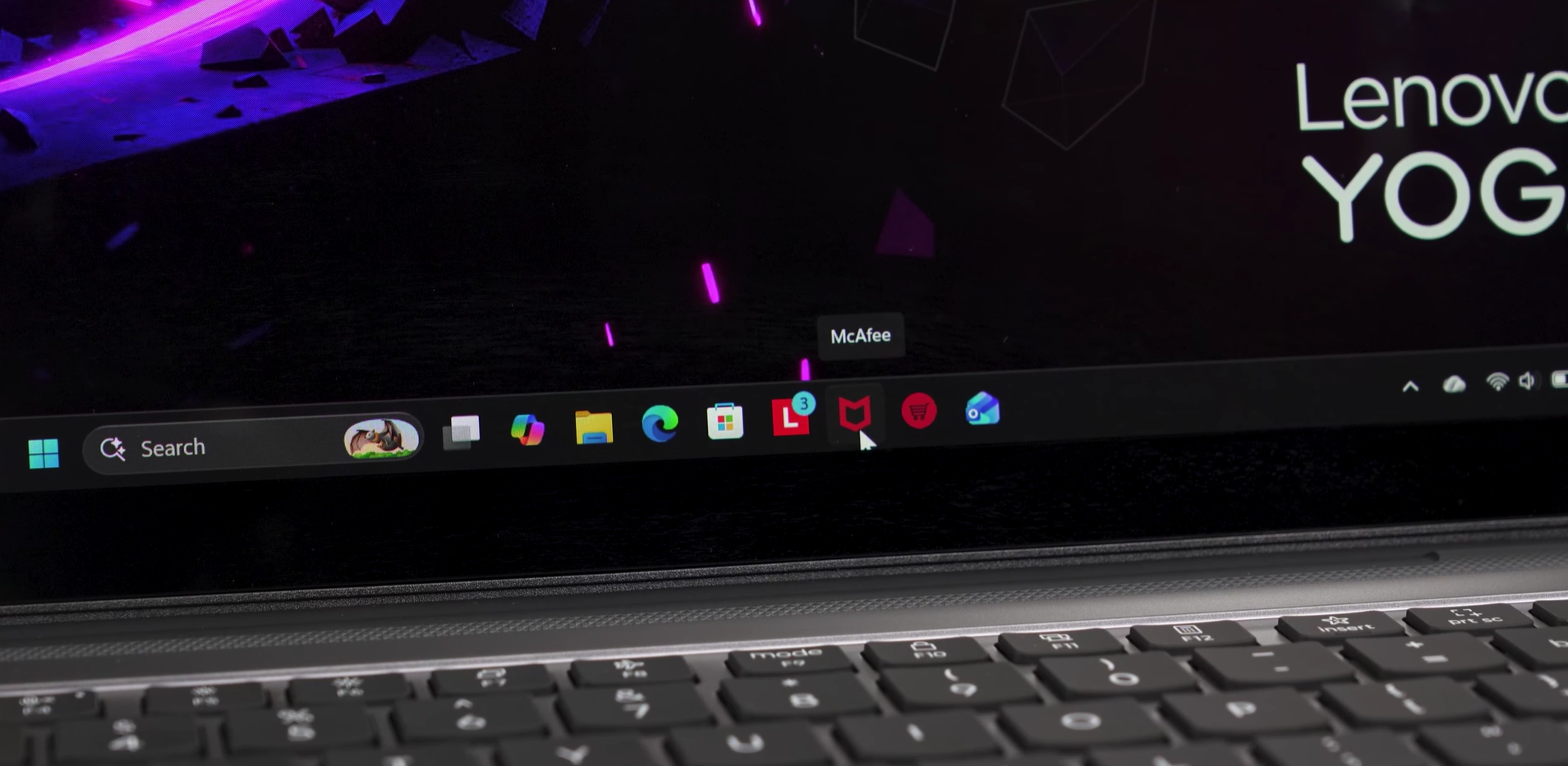
LG UltraGear monitors show pop-up McAfee ads
The person who first documented this was u/Mags_Smash, in a post on r/pcmasterrace, about 20 days ago. They own three LG UltraGear monitors, a 27GP83B and two 27GN800 units, and noticed the McAfee pop-up despite never installing McAfee on their PC.
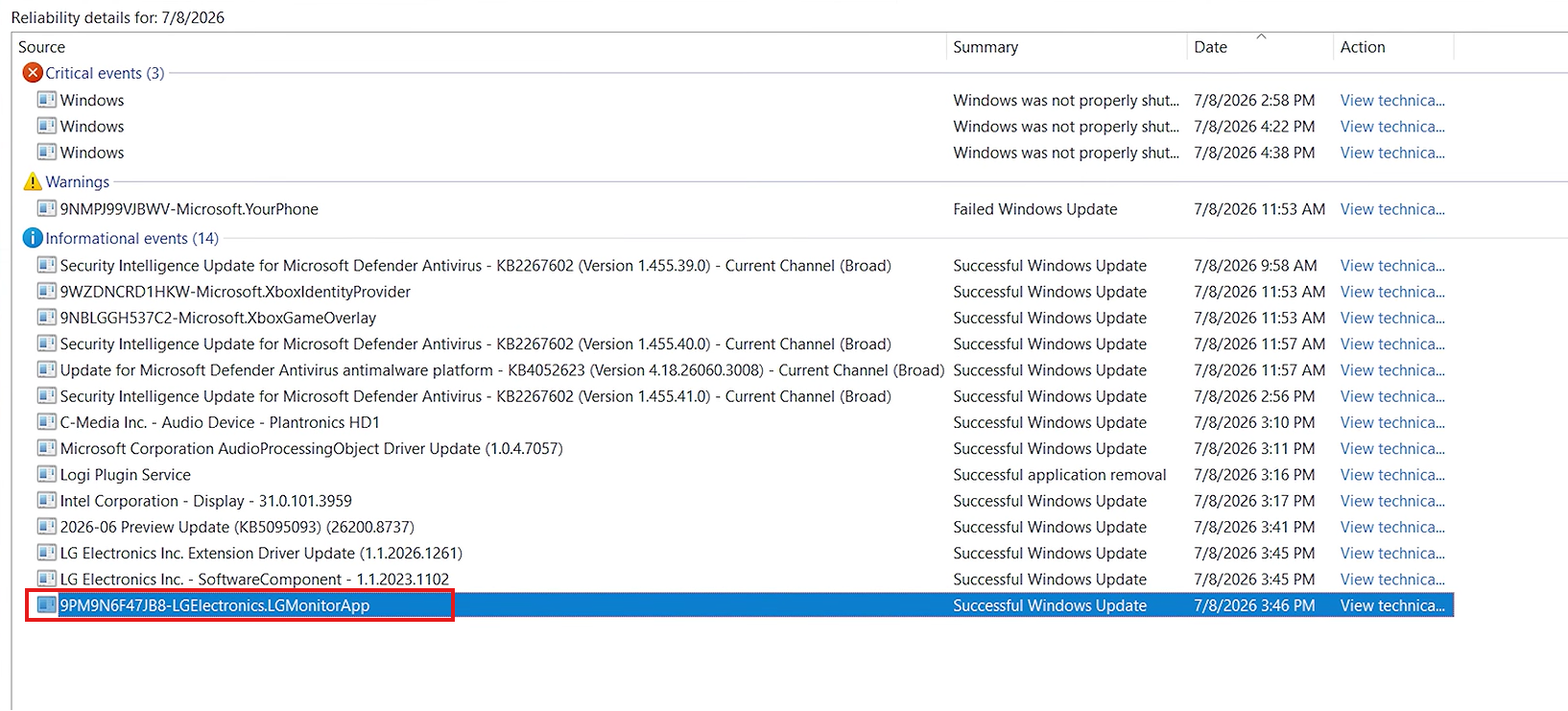
To confirm where the app came from, they opened Windows Reliability Monitor by running perfmon /rel from the Run dialog, and found a successful Windows Update entry for a package called 9PM9N6F47JB8-LGElectronics.LGMonitorApp. Event Viewer showed the installation logged as a “Successful Windows Update.”

Another Reddit user, u/Acceptable_Fan_3209, posted that they’d owned their LG 34GX900A-B for almost three months with no issues, and only saw the McAfee popup appear out of nowhere on a random login, with no USB cable even connected between the monitor and the PC.
However, as we found out, complaints about this app go back a year. A PC repair technician posted on Microsoft’s Tech Community forum back in July 2025, describing the app as a potentially unwanted program that gets force-installed on client PCs every time an LG monitor gets plugged in for a repair job. Microsoft hasn’t addressed the thread.
“This software is not necessary for the proper function of the basic display and PNP function of the display in windows. The software should be OPTIONAL AND INSTALLABLE BY THE USER NOT FORCED INSTALLED BY WINDOWS UPDATE.”
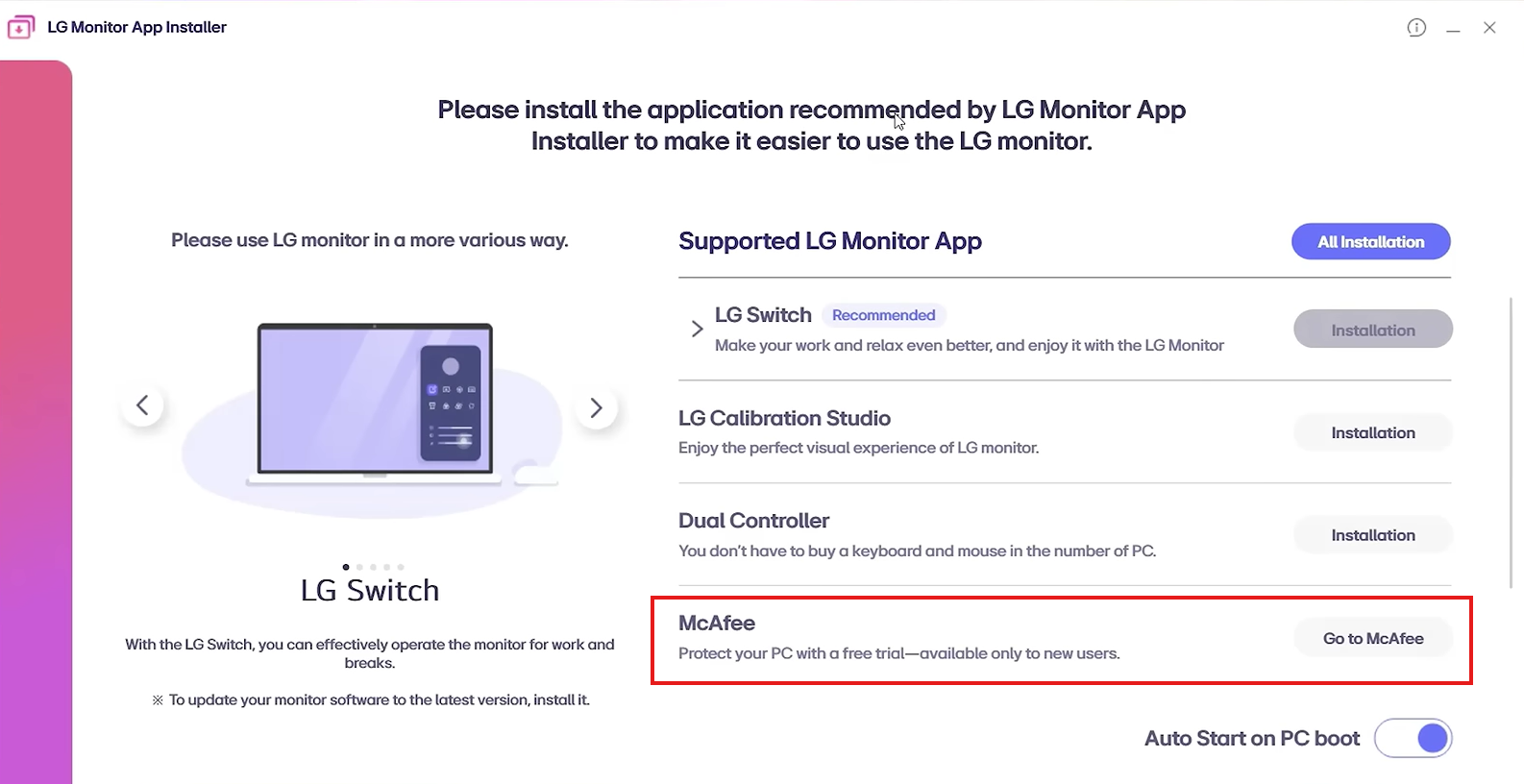
LG’s monitor app admits that it will install McAfee
The LG Monitor App Installer is listed on the Microsoft Store with a description that says it installs supported apps for your monitor, including OnScreen Control, LG Switch, Dual Controller, LG Calibration Studio, and McAfee.
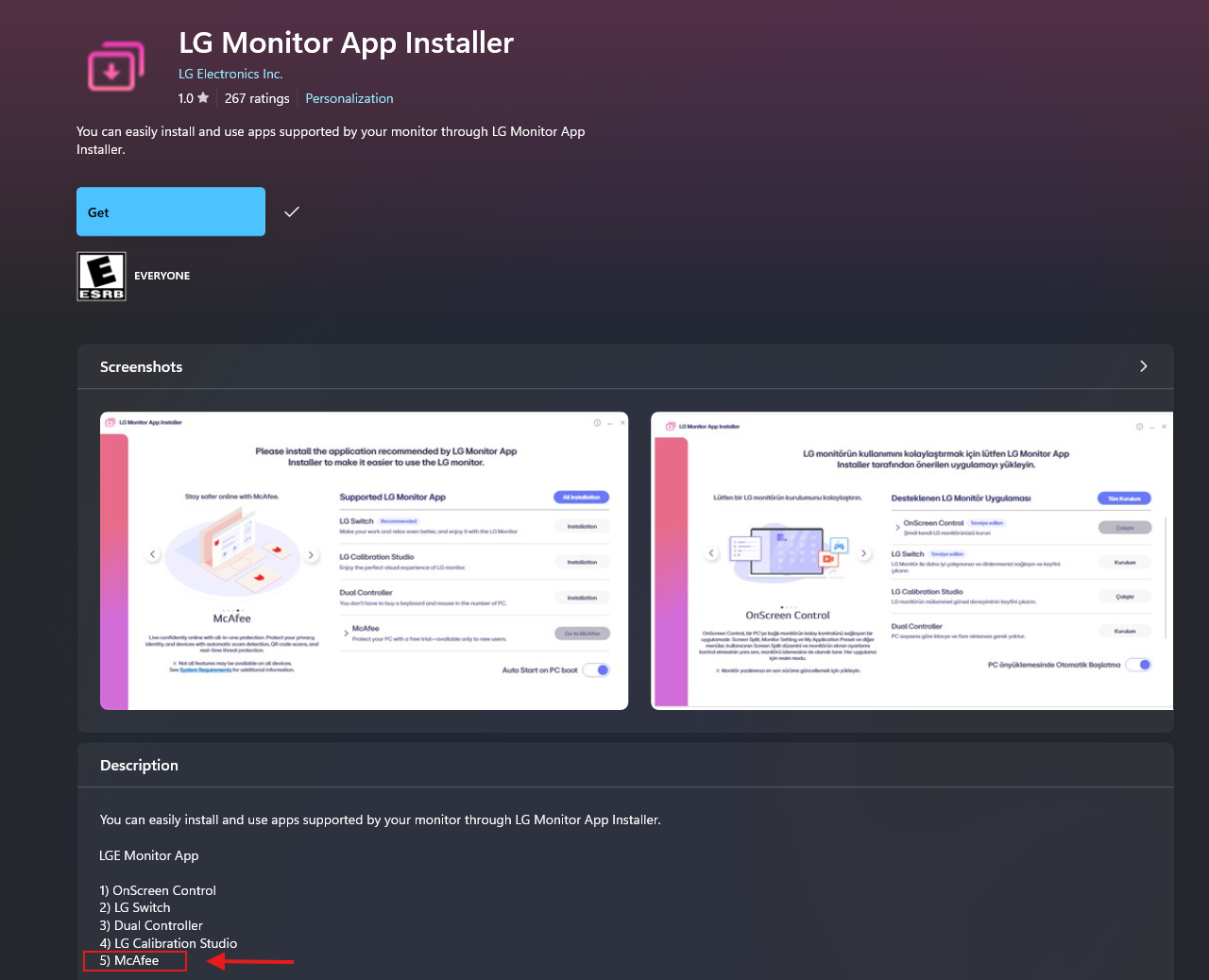
Dear LG, a calibration tool and a KVM switch utility at least have some reasonable connection to owning a monitor, but what does it have anything to do with a 30-day trial for antivirus software?
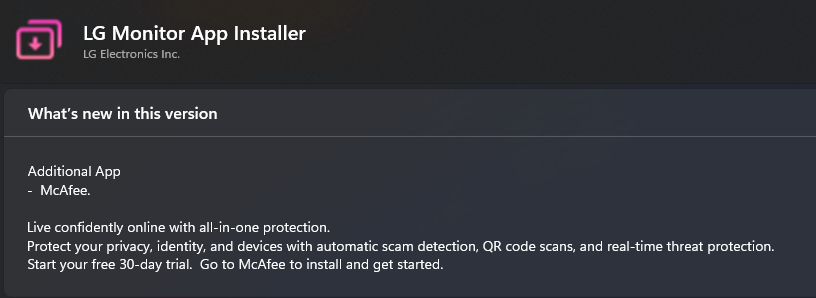
But as for why users have just recently noticed the LG monitor app showing McAfee pop-ups, we have found that the app got a new update and its changelog mentions McAfee as an additional app.
The changelog reads:
“Additional App
– McAfee.
Live confidently online with all-in-one protection.
Protect your privacy, identity, and devices with automatic scam detection, QR code scans, and real-time threat protection.
Start your free 30-day trial. Go to McAfee to install and get started.”
This changelog is basically an Ad, and we suspect it’s this recent update that made McAfee ads show up on their PCs.
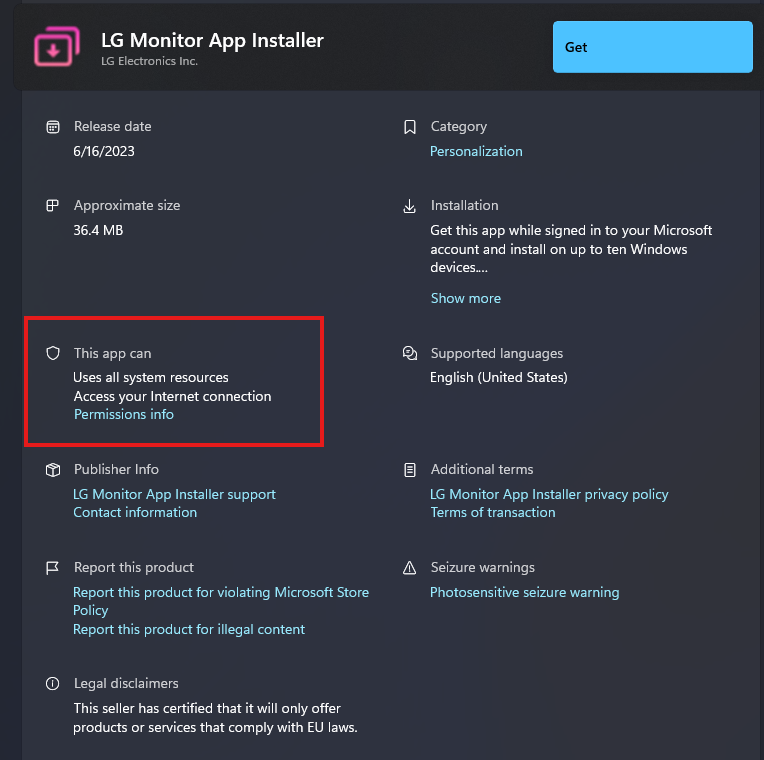
The trouble doesn’t end here. Under the app’s permissions, the listing grants it access to all system resources and your internet connection. It’s a broad set of permissions for software whose only observed job, so far, is opening a pop-up that says “Go to McAfee.”
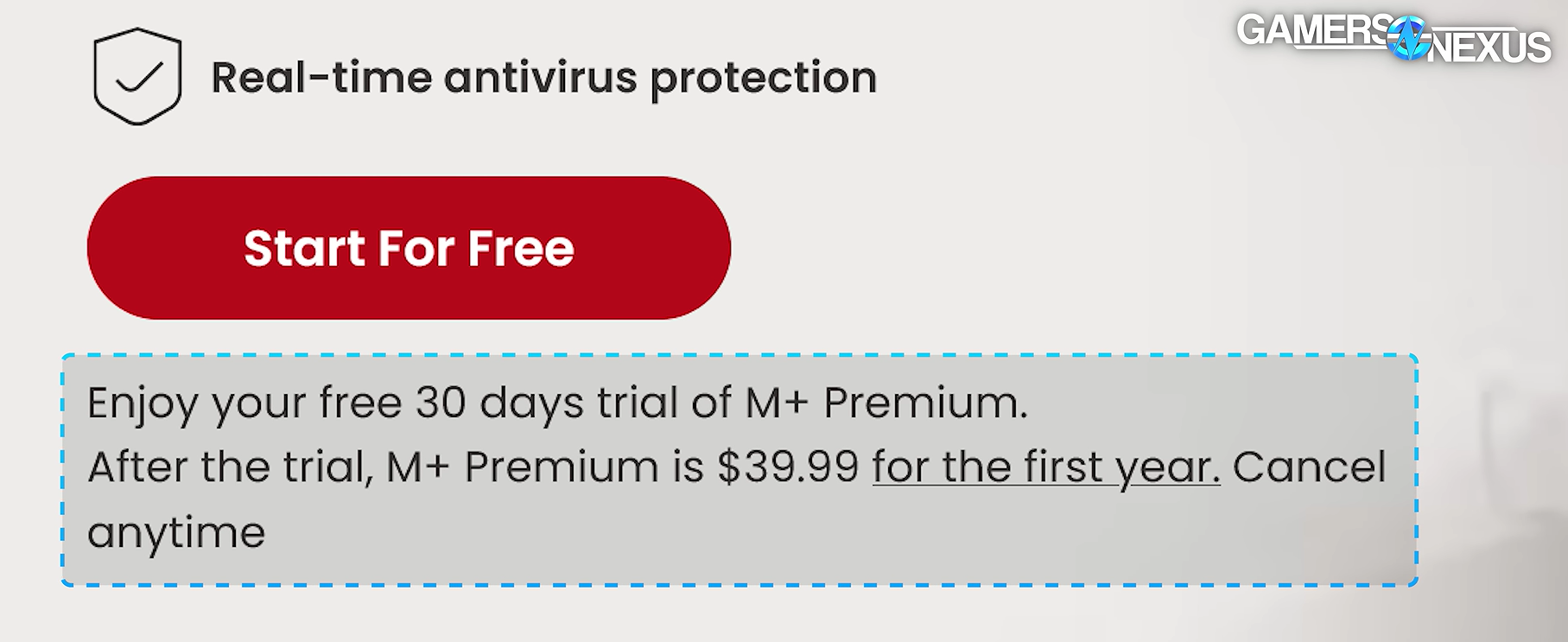
Clicking the McAfee prompt takes you to a page confirming that after the 30-day trial, McAfee Plus Premium renews at $39.99 for the first year, in sneaky smaller text.
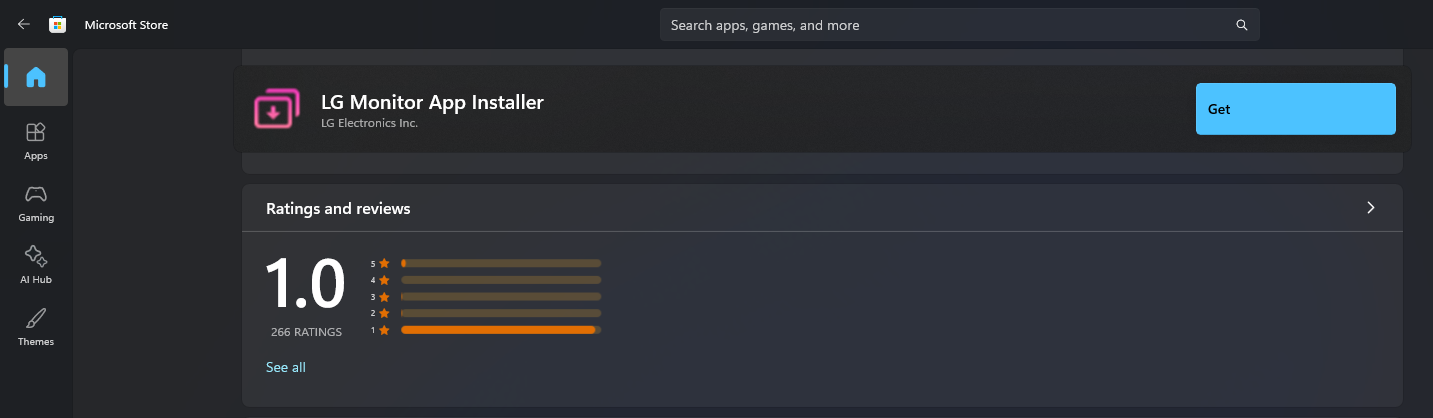
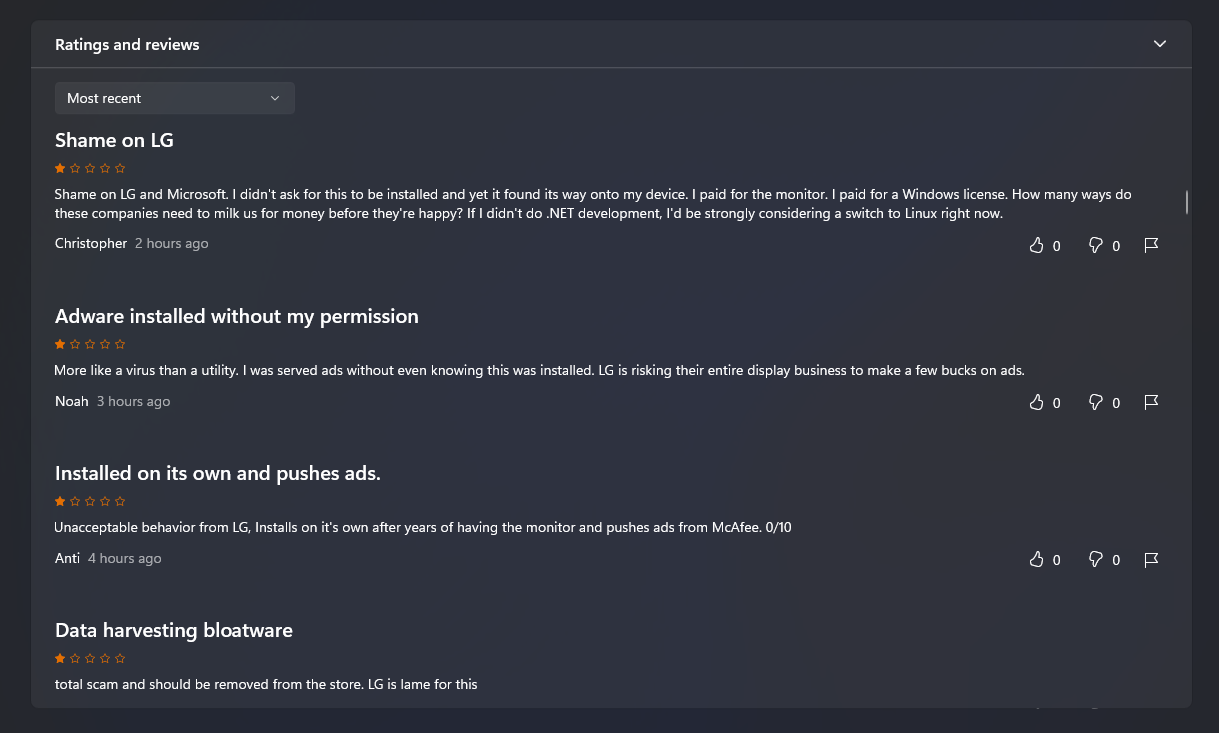
Since this story broke, the app’s Microsoft Store rating has dropped to roughly 1 out of 5, with reviews titled things like “Shame on LG” and “Nonsense malware.” One reviewer wrote that the app was never useful even before the ads started, and that they’d never buy another LG product because of it.
How to stop Windows from allowing LG monitor to auto-install bloatware
If you unfortunately own an LG monitor, or any peripheral from a brand that has the audacity to pull the same stunt, you can block Windows from auto-installing device-linked apps through Group Policy.
Press Win + R, type gpedit.msc, and press Enter. Navigate to Computer Configuration, then Administrative Templates, then System, then Device Installation.
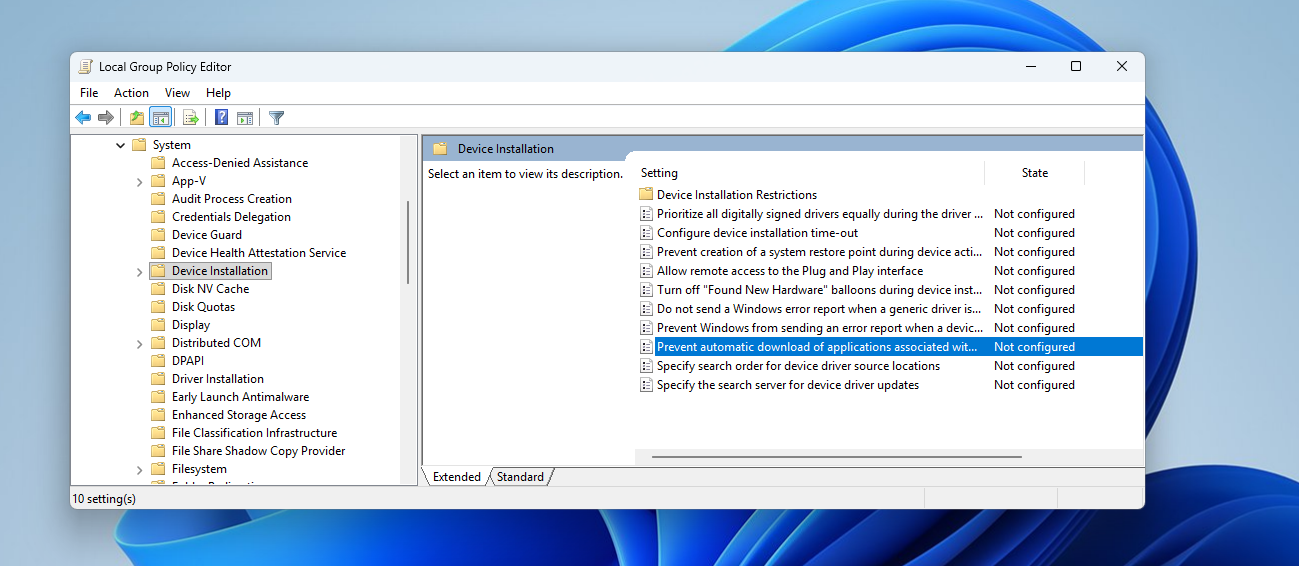
Double-click “Prevent automatic download of applications associated with device metadata,” switch it to Enabled, and click Apply.
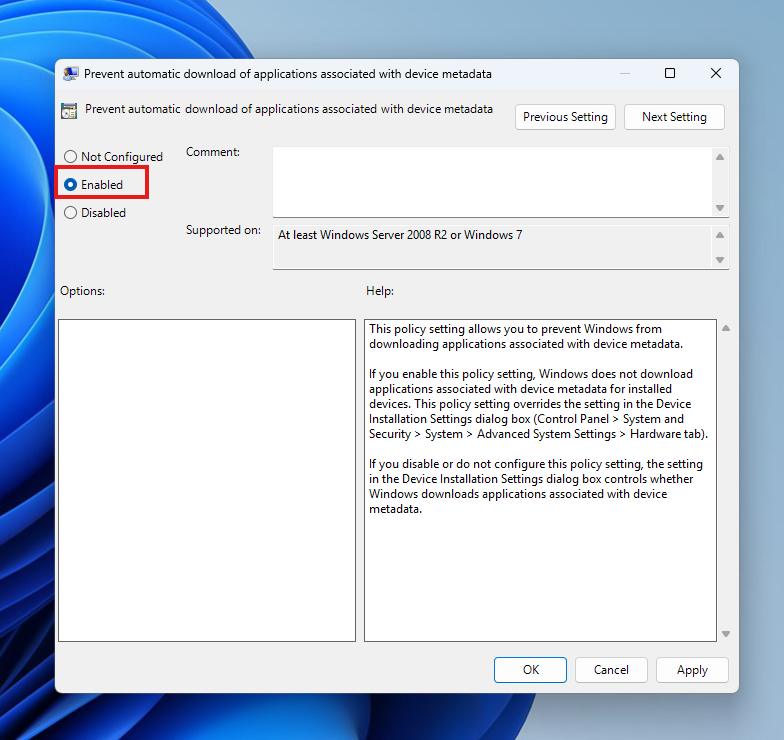
This will stop the mechanism LG is using, without having to meddle with your monitor’s driver installation or plug-and-play function. If you’d rather block the Microsoft Store from installing anything automatically, there’s a second policy under Computer Configuration, Administrative Templates, Windows Components, Store, called “Turn off the Store application,” though that’s a bigger hammer than most people need for this problem.
If the LG Monitor App Installer is already on your PC, go to Settings, then Apps, then Installed apps, search for it, and uninstall it from there. Gamers Nexus noted that removing it does not require an internet connection.
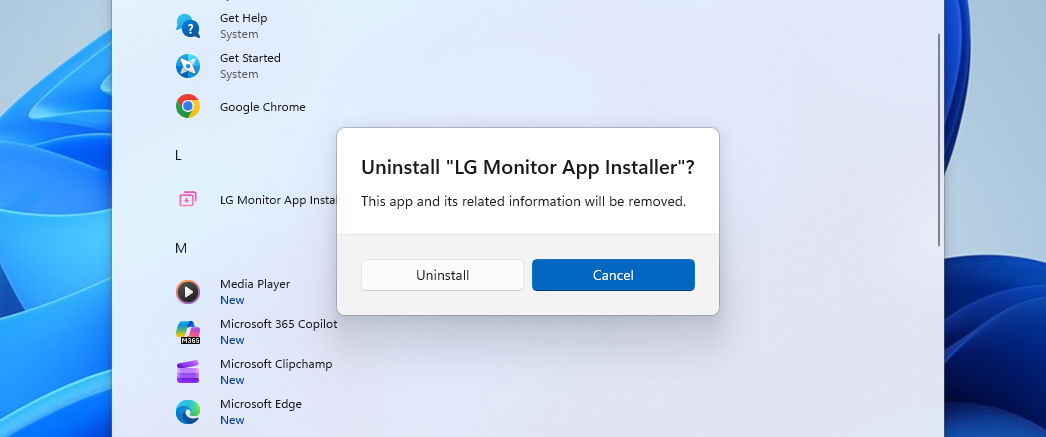
You can also use an open-source program uninstaller like BCUninstaller for deeper control.
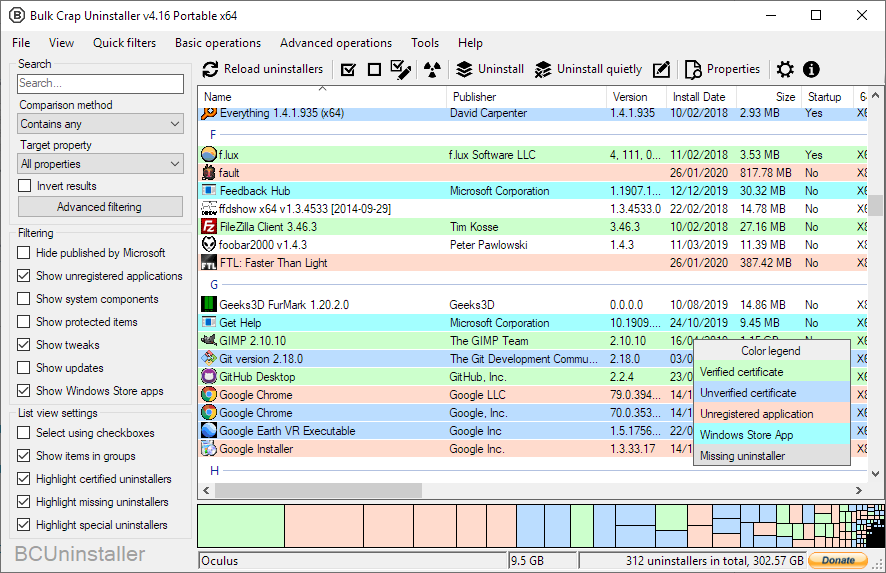
But the point is, Windows users shouldn’t have to go through this trouble in the first place if they were using a different OS…
Apple doesn’t allow peripheral accessories to auto-install bloatware
Plugging an LG monitor into a Mac does not trigger the installation of any software. macOS has no equivalent to Windows’ device metadata pipeline that lets a peripheral manufacturer push a companion app onto your system. Any third-party software on a Mac has to be deliberately downloaded and then cleared through Gatekeeper, which requires the developer to be registered with Apple and the app to be notarized before macOS will run it without a manual override.
Yes, it gives more control to Apple, while Windows gives more control to us users, but as it turns out, Microsoft’s OS gives even greater control to manufacturers trying to sell you bloatware.
If Apple shipped a system where plugging in a display could silently install App Store apps without a prompt, it would be a huge dent in the trust that Cupertino has managed to build in the minds of users. Apple will not risk that, and it’s surprising to me that Microsoft doesn’t care.
No explanation from Microsoft or LG
As of writing, neither Microsoft nor LG has issued a public statement addressing the installs or the McAfee popups. Yes, LG has admitted indirectly through their app, but that’s probably to get away with legal issues.
If you want to check whether your own system has the app installed, open Reliability Monitor with perfmon /rel and look for LGElectronics.LGMonitorApp in the successful update history, or check Settings, then Apps, then Startup, for anything labeled LG Monitor App Installer.
Until Microsoft removes silent installation from the device metadata system or forces OEMs to disclose what these companion apps do before installing them, this is going to keep happening to whichever hardware brand decides the tradeoff is worth it.
Do you have an LG monitor? If yes, have you noticed a pop-up ad for McAfee?
The post LG admits its monitor app installs bloatware via Windows Update, and Microsoft is letting it happen appeared first on Windows Latest