
Microsoft says it’s finally killing Windows 11’s one-size-fits-all Start menu, adding resize options after years of complaints.
Ever since Microsoft revamped Windows 11’s Start menu with a new categories layout and more customization options, I’ve been complaining about how huge it looks on my 14-inch laptop. In fact, it covers almost 70% of my screen space until I change the scaling settings to make everything smaller, including the Start menu.
In our tests, Windows Latest found that the new Start menu is almost twice the size of the old one. Of course, it doesn’t look that big on all PCs, since it depends on your monitor’s resolution and scaling settings. But I am sure some of you might have observed that the new Start menu is massive.
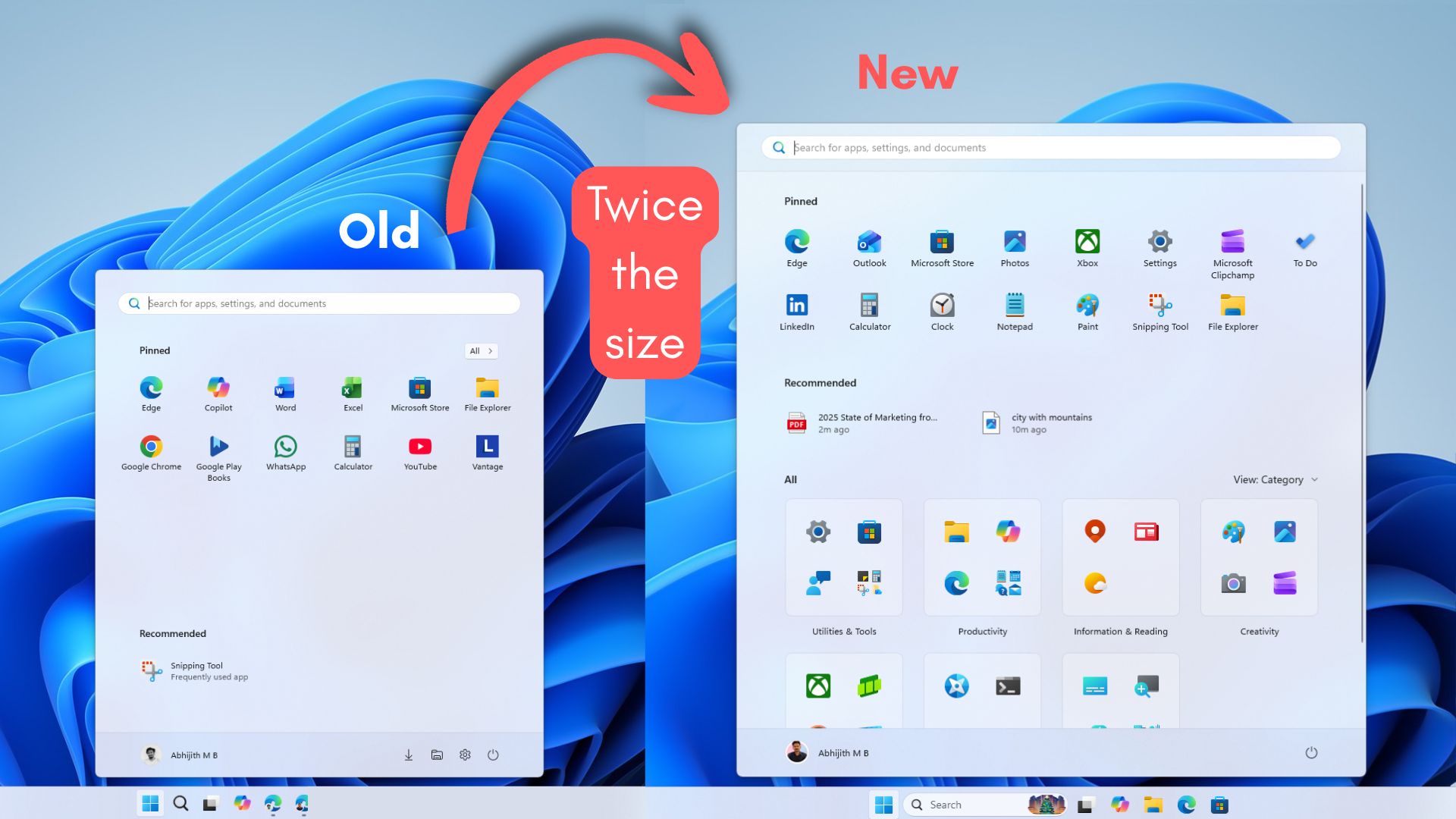
Microsoft previously told us that it was aware of the fact that the new Start menu takes up more space, and it was looking into our feedback.
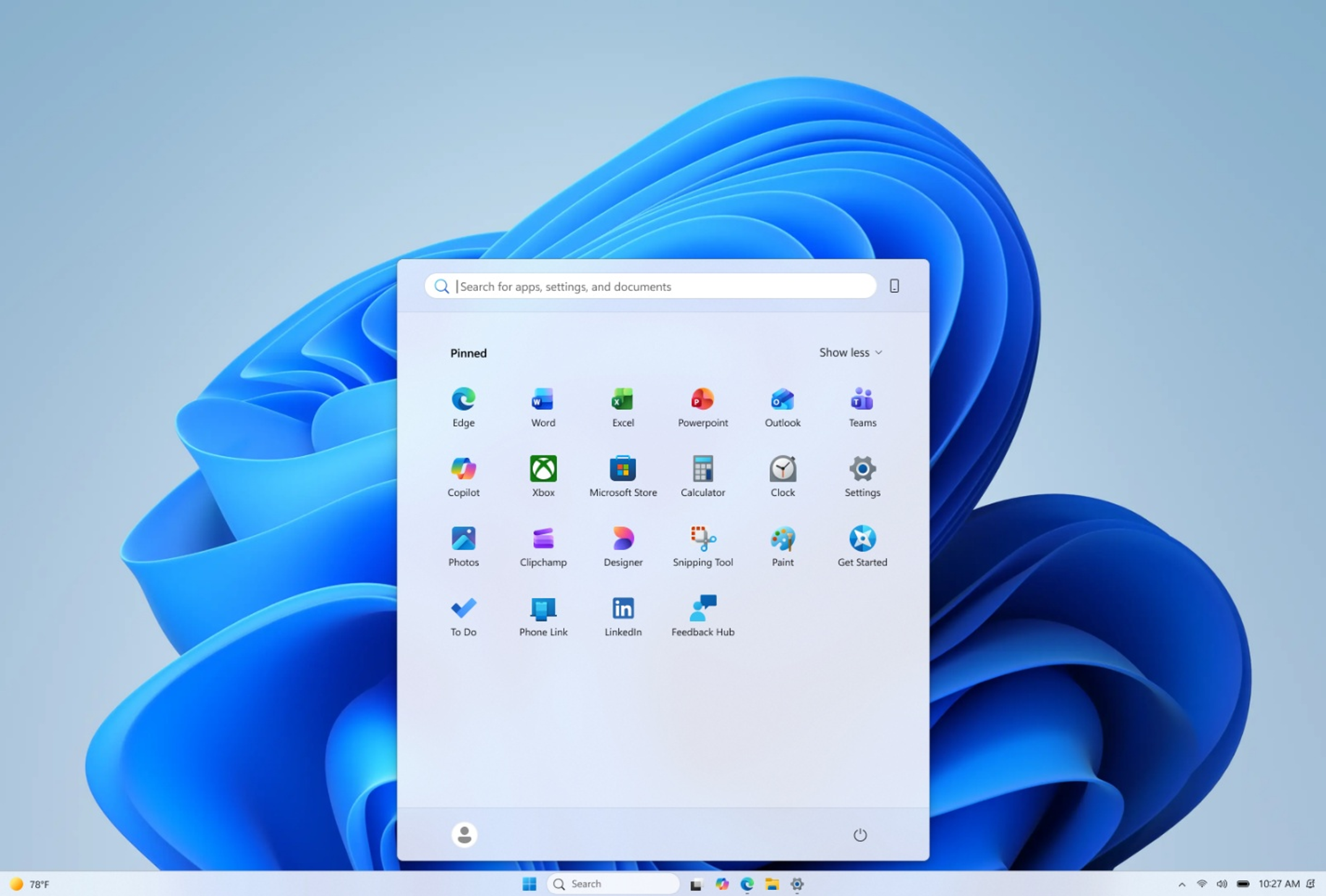
Right now, you can’t change the size of the Start menu. On Windows 10, Microsoft allowed you to resize the Start menu by pointing the cursor to the edge of the Start menu and dragging it to change its size. While that experience isn’t coming back, Microsoft is introducing two new layouts: small and large.
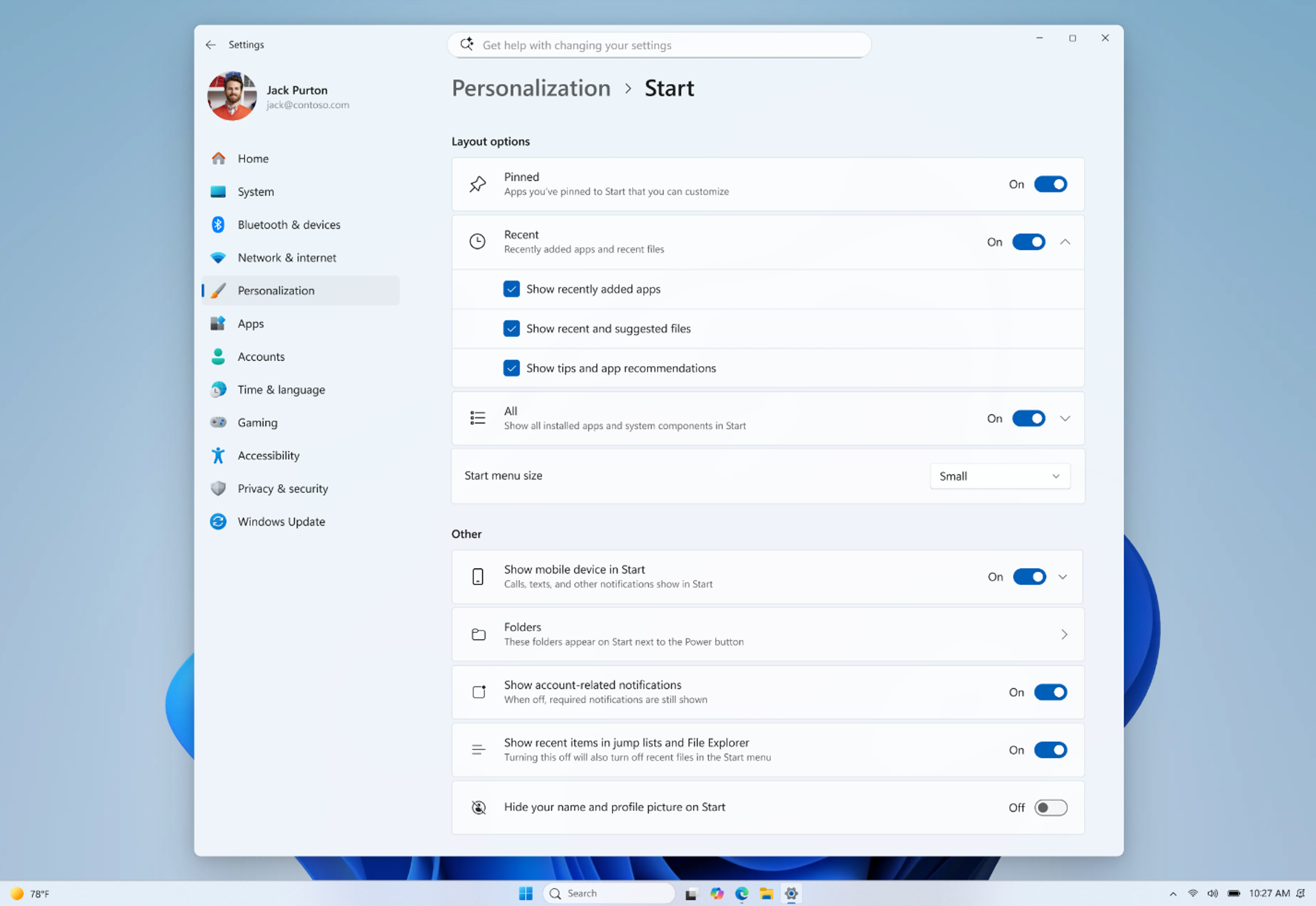
Microsoft is testing new customization options for the Start menu
Microsoft will now let you hide different sections in the Start menu. That means you can choose to hide the Pinned section and only have your apps list or the Recommended feed.
You can also choose to hide the Recommended feed and have your pinned apps and all apps.
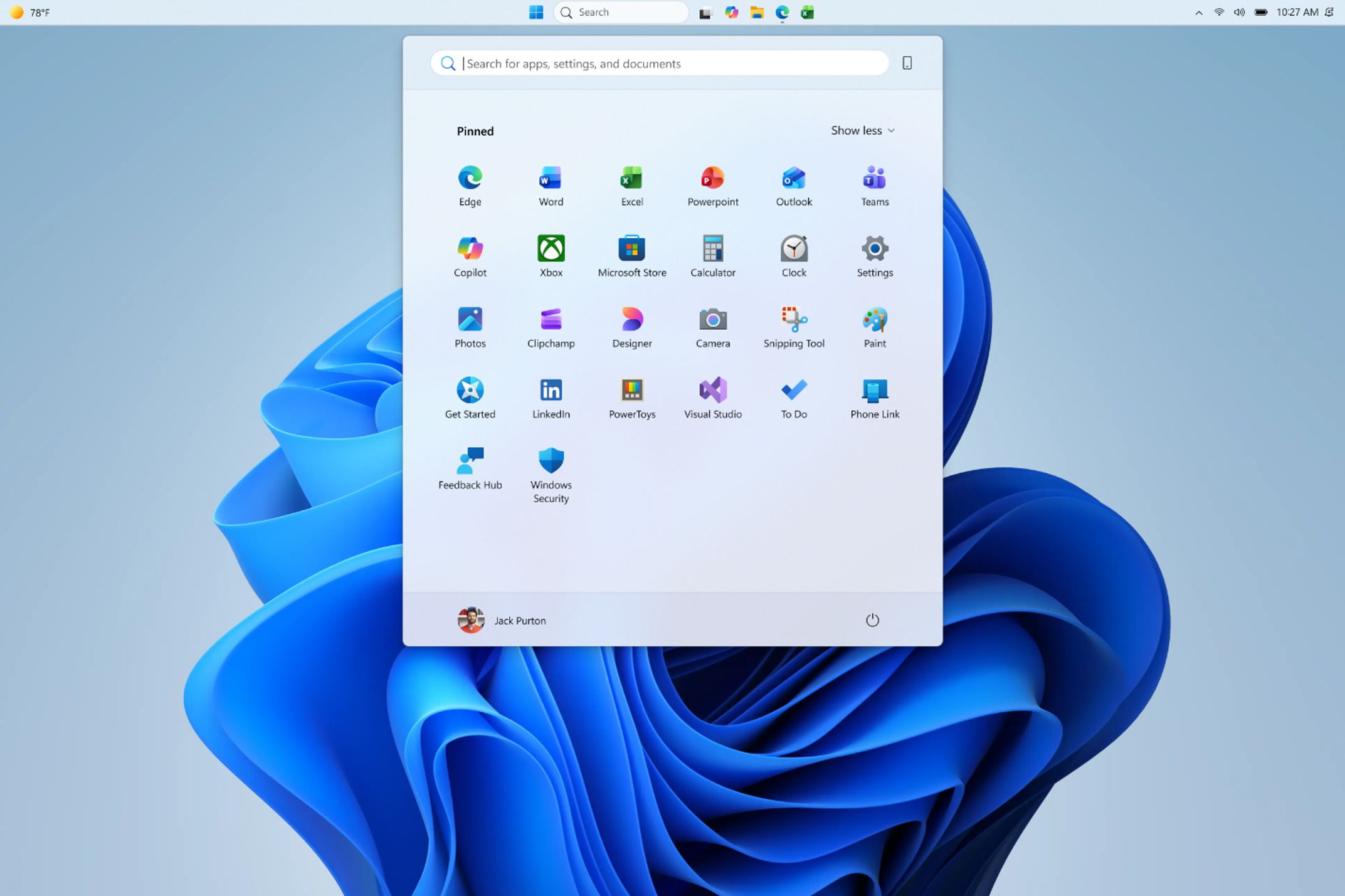
In other words, you can have a Start menu with just your pinned apps, as you can turn off the Recommended and All sections. By default, the Start menu will show everything, but you can now choose to hide sections that you don’t want. And as for the Recommended feed, it’s getting more advanced.
Until now, when you turned off Recommended in the Start menu, it also removed the Recent section from the taskbar’s jump list and File Explorer’s Home tab. Now, Microsoft will let you turn off the Recommended feed in the Start menu without affecting other areas.
In fact, you can now disable the name and profile picture in Start, which is a nifty change for those who often share their screen.
Microsoft confirmed that these features will roll out over the next several weeks, and there are plans to introduce more options soon.
For now, Microsoft is testing a movable and smaller taskbar in the preview builds, but that’s not all. It has plans to add up to 18 major changes to Windows 11 in the coming months, including fewer ads in OOBE, a WinUI-based Start menu, and more.
The post Microsoft is making Windows 11’s Start menu resizable after years of complaints, adds Small and Large options appeared first on Windows Latest