
Microsoft says it wasn’t bluffing about fixing Windows 11, and it’s already shipping some of the highly anticipated changes.
On March 20, Microsoft announced its commitment to Windows 11 quality in 2026 and shared a long list of changes coming to the operating system. Given the company’s recent reputation with forced features and annoying ads, some questioned whether these promises would actually be fulfilled.
Well, it turns out they were serious. Marcus Ash, the newly appointed lead of the Windows Insider Program, just published a progress report detailing exactly what the Windows team has been up to over the past two months.
According to Ash, two major themes emerged from his conversations with users: a demand for more transparency, and a mutual desire to build a product that both Microsoft and its users can genuinely be proud of.
Instead of shoving more unwanted features down our throats, Microsoft is finally focusing on what power users have been begging for, like less disruption, a dialed-back AI experience, quieter defaults, and a much-needed boost to core system performance.
The following is a look at the progress Microsoft has made since March and all of these are already available for Insiders in the Experimental channel.
Full list of improvements in Windows 11 that have already rolled out:
It’s the best time to be a Windows Insider
Previously, Windows Insiders had to juggle between Canary, Dev, Beta, and Release Preview. I personally had 4 VMs running them. Managing all of them with the same apps and files wasn’t easy. The worst part was that there wasn’t really a clear distinction between these channels when it came to feature rollouts.
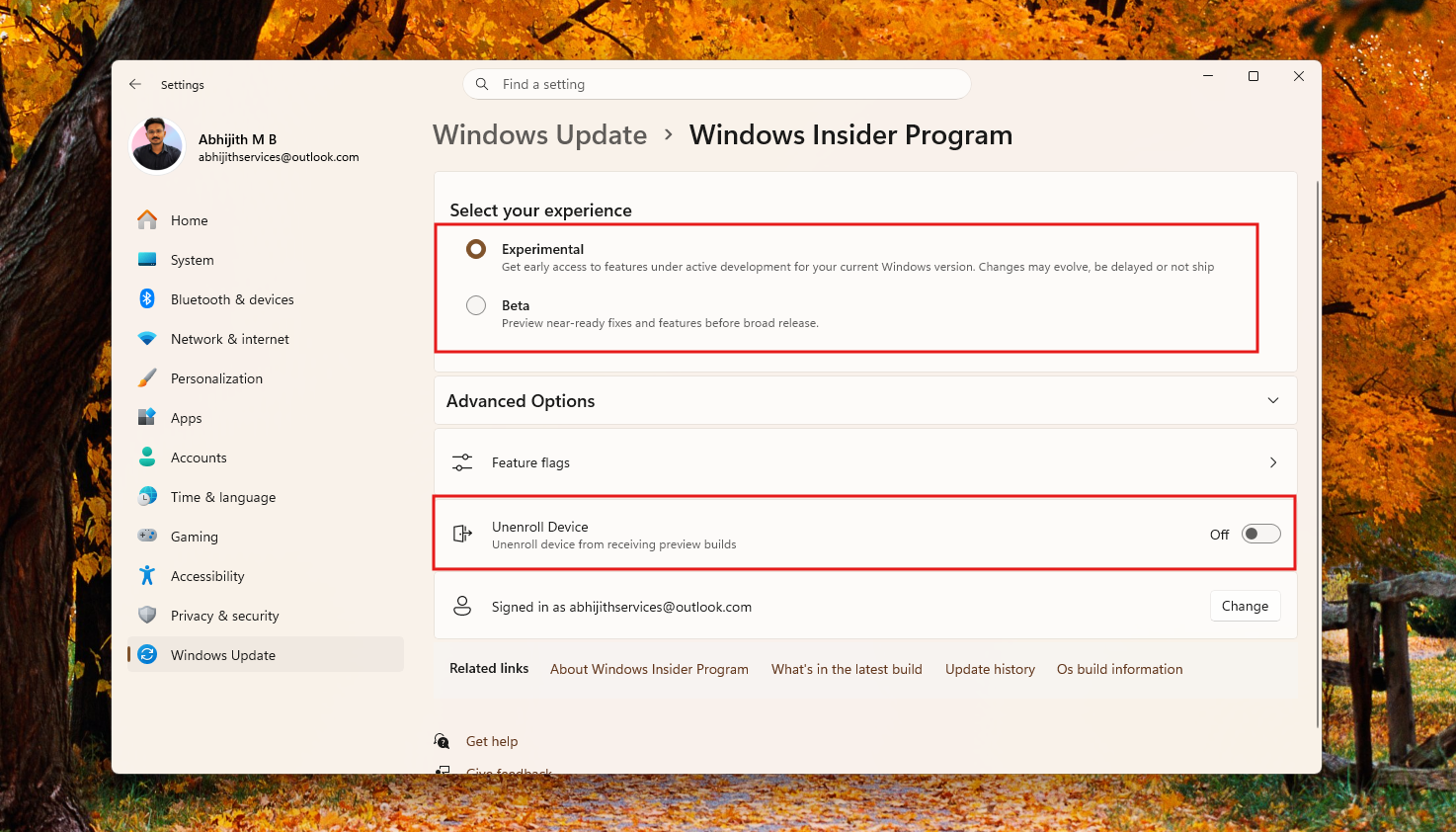
Three weeks ago, Microsoft announced a major overhaul of the Windows Insider channels, moving to two primary channels: Experimental (Canary and Dev) and Beta, with both channels predictable enough for Insiders to choose from.
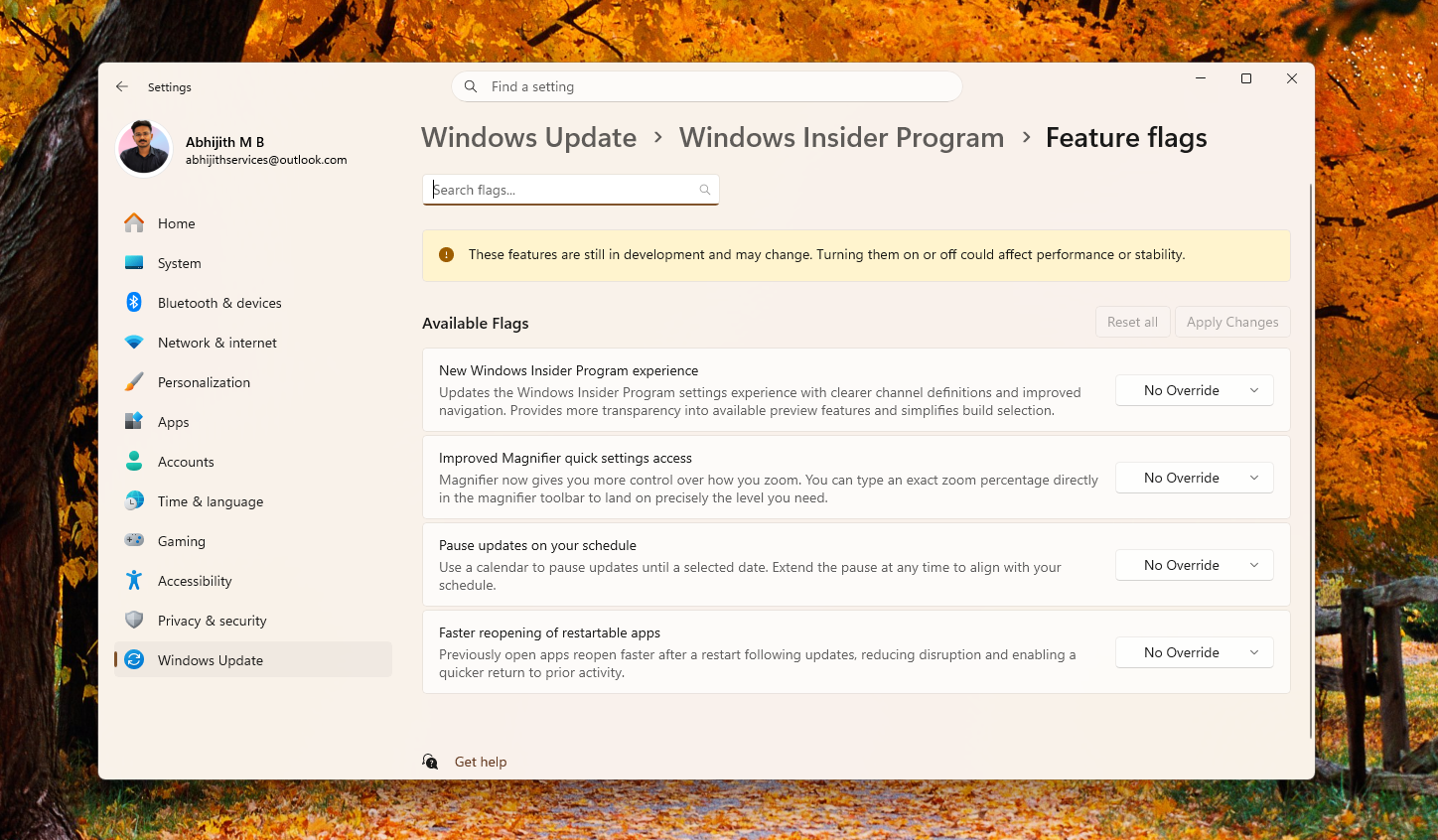
Perhaps the most needed change was ending of the Microsoft’s Controlled Feature Rollouts (CFR). Now, Insiders in Experimental also have access to Feature Flags, so you can choose which features to try.
Microsoft has also made it easier for you to switch channels or leave the Insider program completely, as it doesn’t need a clean install like before.
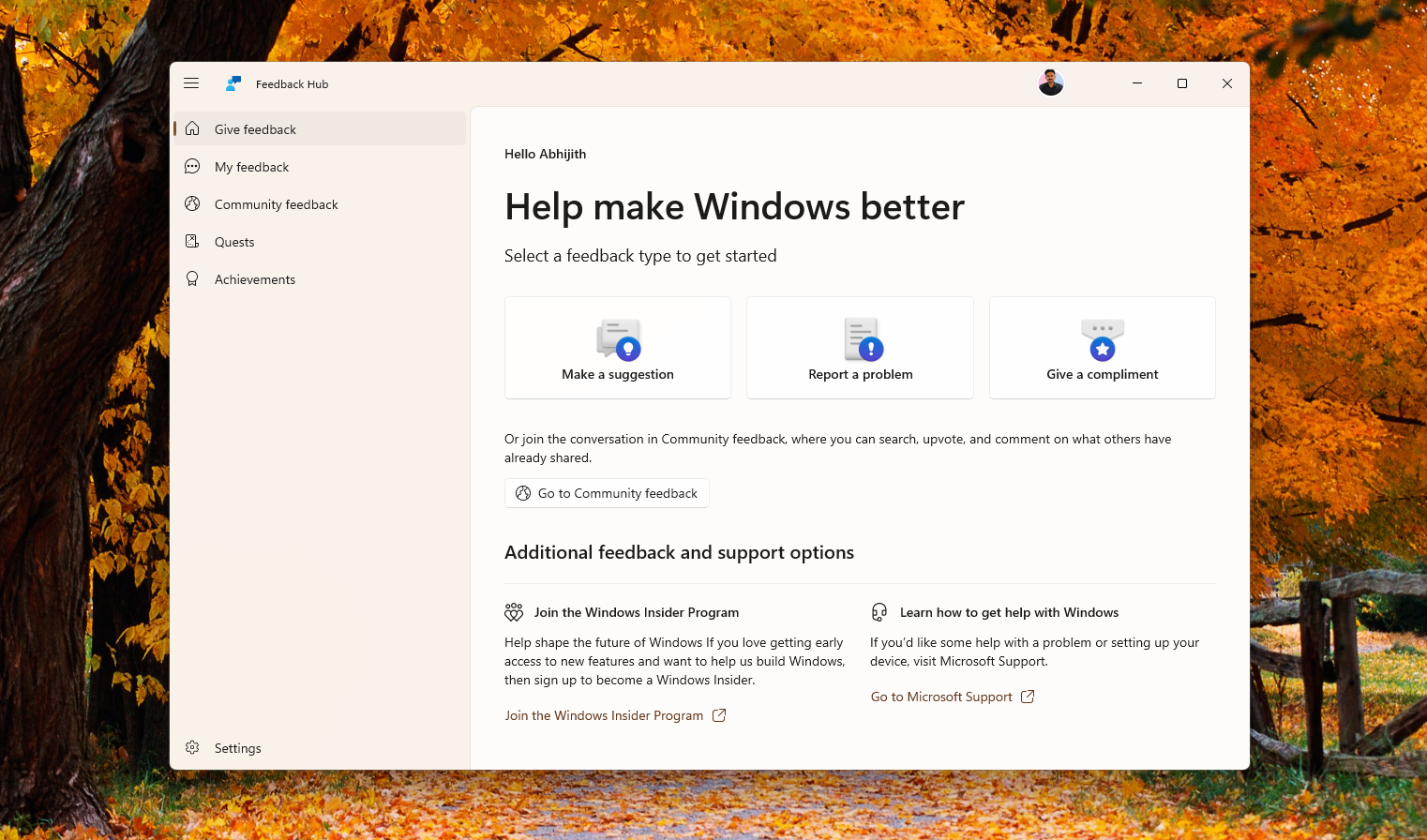
Of course, the whole point of being an Insider is to share feedback, and in light of that, Microsoft has improved the Feedback Hub with better window behaviour and easier navigation.
Full control over Windows 11 updates
Microsoft admitted that constant Windows updates were nagging users, and it’s an understatement, considering that we almost always used to get three updates a month, while having to reboot every time.
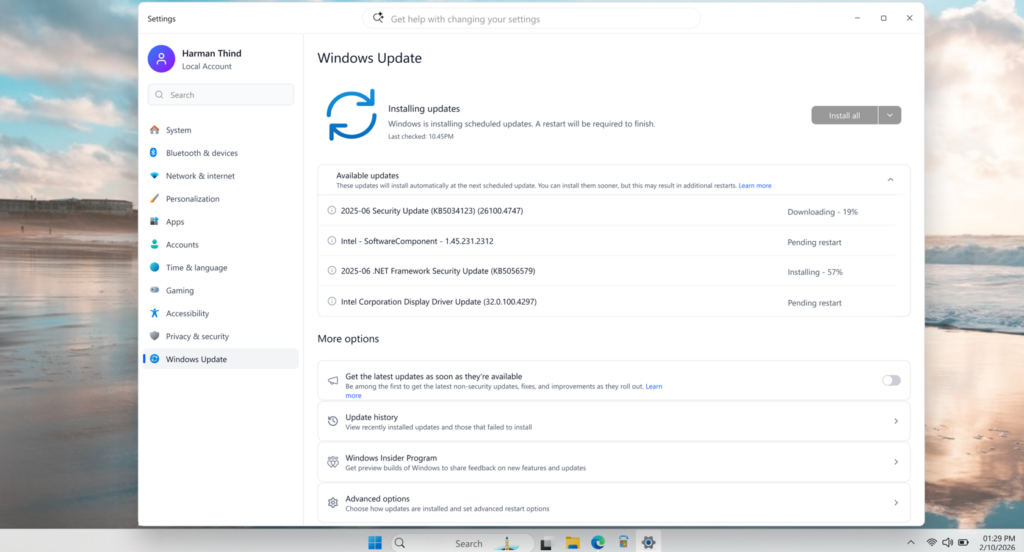
Almost a week ago, the company made major changes to Windows updates by moving to a single monthly restart by consolidating the OS updates, .NET, and driver updates, so that you’ll just have to restart once a month.
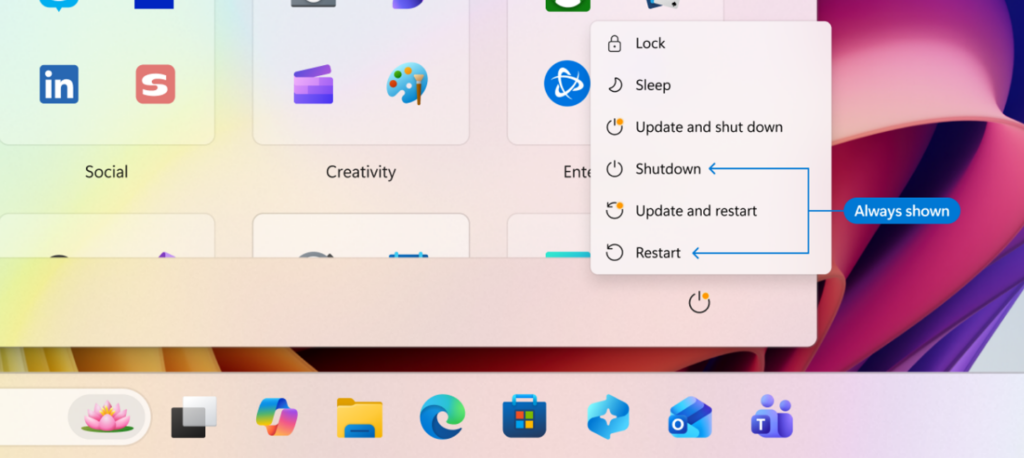
And speaking of restarts, the company also included separate options to restart and shut down after downloading an update, allowing you to skip installing an update when you just want to shut down or restart your PC.
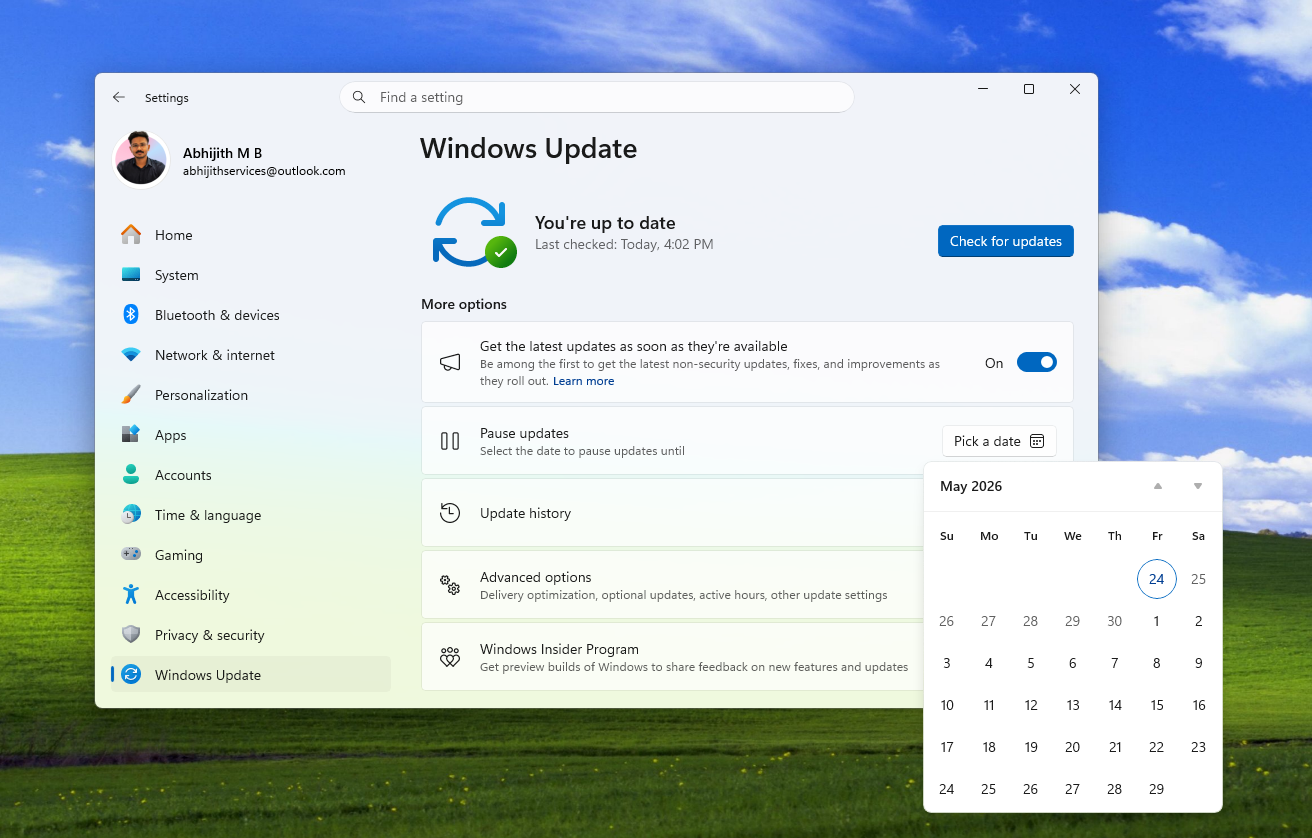
The biggest change coming to Updates is that you’ll be able to pause updates indefinitely. There’s a new calendar in the Updates page that allows to pause updates for up to 35 days. However, you can re-pause for up to another 35 days and continue re-pausing to your heart’s desire!
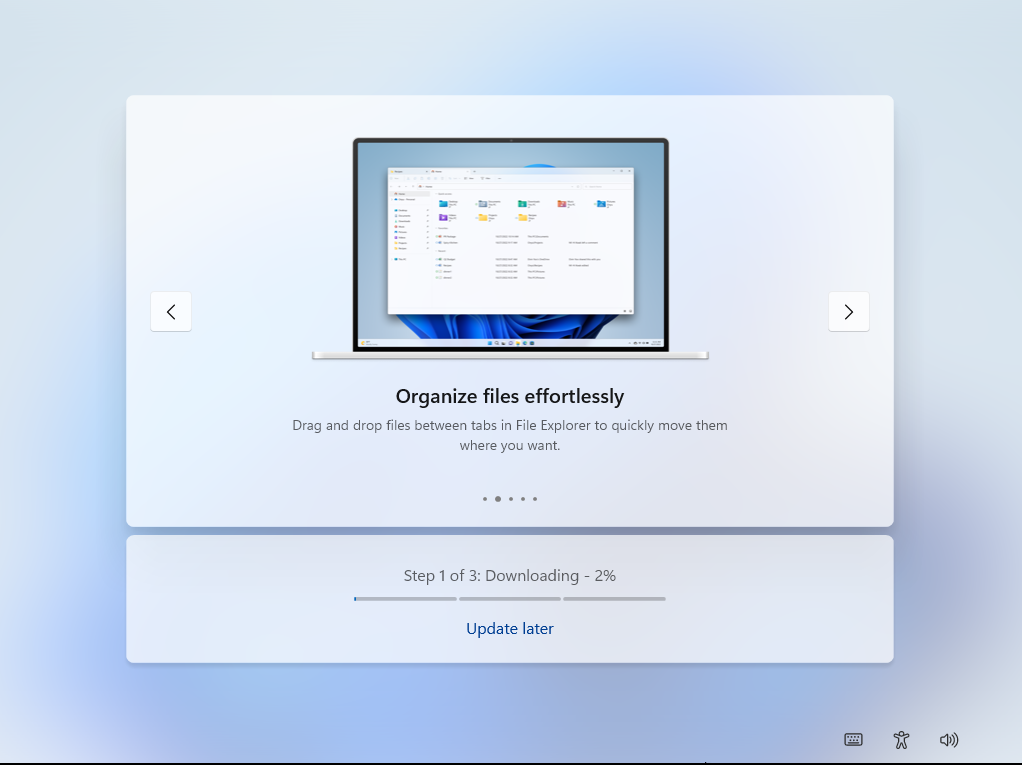
Finally, a satisfying quality of life improvement is the ability to skip updates during OOBE, which significantly reduces the time required to finish Windows setup. Our tests showed OOBE takes about an hour to finish.
Reduced AI experiences across some Windows apps
What started the seemingly boundless hatred towards Microsoft was their excessive Copilot push throughout Windows and their first-party apps, to the point where people despised the Copilot logo and came up with nicknames like Microslop, forcing the company to ban that word in their Discord server.
Fortunately, all that criticism has compelled the company to rethink their AI push and announced that they will reduce where Copilot shows up across Windows. The idea is not to remove Copilot entirely, but to bring AI where it is most valuable.
The software giant has already removed the “Ask Copilot” button from the Photos app and from Snipping Tool entirely, as Windows Latest reported earlier.
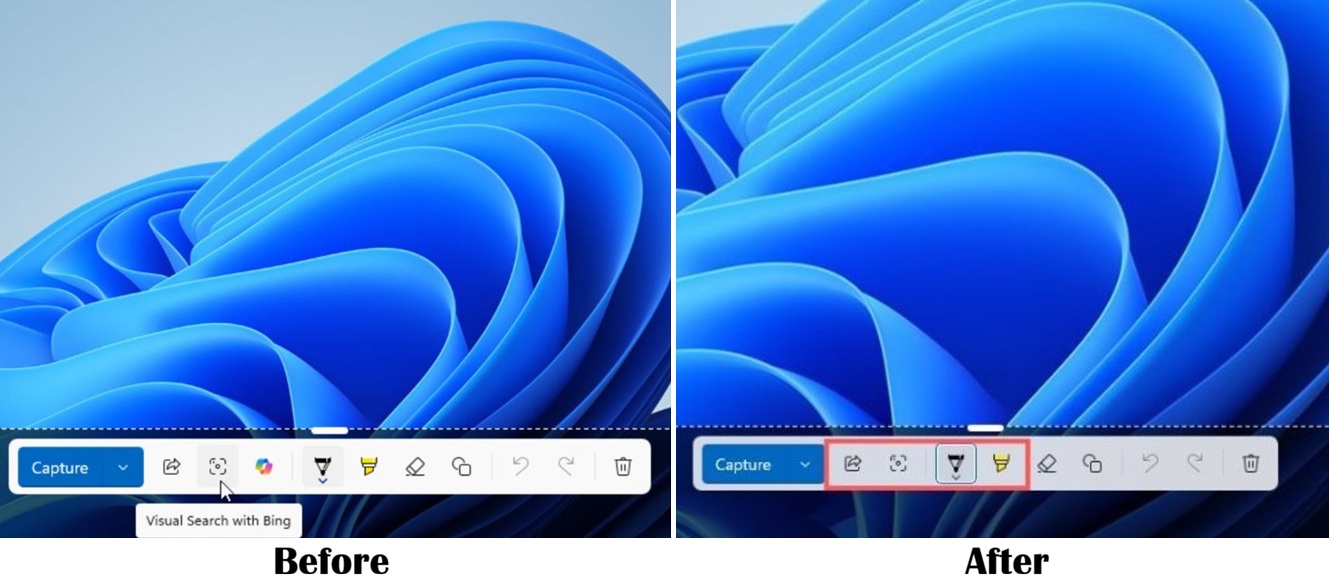
In Notepad, however, the company has replaced the “generic Copilot icon” (their words, not mine) with an easily understandable “Writing Tools” label. Although Microsoft just renamed the Copilot branding in Notepad, I prefer this over the Copilot logo because there might be people who could genuinely benefit from AI in a text application, like summarizing meeting notes, for example.
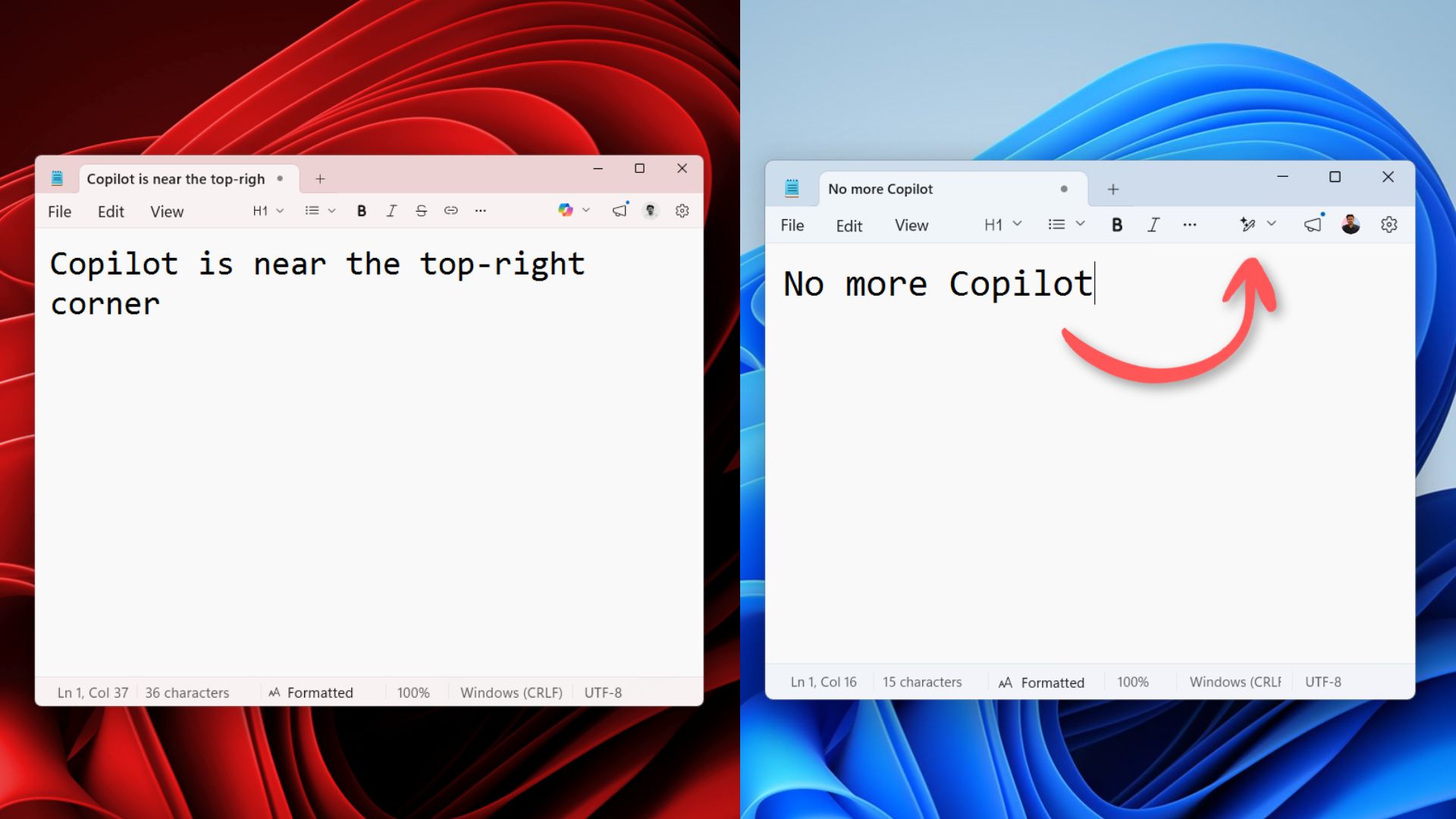
Anyway, the company has confirmed that there will be more changes in how AI is distributed throughout Windows, with many places seeing less Copilot integration.
“…you’ll see us continue to be deliberate about where Copilot shows up, with fewer more curated experiences.”
Speed and reliability improvements to File Explorer
The File Explorer has been consistently criticized ever since Windows 11 launched, and for good reason. The app, which is arguably among the most used parts of Windows 11, was considerably slower than the one in Windows 10.
Some time ago, Microsoft started pre-loading the File Explorer to make at least launch times faster, but the rest of the UI was still underperforming, possibly due to the use of a hybrid framework.
Then, when they introduced Dark Mode in File Explorer, users started seeing White Flashes while switching tabs and navigating through the app.
Microsoft understands that File Explorer is a critical part of the OS and wants to “make it loved”. The company has confirmed that they’re “…making foundational architectural improvements and rolling them out incrementally…” which essentially means we’ll be seeing more WinUI 3 elements in File Explorer. The company plans to give consistent improvements in File Explorer Performance.
As for the improvements that have already rolled out, the white flashes in File Explorer are now fixed for Insiders and are coming soon to all users in the May patch Tuesday update.
Microsoft has also included fixes to make File Explorer smoother and more responsive during launch and navigation, especially in the Home view, reducing rough transitions and improving aesthetics with sharper thumbnails.
These improvements have already rolled out to the Experimental channel. However, only a complete rewrite WinUI 3 framework would make the File Explorer as fast as third-party apps like File Pilot.
Fortunately, the company is aware of it and is working on improvements, as is evident from interaction with users about why some places in the File Explorer are smooth while others are not.
Widgets is now less distracting
Microsoft now realises that when people sit with their computers, they don’t want to be bombarded with notifications about breaking news or the weather. They have their smartphones for that!
The company thought in depth about how they can make Windows 11 calm with fewer ads, and came up with ideas about choosing the right default settings.
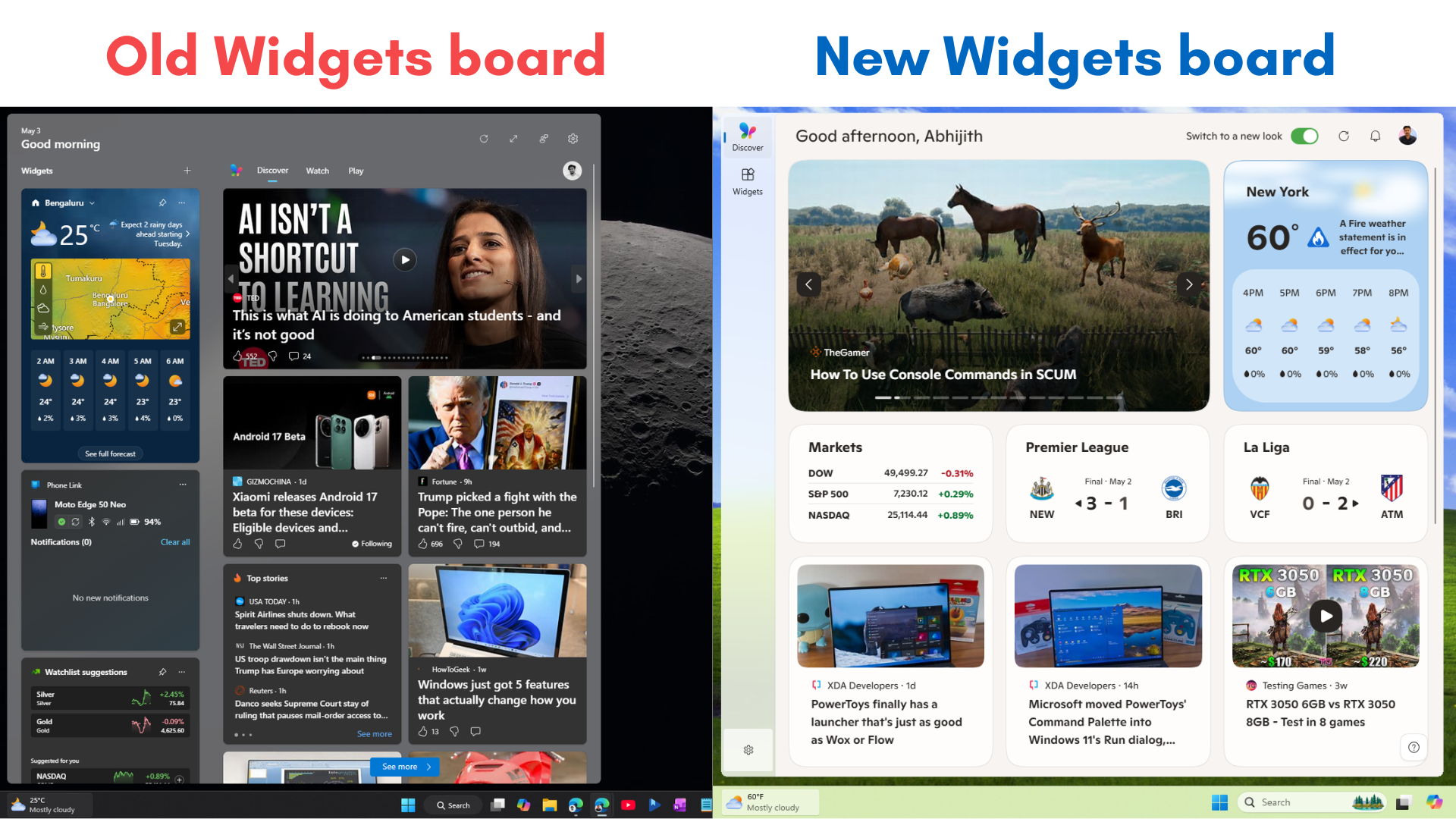
So, the software giant is now making the Widgets and Discover feed quieter by default. The MSN feed, which always used to show up when you hover over the Widget on the left of the taskbar, will be disabled by default. This is a big step for the company, considering that ads from the MSN feed were a big revenue boost.
The Taskbar badging that shows red-dot numbered notifications will also be disabled by default.
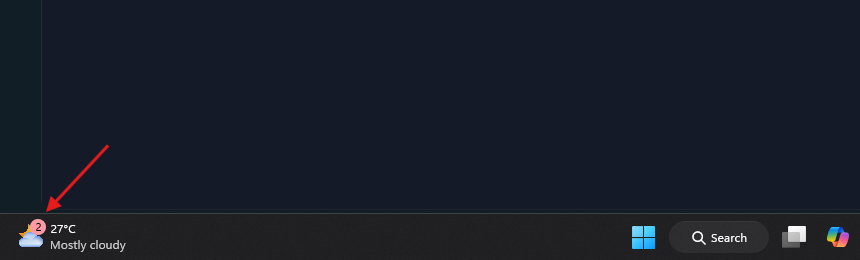
The notifications about weather and stock market alerts (taskbar alerts) will only show up if you have actively interacted with the Widgets board.
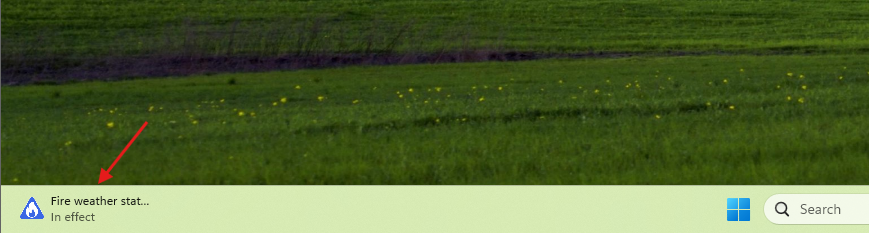
When you click the Widgets board now, you’ll see both the Widgets and a cluttered grid of MSN feed. But the new update to Insiders in the Experimental channel separates the Widgets and the Discover feed.
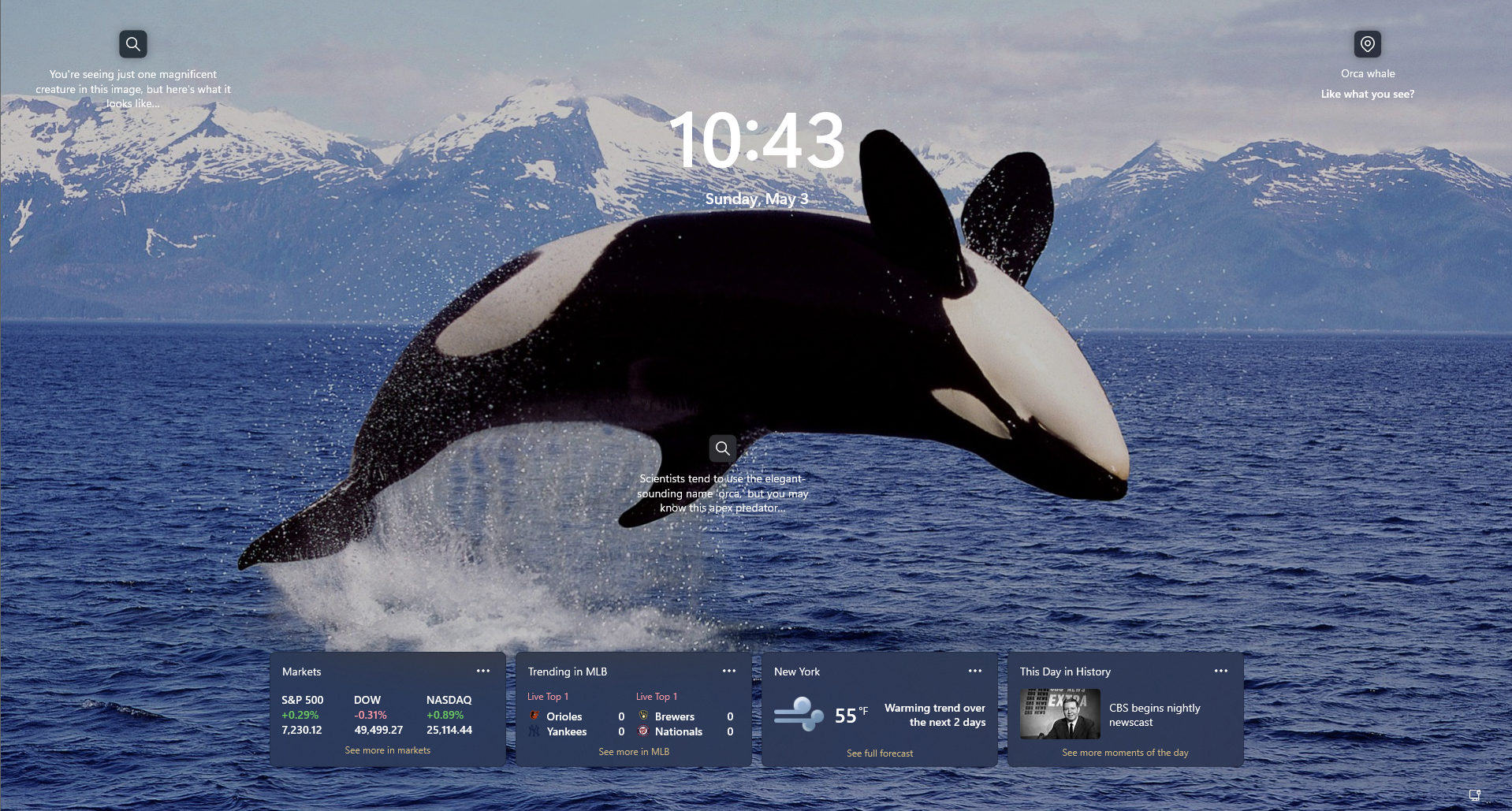
Also, on the lockscreen, Microsoft says you’ll only see the Weather widget by default. Currently, it is an abomination with a ton of useless Widgets, including quizzes, which no one wants on the lockscreen.
Windows 11 is finally getting faster and less memory-hungry
It’s no secret that Windows 11 has often felt heavier than its predecessors. Background processes, especially those tied to web-based elements like the Widgets board, have notoriously hogged system resources. Microsoft is finally addressing this bloat.
As part of their commitment to making the OS more responsive, the company is actively pursuing memory savings across the board. For Widgets specifically, Microsoft is introducing a smaller default memory footprint and ensuring that the system reclaims memory faster when the board isn’t actively in use.
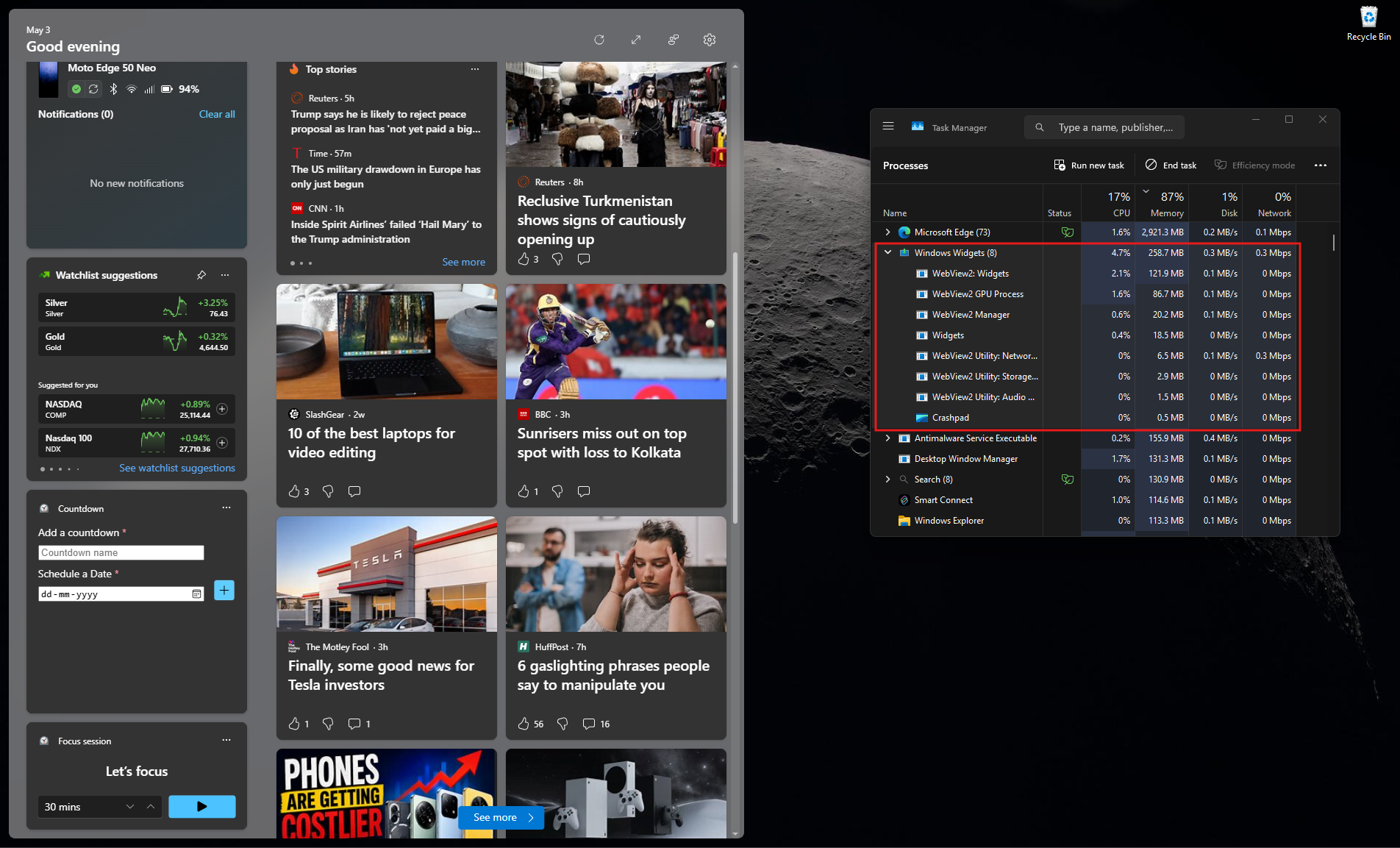
Even better, they are putting limits on the pre-launch behavior of Widgets, essentially restricting them from pre-loading in the background on devices with lower memory capacity. These specific memory optimizations are already rolling out to Insiders.
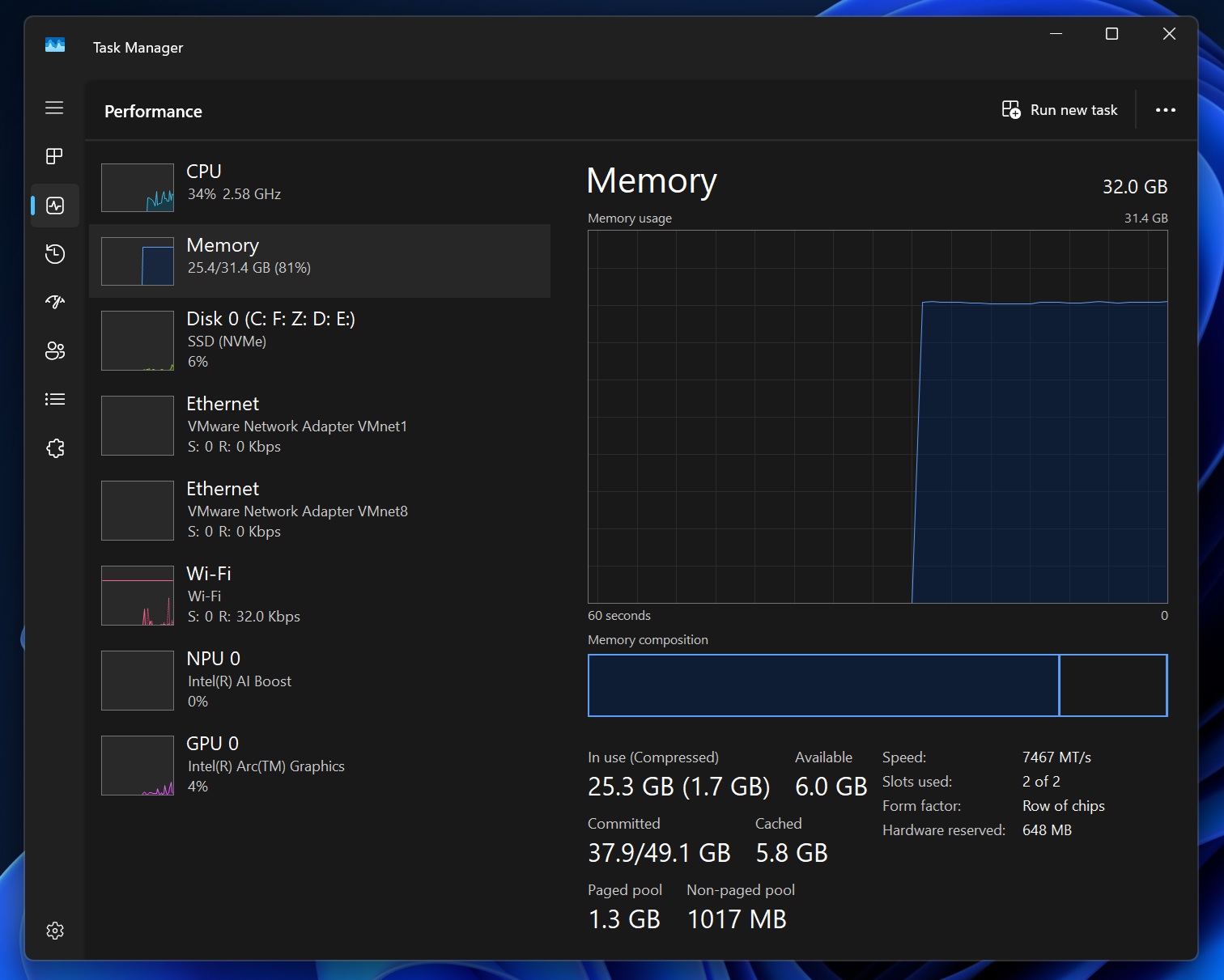
With RAM prices reaching unsustainable levels, customers need their PCs to use RAM efficiently, even for gaming, as Microsoft now recommends 32GB as the “no worries” upgrade for gaming in Windows 11.
But it’s not just about freeing up RAM. Microsoft is also tuning the OS to make core shell elements, like the Start menu, Search, and Action Center, launch faster. If you’ve ever felt that opening the Start menu or Search sometimes has a slight micro-stutter compared to Windows 10, these new targeted performance and power tuning policies (which began rolling out in mid-March) are designed specifically to eliminate that delay.
Perhaps the most interesting technical change is that Microsoft has updated the Windows scheduler. By better managing processor power states (C-states), the OS can handle CPU wake and transition states much more efficiently, which translates to a noticeably snappier experience in everyday use. These optimizations are already making their way to regular retail customers right now.
What’s next for Windows 11? Taskbar customization and more
While many of these performance and reliability improvements are currently being tested by Insiders, regular users won’t have to wait too long. Also, a significant chunk of reliability fixes is slated to arrive for everyone with the highly anticipated May 2026 Patch Tuesday update.
But Microsoft isn’t stopping there. The company knows that Taskbar customization is one of the most highly requested features from the community, and according to Windows Insider lead Marcus Ash, it is finally “coming soon.”
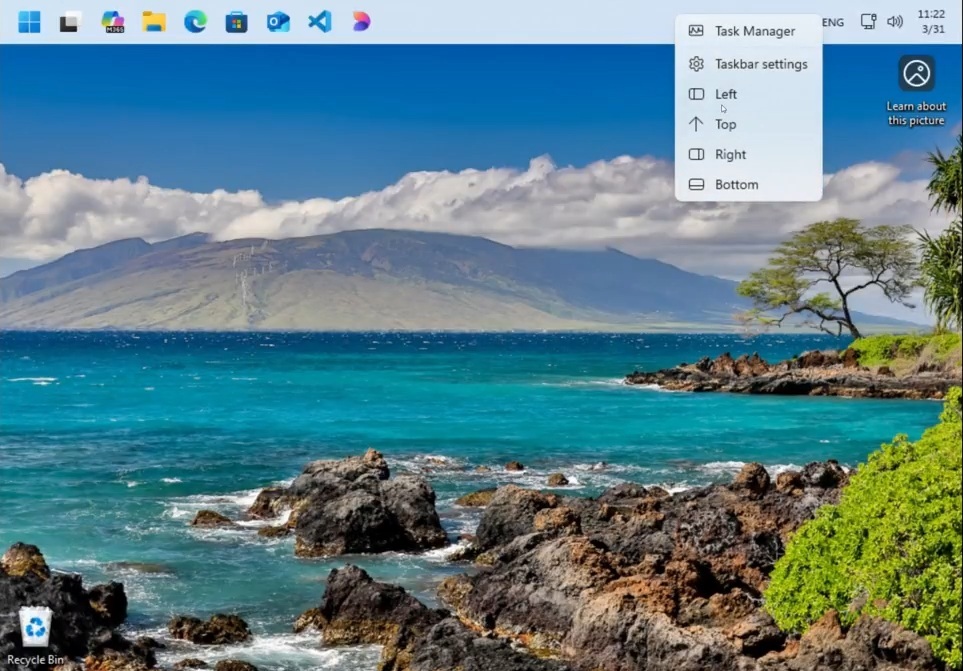
Microsoft is actively refining the experience internally to ensure it meets their quality bar. Later this month, we can expect more details on how the company plans to enhance the Taskbar, the Start menu, and Windows Search.
To ensure they stay on the right track, the Windows team is also taking the show on the road. Microsoft is hosting various in-person Insider meetups around the globe to listen to user feedback directly and share their vision for the future of the operating system.
Are you excited about the direction Windows 11 is taking? Let us know in the comments below!
The post Microsoft says it’s keeping its promise to fix Windows 11, shares everything that’s changed since March appeared first on Windows Latest