
Windows 11 is testing a new feature called ‘Screen Tint,’ which adds a subtle color overlay to make your screen more comfortable to view. Microsoft hasn’t officially confirmed it’s working on a more advanced version of Night Light, but the toggle appeared in newer preview builds, and Windows Latest tested it.
In Build 26300.8289, there’s a new page, ‘Screen Tint,’ inside the Accessibility section of Windows Settings. It was spotted by Phantom on X and later verified by Windows Latest in our tests.
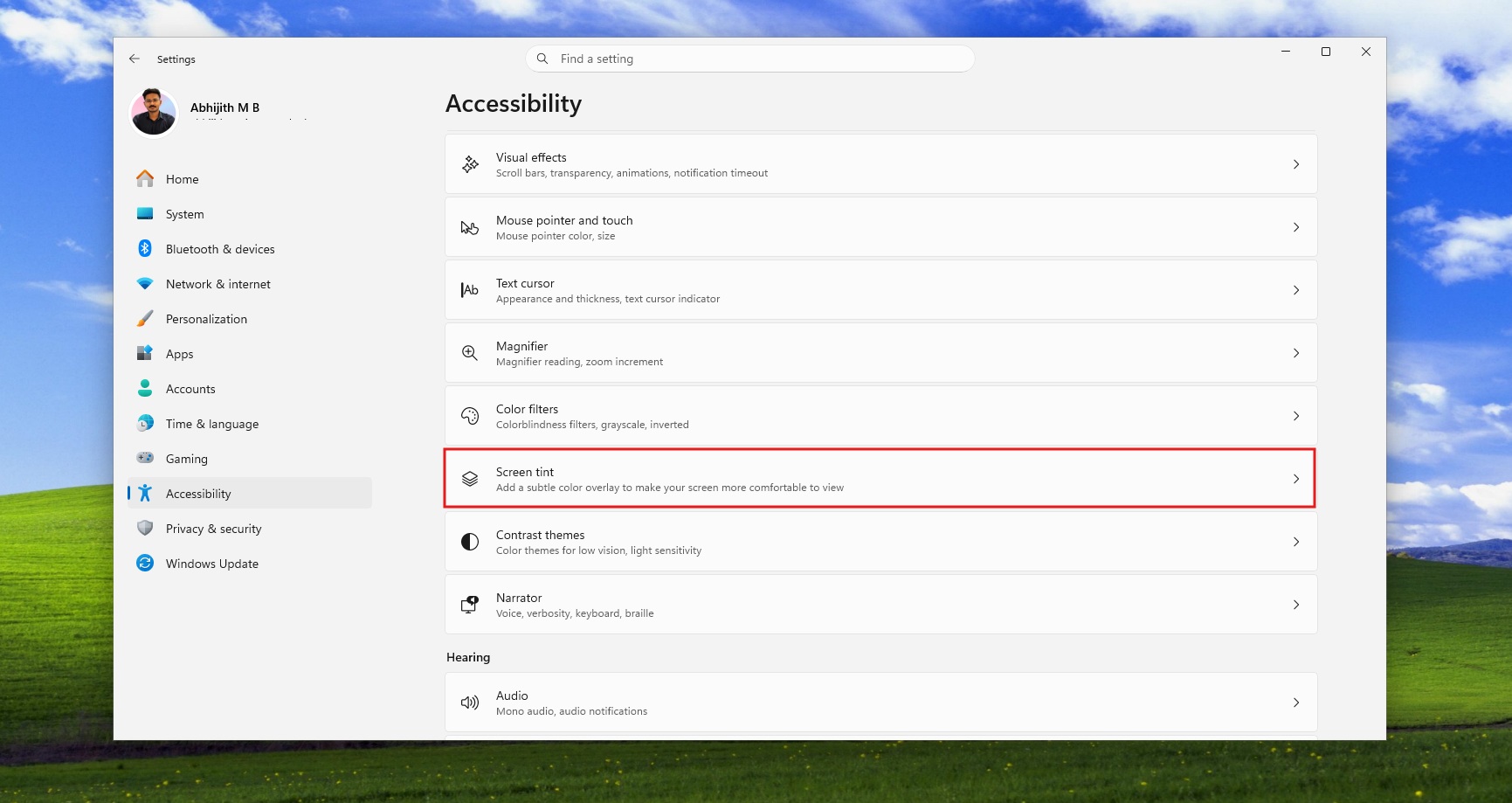
If you don’t see the ‘Screen Tint’ page yet, it’s because it’s not rolling out to the public yet.
Microsoft is adding Screen Tint to Windows 11 with presets for eye strain, glare, and migraine sensitivity
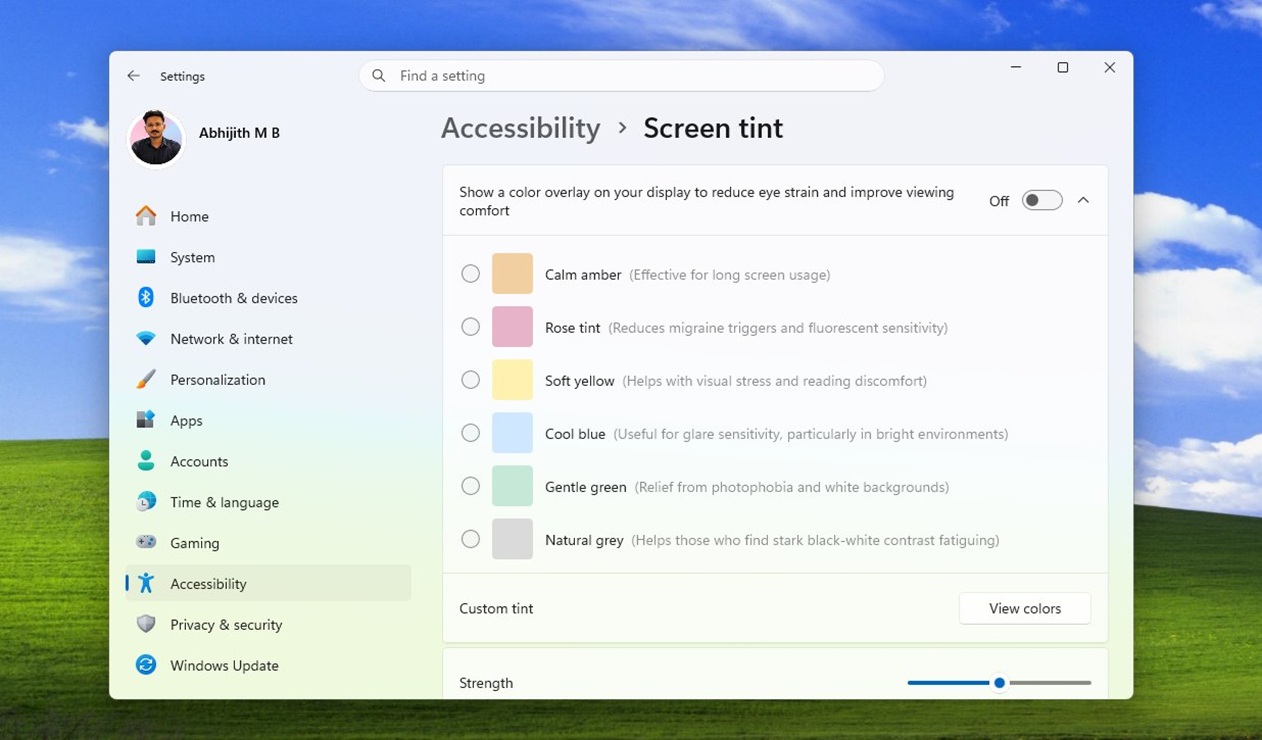
As you can see in the above screenshot, the Screen Tint feature on Windows 11 has up to six colors, and each color is designed to help reduce eye strain. For example, there’s a Calm amber color, which is similar to the existing Night light mode, and it allows you to use your computer for a long time.
Then, we have a ‘Rose’ tint color, which could help with severe headaches, including migraines, and sensitivity to fluorescent lights. This applies a rose or pink-like color to your display. There are also other variants, including soft yellow to help with reading discomfort and visual stress.
In our tests, Windows Latest also observed a ‘blue’ color to reduce glare sensitivity when you are in a bright environment, a gentle shade of green, which gives you relief from photophobia in Windows 11, and a natural gray, designed for those who find stark black-and-white contrast fatiguing.
The Screen Tint feature is still being tested internally, and it’s unclear when it will begin rolling out to consumers. Our tests found that the screen flickers and fails to apply these colors most of the time, and that makes sense. It’s under development, after all, but the feature is more than just applying six preset colors.
Microsoft is also testing a ‘Custom tint’ feature, which allows you to pick your preferred color and apply it to the display. Moreover, you can control the strength using a slider underneath these preset colors.
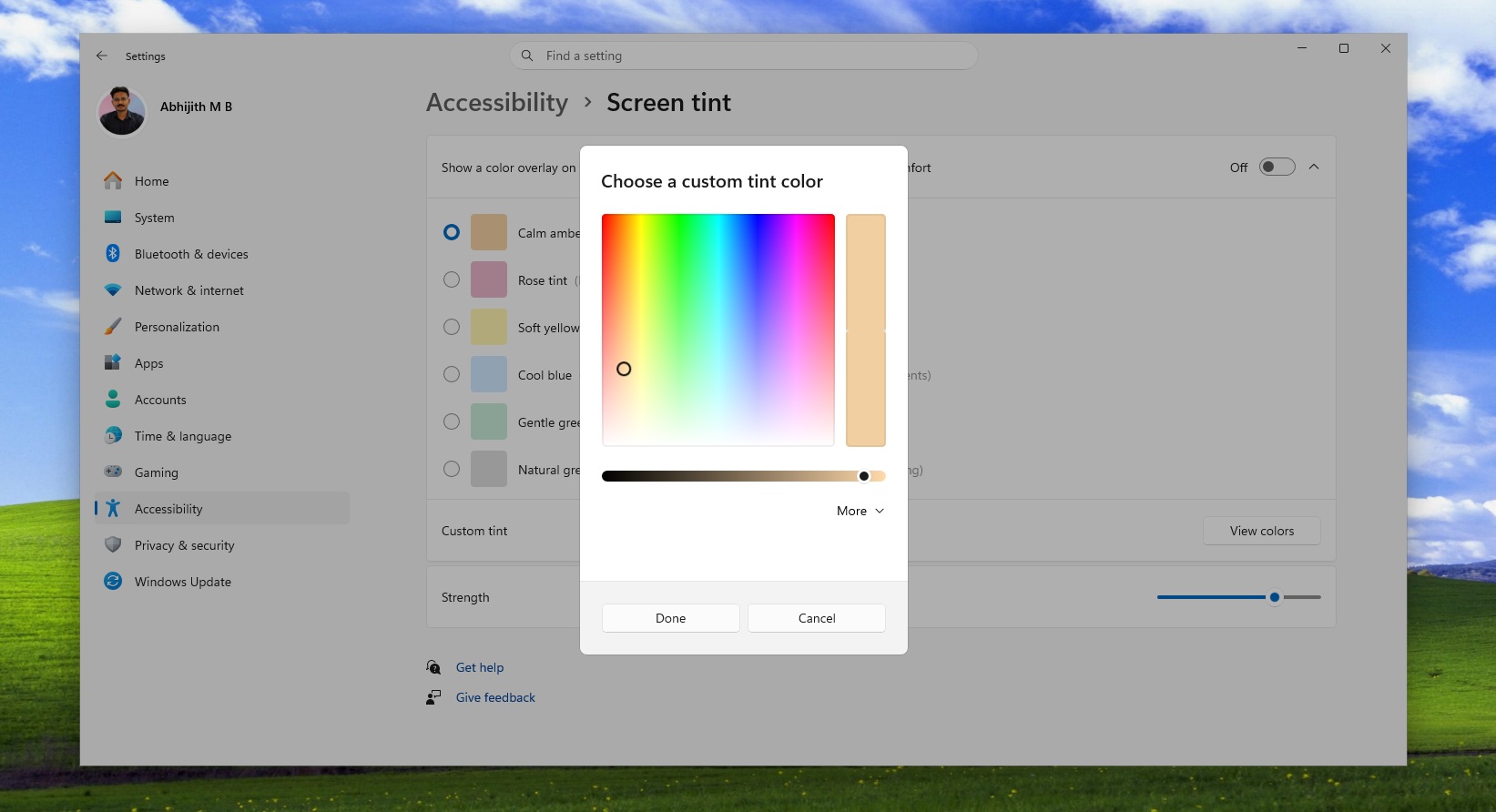
Screen Tint has been nicely integrated into Windows 11, but it’s not going to replace the existing Night Light mode, which can be toggled from Quick Settings. Night light serves a different purpose and is for regular users. On the other hand, Screen Tint has advanced use cases and is largely geared towards power users who know what they are doing.
In addition to Screen Tint, Microsoft is testing customizable Quick Settings with a toggle to switch easily between dark and light themes, and even a modern Windows Run dialog. It’s all part of the company’s efforts to make Windows a better operating system, as it prepares at least 18 major changes for rollout in 2026.
The post Windows 11’s hidden Screen Tint feature lets you soften your display with amber, blue, green, and more colors appeared first on Windows Latest