
Windows 11’s modern context menu is slower than the Windows 10 version, especially if you’ve unknowingly enabled extensions such as “Edit with Clipchamp,” “Edit with Notepad,” “Ask Copilot,” and similar options. These items take a few seconds to load on low-end PCs and often result in misclicks. Microsoft says it’s aware of the problem.
Complaints about Windows 11’s sluggish performance aren’t exactly new, but they’ve only started to get Microsoft’s attention after outrage on social media. In March 2026, Microsoft confirmed it was working on a major update to revive Windows 11, and Satya Nadella also promised the company would focus on fundamentals to win back fans.
And what is more fundamental than the right-click menu in Windows 11, right?
The modern context menu isn’t exactly horrible, but it did not solve the clutter problem introduced by older versions of Windows. Worse, it made the existing right-click experience slower, where some items load immediately and others take a second or two to show up.
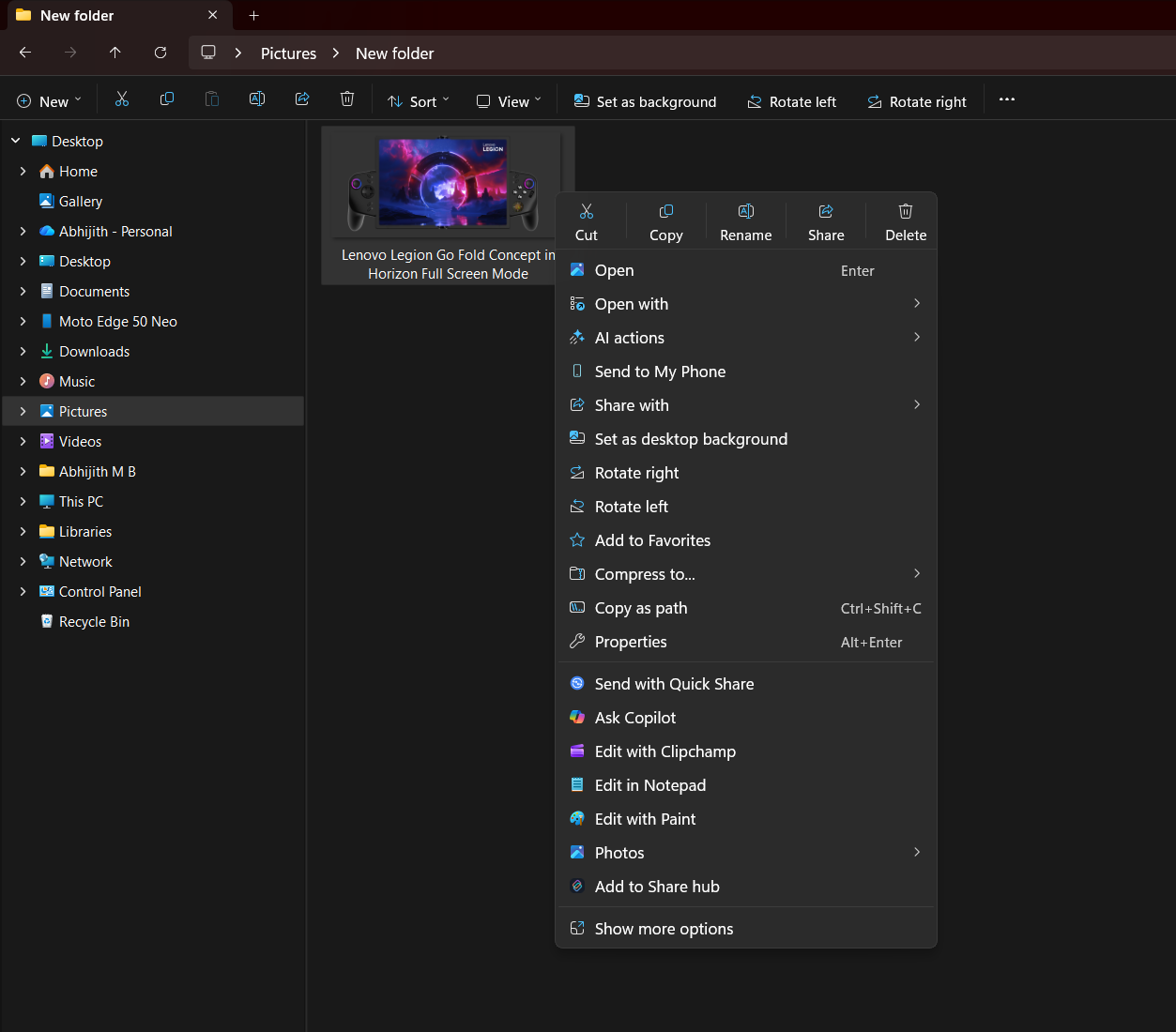
For example, I opened a folder with several images and right-clicked on one of the images with a .jpg extension. Naturally, I was expecting items like Paint, Photos, Clipchamp, and others to show up.
After I right-clicked, the context menu appeared almost immediately on my high-spec PC, but if you watch the video closely, you’ll notice that part of the menu keeps loading for a second after it opens.
These items are called “extensions” for the context menu. With Windows 11, Microsoft started clubbing app extensions together to organize the menu, but it appears to have caused more harm than good.
This issue also means that the cursor position can change while extension items are still loading. If you have a habit of clicking items quickly, you might accidentally click the wrong item because the context menu has already adjusted itself after loading additional extension items and growing in size.
In a post on X, Microsoft confirmed that these issues are caused by late-loading extensions, and it’s working on addressing them.
In addition, Microsoft said it’ll make the right-click menu load faster and reduce clutter by default, so it doesn’t take up all of your screen space, especially if you’re a power user.
Microsoft begins testing a simple context menu in Windows 11
We’ve already seen some progress in preview builds, where the right-click menu takes less space than before.
For example, Microsoft has created a new menu called “Manage file,” which is a nested menu that can house all file-related operations, such as copy path, set desktop background, compress to ZIP, and more. The “Manage file” is a placeholder name, and it could change when it ships in production.
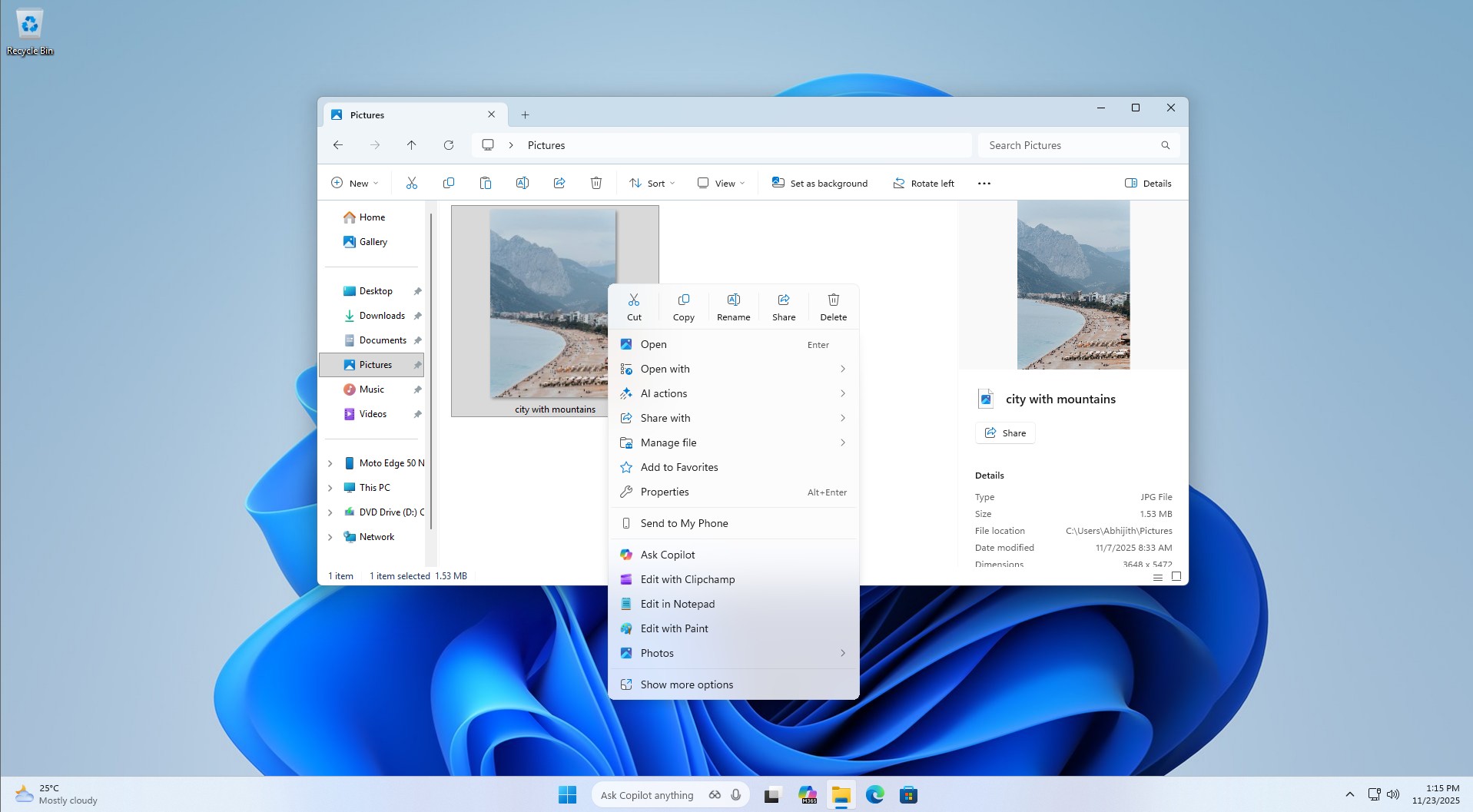
In our tests, Windows Latest observed that the new “Manage file” nested menu can reduce the overall screen space of the right-click menu by 25% or more, depending on the number of items your context menu has. It’s a massive improvement, but it’s still being tested in preview builds, so we don’t know when it’ll roll out.
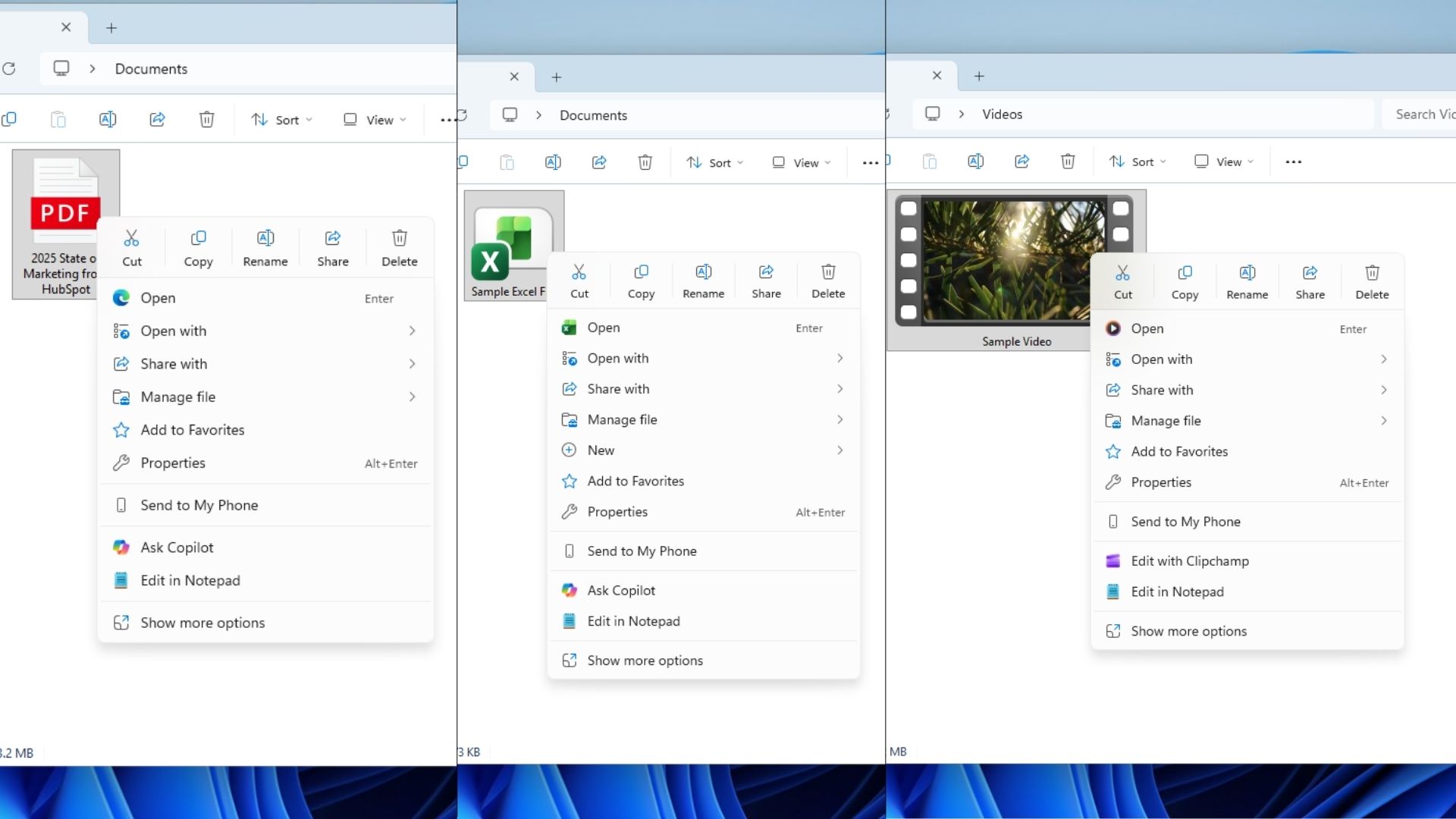
Microsoft also confirmed that it’s working on a “configurable” context menu where you can add or remove items and personalize the menu to your liking. It’s one of the most requested features, and until now, you could only modify your context menu using a third-party app or script, which is usually not safe.
It’s interesting to watch Microsoft integrate advanced personalization options that were previously accessible only through third-party apps.
How do you think Microsoft can improve the right-click menu in Windows 11? Let me know in the comments below.
The post It’s not just you: Microsoft says Windows 11’s right-click menu has been quietly slow for years appeared first on Windows Latest