
Microsoft is finally rolling out two of the most requested features: the ability to move the taskbar and make it smaller, so you have more screen space. I tested Windows 11’s new movable taskbar integration, and it’s just as good as the original Windows 10 version, which let you move the taskbar to the top or sides.
If you’ve been using Windows 11 since day one, you might remember that the OS debuted with several limitations. The original build, which rolled out in October 2021, included a taskbar that didn’t even support drag-and-drop. It also removed the ability to move the taskbar to the top or sides, and even turned off the smaller taskbar feature.
In 2021, Microsoft argued that Windows 11 dropped support for a movable taskbar because it would disrupt the flow of animations. That means when you move the taskbar to the right or left, it triggers a “sudden reflow,” which disrupts the “wonderful [default] experience,” where the taskbar is pinned to the bottom.
“When you think about having the taskbar on the right or the left, all of a sudden, the reflow and the work that all of the apps have to do to be able to have a wonderful experience in those environments is just huge,” Microsoft explained in a video published in 2021.
Microsoft also noted that it rewrote Windows 11’s taskbar from scratch, which is why it was missing most of Windows 10’s features on day one, including a proper right-click menu with shortcuts to Task Manager.
Fast forward to 2026, Microsoft has realized the changes never made sense, particularly after consumers swarmed social media with criticism of the company, and some even coined the term ‘Microslop’ to mock the $3 trillion company.
After years of complaints, Windows 11 now includes these two taskbar features, and more changes are coming soon.
I tested Windows 11’s movable taskbar, and it’s solid
I tested the movable taskbar in Build 26300.8493, and it’s as good as the Windows 10 version.
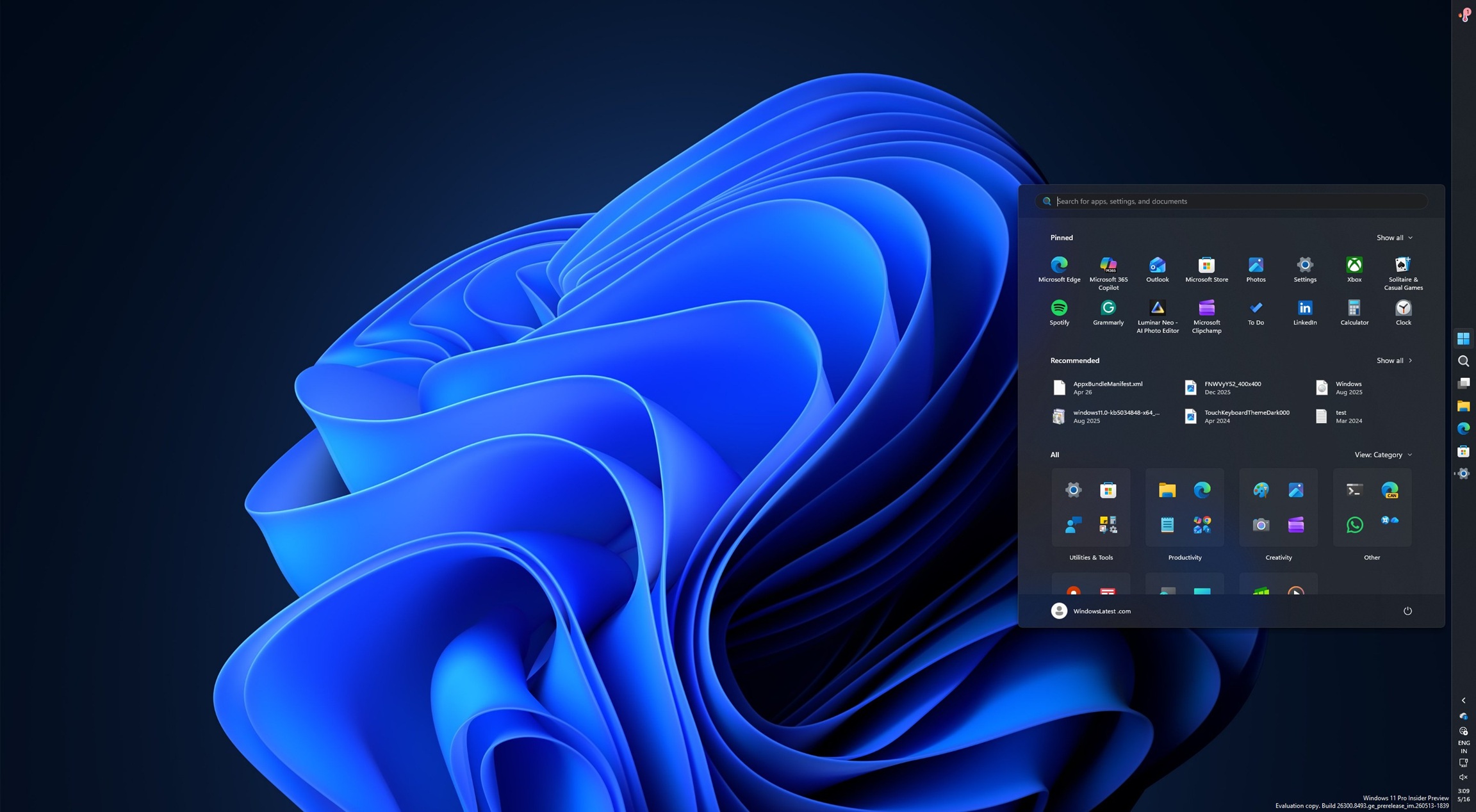
The ability to move the taskbar to the top actually feels like a breath of fresh air, as I was somebody who couldn’t live without the top taskbar, but I had no choice but to give up my best setup in order to use Windows 11.
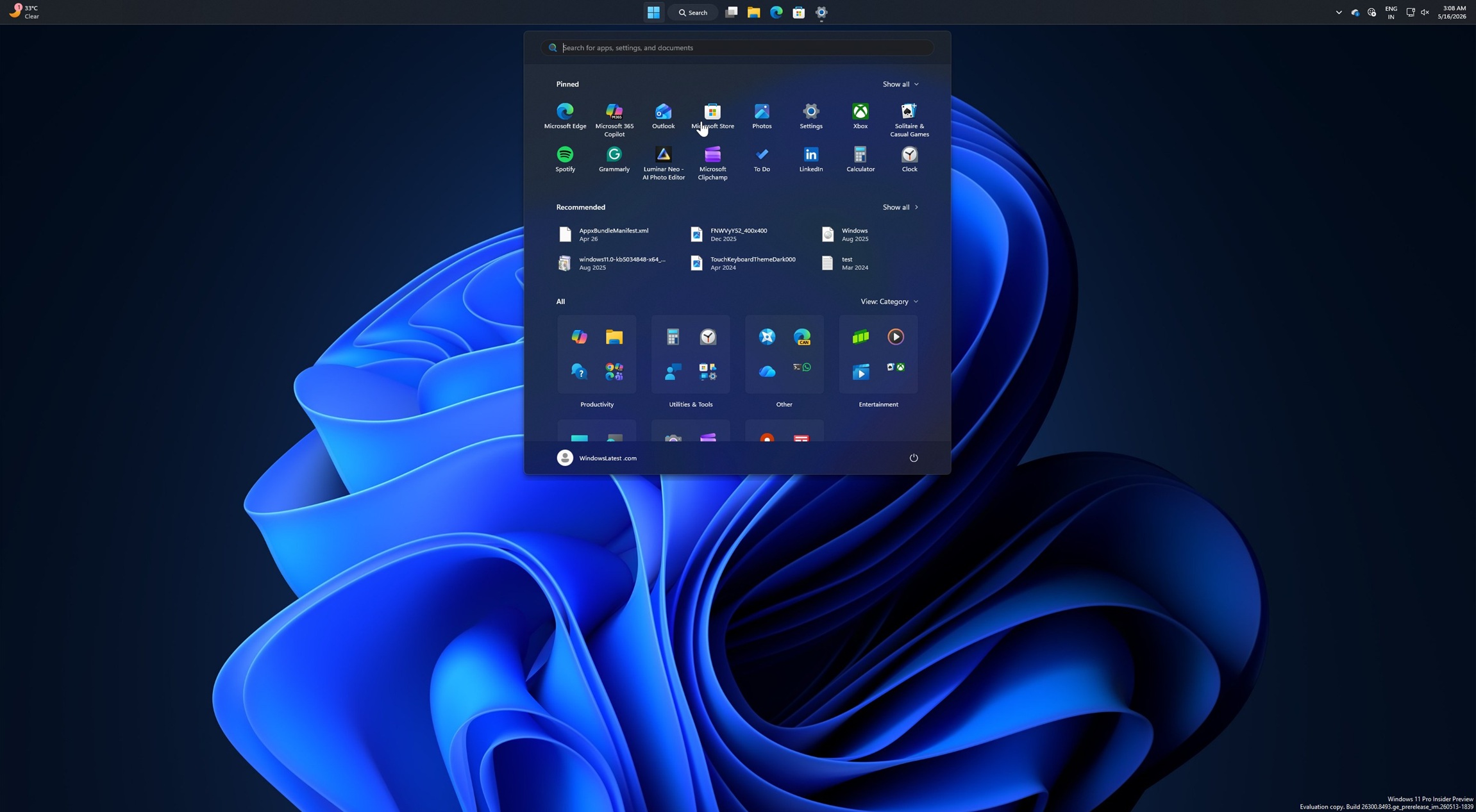
When you move the taskbar to the sides or top, all core user interface elements, such as the Start menu, Windows Search, and even the flyouts, including the taskbar’s system tray or Quick Settings, respect the new alignment. For example, I pinned the taskbar to the top, and the Start menu now opens from the top.
Also, you can turn on the “Never combine” button when the taskbar is pinned to the left side, and the overall experience might remind you of Microsoft Edge or Chrome’s Vertical Tabs.
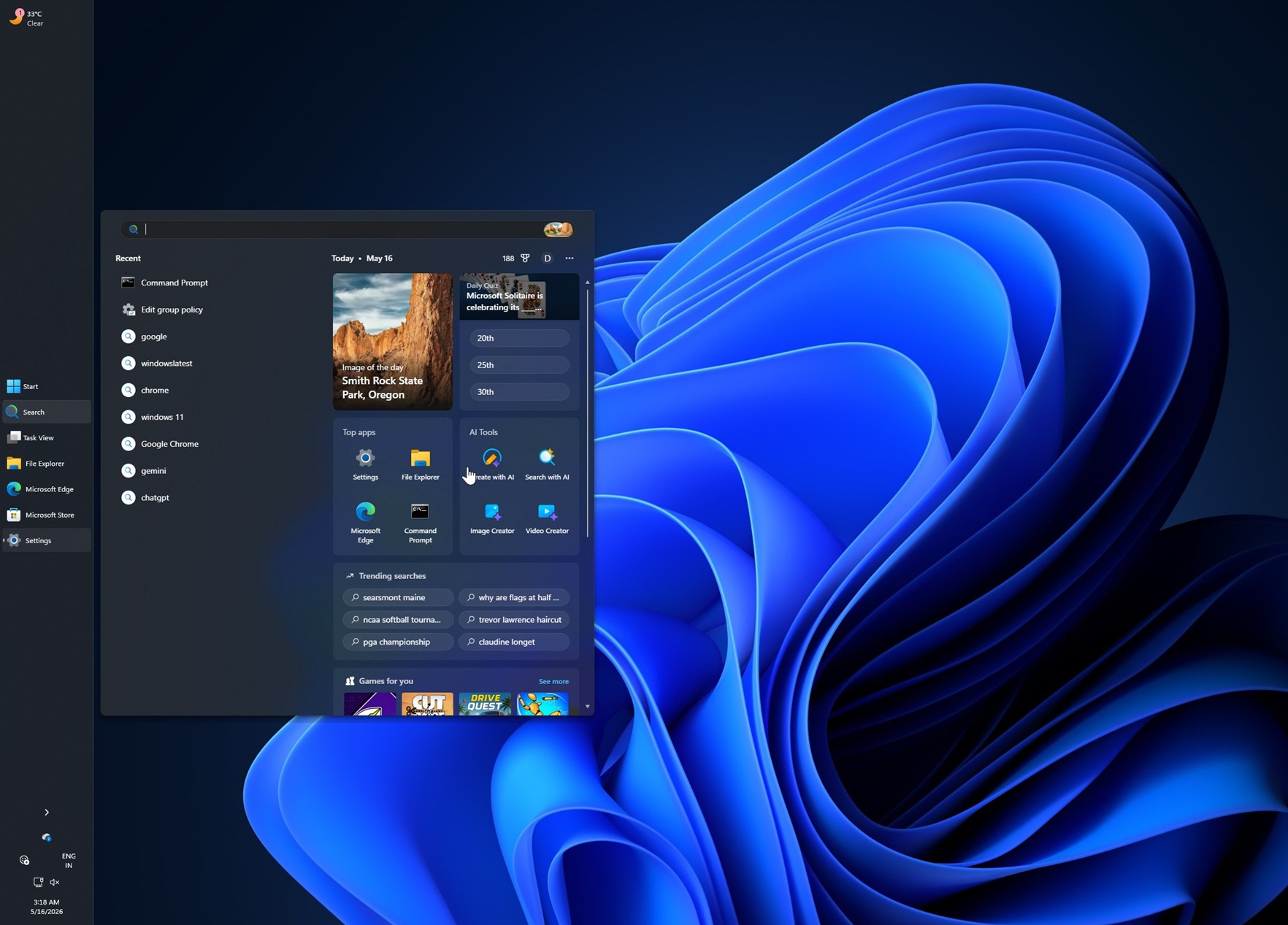
In this case, each app window appears as a labeled button, and it makes it easier to switch between windows, but it can be a pain if you have too many apps.
“If accessibility or ergonomics make the top of the screen easier to reach, you can place the taskbar there. If you rely on the taskbar to keep track of your work, a vertical layout with ungrouped icons can help you stay organized,” Microsoft’s design director noted.
“The choice is yours,” Microsoft noted after ignoring the feedback for more than five years.
How can you reposition the taskbar in Windows 11?
Right now, if you want to change the taskbar position, you can open Settings > Personalization > Taskbar > Taskbar behaviors.
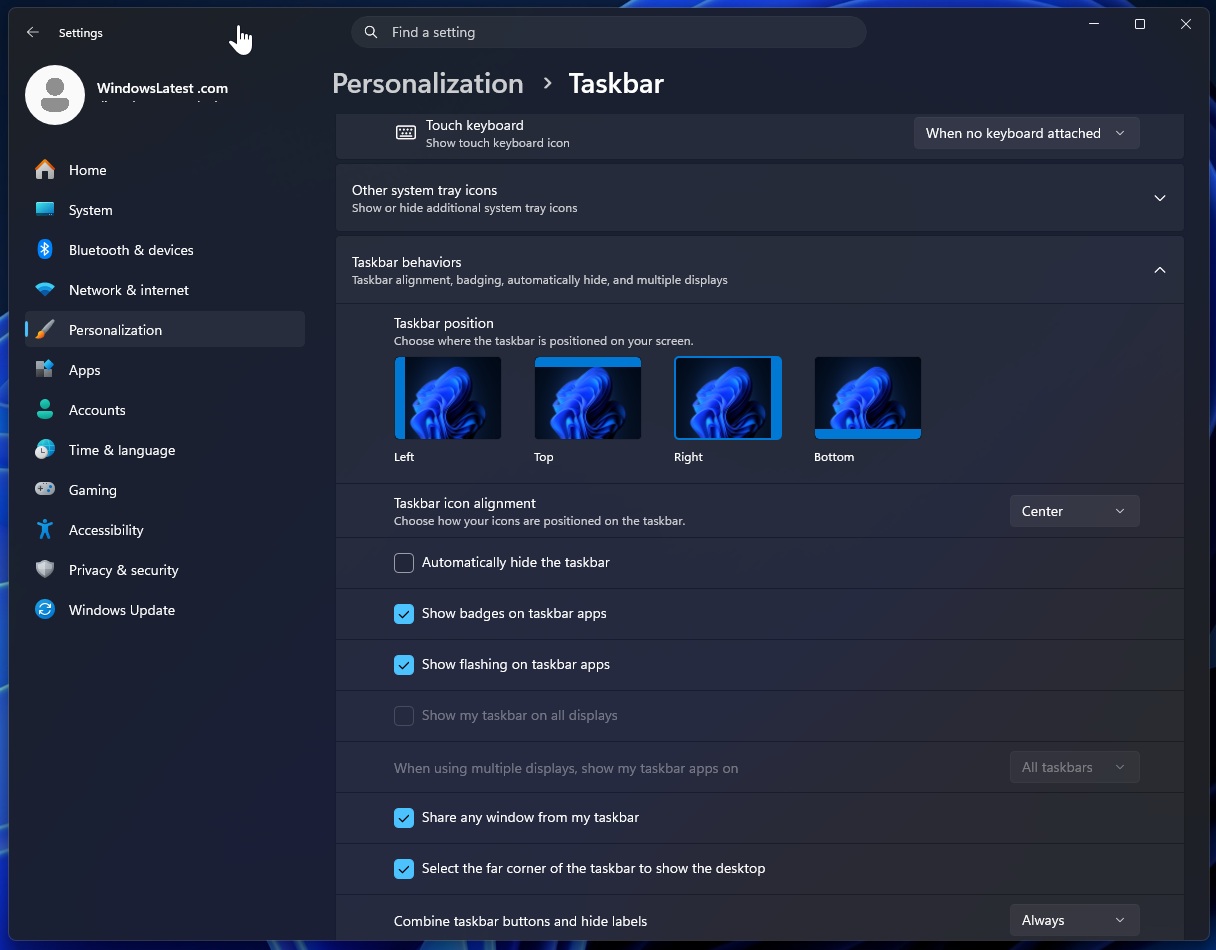
You can’t hold the Windows taskbar and drag it to any side to reposition it. That feature doesn’t exist yet, but it might roll out sooner than later.
Moreover, Windows 11’s taskbar finally has a true “small” variant, which is similar to the Windows 10 version.
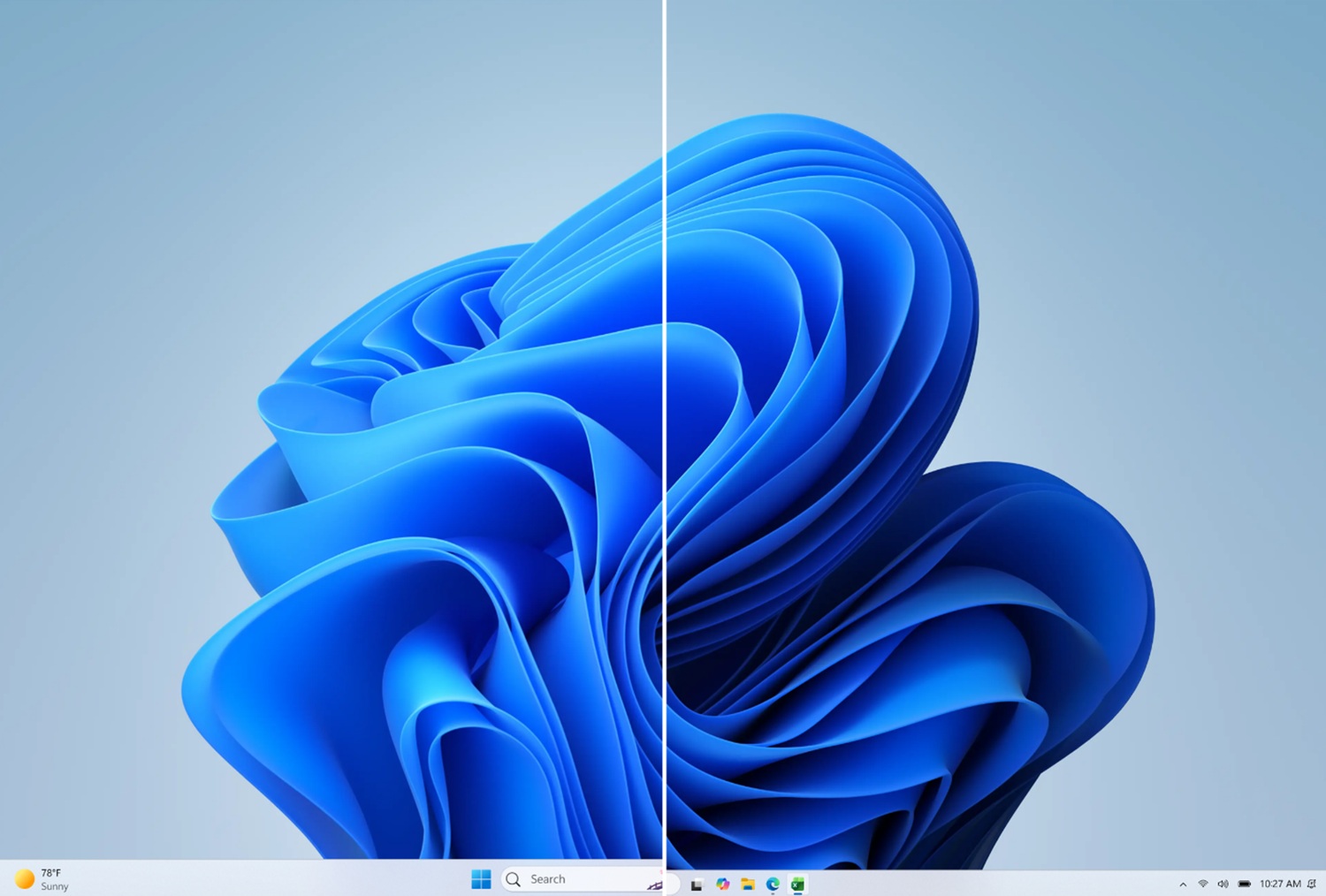
Until now, when you turned on the smaller taskbar feature in Windows 11, it only made the icons smaller, not the taskbar itself. That changes today, and the taskbar now finally has a smaller variant, which is particularly important when you want more space in a vertical taskbar layout.
All these changes are rolling out to Windows Insiders in the Experimental branch, and they’ll become available to the general public in the next few weeks.
The post Microsoft rolls out Windows 11’s movable and smaller taskbar 5 years after killing it (hands on experience) appeared first on Windows Latest