
Windows 11’s next update will introduce support for Calendar Agendas in the Notification Center. It’s one of the Windows 10 features that disappeared after the release of Windows 11 in 2021. While the Outlook-based Agenda view is coming back, it’s going to be a WebView2 component, which means it’s yet another web crapper that calls Edge resources.
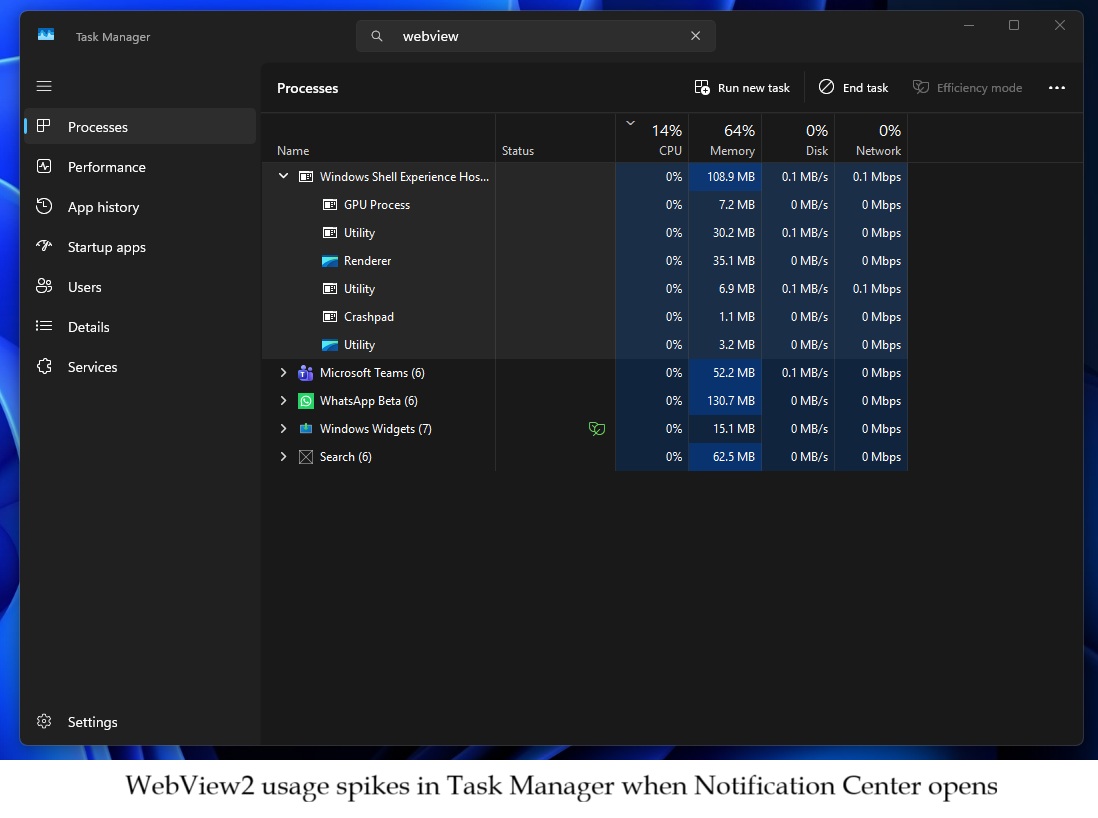
Microsoft is still testing Agenda view in Windows 11 preview builds, so it does not work for me correctly, but apparently, it attempts to load the Outlook meeting details inside a WebView2 shell. For example, when I turned on the half-baked Agenda view and opened the Notification Center, I noticed a sharp spike in “WebView2” processes.

I also made a video that shows how the “Windows Shell Experience Host” process in the Task Manager immediately jumps from an idle state to using over 6-20% of the CPU. And when you expand the “Windows Shell Experience Host” process, you’ll notice that there are loads of WebView2 processes.
The emoji representing “Calendar” and the font also make it quite obvious that it’s a WebView2 component.
Inside this host, we can clearly see items named “GPU Process,” “Renderer,” and “Utility.” These are standard components of Microsoft Edge WebView2 used to draw the interface.
When the Notification Center is clicked, these processes instantly wake up, causing the memory usage of the main host to jump significantly from around 1MB to over 130 MB as it renders the Agenda view.
But when you close the Notification Center, Windows attempts to save resources and power by putting the components back to sleep. For example, Windows Latest noticed that “GPU Process” and “Utility” items immediately switch to the “Suspended” state. This means Windows has “frozen” these web components, so they stop using the CPU or RAM.
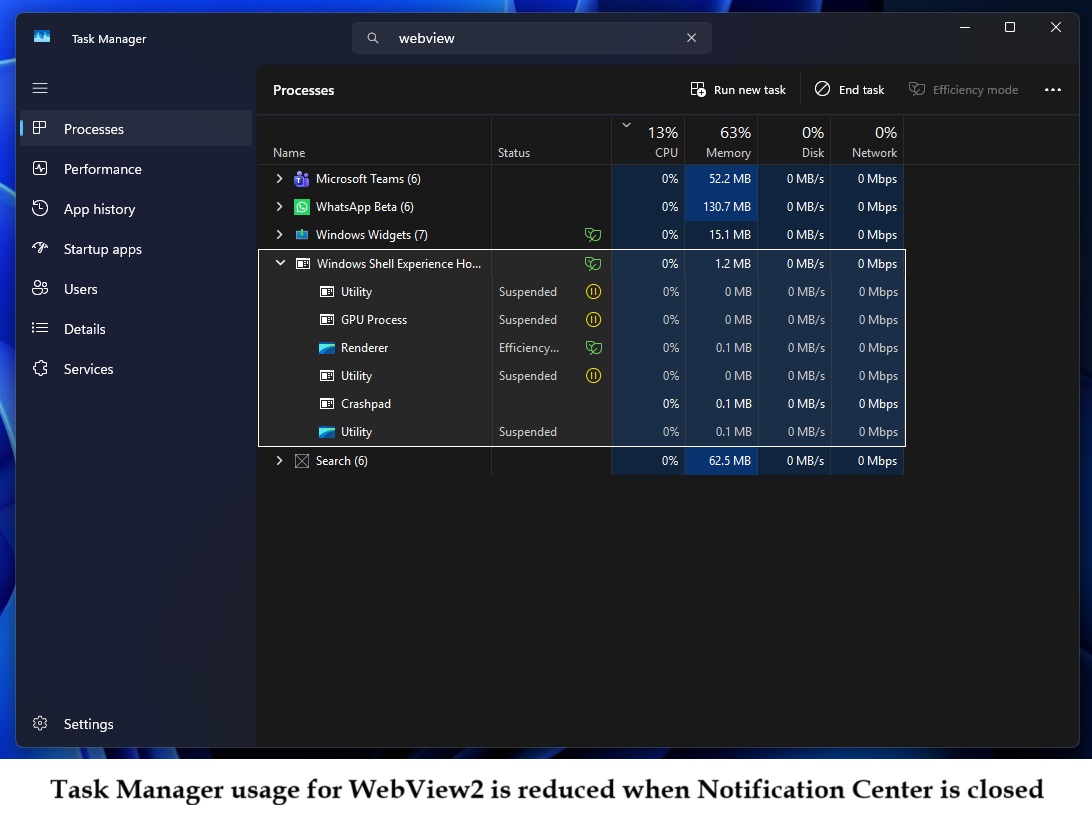
In other words, WebView2 is only loaded and triggered when you open the Notification Center and enable Agenda view. But as soon as you close it, RAM usage drops to almost zero.
Nobody likes WebView2 for a lot of reasons, but mostly it’s because web apps do not feel native on Windows 11, especially WebView2 and Electron. React is still far better, especially on mobile, because it renders native UI components (TextView on Android) rather than rendering web inside a shell.
Calendar Agenda view in Windows 11 is going to be as good as the Windows 10 version
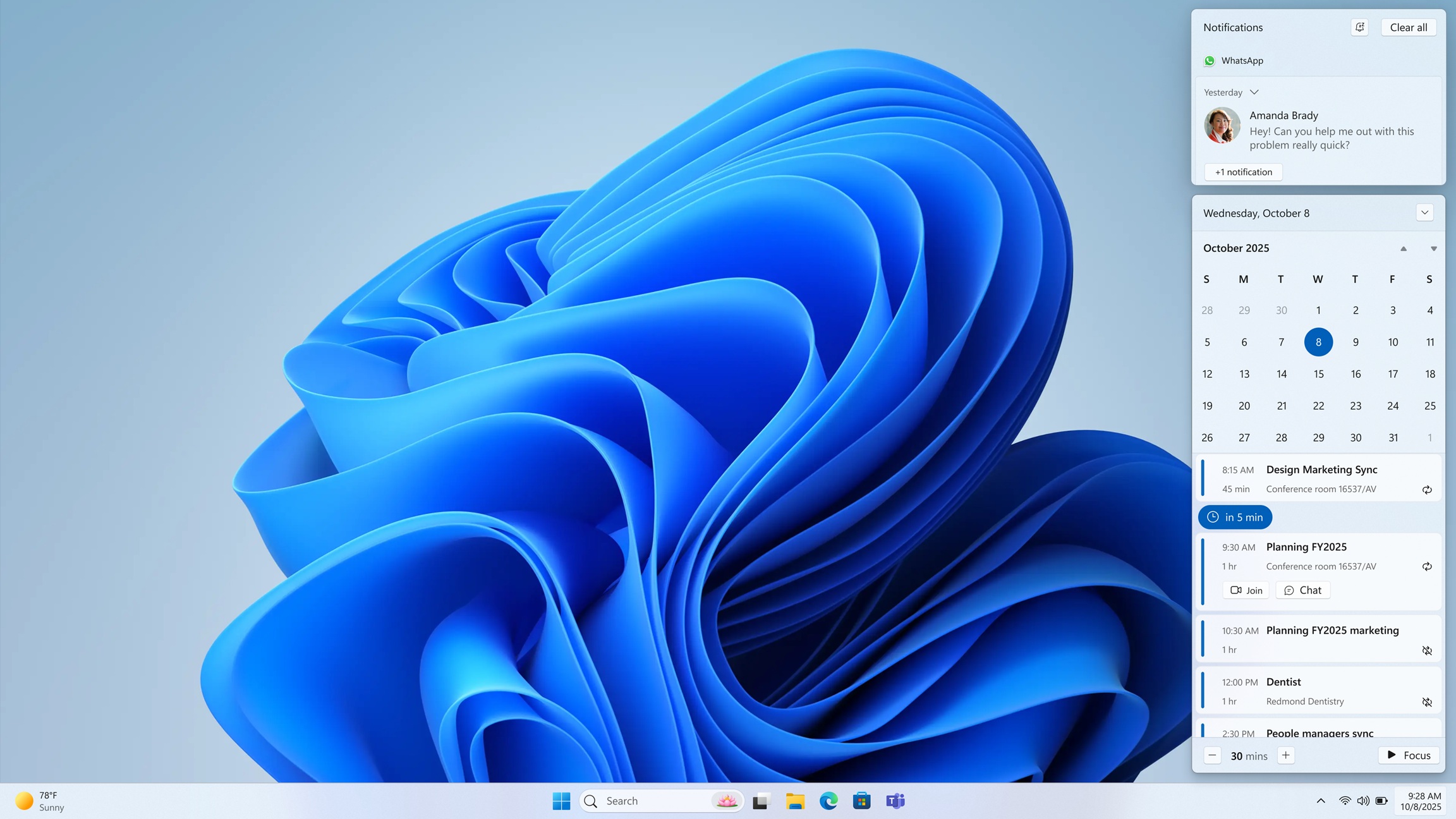
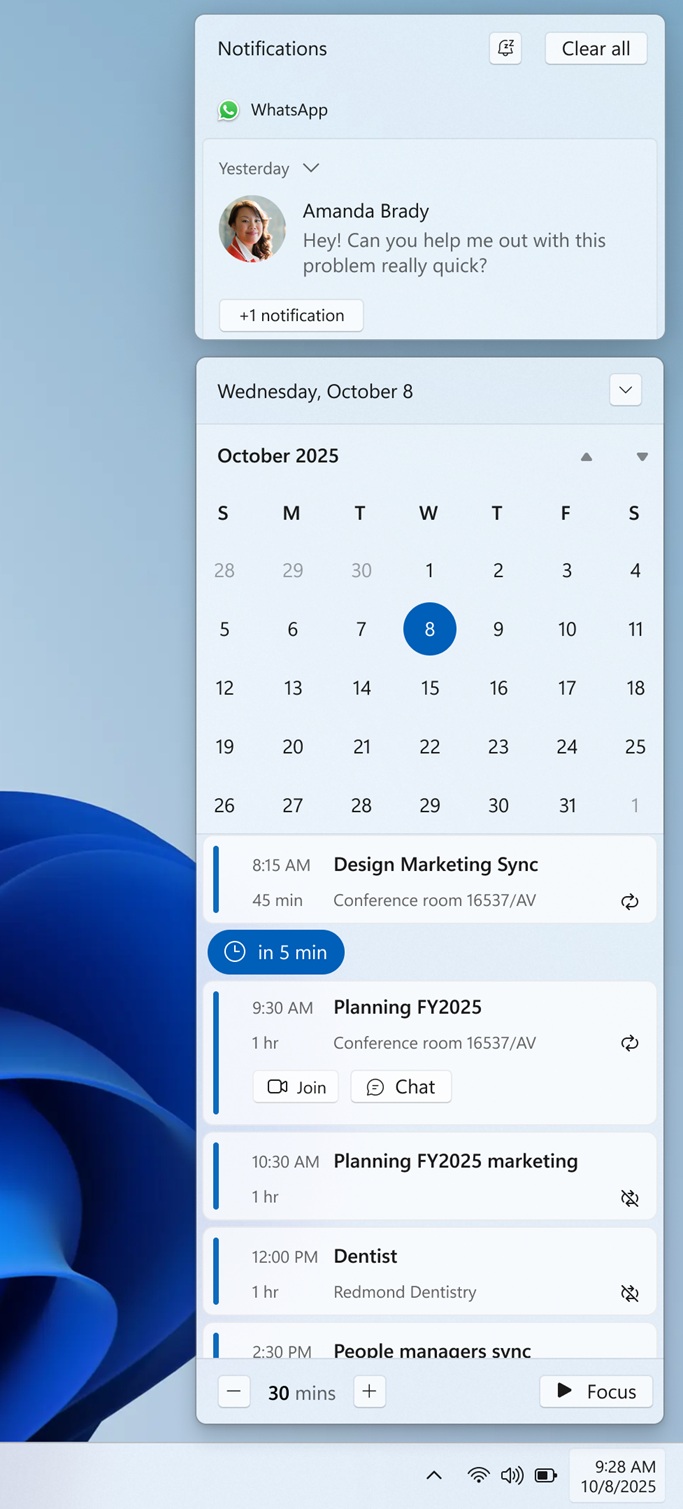
The agenda view in Windows 11 is a bit similar to how things worked in Windows 10. It’s still a clean UI and shows a chronological list of your scheduled meetings. However, the only catch is that you’ll find AI-related features. For example, if you click one of the agendas, you should be able to access ‘Microsoft 365 Copilot.’
Microsoft officials previously confirmed that MS365 Copilot will be integrated into the Calendar Agenda view in the Notification Center, but it’ll be an optional addition, as you can always choose to ignore it. Also, another notable change is that you can directly join meetings in Teams from the Agenda view.
I don’t think a regular user would care as long as the Agenda view works as intended, and I think it does. It does not use a lot of resources (100MB RAM is not huge).
We already have WebView2-based Teams and WhatsApp that use a lot of resources, and Discord has also admitted that its Windows 11 app is a resource hog.
Electron and WebView2-powered Windows 11 apps are eating gigabytes of RAM at a time when RAM is getting expensive. Microsoft will hopefully find a way to optimize WebView2 in the Notification Center, but is it really that difficult to build native components for something as important as Notification Center?
The post Windows 11’s “Agenda” view in the Notification Center is a WebView2 (web app component), not native appeared first on Windows Latest