
Windows Search UI height now matches the Start menu on Windows 11, and it’s rolling out with the November 2025 optional update (KB5070311). It’ll be included in the December 2025 Patch Tuesday for everyone.
As you might have noticed, Windows Search has always been smaller than the Start menu on Windows 11. While it’s not necessarily an issue, it feels odd, especially when you switch to Search from the Start menu’s search bar. It’s even worse after Microsoft introduced a new Start menu UI, which is far bigger and taller than the Search UI.
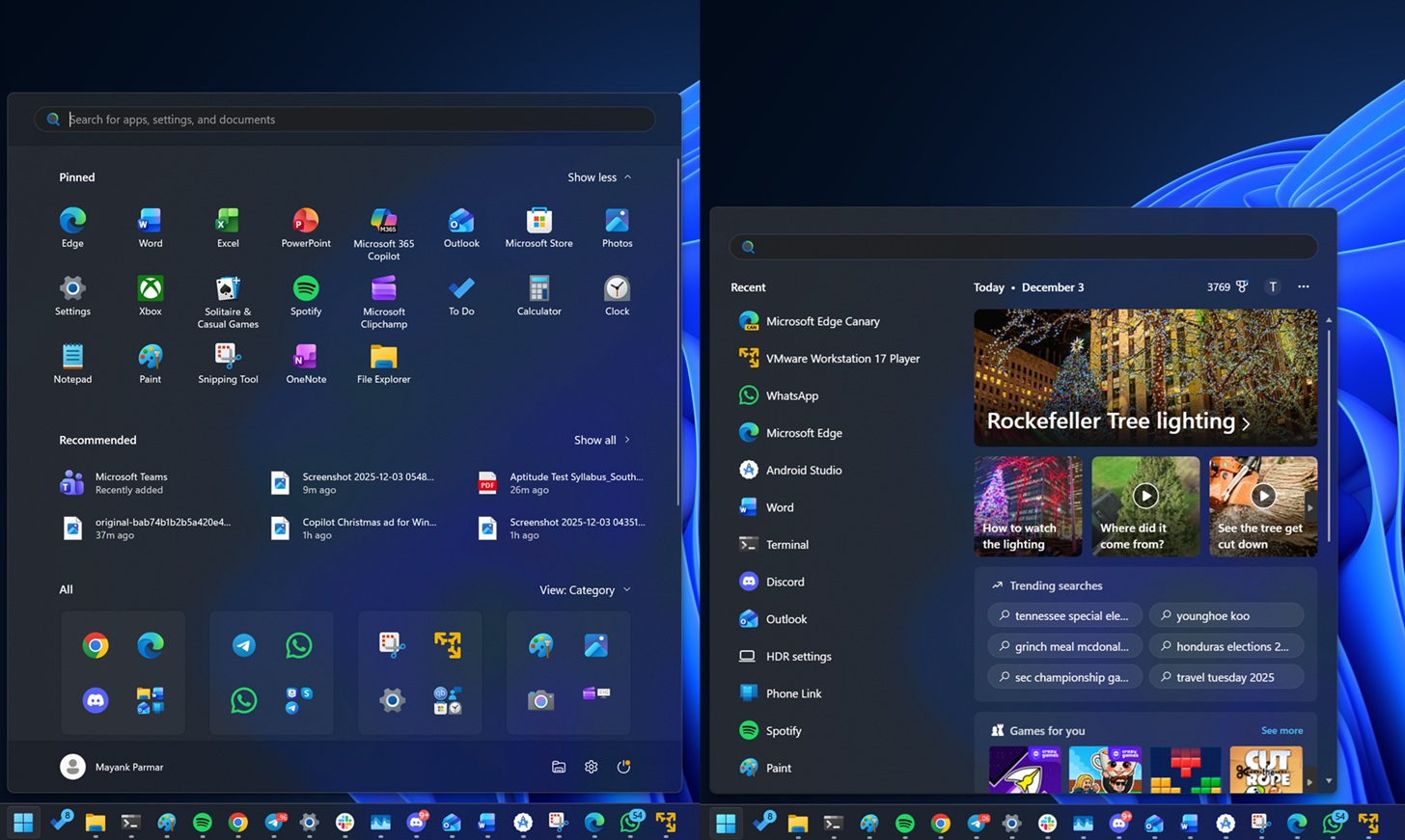
If you don’t realize how tall the new Start menu is, particularly when compared to the Search, I want you to take a look at the screenshot above. This is from my PC running Windows 11 with the October 2025 Patch Tuesday. We’ll compare how it looks after applying the recent optional patch (part of the November cycle).
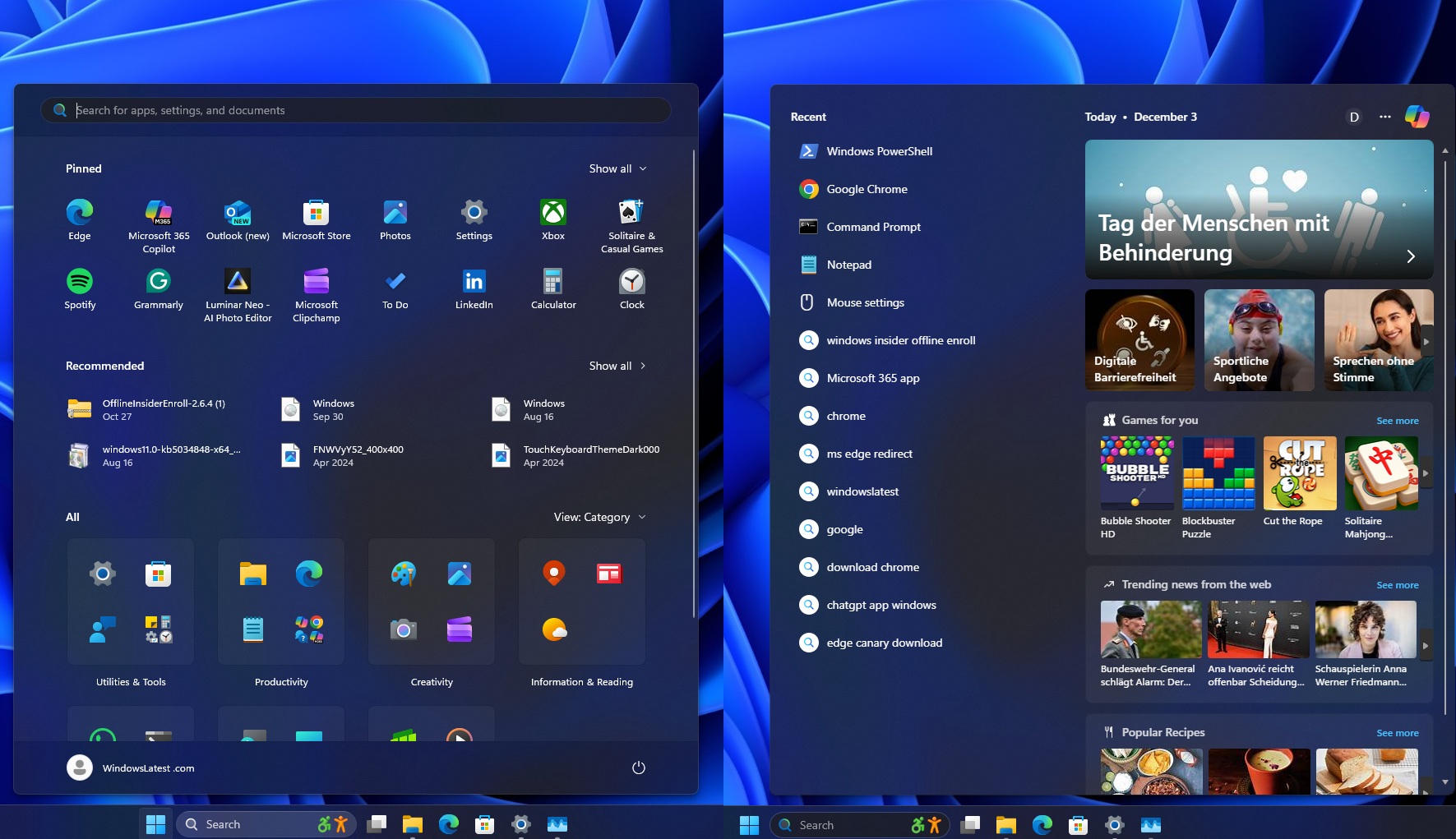
In the screenshot above, I applied the Windows 11 KB5070311 update, and as you can see, the Search UI is taller because it’s now matching the Start menu.
It takes more space, and it could even cover 70% of the screen space on some specific resolutions or scaling settings, but you can get around it by modifying the display settings.
I personally like the approach, but there’s still an issue with the transition, as the Search UI appears a bit further to the right than the Start menu. Is that something Microsoft can fix? I’d hope so.
Microsoft is adding ‘Design insights,’ replacing the FAQ section
Microsoft has renamed “FAQ” to “Device Insights” in Settings > System > About. This feature is designed for casual users, but it’s actually helpful, as it gives Microsoft’s honest opinion on hardware specs that qualify to run high-end games or apps.
For example, when my device has 8GB of RAM, Device Insights says it’s only enough for regular browsing and usage.
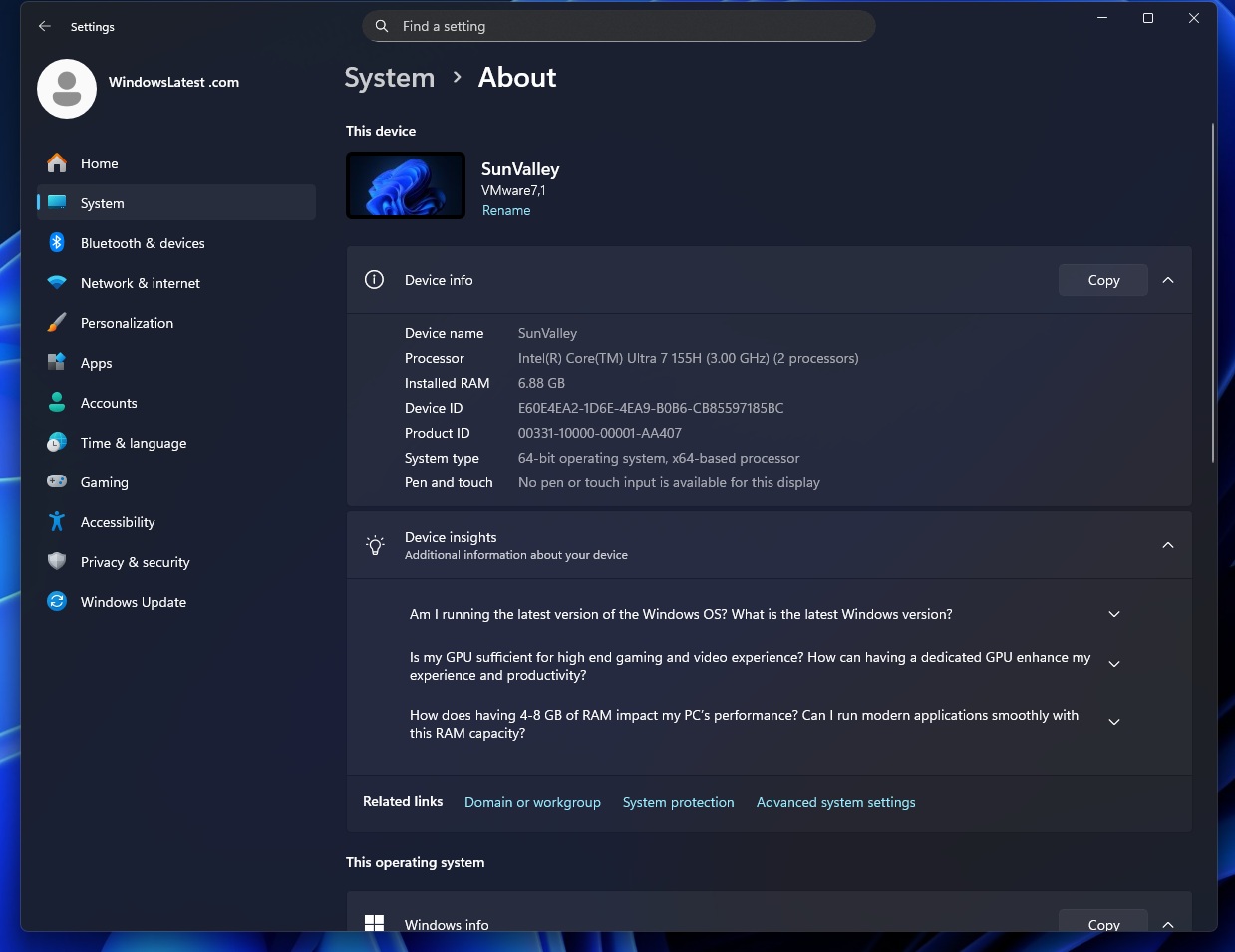
Device Insights originally shipped as “FAQ – Frequently Asked Questions” in Windows 11 preview builds. Eventually, the FAQ section also made it to Windows 10, but it was not rolled out to everyone. With this week’s optional update (KB5070311), FAQ is launching as ‘Device Insights.’
I tested it on my PCs with different configurations, and ‘Device Insights‘ is alright if you want to know how good your system is in the most basic language. For example, I’ve 6.88GB of RAM on a test machine, which falls between 4-8GB RAM, and Windows detects that range/string as a hardware designed for “basic tasks.”
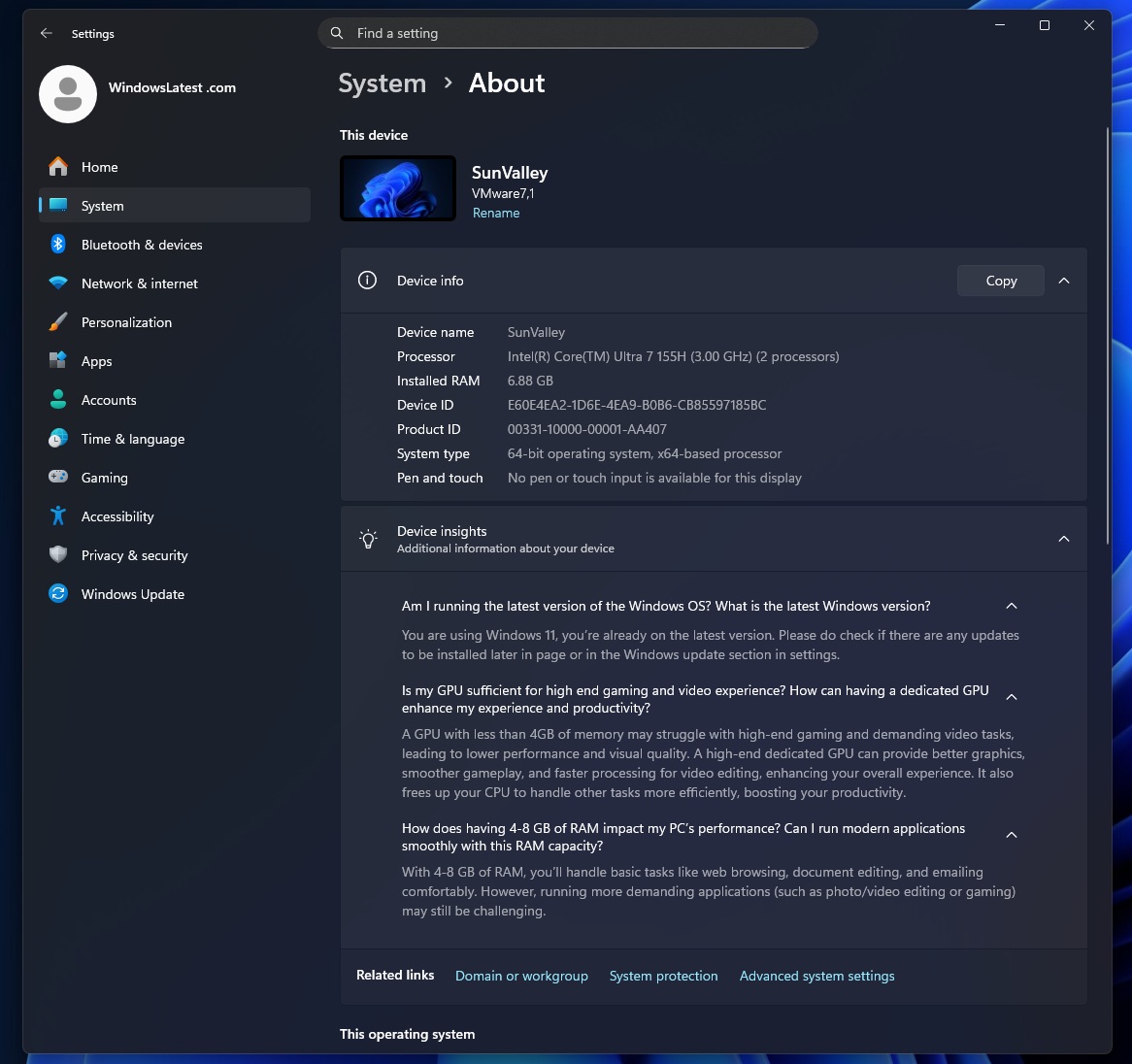
Microsoft is not using AI to generate these insights, as they’re hardcoded into the operating system. There are different descriptions for different ranges. It also explains what Microsoft’s engineers think about various Windows 11 configurations.
For example, Microsoft says PCs with 4-8GB RAM can only handle browsing, document editing, and emailing.
“Running more demanding apps, such as photo/video editing or gaming, will be challenging with 8GB or less RAM,” Microsoft explained. 4GB is the bare minimum requirement for Windows 11, and devices do not ship with anything less than 8GB of RAM, but it’s quite obvious that even 8GB RAM is no longer enough for Windows.
16GB should be the standard, and Microsoft’s own settings page makes that quite obvious, but what about the GPU?
Microsoft says a GPU with less than 4GB of memory will struggle with high-end games or video tasks, which means lower performance and quality.
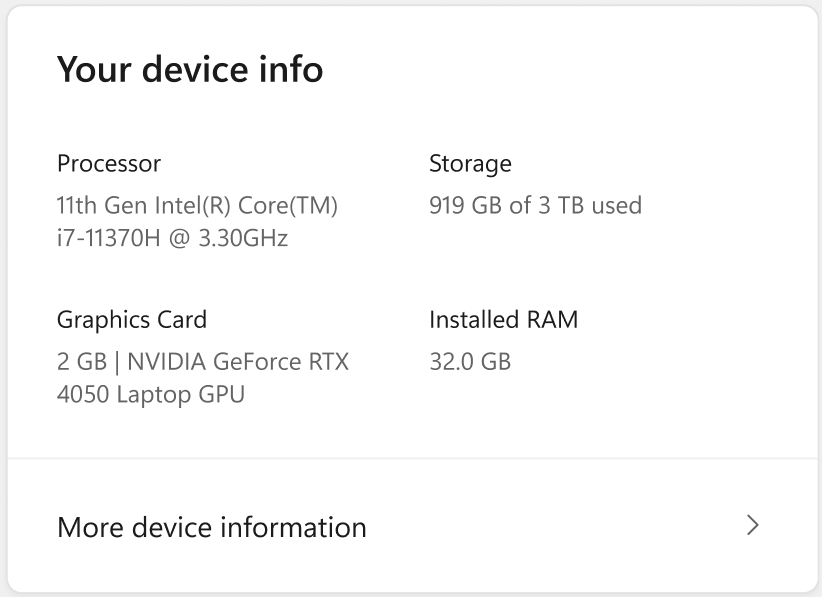
There’s also a new “Device Card” in the Settings’ Home tab that explains PC specs briefly, and redirects to the “About” page when you click on it.
The post Windows 11’s Search UI is now taller and takes more screen space, as it matches the new Start menu height appeared first on Windows Latest