
Windows 11 KB5085516 is rolling out on 25H2 or 24H2. Microsoft told Windows Latest that it’s an out-of-band update meant to address major issues affecting internet connectivity in some apps after the March 2026 Update. The bug affects internet access in apps that use a Microsoft account for sign-in, such as Teams, Office apps, OneDrive, and Outlook.
Today’s emergency update shows up as “2026-03 Update (KB5085516) (26200.8039),” and it doesn’t appear to download automatically.
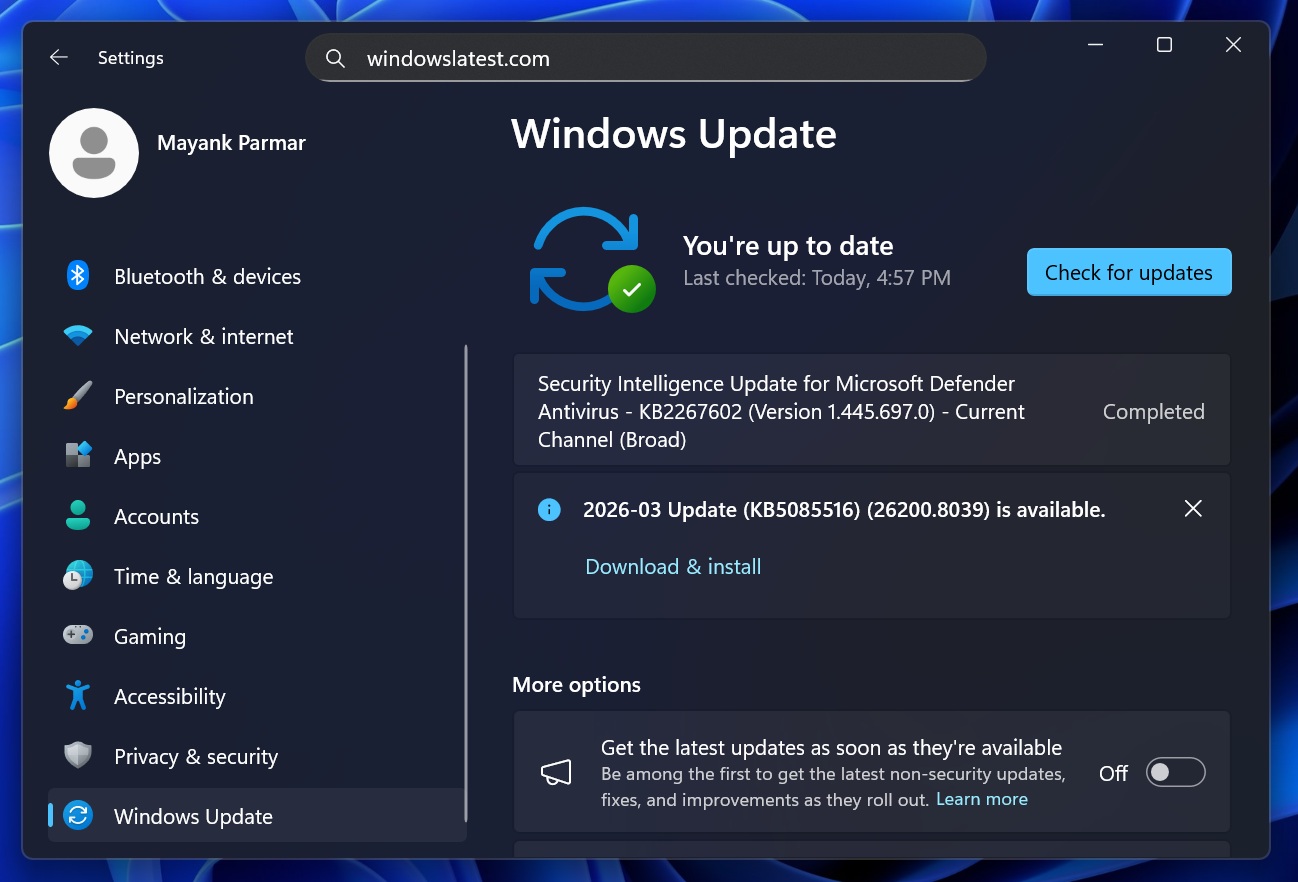
I asked Microsoft if it’s an automatic, forced release, but I’m told that it’s an optional out-of-band patch, and anybody with internet issues in these apps can download it.
This emergency update bumps Windows 11 25H2 to Build 26200.8039, while 24H2 gets Build 26100.8039. It takes approximately five minutes to download, and another five to seven minutes to finish applying the patch. It really depends on how fast your internet connection and hardware are.
Direct download links for Windows 11 KB5085516
Windows 10 KB5085516 Direct Download Links: 64-bit and ARM-64
If you’re struggling to download the emergency patch using Windows Update, Microsoft has also provided offline installers on the Update Catalog (.msu). However, I recommend using Windows Update unless you want to go through the hassle of manually installing the update using the .msu installer.
What is Windows 11 KB5085516, and should I install it?
Windows 11 KB5085516 is an emergency ‘out-of-band’ update that addresses internet issues in apps like Teams, Outlook, OneDrive, Microsoft Office, and others that use a Microsoft account for sign-in. You should install the update if you have issues opening apps in Windows 11, but if everything appears to be stable, you don’t have to install it.
Internet connectivity issues were caused by Windows 11’s March 2026 Update (KB5079473), which rolled out on March 10.
On March 10, 2026, Microsoft released KB5079473 (Build 26200.8037) with several new features, including a Bing-based internet speed test tool, a faster search bar in File Explorer, new Emoji 16, and more. Since the update was part of the March 2026 Patch Tuesday cycle, it installed automatically and ended up breaking internet connectivity for some.
In our tests, Windows Latest observed that the March 2026 Update is decent, and it doesn’t appear to break PCs, which is a great feat if you compare the results to the January 2026 update. The January 2026 Update was a disaster for Windows 11, as it broke PCs with BSODs, and even affected gaming performance on Nvidia GPUs.
While Windows 11 KB5079473 (March 2026 update) isn’t as messy as the January update, it’s still not a great release for everyone.
Microsoft told Windows Latest that the March 2026 update broke sign-in to Microsoft accounts in apps like Teams, OneDrive, and even Outlook. Other apps like MS Word, PowerPoint, Excel, and even the company’s favourite Copilot, are also affected.
In the case of Office, apps like PowerPoint and Word will work, but you may not be able to download fonts or templates, as the apps cannot connect to the internet.
Users report March 2026 Update also broke the Microsoft account sign-in in the Feedback Hub
Windows Latest found multiple reports that claim the bug affects nearly all Microsoft apps, including the Windows Store and even the Feedback Hub.
“Following the installation of Windows Security Update KB5079473, multiple Microsoft services, including OneDrive, Microsoft Store, and Feedback Hub, fail to sign in, returning error code 0x800704cf. The error persists even when an active internet connection is present, often accompanied by the message “You’ll need the Internet for this. It doesn’t look like you’re connected to the Internet,” one of the affected users noted in a Feedback Hub post.
Some users have tried verifying TLS 1.0, 1.1, 1.2, and 1.3 settings, executing network reset commands via Command Prompt, running wsreset.exe, and repairing/resetting the affected apps via Windows Settings, but nothing really works.
Microsoft insists the bug is not as widespread as you think, and you might experience it only in certain network conditions. In fact, Microsoft argues that the issue may resolve on its own.
“Please note this issue occurs when the device enters a specific network connectivity state, and may resolve on its own. However, if the device is restarted without an active internet connection, it might return to a connectivity state where the issue can occur again,” Microsoft noted in an updated support document.
I’ve not personally experienced internet issues after installing the update, but one Windows Latest reader told me they are unable to access Microsoft Teams even when their PC is connected to the internet. Changing DNS, connecting to VPN, or reinstalling the apps does not help, as the bug affects the Windows installation.
Thankfully, Windows 11 KB5085516 emergency update addresses internet connectivity issues in these apps, and you can download it from Windows Update.
The post Windows 11 KB5085516 released after KB5079473 breaks Microsoft account sign-in in popular apps appeared first on Windows Latest