
Microsoft confirmed it’ll reduce Copilot in apps like Notepad, Snipping Tool, Photos, and Widgets, but there are no plans to remove AI entirely from the operating system. Windows Latest understands that Microsoft might also drop Copilot branding from some AI features and focus more on performance.
There’s no denying that Windows 11’s reputation is at an all-time low, largely due to the fact that Microsoft has been aggressively pushing Copilot. In fact, the internet has coined a rather famous term for the Windows giant, and that is ‘Microslop,’ which simply means the company is pushing AI slop.
Over the past several months, Copilot has expanded and invaded nearly all apps in Windows 11, including Office, Microsoft Edge, Photos, MS Paint, and even Notepad.
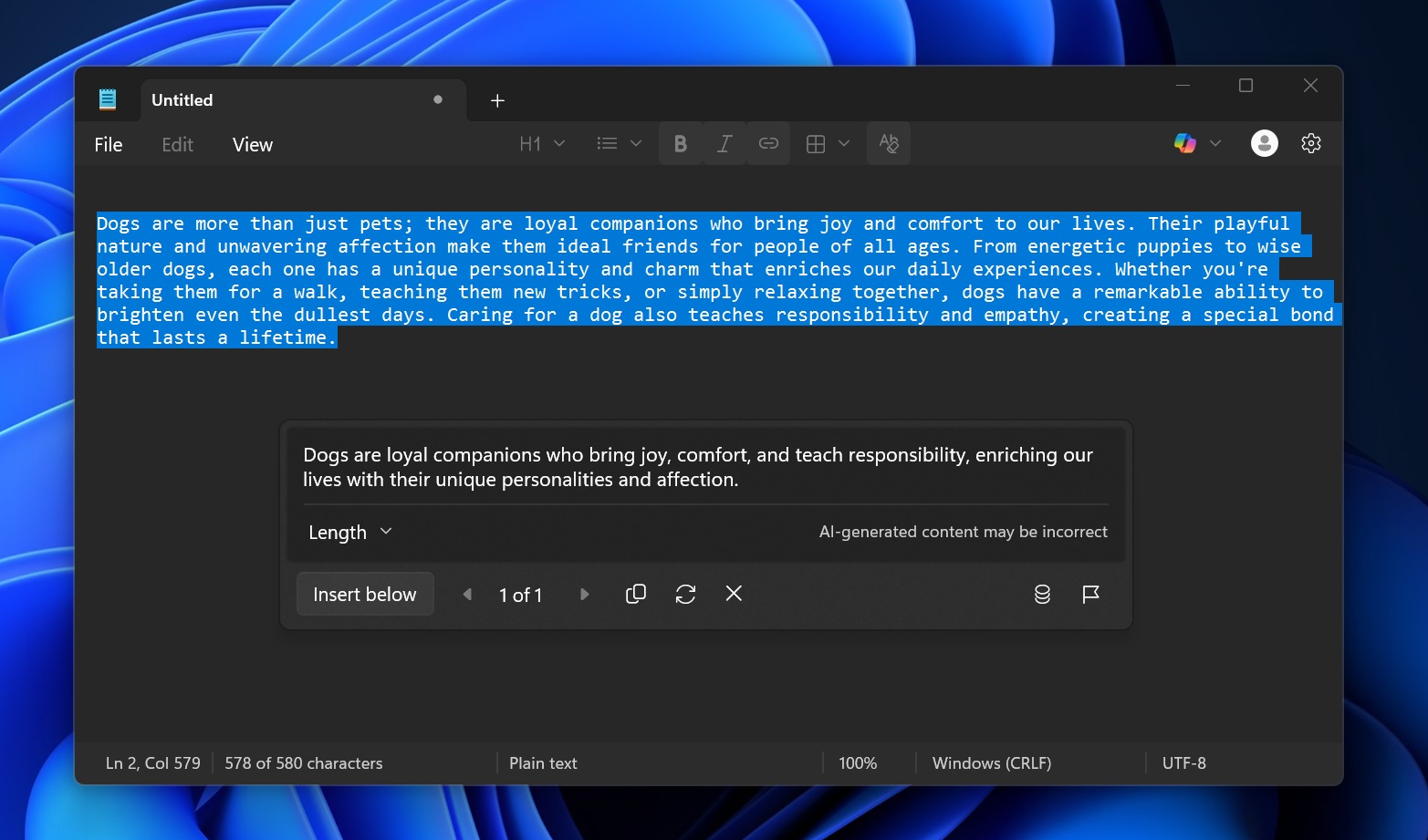
Notepad has always been the simplest text editor on Windows 11, but that changed recently as Microsoft started adding new features, including markdown support and even Copilot. In fact, if you select a chunk of text in Notepad and right-click, you can choose to summarize or rewrite content using AI.
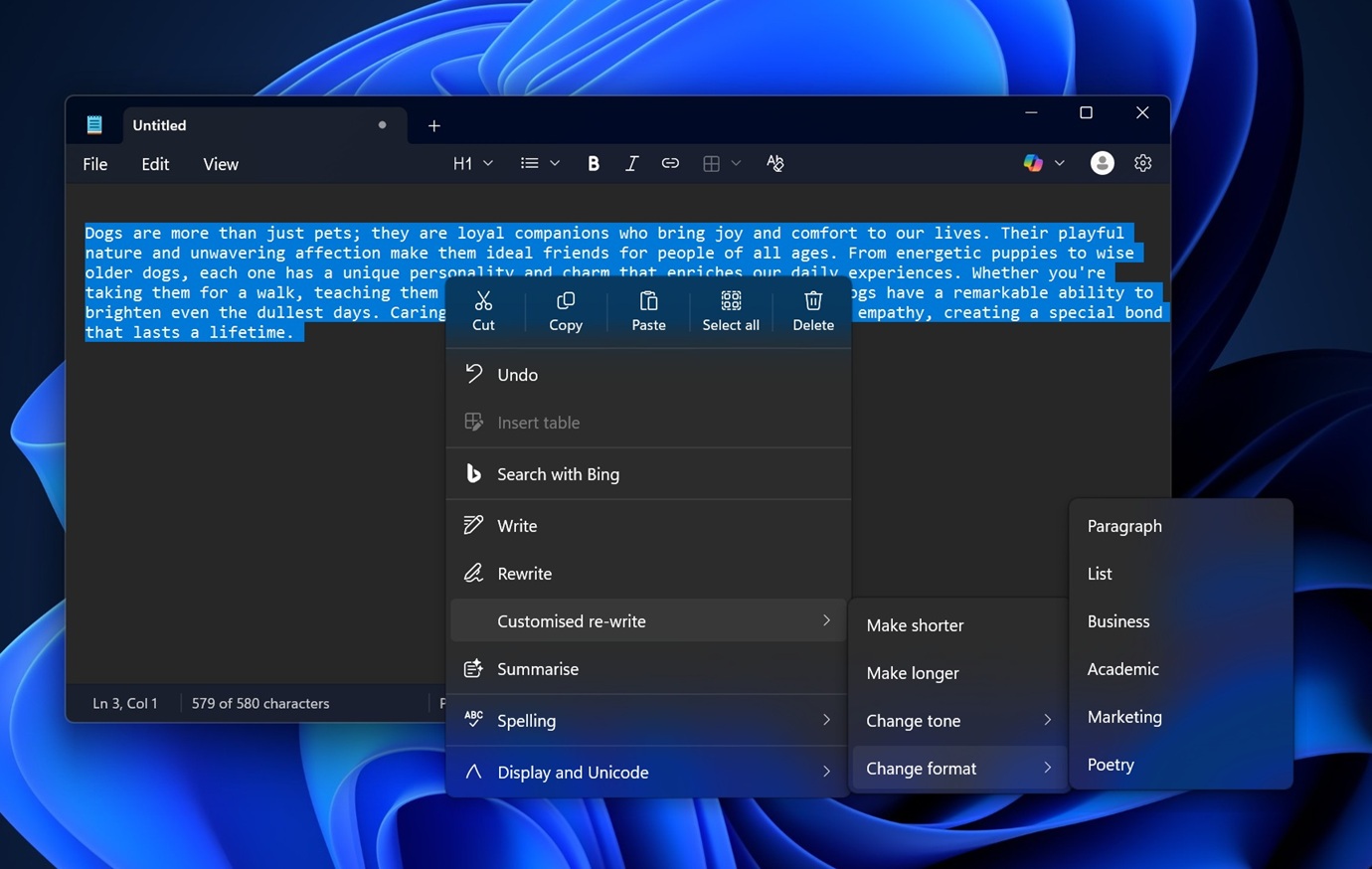
You don’t expect Notepad to generate slop for you. The very purpose of Notepad is to note things down quickly, so why would you use AI to summarize content?
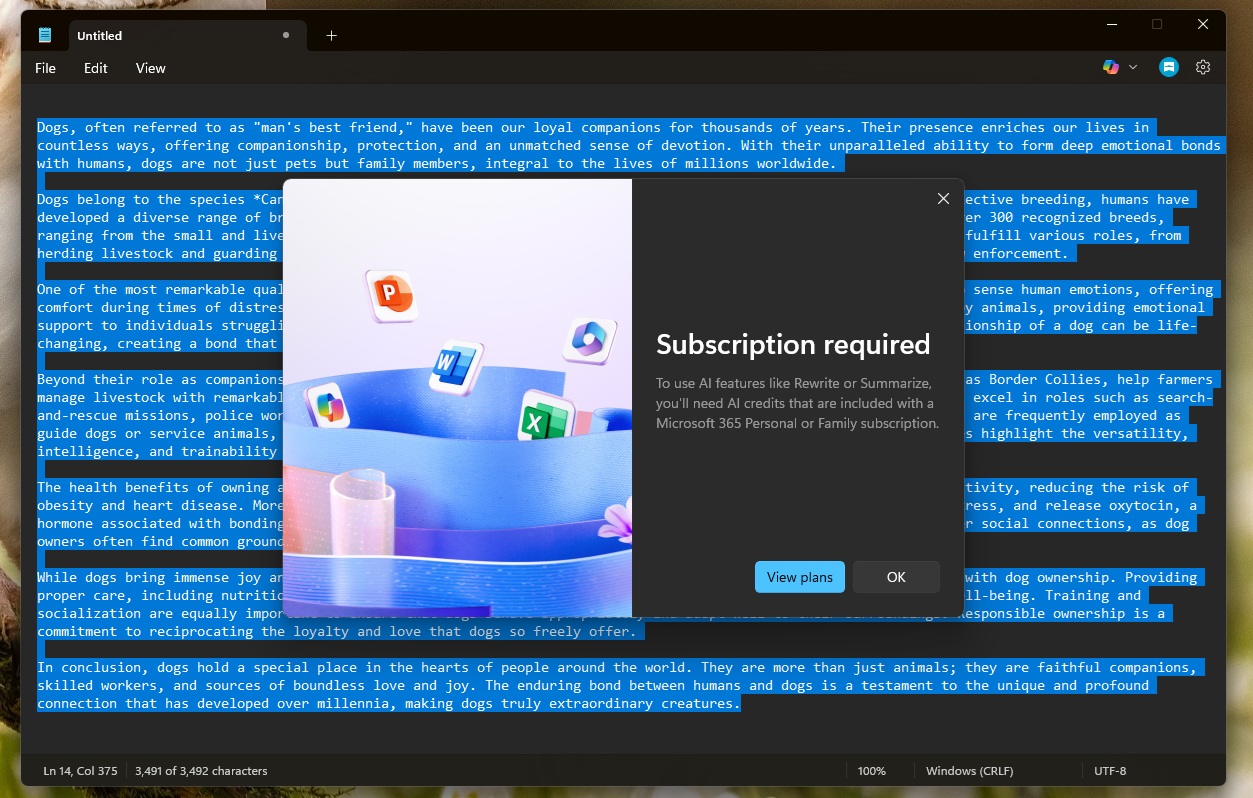
There are also upsells for Copilot and Microsoft 365 in Notepad, and nobody likes how a simple text editor has been transformed into an AI playground.
The good news is that Microsoft’s plans to reduce Copilot also cover Notepad.
The company says it won’t add Copilot to places where it doesn’t make sense, and one example is the Notepad app.
“You will see us be more intentional about how and where Copilot integrates across Windows, focusing on experiences that are genuinely useful and well-crafted,” Microsoft noted in a statement.
“As part of this, we are reducing unnecessary Copilot entry points, starting with apps like Snipping Tool, Photos, Widgets, and Notepad.”
It’s unclear if Microsoft will completely remove Copilot from Notepad or simply reduce the entry points, but either way, it’s a step in the right direction and gives me hope that the leadership is listening to feedback.
Notepad will continue to get new features, including full-fledged support for images, which isn’t exactly a bad thing because markdown is not only performance-friendly but can be turned off from Settings.
Microsoft pledges to make Windows 11 a better operating system by reducing AI and focusing on performance
As much as we dislike how Windows has evolved, we still need to use it because, let’s be real, it’s the most open OS with strong backward compatibility, hardware support, gaming, and enterprise capabilities.
A better Windows is good for the industry, competition, consumers, and, of course, Microsoft.
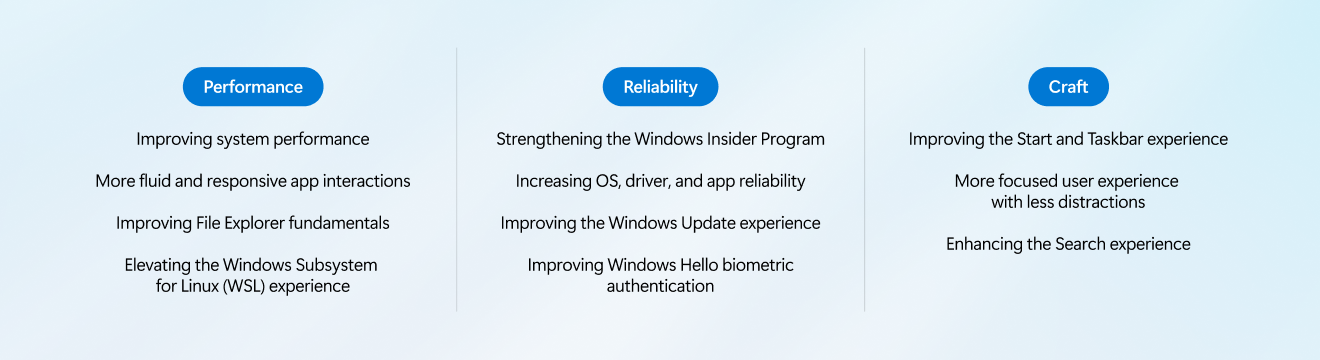
Microsoft officials have confirmed they’ll “raise the bar on Windows 11 quality this year” and focus on three areas:
- Performance
- Reliability
- Well-crafted experiences
Microsoft wants Windows to start faster, respond faster, and perform better under real workloads. It also plans to deliver a consistent and thoughtful experience, and you can expect to see “tangible progress that you’ll be able to feel” in the coming weeks or months.
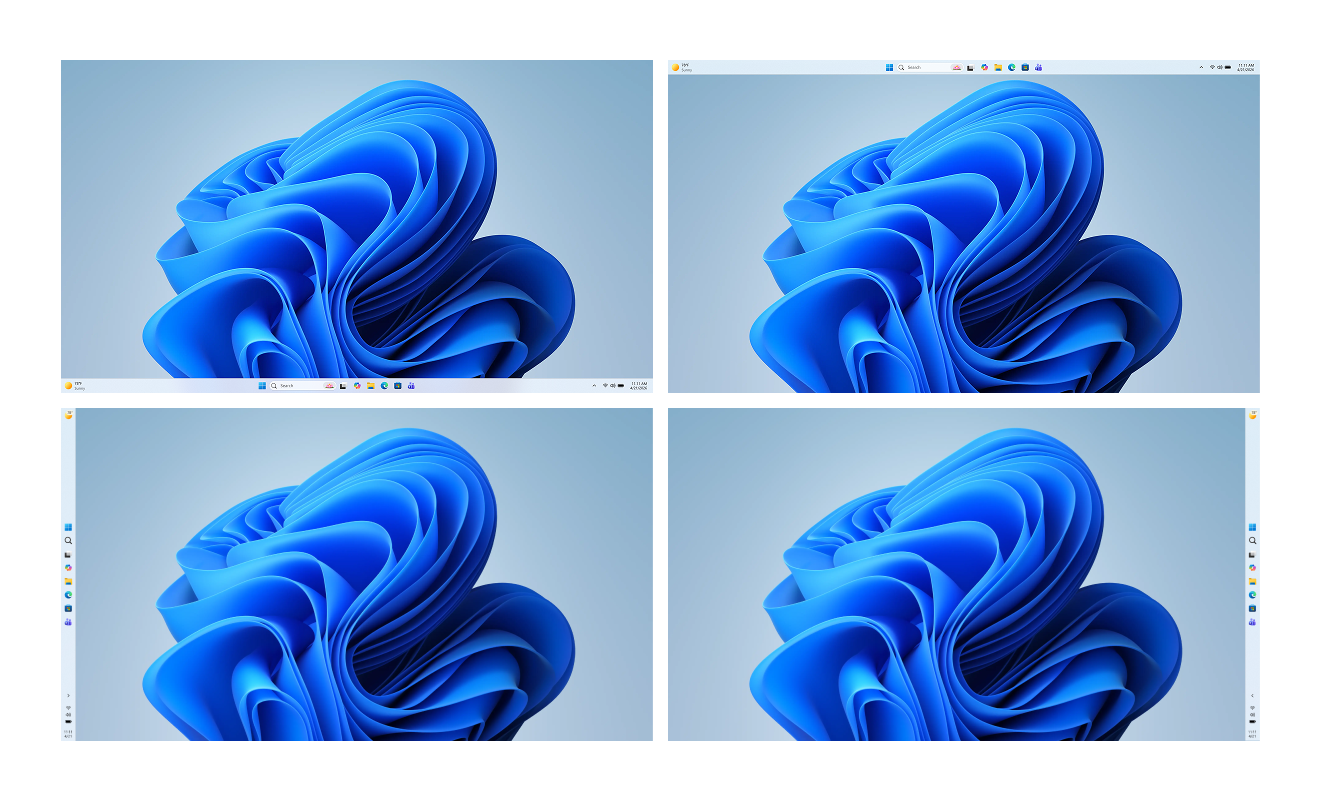
Microsoft is testing a movable taskbar, a native Start menu without React, and a new Windows Update that lets you pause updates for as long as you want.
Microsoft is also listening to feedback, so if you have ideas or suggestions, let me know in the comments below, and we’ll forward them to the leadership.
The post Microsoft responds to Microslop criticism by scaling back Copilot in Windows 11, starting with Notepad and other apps appeared first on Windows Latest