
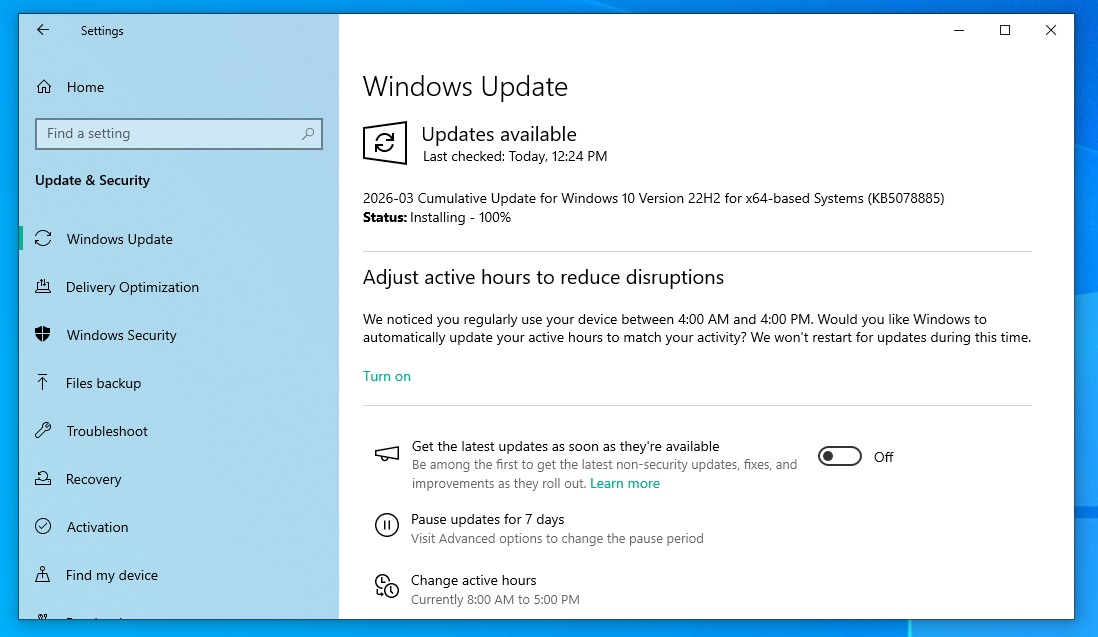
Windows 10 KB5078885 is rolling out, and it’ll install only on PCs enrolled in the Extended Security Updates (ESU). This update is part of the March 2026 Patch Tuesday cycle, and Microsoft has also posted direct download links for KB5078885 offline installers (.msu). In most cases, you should open Windows Update settings and download from there.
Today’s update is titled “2026-03 Cumulative Update for Windows 10 Version 22H2 for x64-based Systems (KB5078885),” and it takes about five minutes to finish downloading.
KB5078885 bumps the OS to Windows 10 Build 19045.7058, and the biggest highlight of the security patch is a fix for a bug that causes system stability issues.
Some users told Windows Latest that recent Windows 10 updates are causing stability issues in which the Start menu, taskbar, and other parts of the OS simply stop working. Microsoft never acknowledged the issue, but today’s patch officially patches a stability bug “affecting certain GPU configurations.”
Microsoft did not provide the list of affected GPUs when asked.
Download Links for Windows 10 KB5078885
Windows 10 KB5078885 Direct Download Links: 64-bit and ARM-64
Microsoft Update Catalog is not required for most PCs, as you can get all your updates via Windows Update, but if you’ve multiple PCs and like to install updates offline, you can use the .msu offline installer from the catalog.
You can download and install the Windows 10 March 2026 update from Settings > Updates & Security > Windows Update.
What’s new in Windows 10 Build 19045.7058?
With Windows 10 Build 19045.6937, Microsoft says it’s replacing Secure Boot certificates with Secure Boot 2023 on more PCs.
Older certificates are set to expire in June 2026, and Microsoft has confirmed that it’ll begin replacing certificates to ensure that devices have the updated Secure Boot. For those unaware, Secure Boot certificates are used to validate software during the boot, and the feature is part of the UEFI.
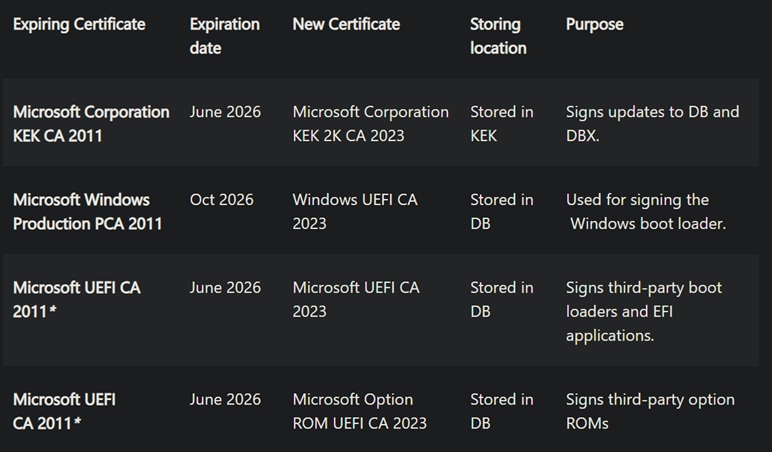
Secure Boot blocks rootkit malware and other malicious software from running when you boot the PC. If you don’t update Secure Boot, your PC will continue to boot normally, but it’ll be missing the latest security protections, which is why it’s highly recommended to ensure new certificates are applied.
Microsoft told Windows Latest that Windows 10 KB5078885 includes Secure Boot 2023 certificates for more PCs. It does not mean that installing today’s March 2026 Patch Tuesday will automatically apply the newer certificates. However, it does mean that more devices that fall under the “high confidence’ range will see the Secure Boot certs.
“This targeting is based primarily on client device diagnostic data; due to limited data, servers are unlikely to qualify, though not explicitly excluded. Devices receive new certificates only after demonstrating sufficient successful update signals, maintaining a controlled and phased rollout,” Microsoft warned in a support document.
In addition, Microsoft has added a warning dialog for file selection in System Image Manager, and fixed an issue where File History in the Control Panel does not work correctly.
Make sure you’ve signed up for Windows 10 Extended Security Updates
If you do not see Windows 10 KB5078885, the main reason is that the OS support ended in October 2025. After that date, Windows 10 PCs stopped getting regular security fixes unless they were enrolled in Extended Security Updates (ESU).
For consumer PCs, ESU gives eligible PCs security updates through October 13, 2026.
To sign up for ESU, follow these steps:
- Open Settings > Update & Security > Windows Update.
- You’ll see an Enroll now link for ESU there. Click Enroll now.
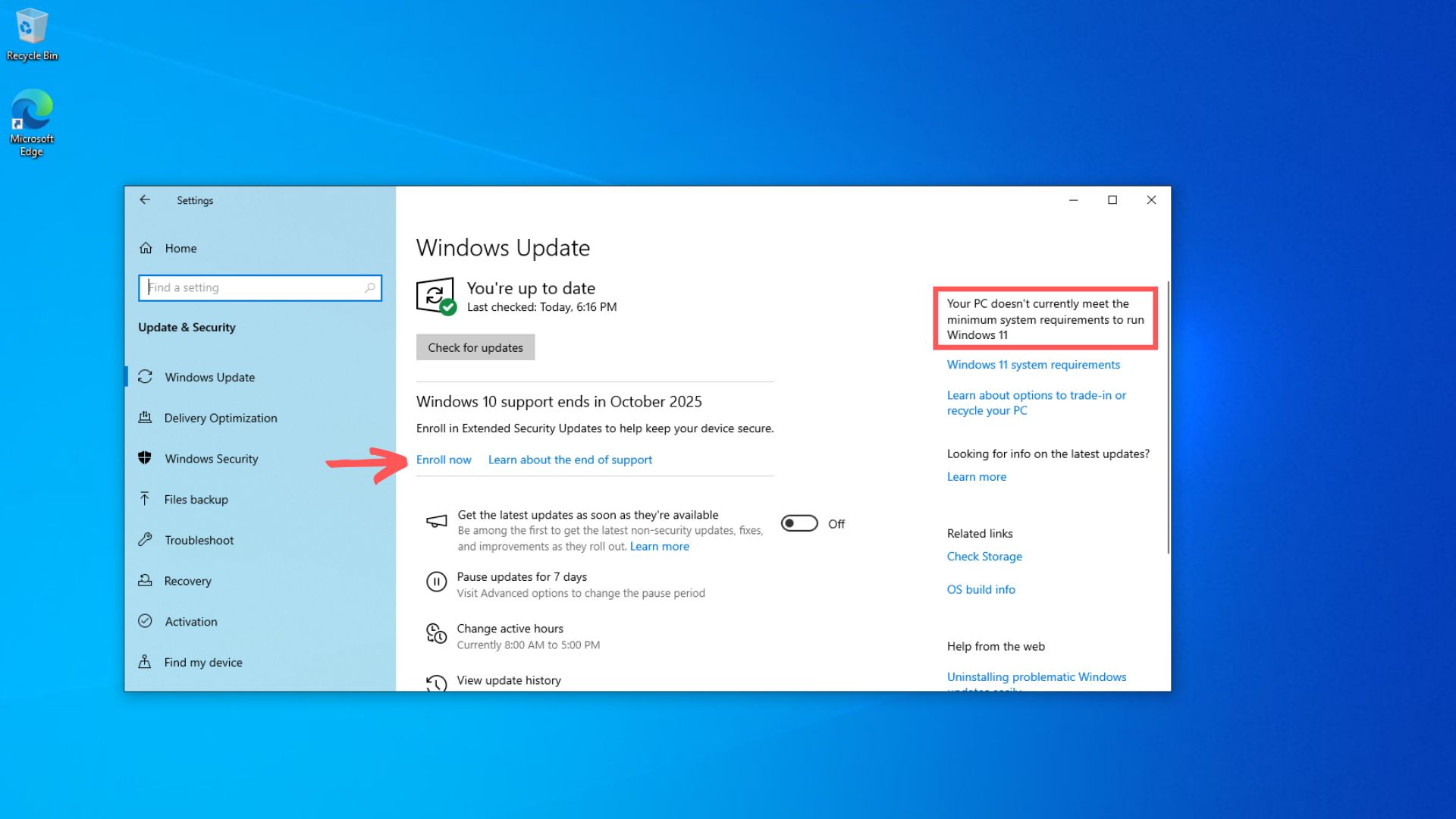
- Select Enroll now to start the setup.
- If you use a local Windows account, you will be asked to sign in with your Microsoft account.
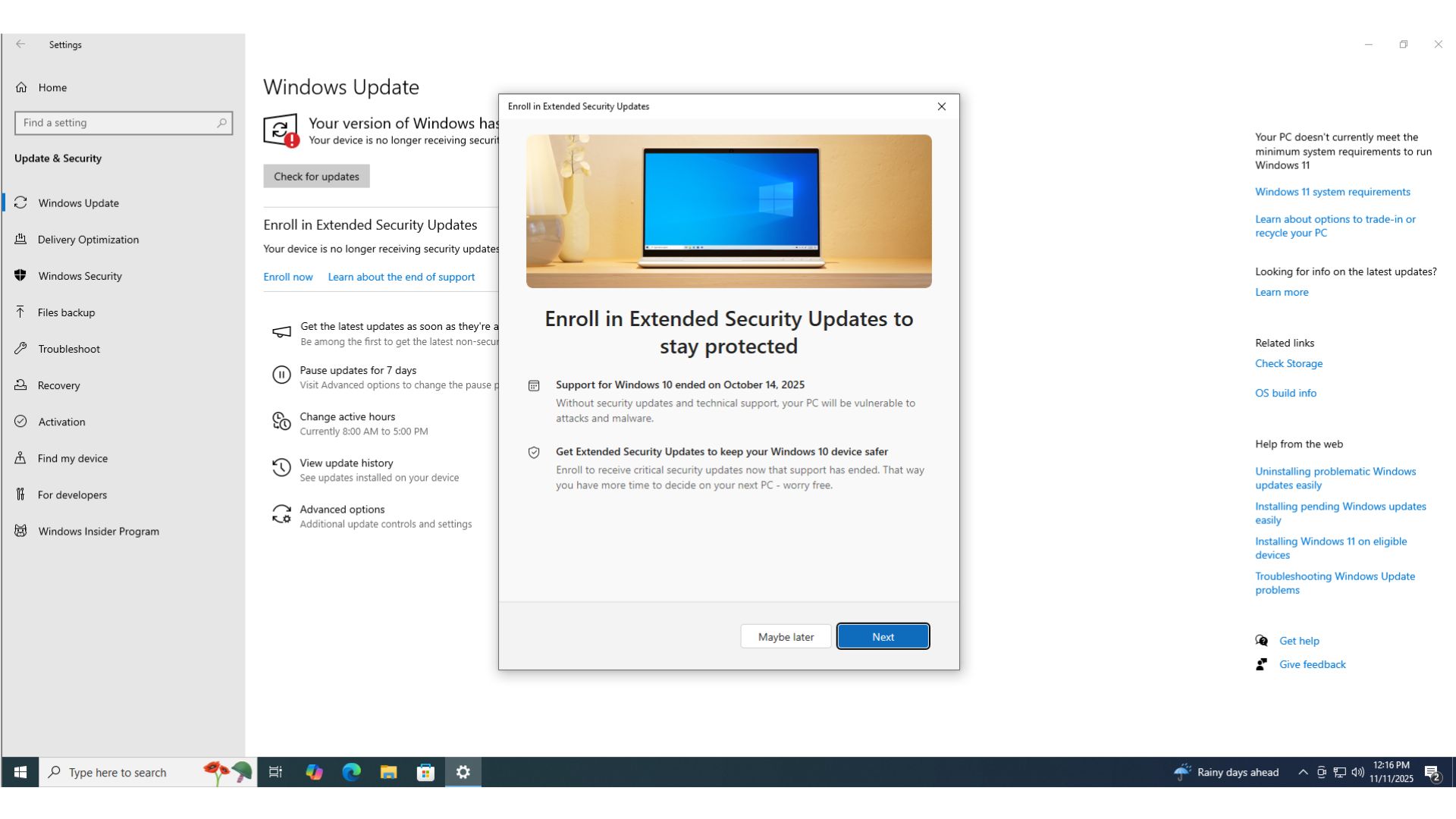
- You can now choose how ESU is activated. You have three options: sync settings to your Microsoft account, redeem 1,000 Microsoft Rewards points, or purchase a one-time ESU for $30 USD.
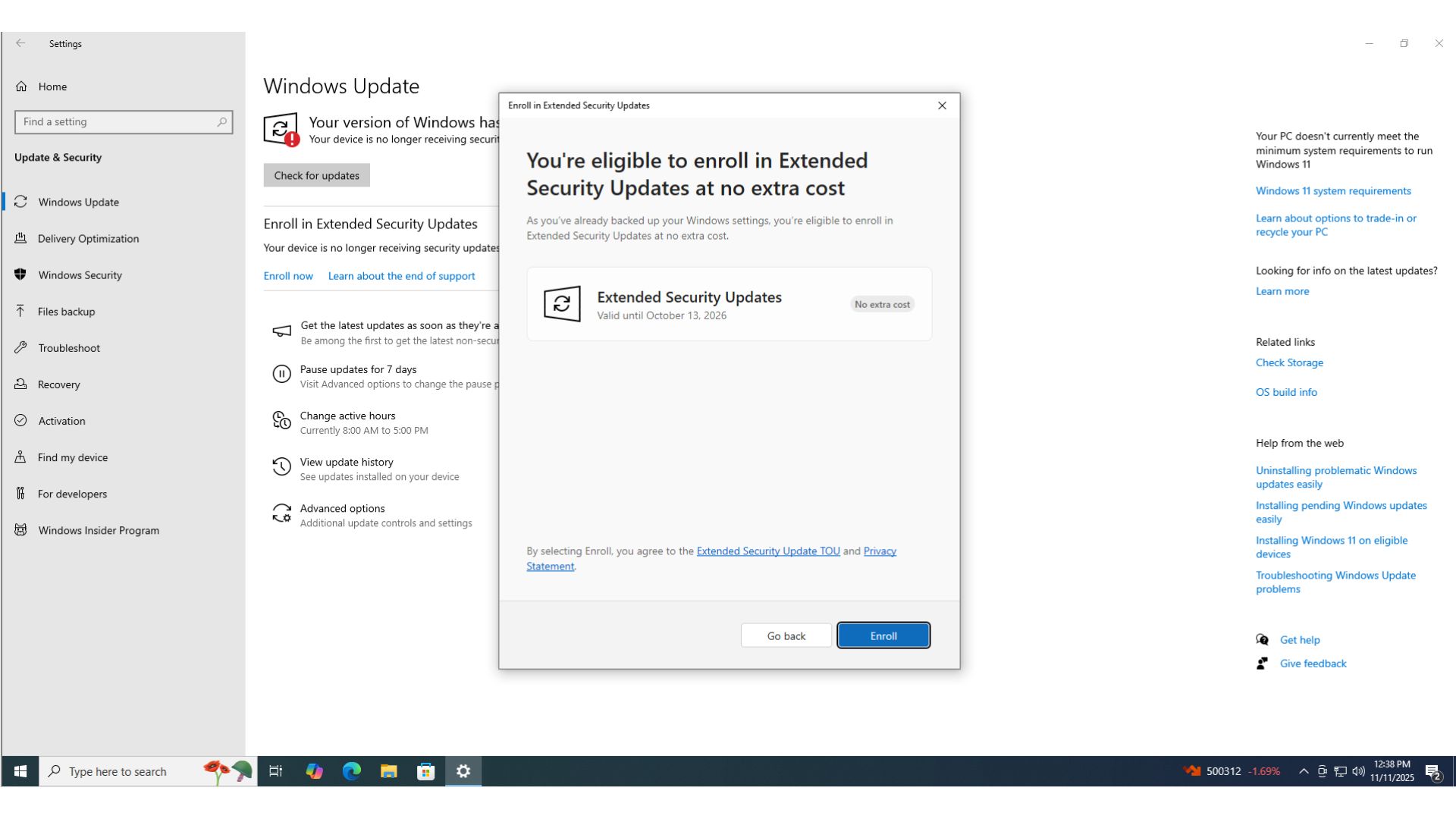
- In most cases, your settings would already be synced, and the enrollment will be complete.
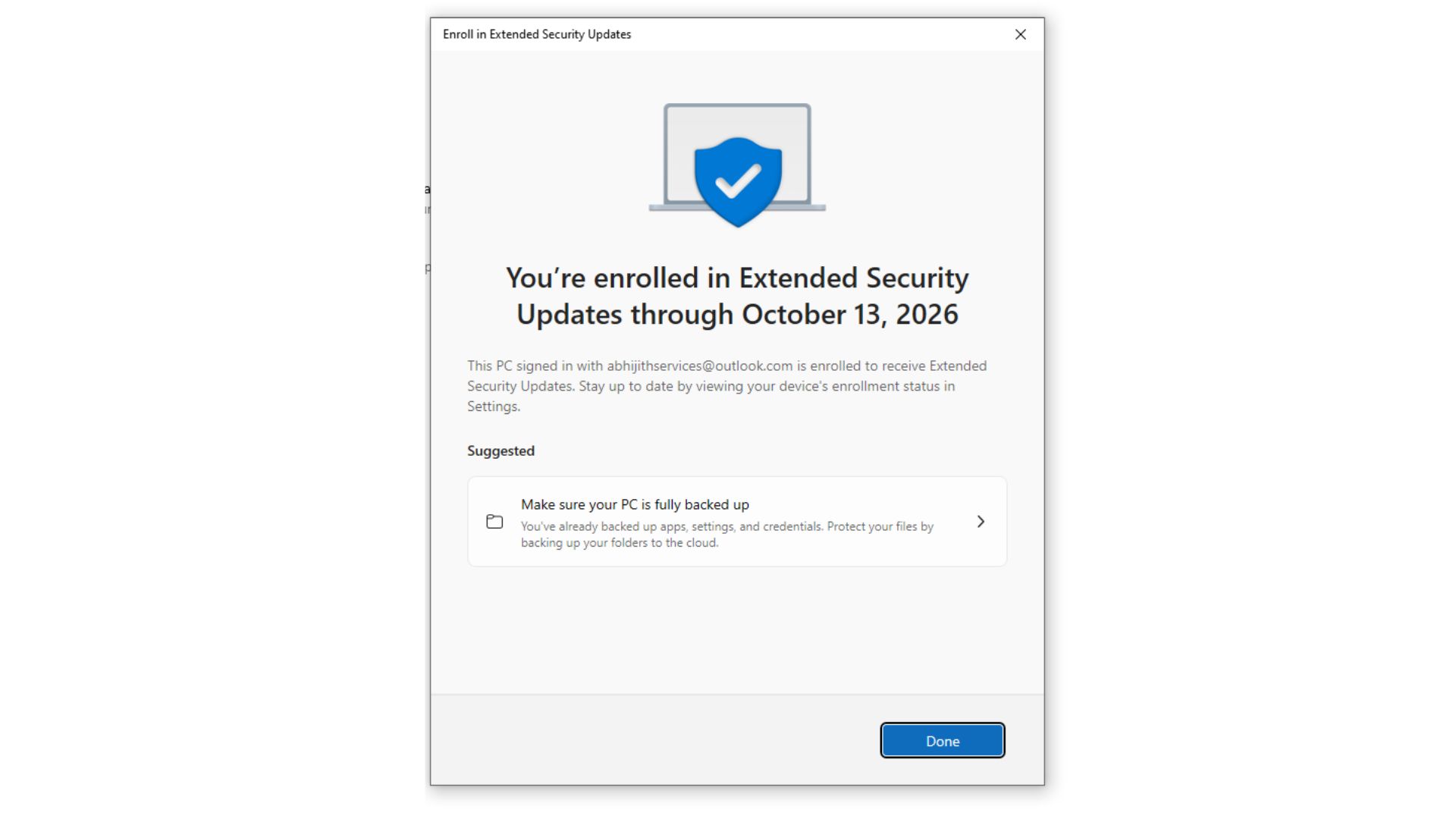
- Once the setup is done, the ESU license is tied to the Microsoft account
Are there known issues in Windows 10 KB5078885?
Microsoft says it has not identified any new issues in the March 2026 Update for Windows 10, and you can safely install it.
The post Windows 10 KB5078885 out with a GPU fix, Secure Boot 2023, direct download links for offline installers (.msu) appeared first on Windows Latest