
If you go to Windows Updates and check for updates, you might have a pending update “Secure Boot Allowed Key Exchange Key (KEK) Update,” which requires a system reboot to finish installing. Now, if you don’t see the update, it either means it’s already installed or will appear soon. Regardless, you’re going to get the update, and you actually need it.
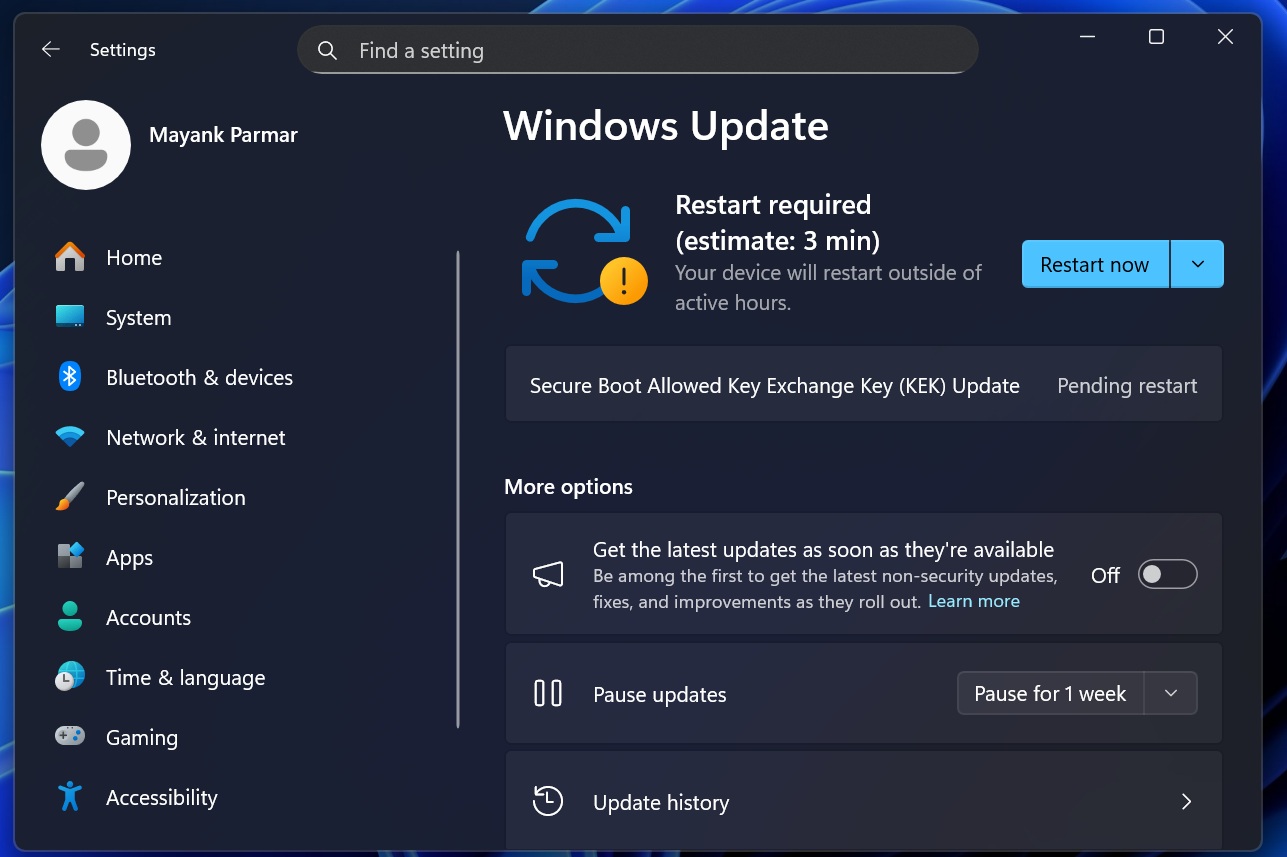
Secure Boot certificates have been making headlines for a while now, and some assume that only enterprises need to worry about them. While it’s true that enterprises need to pay more attention, Secure Boot is also required on consumer PCs.
What is Secure Boot?
The Secure Boot concept might sound a bit complicated, but it has a fairly straightforward job.
Secure Boot is required by Unified Extensible Firmware Interface (UEFI) based firmware to validate that only trusted software runs during boot. To put it simply, it’s a feature inside your PC’s UEFI firmware that checks important boot files, like the Windows boot loader, and verifies if they were really signed by a trusted authority.
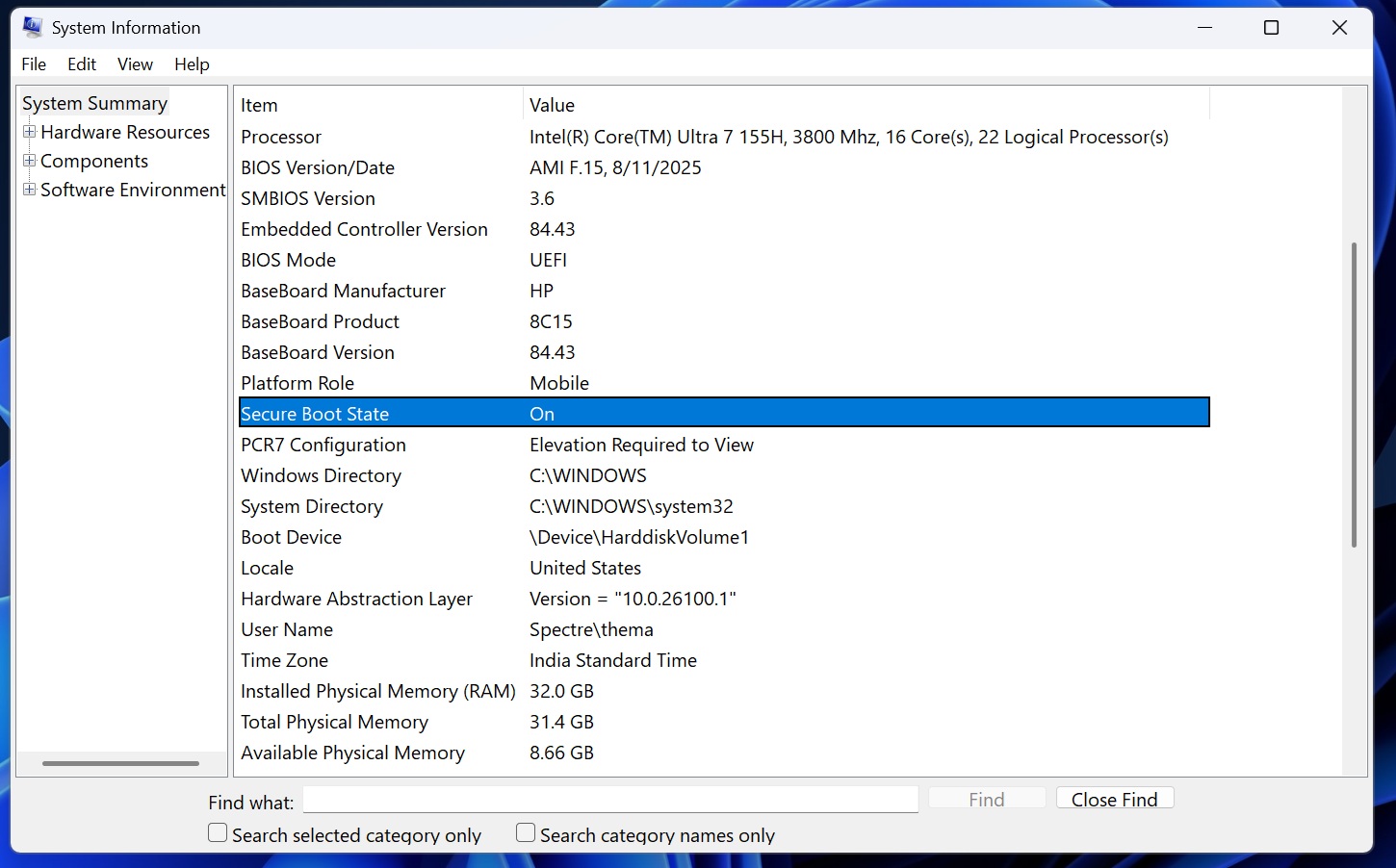
When the signature matches one of the trusted certificates stored in firmware, the software is allowed to run. Windows 11 requires and uses Secure Boot to ensure that only legitimate boot software is granted permission to run, and bootkits and other malware are immediately blocked before Windows even starts.
Just like a website’s certificate, Secure Boot also needs to be refreshed.
Secure Boot certificates have an expiry, and one of the most widely used certificates was issued back in 2011, which is now set to begin expiring in June 2026.
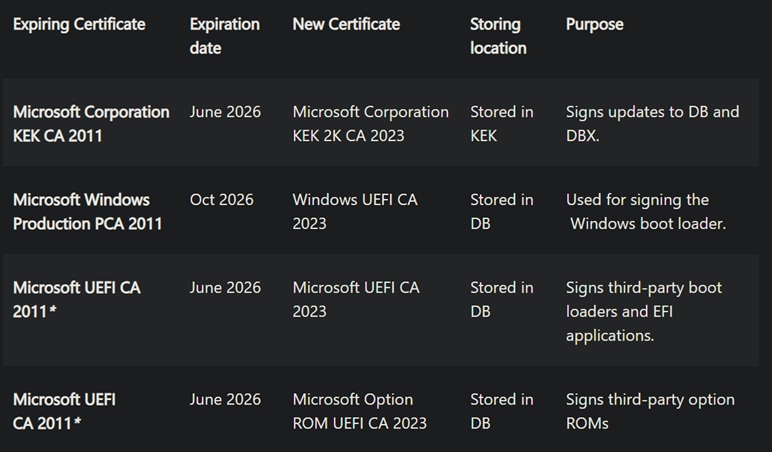
Once Secure Boot 2011 certificates expire, your PC will still boot Windows normally, but it can stop verifying newer Secure Boot protections, such as updated boot files, revoked bad signatures, and fixes for future boot-level threats. Verification is required for security of Windows.
Microsoft is aware and it’s replacing Secure Boot 2011 certificates with newer Secure Boot 2023 certificates. If you see the following Windows Update, it means your device is finally receiving the newer certificates. It’s a good update, harmless, and you should install it.
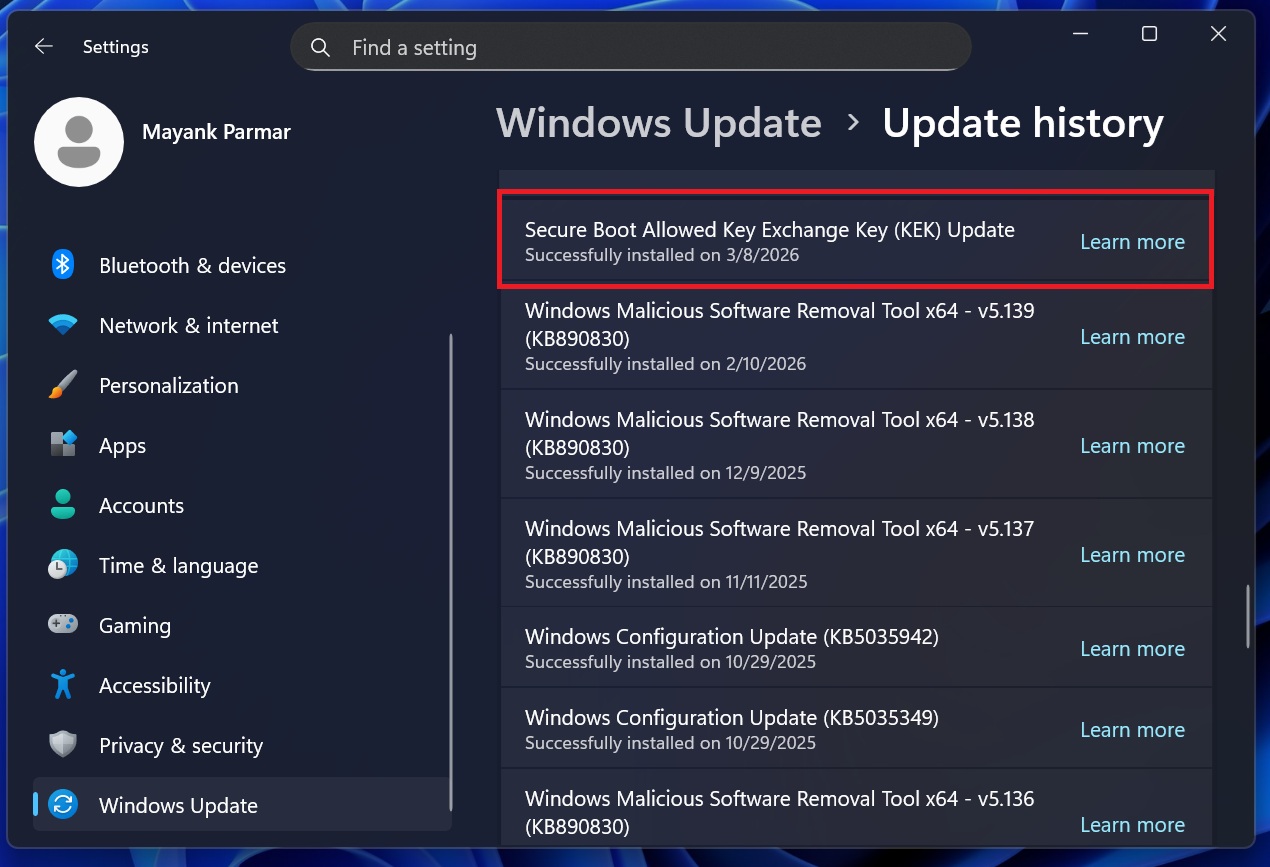
Microsoft rolls out Secure Boot Allowed Key Exchange Key (KEK) Update to more PCs, but it’s a slow rollout
Microsoft has opted for a gradual rollout approach, which is why the Secure Boot Allowed Key Exchange Key (KEK) Update is slowly showing up on PCs.
In our tests, Windows Latest observed that the “Secure Boot Allowed Key Exchange Key (KEK) Update” takes less than two minutes to download and under 2-3 minutes to finish installing. A single reboot is required, and there are no visible changes. That means your OS Build and Version would remain the same.
It’s also worth noting that you’re not going to experience performance issues or FPS drops after installing the Secure Boot Allowed Key Exchange Key (KEK) Update.
How do you verify if the Secure Boot certificates are already applied?
As I mentioned at the outset, if you don’t see the Secure Boot update, it either means it’s already installed or it’s not yet available for your computer.
We’ve already explained how you can verify if the Secure Boot 2023 certificate is present, but to make things easier for you, I’ve noted down the easy steps below:
- Open PowerShell (admin).
- In PowerShell, run the following command:
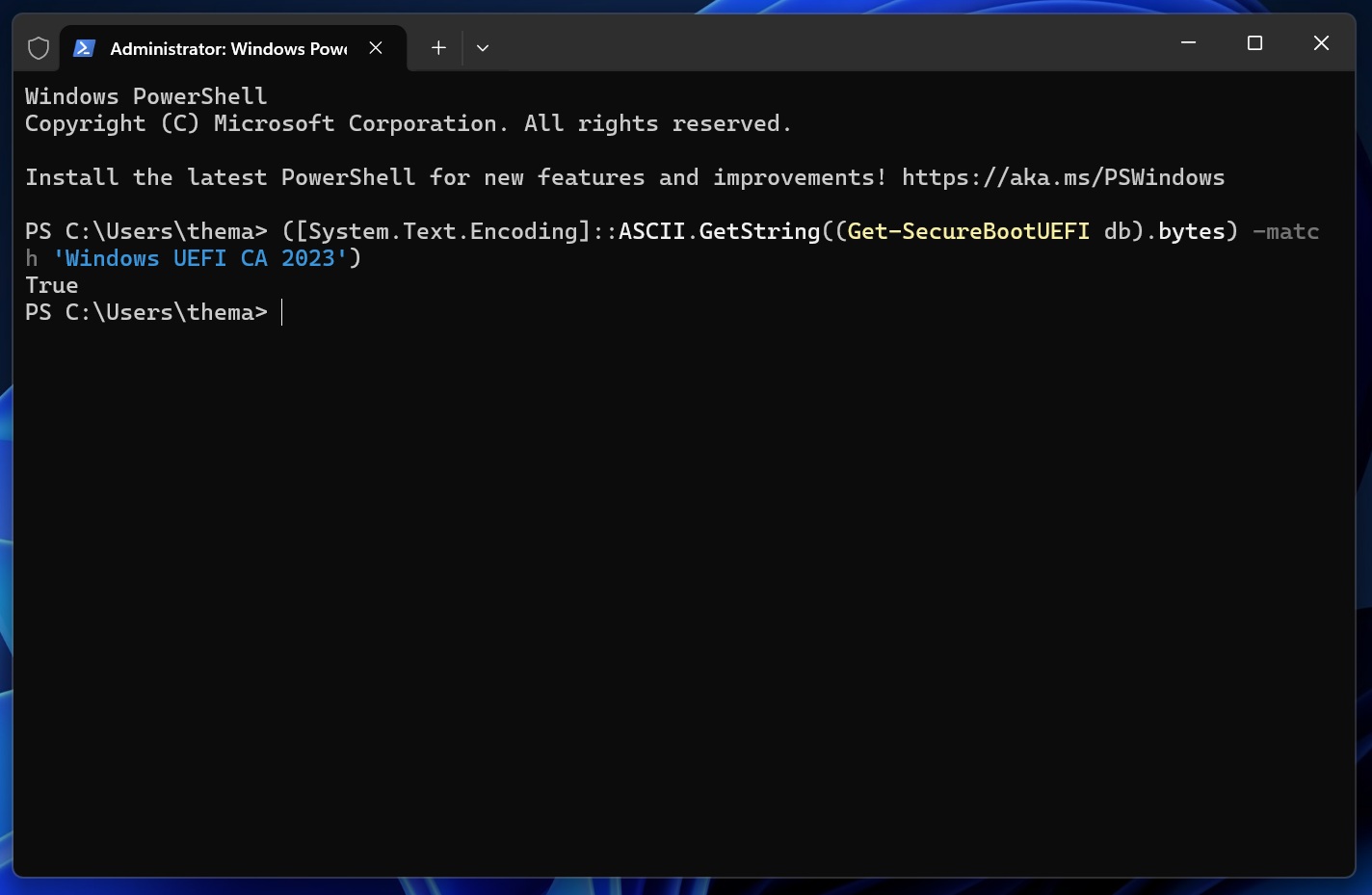
([System.Text.Encoding]::ASCII.GetString((Get-SecureBootUEFI db).bytes) -match 'Windows UEFI CA 2023')
If the Secure Boot 2023 certificate is applied, PowerShell will return “True” as the output, as shown in the screenshot below.
In the other case, if PowerShell returns ‘false,’ it means the Windows Secure Boot 2023 certificate hasn’t been applied to your PC yet. However, it’s nothing to worry about.
Microsoft told Windows Latest that refreshed certificates are rolling out gradually, and they’ll automatically begin showing up soon.
Windows Latest has also learned that more PCs started getting the new certificates this week. On Tuesday, Microsoft will release the Windows 11’s March 2026 Patch Tuesday update, and more users will begin seeing the Secure Boot certificate alongside the usual security updates.
The post Windows 11 gets Secure Boot Allowed Key Exchange Key (KEK) update on more PCs, requires a reboot to install appeared first on Windows Latest