
If you use Microsoft Publisher via Microsoft 365, you’ll now see an alert titled “Publisher is retiring.” The alert warns that “beginning October 2026, Microsoft Publisher will no longer be supported, and you won’t be able to access Publisher or open Publisher files.” There’s a ‘Got it’ button to dismiss the alert.
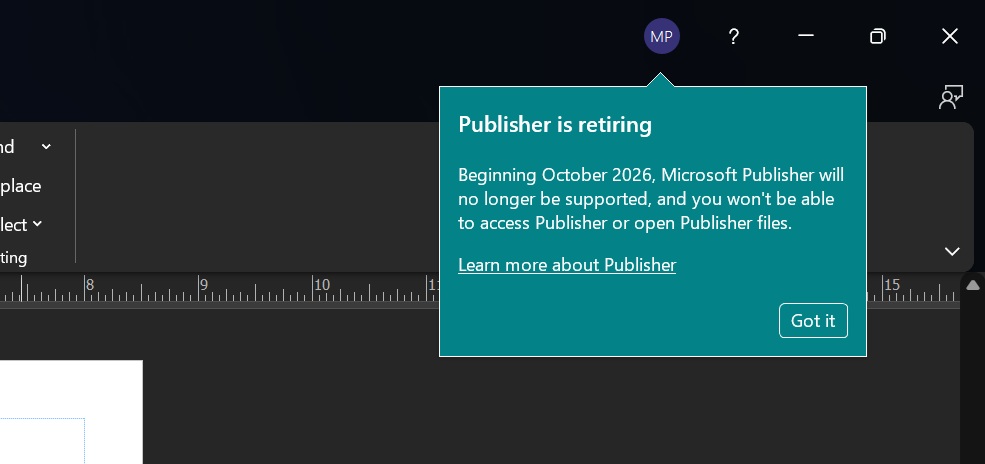
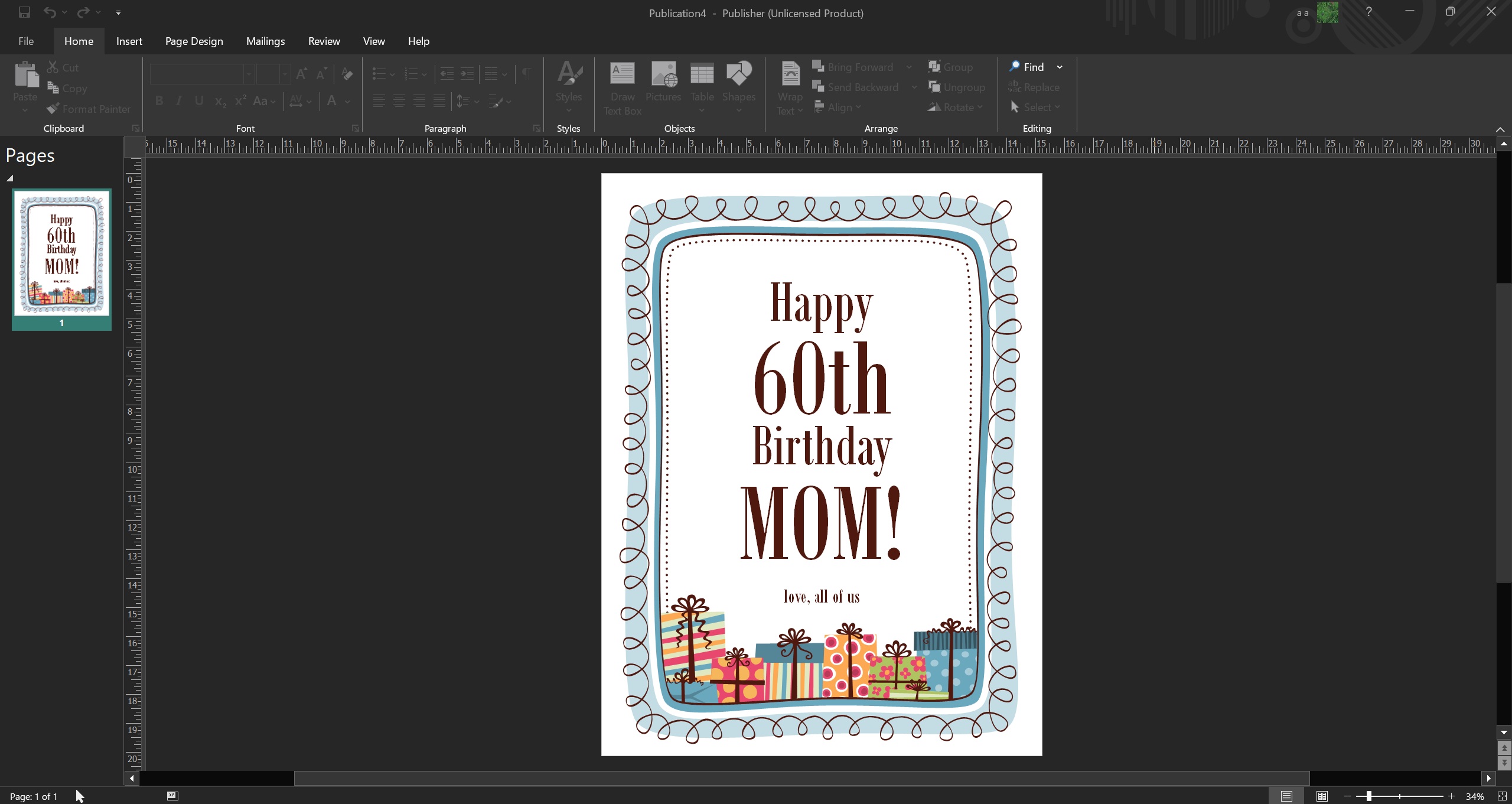
Windows Latest spotted Microsoft Publisher end-of-life alerts when we tried opening existing .pub files, and it aligns with the original plans shared by the company.
Microsoft previously confirmed the retirement of Publisher (.pub) for October 2026, but turns out it’s more than just a simple end-of-life date. In October 2026, your Microsoft Publisher will become useless unless you use a perpetual license, not a Microsoft 365 subscription.
What does Microsoft Publisher’s October 2026 end-of-support mean for you?
It means you won’t be able to open Microsoft Publisher (.pub) files, and you should export or save your work before the October 2026 deadline. You’ll get locked out of the app, and it’s not exactly simple to migrate all .pub files to a new format without access to the Publisher app.
How to convert .pub files to another format in Microsoft Publisher?
- In Microsoft Publisher, open the file you want to convert.
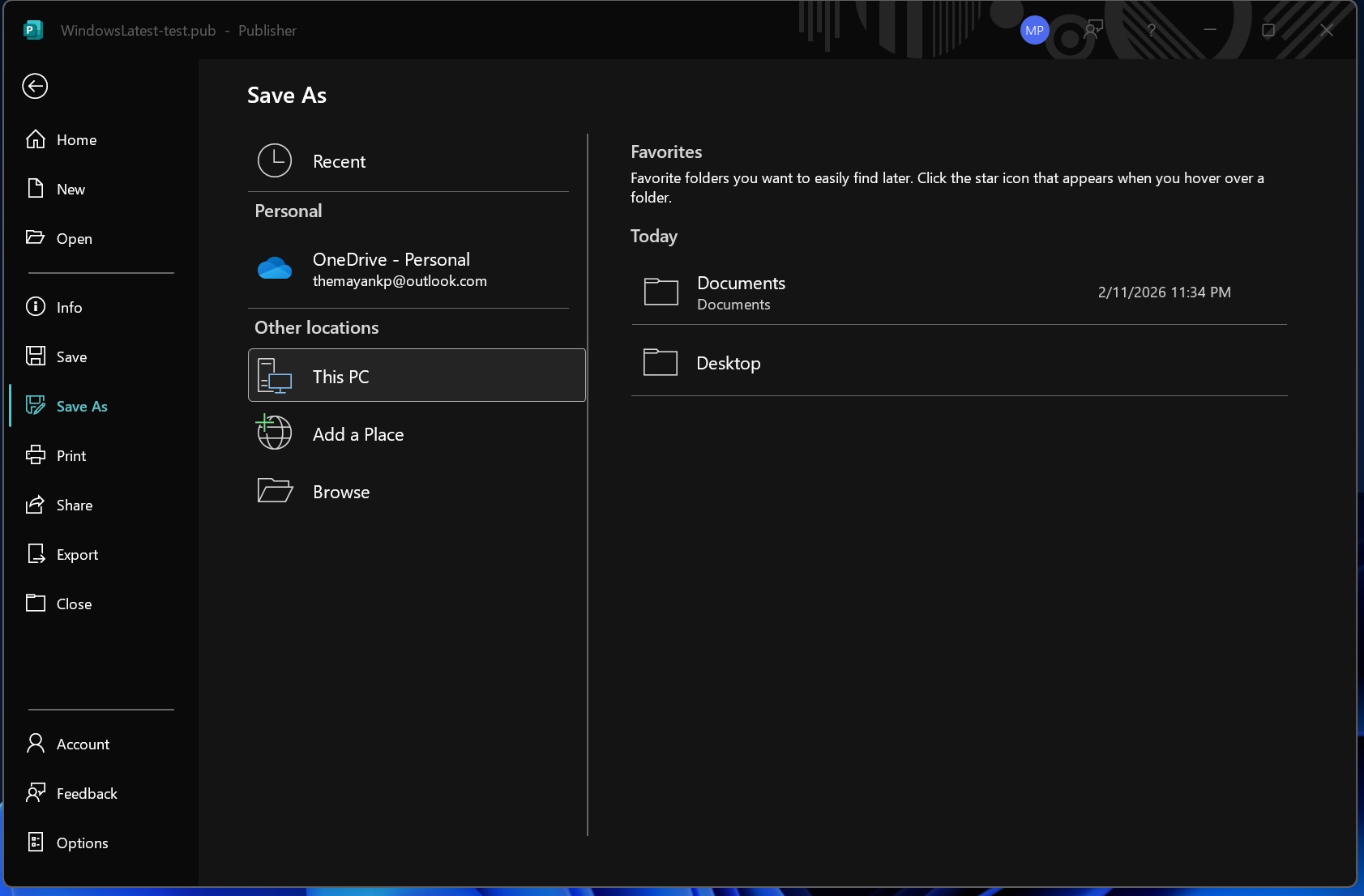
- Now, open File and click ‘Save as.’
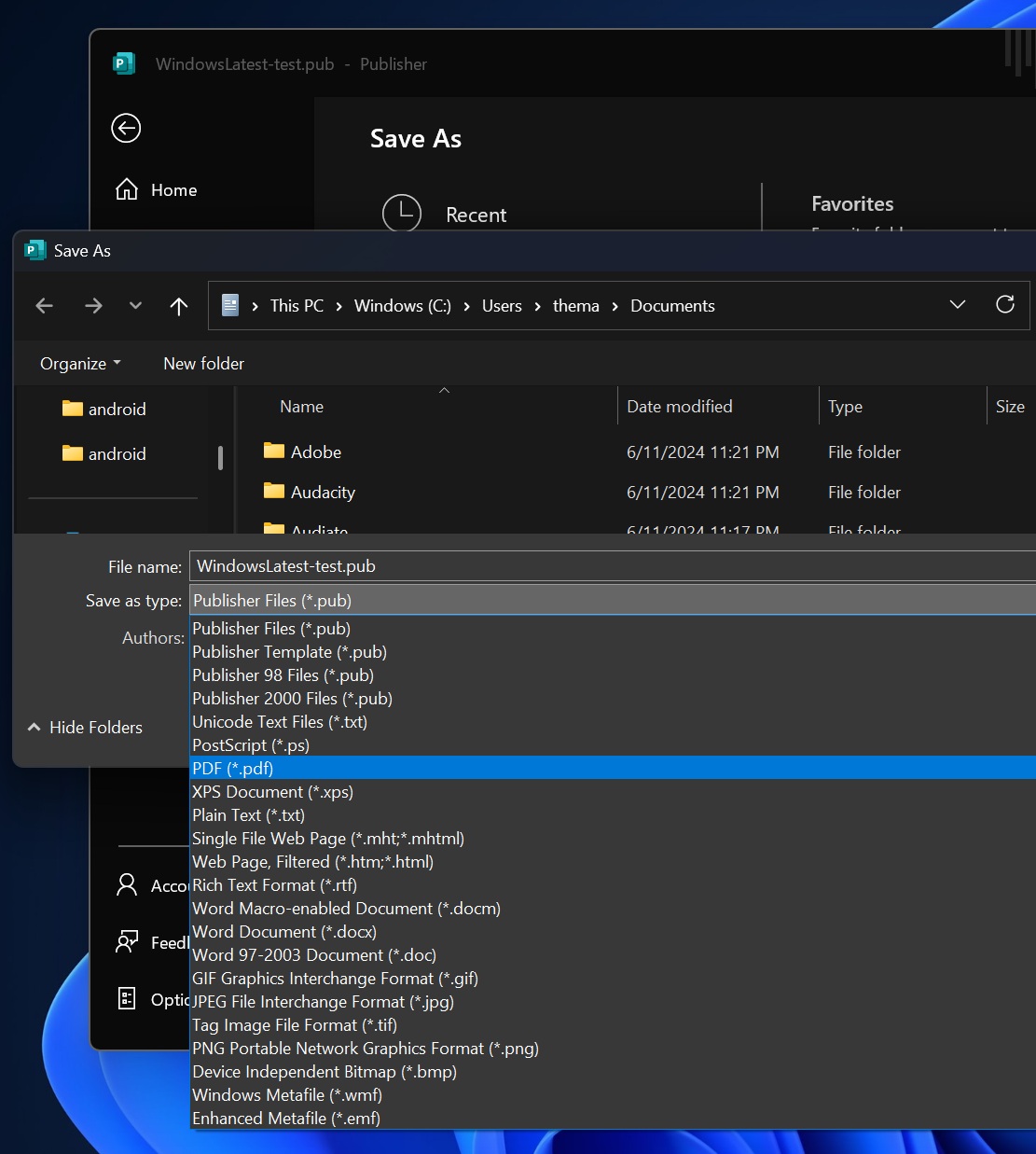
- This time, select ‘PDF‘ as your file type, and save it.
I tested it on my PC, and it converts all Microsoft Publisher (.pub) files, but the catch is, how can you automate the process?
PowerShell script to convert Microsoft Publisher (.pub) files
You can’t manually open each .pub file and save it as a PDF in the next few months (until October 2026). However, you can automate the process using a PowerShell script, which can be downloaded from Microsoft’s website.
You need to edit the PowerShell script before you use it. More importantly, before you run the .pub to .pdf script, you should understand how it works. Windows Latest found that Microsoft’s official PowerShell script converts Microsoft Publisher (.pub) files into PDFs using the Publisher desktop app through its COM/Interop interface.
In the PowerShell script, you’re giving it a -Filter (like *.pub or C:Docsfile.pub) and optionally -Recurse, and then it searches for Publisher files using Get-ChildItem.
Once it finds files, it loads the Publisher assemblies and tries to start Publisher.Application, and it begins to convert by replacing .pub with .pdf.
I asked Microsoft for more details, and it told me that customers are advised to convert existing files to another format before October 2026.
But can you edit .pub files in Publisher after October 2026?
No, you won’t be able to edit .pub files because it’ll no longer be possible to even access Microsoft Publisher. However, you can convert .pub files to .pdf, and then convert .pdf to MS Word, and edit it.
You can open MS Word, then File > Open, and open the converted .pdf file.
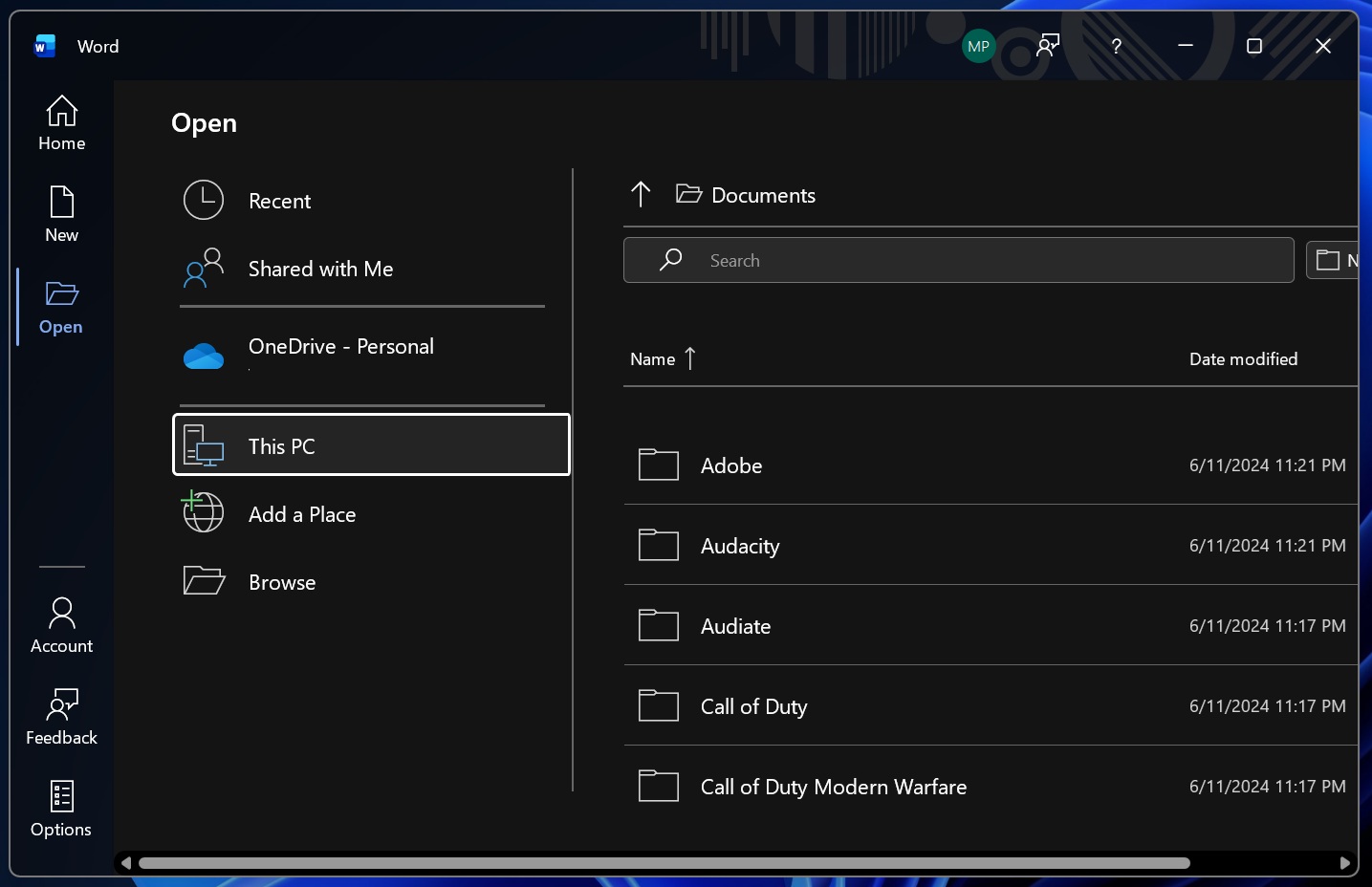
This will allow you to edit your converted PDF, but the catch is that MS Word PDF conversion is far from perfect, and it could corrupt text, which means you’ll probably need to spend hours or days editing all PDF-converted .pub files.
Is there any way to keep using Microsoft Publisher after October 2026?
Microsoft Publisher 2021 in Office LTSC 2021 will still work after October 13, 2026. Unlike Microsoft 365, which is a subscription, Office LTSC 2021 is a perpetual (one-time purchase) license.
Microsoft is not killing off Publisher out of nowhere. It made the plans official in 2025 and is giving more than a year to its customers for migration. After October 2026, Microsoft 365 plans won’t include the old tool as they always did. You have close to nine months to make the migration, plan your escape, and salvage your files from the app.
Microsoft has also recommended searching for Publisher alternatives. While Microsoft doesn’t have a single app that offers everything from Publisher, you can try using Microsoft Designer, Word, or PowerPoint. I made a table with a list of the best alternatives for you to try.
| To create | Best Alternative | Category |
|---|---|---|
| Ads & Flyers | Word, PowerPoint, Designer | Marketing Materials |
| Brochures | Word, PowerPoint | Marketing Materials |
| Banners, Posters & Signs | PowerPoint, Designer | Large Format Prints |
| Newsletters | Word | Publications |
| Programs & Folded Projects | Word | Publications |
| Business Cards | Word, PowerPoint | Business Documents |
| Certificates | Word, PowerPoint | Business Documents |
| Invoices, Forms & Applications | Word | Business Documents |
| Letterheads | Word | Business Documents |
| Envelopes | Word | Stationery |
| Labels | Word | Stationery |
| Calendars | Word, PowerPoint | Planning & Events |
| Greeting & Complement Cards | Word, PowerPoint, and Designer | Personal & Events |
I am going to miss Microsoft Publisher
Microsoft Publisher was introduced in 1991 and quickly became one of the most popular tools for creating marketing materials, especially at a time when alternatives were very expensive.
Fast forward to now, Microsoft has other tools offering similar functionality, such as Designer, which lets you make templates for social media. As a result, Microsoft no longer wants to develop Publisher.
What about you? How do you plan to replace Publisher? Let me know in the comments below.
The post Microsoft Publisher: You won’t be able to access Publisher or open files (.pub) in October 2026 appeared first on Windows Latest