
Microsoft has begun rolling out the Windows February 2026 Patch Tuesday update for Windows 11 and 10, and while it may not look flashy at first, it is one of the more important quality updates the OS has received in recent months, and we’d recommend you install the update.
Windows 11 Build 26200.7840 for Version 25H2
The update, identified as Windows 11 KB5077181 (Build 26200.7840), is now available for Windows 11 versions 25H2 and 24H2. It brings a mix of new features, accessibility improvements, security upgrades, AI component updates, and a long list of bug fixes.
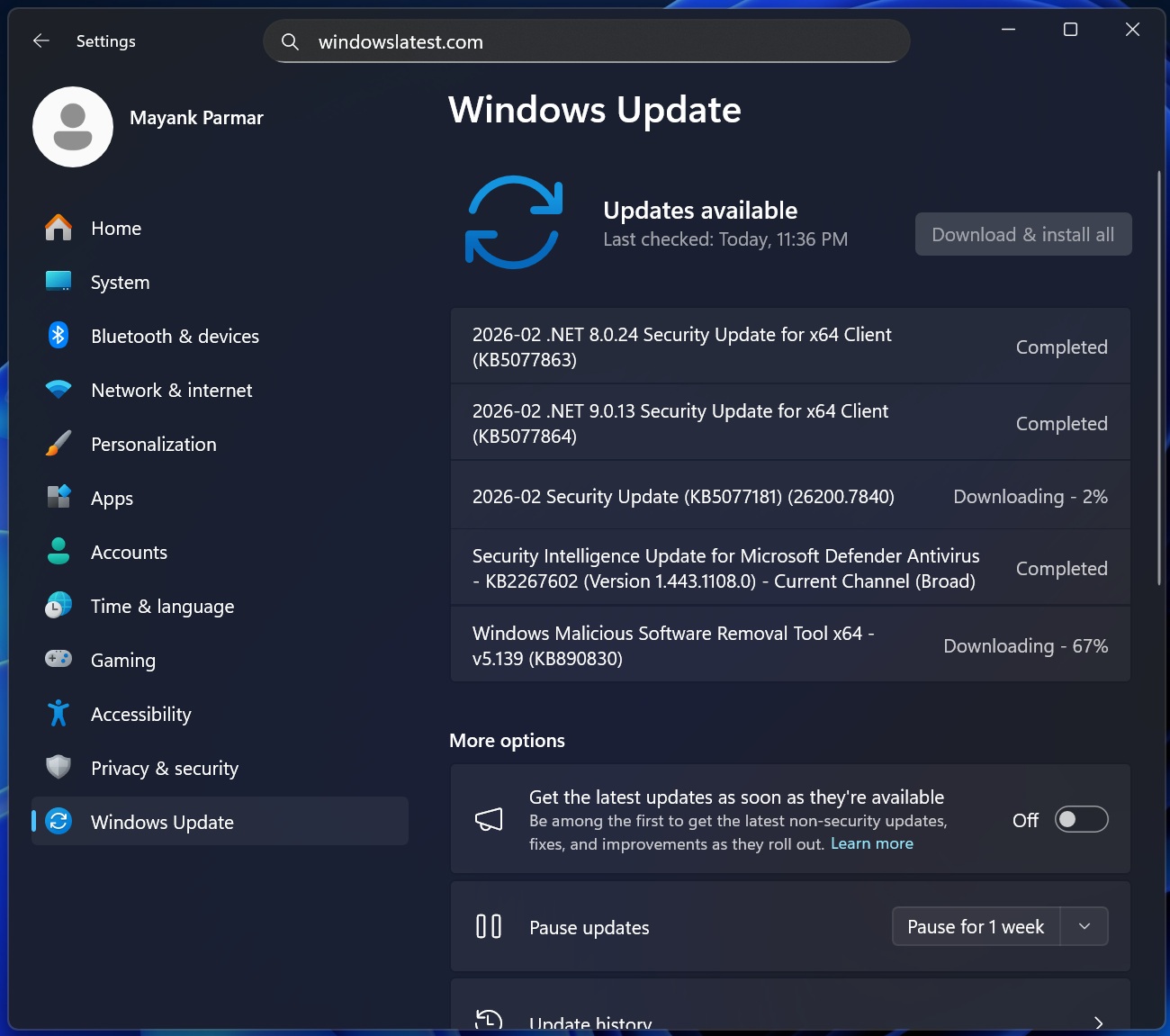
After a turbulent 2025 filled with broken updates, emergency patches, and reliability issues, Microsoft has been under pressure to clean up Windows 11’s reputation. February 10’s Patch Tuesday looks to be in the right direction.
Like most recent Windows updates, KB5077181 is being delivered through a controlled rollout. Some features are arriving gradually through Microsoft’s Controlled Feature Rollout system, while others are part of the normal broad release. This means that you may not see all the changes on day one.
Here is everything that is included in KB5077181:
New features rolling out with the February 2026 Windows 11 update
The February 2026 Patch Tuesday update introduces a solid set of new features. Most of these are arriving through Microsoft’s gradual rollout system, which means you may not see everything immediately after installing KB5077181, which is totally normal. Some features will appear within days, others may take weeks.
Cross-Device Resume finally becomes more useful
One of the most practical additions in this update is the expanded Cross-Device Resume feature. Microsoft first introduced XDR in mid-2025, but it was limited in scope. With the February 2026 update, Cross-Device Resume now works with more apps and more Android devices.
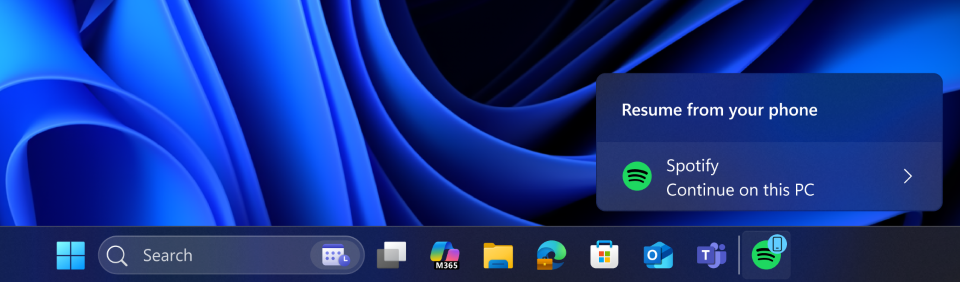
Once enabled, Windows 11 can pick up activities from your phone and continue them on your PC. This includes:
- Resuming Spotify playback
- Continuing work in Word, Excel, or PowerPoint
- Restoring active browser sessions
Vivo phone users can now continue browsing sessions from Vivo Browser directly on Windows.
If you use an Android phone from HONOR, OPPO, Samsung, vivo, or Xiaomi, Windows 11 can also resume online files that you opened inside the Microsoft Copilot app. These files open automatically in Microsoft 365 apps if installed, or in your default browser otherwise.
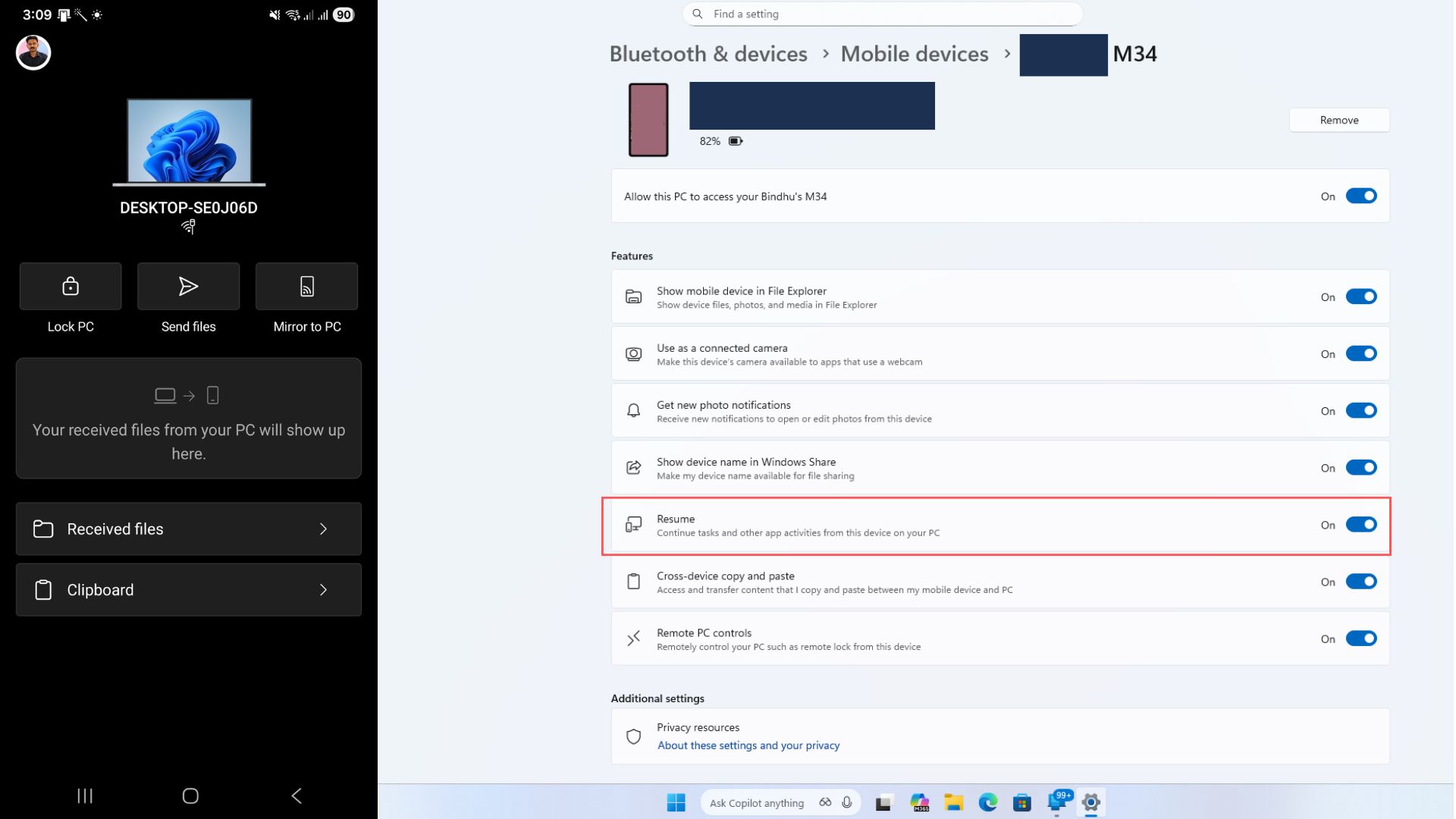
It is worth noting that this feature only works with online files. Content stored locally on your phone without cloud syncing is not supported.
Windows MIDI Services gets a major upgrade
Musicians and audio professionals are getting one of the most meaningful improvements in the February 2026 update. Windows MIDI Services has been overhauled with better support for both MIDI 1.0 and MIDI 2.0. The update introduces:
- Full WinMM and WinRT MIDI 1.0 support with built-in translation
- Shared MIDI ports across apps
- Custom port naming
- Loopback functionality
- App-to-app MIDI routing
- Performance optimizations and bug fixes
These new features can potentially make Windows a more reliable platform for music production and live performances.
Microsoft is also offering an optional App SDK and Tools package, which enables built-in MIDI 2.0 features and includes tools like MIDI Console and the MIDI Settings app. These downloads are currently unsigned and may trigger security warnings during installation.
Smart App Control can now be turned off without reinstalling Windows
Smart App Control (SAC) has been controversial since its introduction. Previously, once you enabled it, the only way to disable it was to reinstall Windows. That restriction is now gone.
Starting with the February 2026 update, you can turn Smart App Control on or off at any time from:
Windows Security > App & Browser Control > Smart App Control 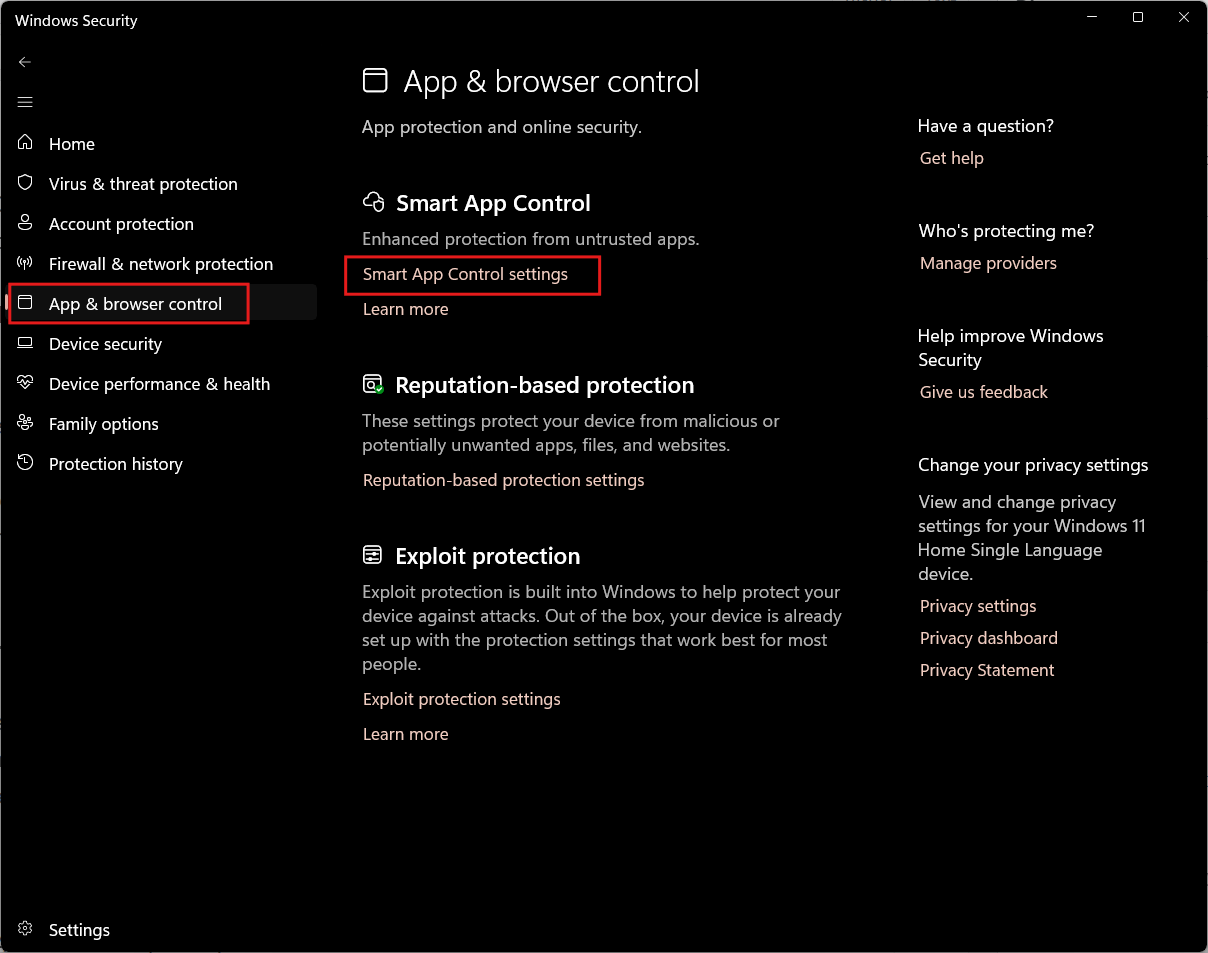
When enabled, SAC blocks untrusted or potentially harmful applications before they run. Removing the restriction makes the feature far more practical for power users and developers.
Windows Hello now supports external fingerprint readers
Windows Hello Enhanced Sign-in Security (ESS) is also expanding. Until now, ESS only worked with built-in biometric sensors. With this update, Windows 11 now supports compatible external fingerprint readers as well.
You can set this up from:
Settings > Accounts > Sign-in options
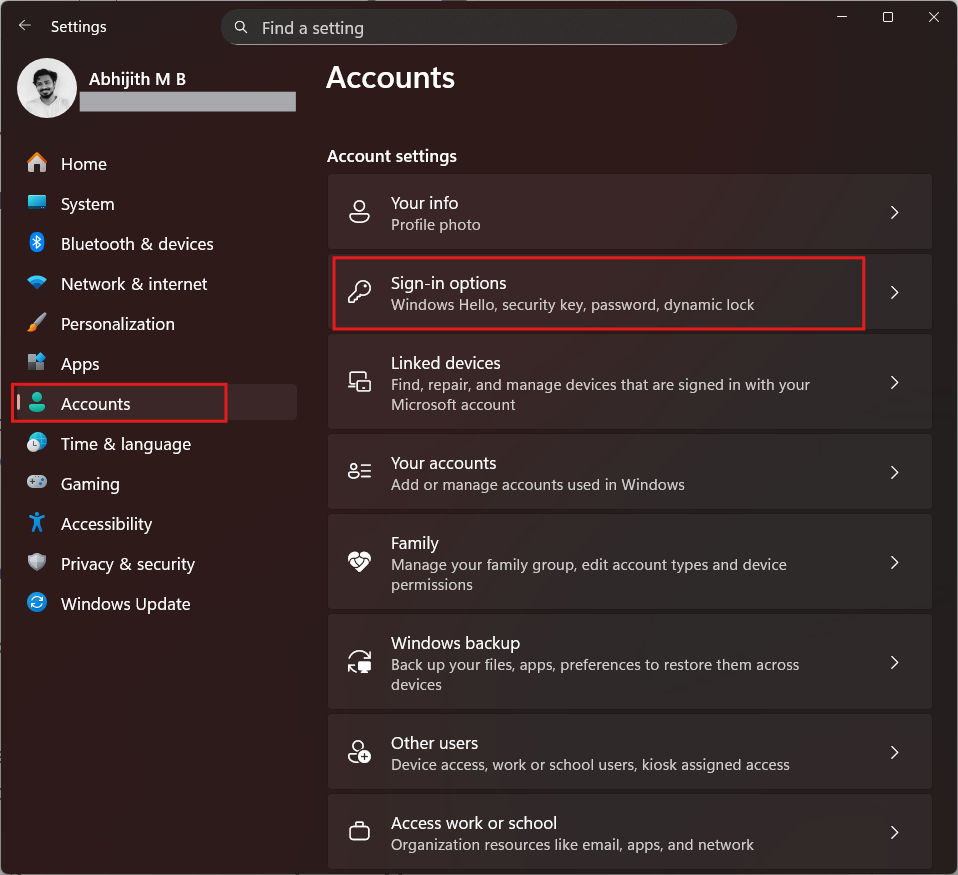
After connecting a supported device, Windows will guide you through enrollment. This brings stronger authentication to desktops and custom-built PCs that previously lacked secure biometric hardware.
Settings app gets a new Device card (US only)
Microsoft is adding a new Device card to the Settings home page. The card displays key hardware and usage information, including:
- Processor
- Memory
- Graphics
- Storage
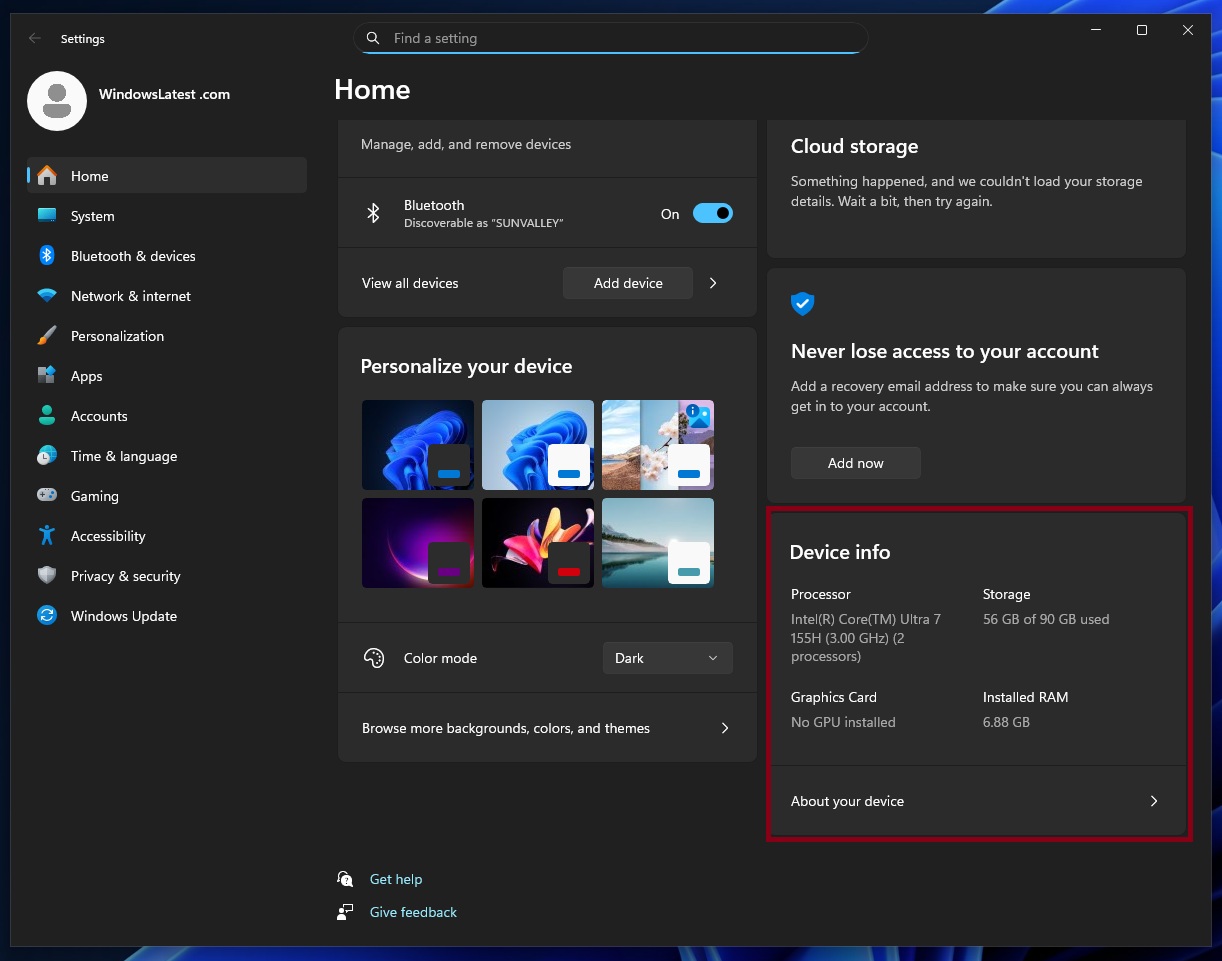
It also links directly to the About page for more detailed specifications. This feature had been paused during the August 2025 rollout and is now resuming. For now, it is only available in the United States and requires signing in with a Microsoft account.
Accessibility and voice features are getting steady improvements
Several accessibility and voice-related features are being refined in the February 2026 update.
- Narrator now offers more granular control over how it reads on-screen elements. You can customize which details are spoken and adjust their order. This helps reduce unnecessary verbosity and improve navigation as well.
- Voice Access has received a redesigned onboarding experience. The new setup wizard helps users download language models, choose microphones, and learn basic commands in Voice Access more easily.
- Voice Typing is also improving, with a new “Wait time before acting” setting. This lets you control how long Windows waits before executing a spoken command. The feature helps make recognition more accurate for different speech patterns and speeds.
Secure Boot and security enhancements in the normal rollout
Some security-focused features are part of the normal rollout and will reach devices more quickly.
- For Windows 11 version 24H2, Microsoft is updating the Boot Manager to use the newer 2023 UEFI certificate. This replaces the older 2011-signed bootloader. While this improves security, Microsoft warns that resetting Secure Boot databases or toggling Secure Boot incorrectly can trigger boot violations. In such rare cases, you may need recovery media to restore access.
- Administrators are also getting new controls for Data Protection API (DPAPI) domain backup keys. The update allows automatic key rotation, strengthening cryptographic security and reducing reliance on outdated algorithms.
- In addition, Windows now displays a UAC prompt when opening Storage settings, helping prevent unauthorized access to system-level file management.
Copilot+ PCs get more language support for Agent in Settings
On Copilot+ PCs, Microsoft is continuing to expand AI-powered system features. The Settings Agent now supports additional languages, including:
- German
- Portuguese
- Spanish
- Korean
- Japanese
- Hindi
- Italian
- Chinese (Simplified)
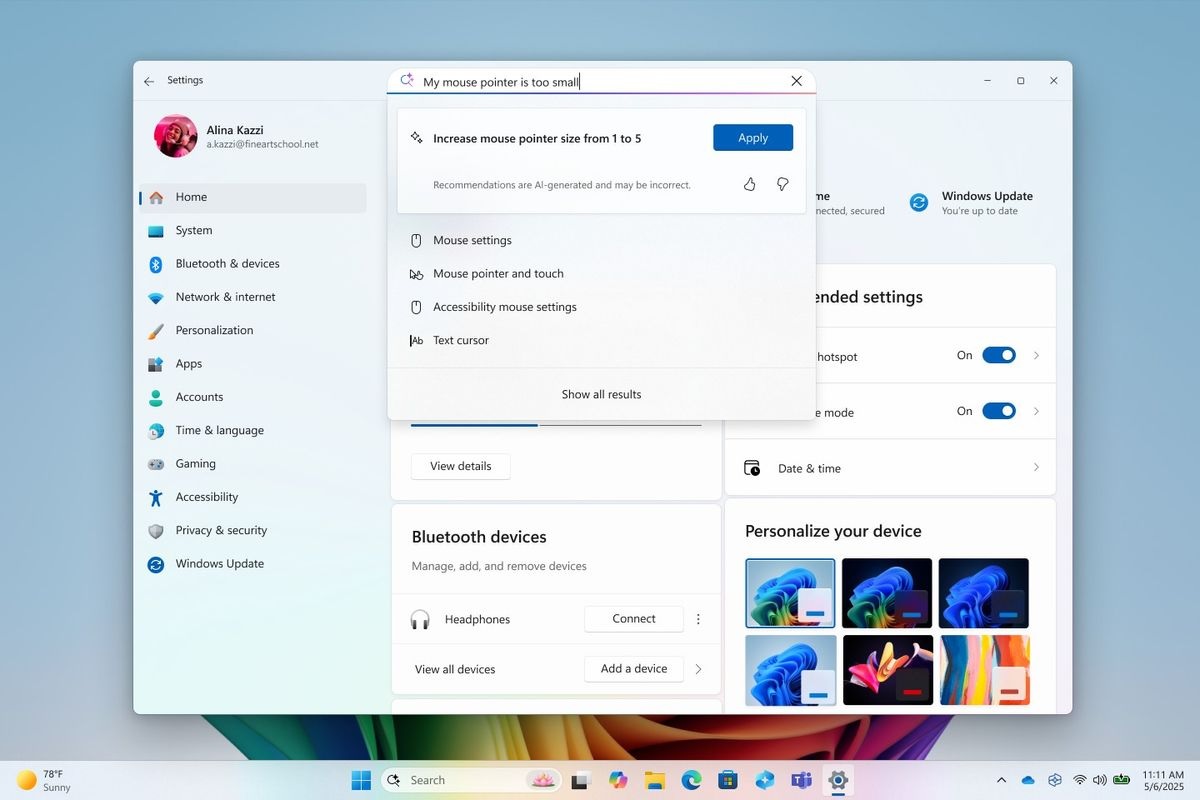
This makes AI-assisted system navigation more accessible to users outside English-speaking regions.
AI components updated in the background
KB5077181 also includes quiet updates to several internal AI components used across Windows 11. The following components have been updated to version 1.2601.1268.0:
- Image Search
- Content Extraction
- Semantic Analysis
- Settings Model
Microsoft does not expose detailed changelogs for these components, but they power features such as search, recommendations, and intelligent system behaviors.
February 2026 update fixes many long-standing Windows 11 issues
KB5077181 includes fixes and improvements that are rolling out in two phases: a normal rollout for critical system-level issues, and a gradual rollout for interface, usability, and reliability improvements that will reach devices over time.
Fixes included in the normal rollout
These fixes are part of the main Patch Tuesday release and should reach most eligible devices quickly:
- Microsoft has fixed an authentication issue from KB5064081 or later, where the password icon could disappear from the lock screen after installing recent updates, making it harder to sign in.
- The update also resolves black screen problems in isolated multiuser environments, which usually showed up after system upgrades.
- In File Explorer, Microsoft has fixed a long-standing bug where folders using desktop.ini files would not display custom names correctly because the LocalizedResourceName setting was ignored.
- On the graphics side, KB5077181 addresses system crashes caused by dxgmms2.sys on certain GPU configurations, which previously resulted in KERNEL_SECURITY_CHECK_FAILURE blue screens.
- Narrator users are not left behind in this update, as Microsoft fixed an issue that prevented Narrator from starting when installing Windows from an ISO file.
- Several low-level system bugs have also been patched. These include a startup freeze caused by Windows Boot Manager debugging components, an issue that could break iSCSI boot with an “Inaccessible Boot Device” error, and compliance problems in C Runtime libraries used by developers.
- Finally, the update fixes a Start menu issue where the “hide this pane” option in the mobile device side panel would not always hide the Phone Link panel.
Improvements and fixes rolling out gradually
As usual, in addition to the main fixes, Microsoft is also delivering a separate batch of improvements through its Controlled Feature Rollout system. These will appear gradually on your PC, depending on your device and region:
- Two annoying Start menu problems have been addressed. The first fixes truncated warning messages when shutting down with other users signed in. The second resolves layout issues, where the Start menu could open on the wrong side of the screen if you are using Arabic or Hebrew layouts.
- For kiosk deployments, Microsoft has removed a misleading error message that appeared during multi-app sign-in, which read “This operation has been cancelled due to restrictions in effect on this computer.”
- Windows Update itself is more reliable in this release. The update fixes a bug where joining the Windows Insider Program could get stuck inside the Settings app.
- The lock screen has received internal improvements to prevent occasional freezes and unresponsiveness.
- Microsoft fixed a frustrating login bug where Explorer.exe could hang on first sign-in if certain startup apps were enabled, causing the taskbar to disappear.
- Activation issues have been addressed as well. In some cases, Windows license migration previously failed after upgrades, forcing users to rely on the troubleshooter. This update resolves that problem.
- Other fixes include desktop icons moving unexpectedly during file operations, incorrect keyboard repeat delay labels in Settings, freezes when running Windows Terminal as an administrator from a standard account, and startup failures in Windows Sandbox with error code 0x800705b4.
Servicing stack improvements and known issues in KB5077181
Alongside the main update, Microsoft is also shipping a servicing stack update (KB5077869). This improves the reliability of Windows Update itself, making sure future patches install correctly and with fewer failures.
Servicing stack updates are especially important after a year filled with broken updates and emergency patches, and this release may be Microsoft’s effort to stabilize the update pipeline.
As of now, Microsoft says it is not aware of any known issues with the February 2026 update. While that does not guarantee a problem-free rollout, it is still a positive sign compared to several recent releases.
Microsoft confirms wider rollout of the new Start menu and taskbar battery icons
Alongside the February 2026 Patch Tuesday update, Microsoft told us that the redesigned Windows 11 Start menu is now rolling out more widely to everyone.
In a statement shared with Windows Latest earlier this month, the company said that more devices should begin seeing the new Start interface gradually, following its initial rollout in January.
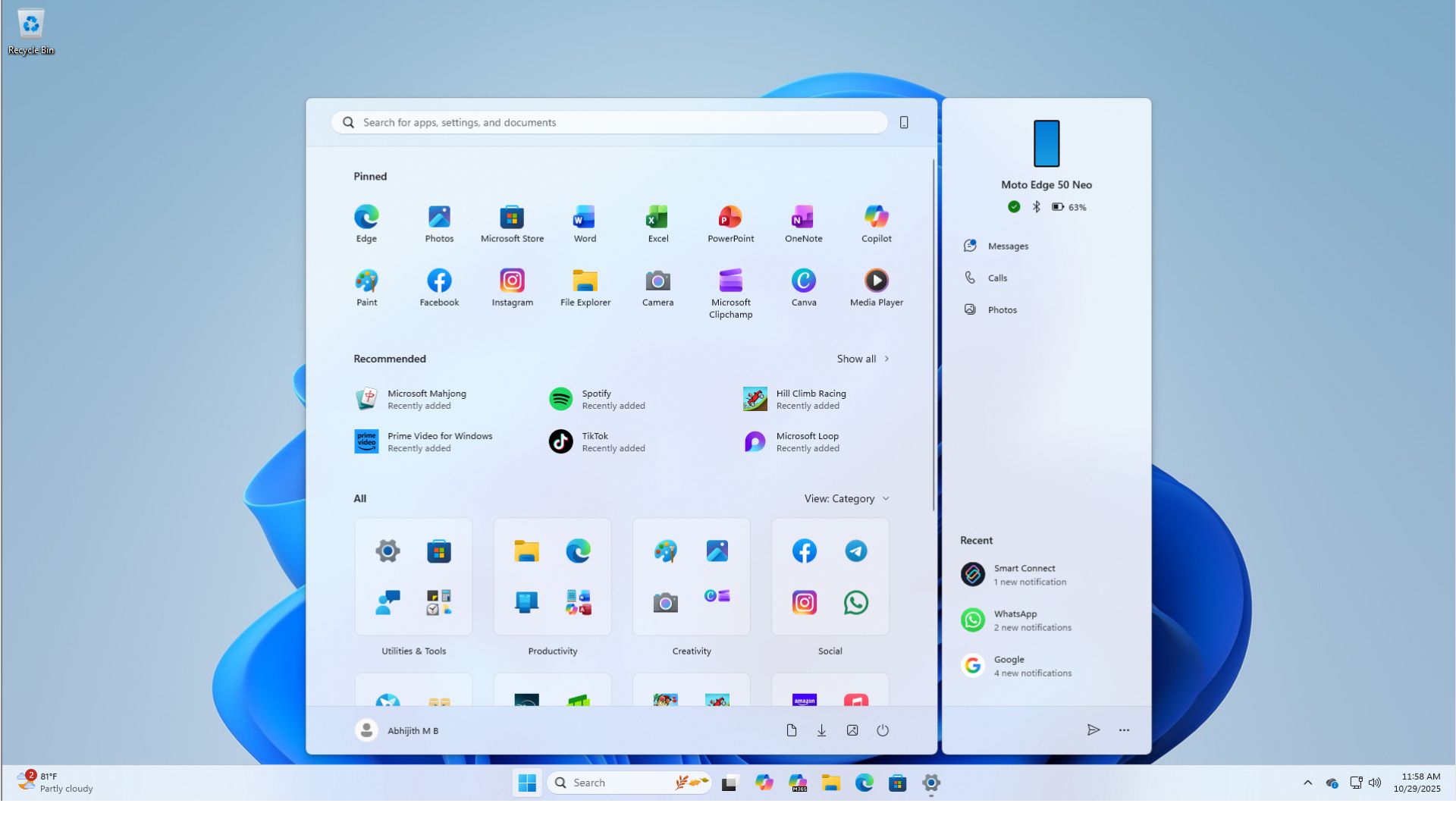
If the updated Start menu is not yet available on your PC, Microsoft recommends enabling the “Get the latest updates as soon as they’re available” toggle in Windows Update to speed it up.
According to Microsoft, the redesigned Start menu is the result of nearly a year of internal testing and feedback analysis. The company says it wanted to preserve the original “Start” philosophy while making it faster and more usable in a modern workflow.
At the same time, Microsoft has been expanding the rollout of refreshed taskbar elements, including updated battery and power icons. These visual changes make system status clearer at a glance, especially on laptops and handheld devices.
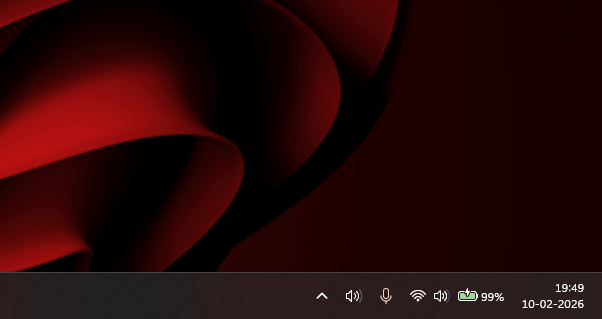
As Microsoft continues to adjust core Windows 11 interfaces based on user feedback, the software giant is also working on performance and reliability improvements in Windows 11.
The post I tested Windows 11 February 2026 Updates: Everything new, improved, and fixed appeared first on Windows Latest