
Microsoft says it has stopped releasing V3 and V4 printer drivers via Windows Update starting January 2026, but that does not mean printers relying on these drivers are now useless or no longer supported.
In fact, older printers are still supported. However, Microsoft no longer plans to publish new V3 and V4 printer drivers on Windows Update. Existing drivers or printers that depend on these drivers will continue to work.
What is happening with v3 and v4 drivers for printers?
Microsoft originally confirmed plans to phase out v3 and v4 drivers in 2023, and it started laying the groundwork with Windows 10 21H2.
In Windows 10 version 21H2 or newer, Microsoft started including built-in support for Mopria-compliant printers. For those unaware, Mopria-certified printers from companies like HP began entering the market in early 2014, so these printers have been around for more than a decade now.
Inbox support means Windows already has the required drivers for Mopria-compliant printers and a smooth plug-and-play experience. As a result, third-party drivers are no longer needed, which is why Microsoft is phasing out servicing for legacy v3 and v4 printer drivers.
In an update to its roadmap, Microsoft now shared the following note:
“Starting in January 2026, Windows will no longer support V3 and V4 printer drivers. These older driver models were announced as deprecated in September 2023. Most customers use newer printer drivers or modern printing solutions, which continue to work and are recommended. If your printer depends on a V3 or V4 driver, it may stop installing or working after support ends.”
Now, if you only read the above note, you might assume older printers that depend on a V3 or V4 driver won’t work after January 2026. But that’s far from true, and Microsoft shared more details after Windows Latest reached out. In a statement to Windows Latest, Microsoft clarified that it’s referring to new releases only.
Your Windows 11 printers based on v3/v4 drivers won’t stop working, as this change has been rolling out for a while
Microsoft says it’s been phasing out support for third-party legacy v3/v4 printer drivers for years at this point. Starting January 15, 2026, Microsoft confirmed that it’ll not publish new printer drivers based on v3 and v4 on Windows Update for Windows 11+ and Windows Server 2025+.
However, the lack of “new” updates via Windows Update does not mean Windows 11 no longer supports v3/v4 drivers.
Microsoft told me that Windows will still allow vendor-supplied drivers via separate installation packages, and existing printer drivers can still be installed even after the end of servicing via Windows Update. That means if you own a printer that already works with a v3 or v4 driver, it doesn’t automatically break after you install Windows Updates.
For example, if I go to Windows Settings and add an old printer automatically or manually, it still shows up.
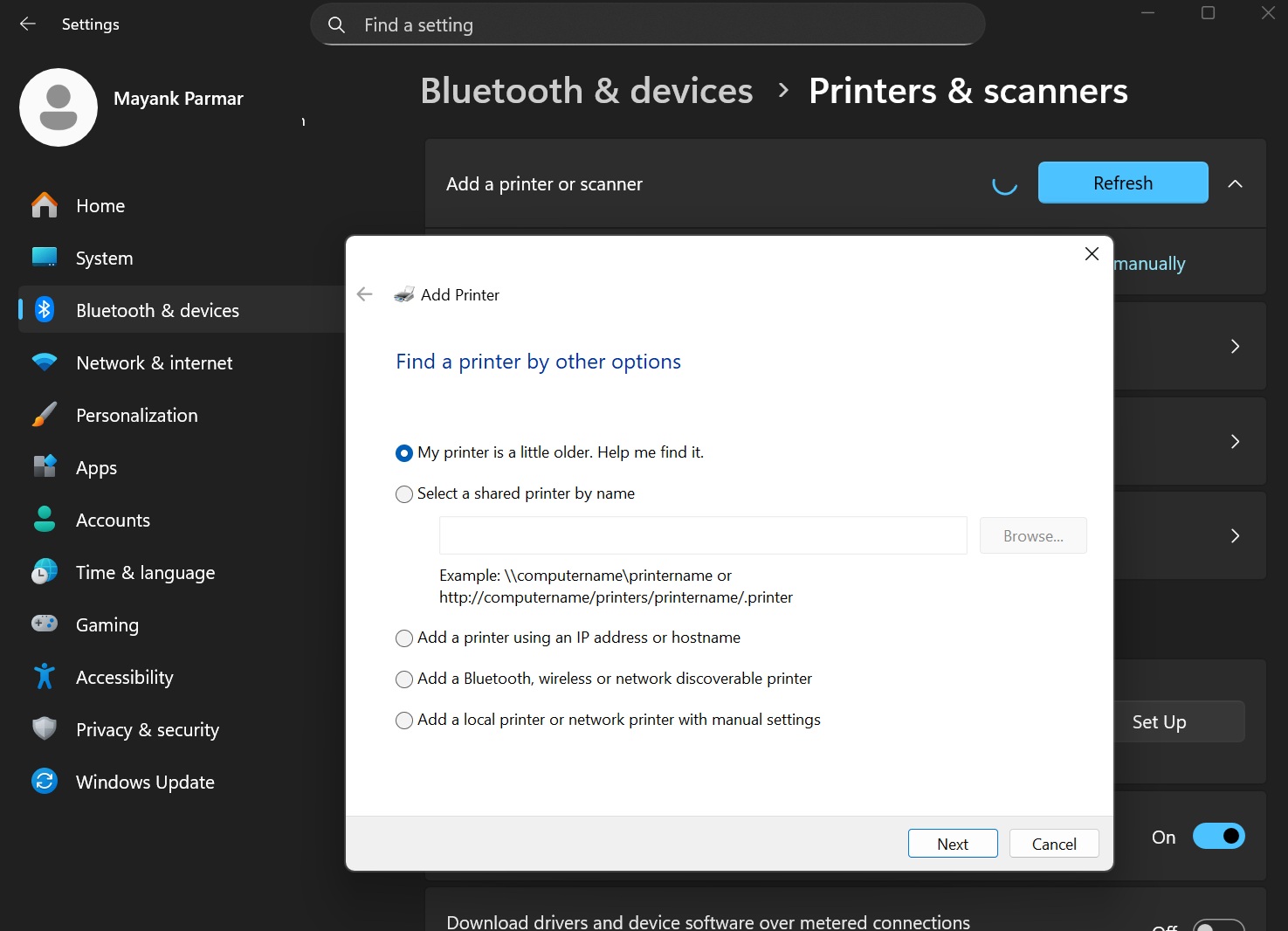
This is because Microsoft has only stopped accepting or publishing new third-party v3/v4 printer drivers to Windows Update for Windows 11+. If you read headlines that claim Windows printers are being purged, don’t believe them, as Windows continues to support all drivers and printers.
I also made a table that sums up everything rolling out to v3/v4 printer drivers:
| Timeline | Changes to v3/v4 printer drivers on Windows 11+ |
|---|---|
| September 2023 | Microsoft announced the end-of-servicing plan for third-party legacy V3 and V4 printer drivers. |
| January 15, 2026 | No new printer drivers will be published to Windows Update, but certain updates may still arrive in rare cases (requested by OEMs). |
| July 1, 2026 | Windows changes driver ranking to prefer the Microsoft IPP inbox class driver. |
| July 1, 2027 | Third-party printer driver updates via Windows Update are blocked except for security-related fixes. However, you can still install drivers via OEM installer packages. |
| Always | Windows continues to allow vendor-supplied installer packages, and existing printer drivers can still be installed after the end of servicing. |
Let me know if you’ve any questions in the comments below, and I’ll pass them on to Microsoft officials for a statement.
The post No, Windows 11 isn’t killing millions of printers, but it’s ending new V3/V4 drivers on Windows Update appeared first on Windows Latest