
Windows 11 Start menu redesign is actually pretty decent in many ways, but it has some rough edges. For example, we don’t like how you cannot create categories or move apps between the groups. At the same time, the Start menu feels massive, and users want Microsoft to add controls to resize it. The company says it’s listening to the feedback.
The new Start menu is a nice upgrade, but you’re not alone if it looks huge on your PC
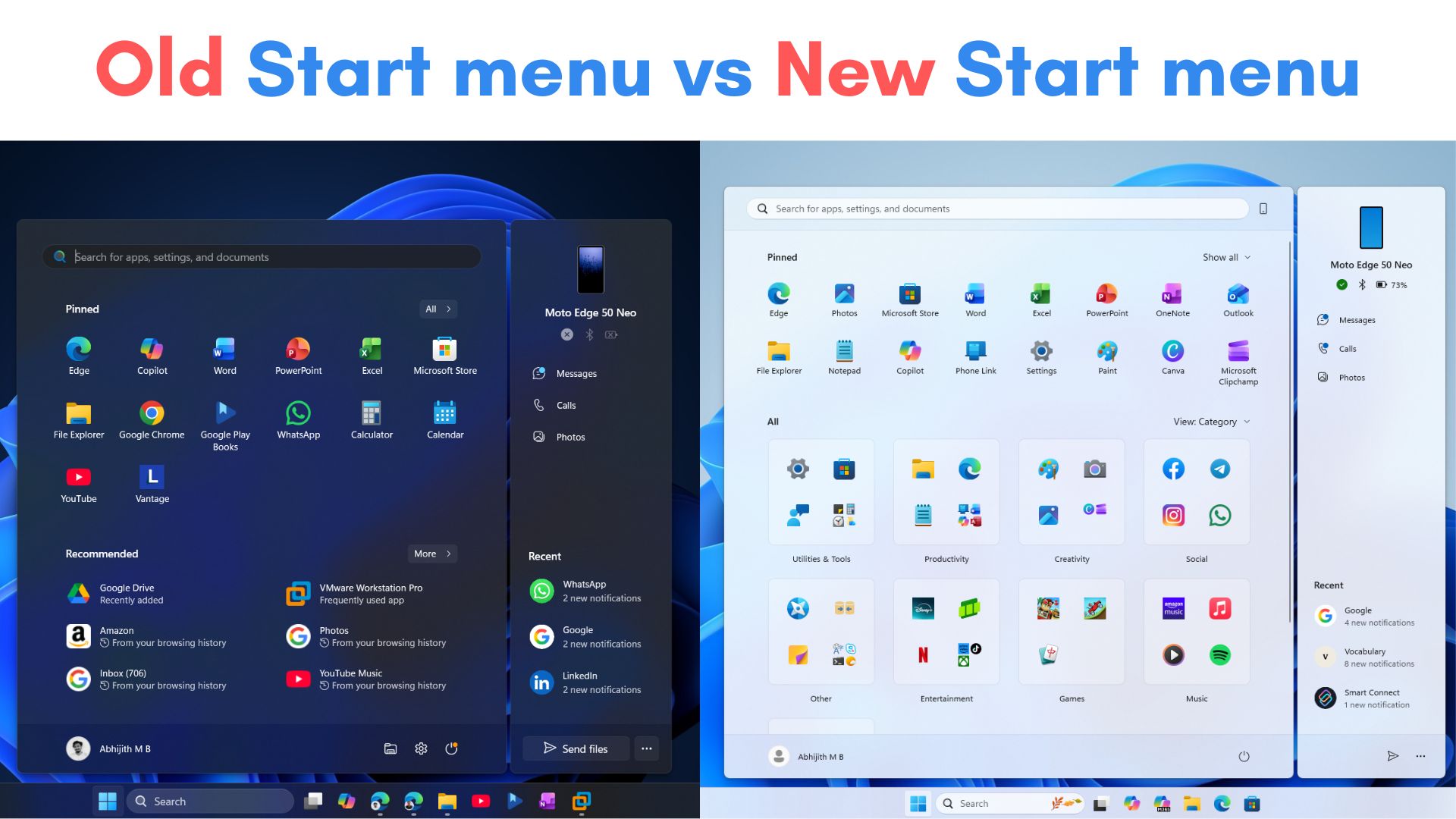
Once you’ve opened the Start menu, you will notice it takes up a lot of screen space. In fact, for some of us, it covers almost 70% of the screen. Again, it depends on the screen resolution and default scaling settings. Windows Latest tested the new Start menu and compared how it looks in different resolutions and scaling settings.
I have a 14-inch laptop, and I hate it when the Start menu almost entirely covers the screen. It’s frustrating, but if you toy with the scaling settings, you can make the Start menu shorter.
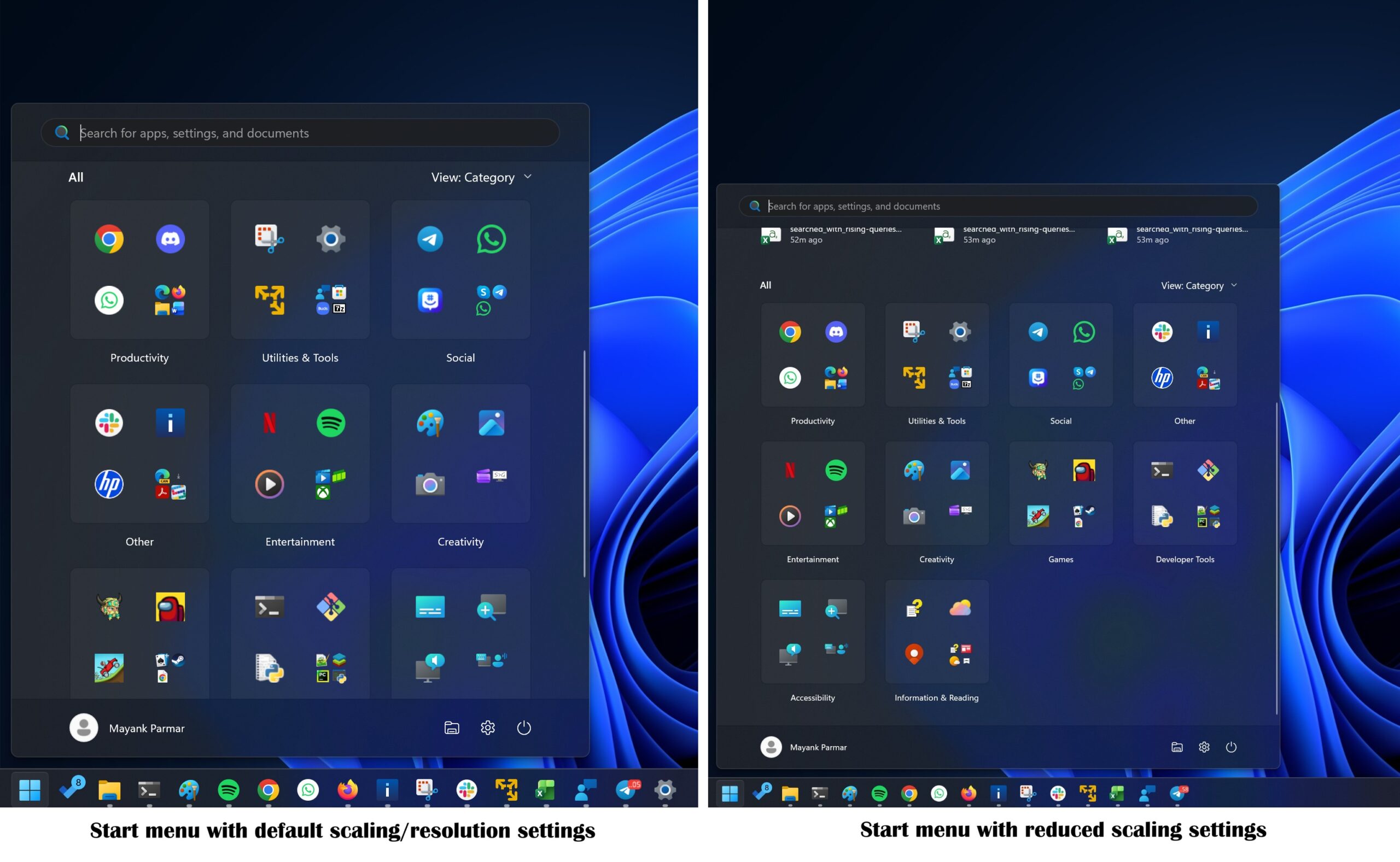
For example, my PC display resolution is set at 2880×1800, which is recommended, but I’ve reduced the scaling to 150% from the recommended 200%. However, the catch is that it also makes everything on my PC smaller.
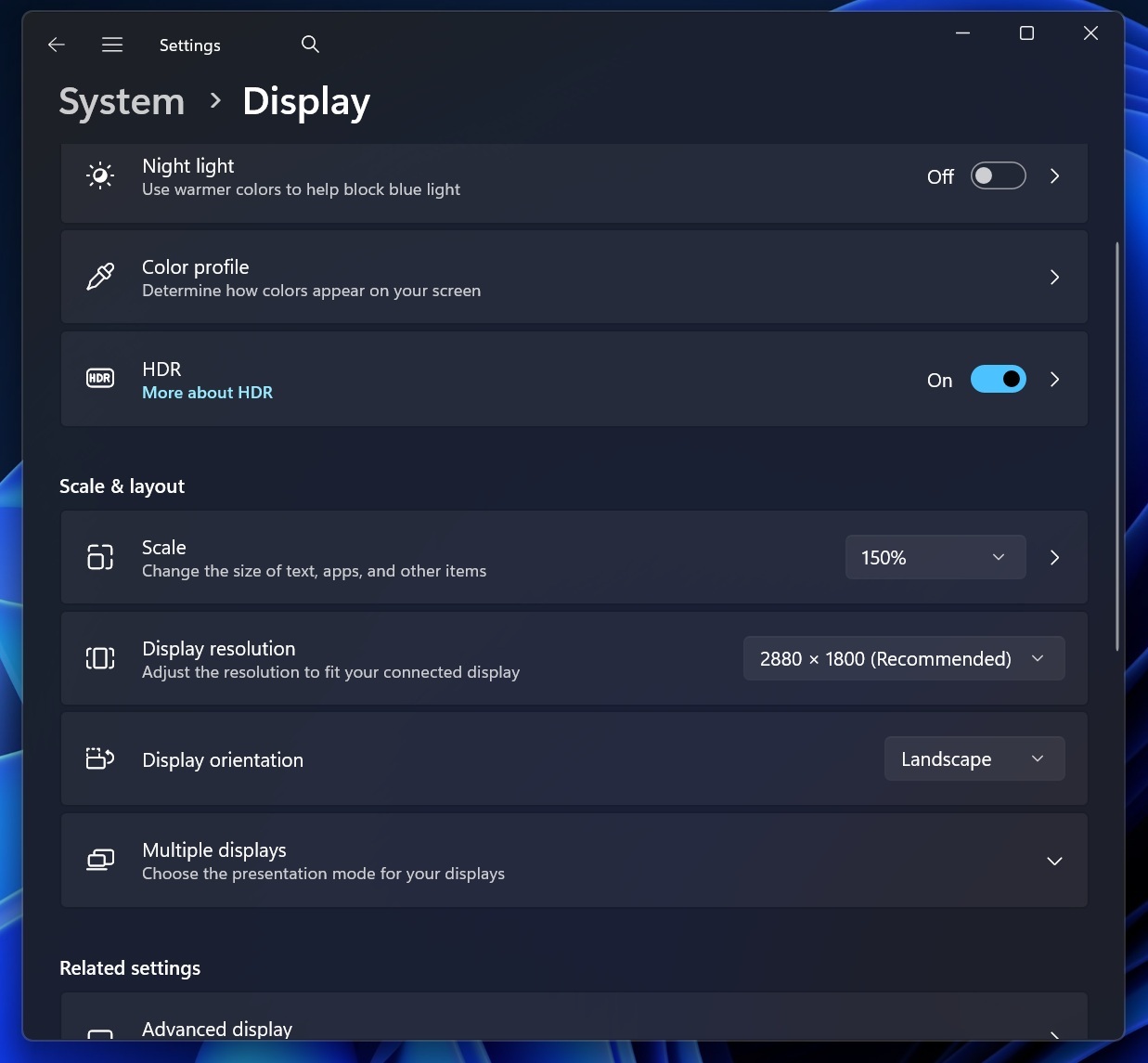
Windows really needs a resize button for the Start menu or an ability to switch between different layouts/sizes.
On a 14-inch PC with a resolution of 1920 x 1080, and the Scale set to 100%, here’s what the Start menu looks like:
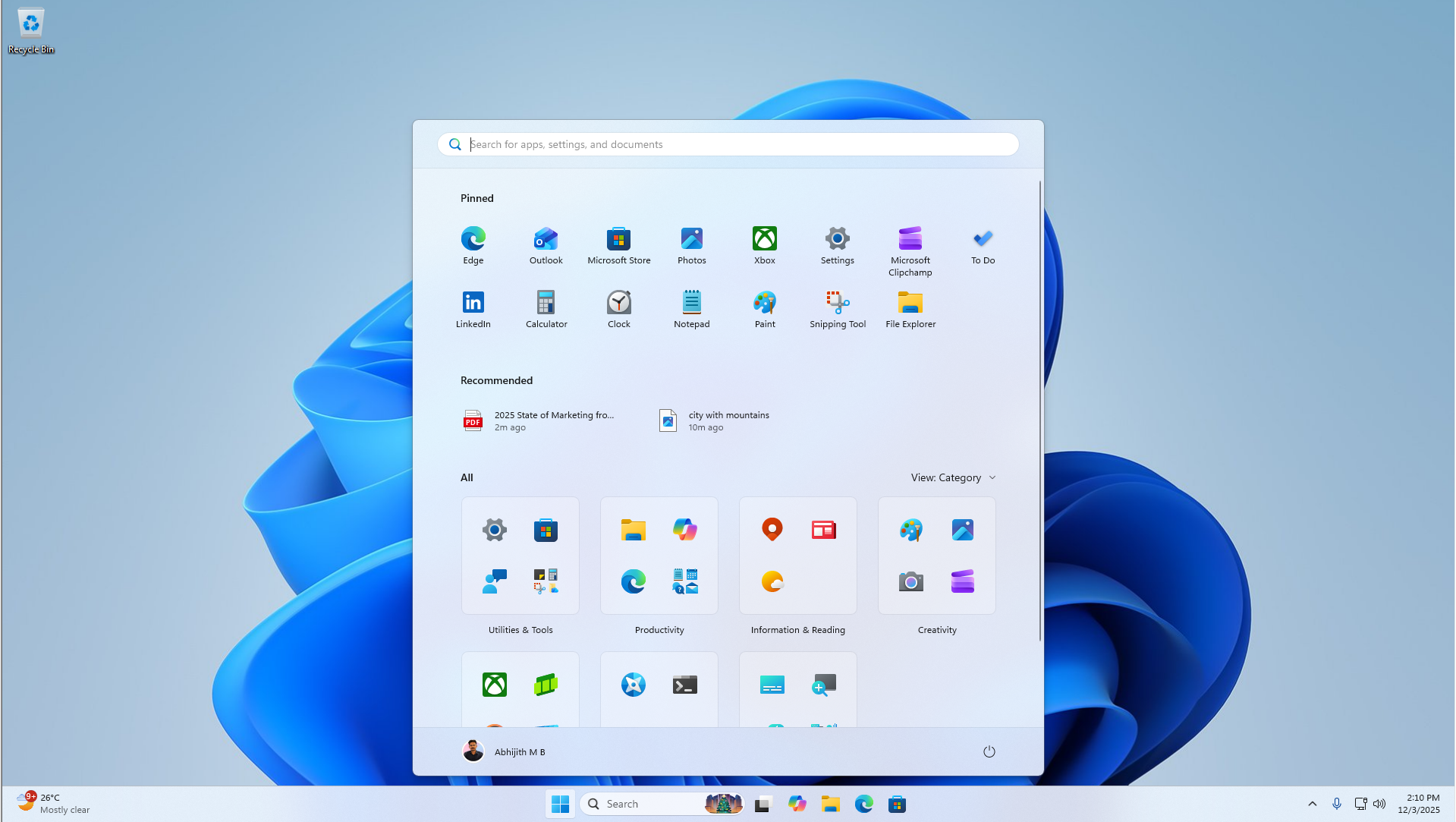
On a PC with a lower resolution with 100% scale, the Start menu almost covers 90% of the width. It’s worse when you enable the Phone panel.
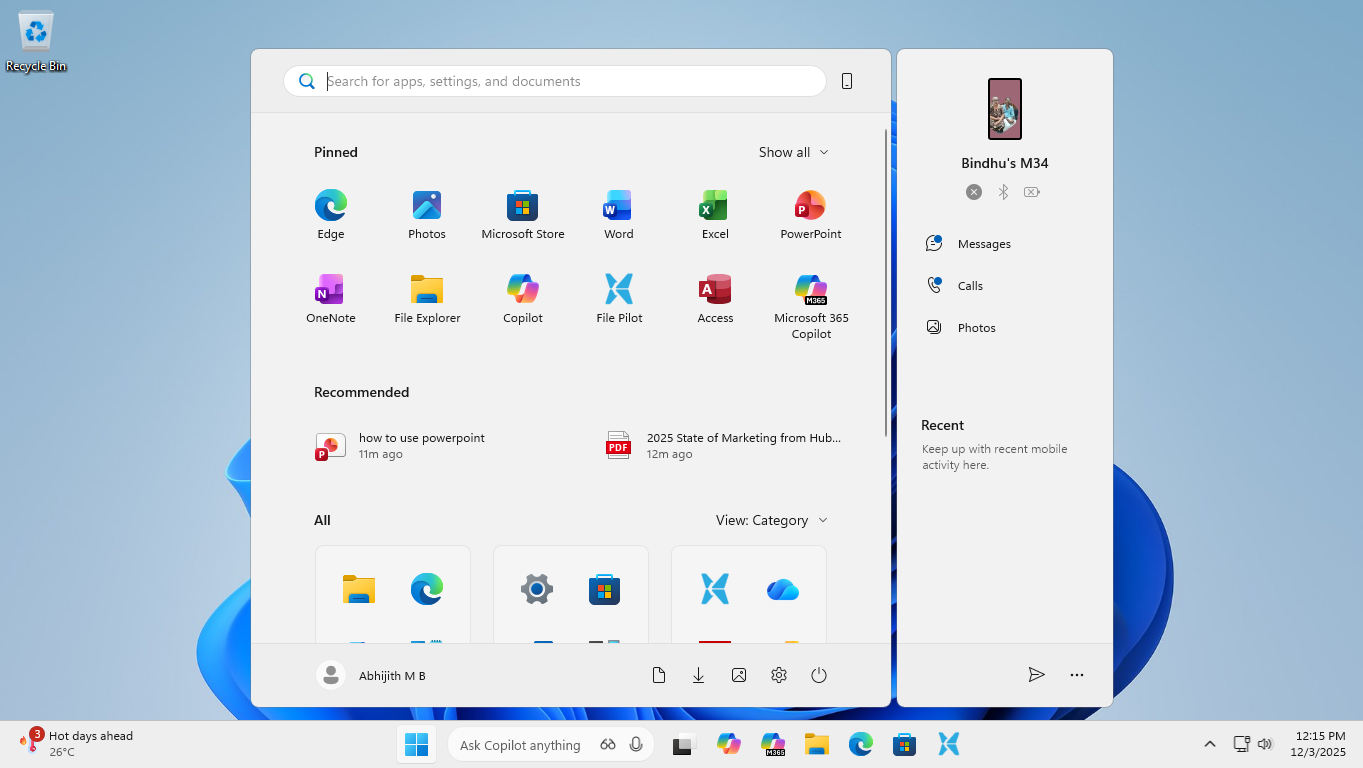
And if you’ve a 4K monitor, you’ll need to increase the scaling to see the texts:
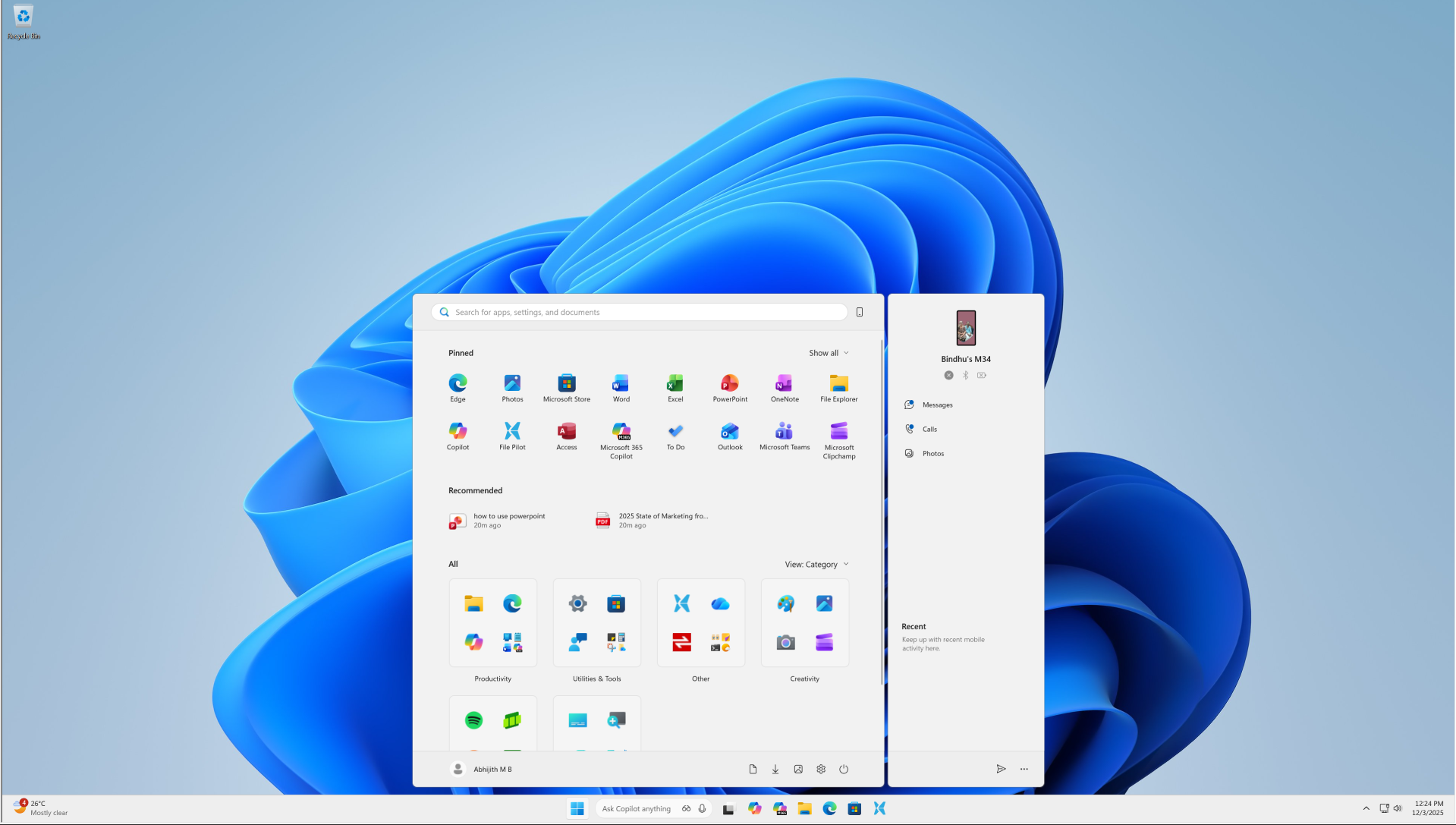
On the other hand, Windows 10 Start menu allowed you to manually adjust the size, so your display resolution or scaling didn’t really matter.
Users are demanding Windows 10-like resize control for the Start menu, and Microsoft is listening to feedback
Other users are also unhappy with Microsoft’s decision not to add manual resize controls to the Start menu.
In a Feedback Hub post, one user agreed that the new Start menu is 9/10. It’s clearly an improvement, especially because you can finally remove the Recommended feed. As of January 28, 2026, the feedback has over 4,000 upvotes, and is one of the trending suggestions from testers.
“I just got the new Start menu, and it *really* needs the ability to be resized, even more than the old one did. It is way too big. This was a huge step backward in regards to this feedback, not a step towards resolution,” one user wrote in a Feedback Hub post.
Microsoft has responded to frustrated users and says it’s monitoring this feedback for the future. But for now, Microsoft argues that the new Start menu is already perfect, especially because the Pinned section will shrink down to a single row, and other sections will slide up if you have only a few pins.
While it’s true, the issue is that the Start menu panel itself does not shrink. Only the content/sections inside the Start menu resize. The Start menu itself continues to occupy your screen.
“With this design, sections within Start are responsive so you can see more or less of your pinned and recommended sections. Have only a few pins? The Pinned section will shrink down to a single row and other sections will slide up. If you prefer to always have your pins expanded by default, you can do so via Settings. We hope this does improve some of your sizing issues with Start, but please continue to let us know if it does not. We are still monitoring this feedback for the future,” a Microsoft official said.
It doesn’t look like the Start menu will be getting a resize button anytime soon, and it’s largely because the new Start menu isn’t really designed to be “resized.” Well, at least that’s one of the company’s arguments. However, this doesn’t mean the “resize” control is off the table. Microsoft says it’s considering it for the future.
Microsoft also won’t let you move the Start menu to the top of the screen or sides because that would disrupt the flow and animations.
What about you? How do you want Microsoft to improve the new Start menu? Let me know in the comments below.
Note: The New Start menu is still rolling out, but most of us now finally see it, especially after the December 2025 update.
The post Nobody wants a massive Windows 11 Start menu. Let us resize it, say users, as Microsoft monitors feedback appeared first on Windows Latest