
Just weeks into 2026, Windows 11 is already tripping over itself again. As Windows Latest recently reported, the January 2026 update KB5074109 shipped with a fresh set of problems, including black screens and frozen Outlook POP accounts. That update made it very clear that whatever lessons Microsoft was supposed to learn in 2025, it didn’t.
Windows 11 is at a point where it is hated by virtually everyone on the internet, and Microsoft just doesn’t seem to care. We checked through our posts from 2025 and made a list of all the issues that the most popular desktop operating system gave to its users in the last year. 2025 has been a catastrophe for Microsoft, with more issues than ever before.
A big part of the problem is focus, or the lack of it. While core parts of Windows 11 kept breaking update after update, Microsoft was busy pushing Copilot into every nook and corner of Windows. We have listed the top 20 Windows 11 issues from 2025 below, but there were many more bugs that didn’t make headlines. At this point, for many users, Windows 11 has become the most disliked version of Windows Microsoft has ever shipped.
#1 USB DAC audio failure during January 2025
As originally reported by Windows Latest, the very first security update in the second week of 2025 (KB5050009 for 24H2 and KB5050021 for 23H2) broke the audio for users with external USB Digital-to-Analog Converters (DACs).
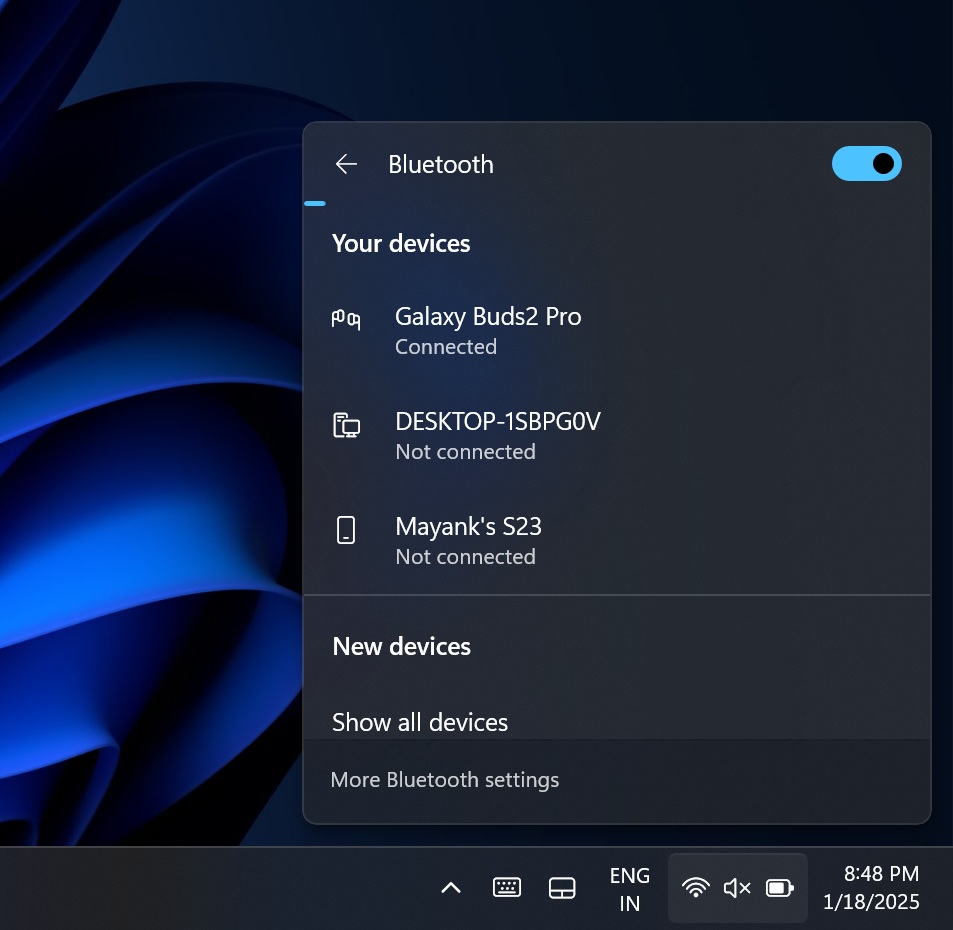
In our testing, we found that the audio in our PC stopped working as soon as the update was installed, and the main casualties were those who use a USB audio DAC.
The issue was so widespread that Windows 11 versions 24H2, 23H2, and 22H2 were all affected. Even the famously stable Windows 10 wasn’t spared from audio failure.
The Device Manager showed the following error message:
“This device cannot start. (Code 10) Insufficient system resources exist to complete the API.”
Our analysis was that Windows 11 was failing to allocate memory to the device, preventing DACs from transferring audio signals to your headphones.
Microsoft acknowledged the issue and suggested temporarily avoiding external DACs. The Windows 11 audio issue was fixed with the subsequent February 2025 Patch release.
#2 Webcams not detected after KB505009 update
After installing KB5050009, some users reported that built-in webcams (e.g., on HP Spectre) and monitor webcams failed to be detected.
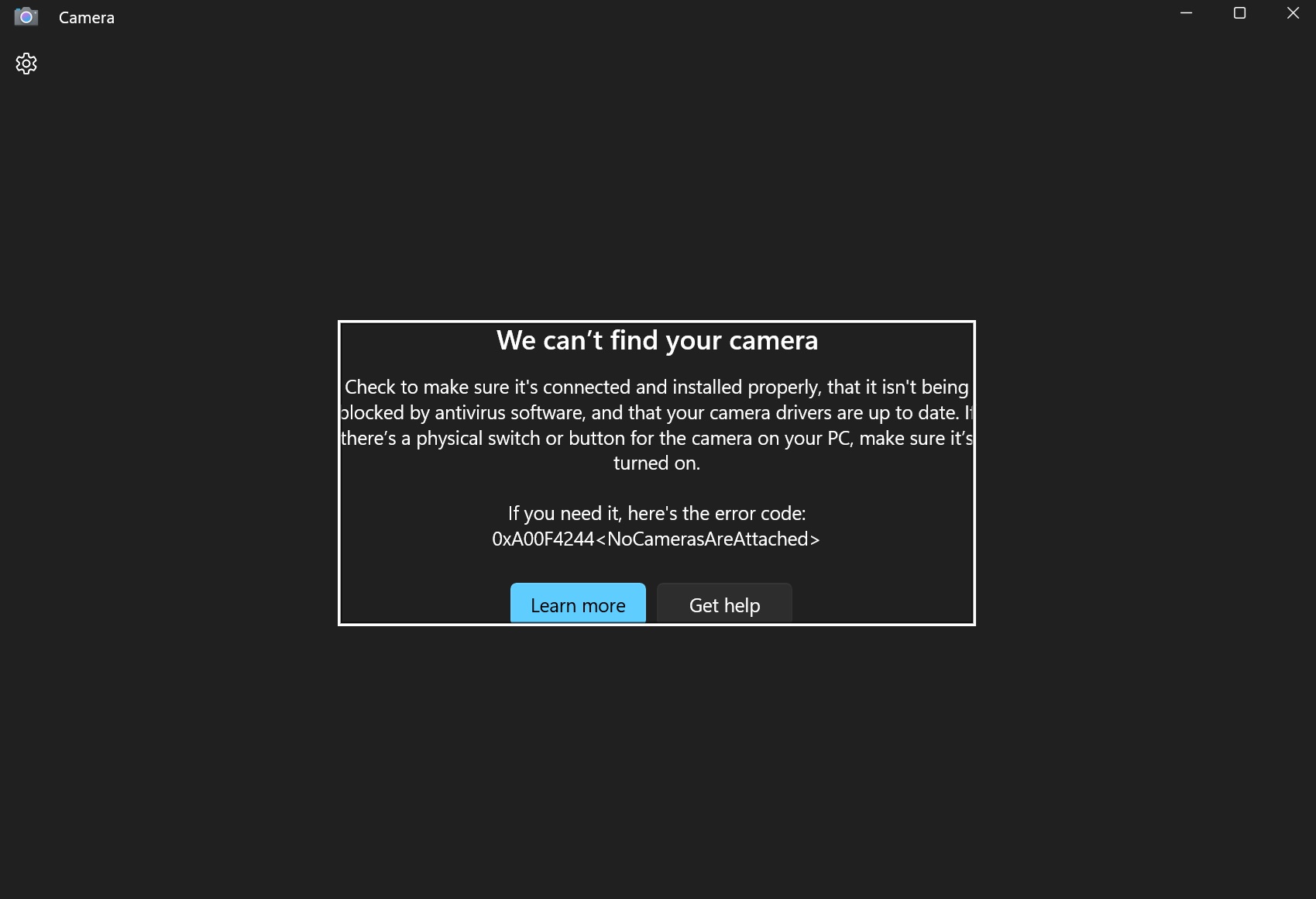
When the unlucky users opened their Camera app, they were shown an error dialogue box that said “We can’t find your camera”. Well, the camera was right there; it was Windows that failed to detect it, and instead showed the error code: “0xA00F4244<NoCamerasAreAttached>”
Unfortunately, uninstalling the update didn’t work for something as critical as the Camera app, and even some Dell 4K monitors with webcams were also affected. Even third-party Insta360 Link webcams couldn’t show their camera feed.
#3 BitLocker settings ironically stopped working for our safety
Windows Latest found a bug in Windows 11 24H2 and older versions, where users were unable to change the BitLocker settings. As you’d already know, BitLocker encrypts your local hard drive, and even though most modern PCs are encrypted by default, you could change these settings if the need arises, using the Control Panel.
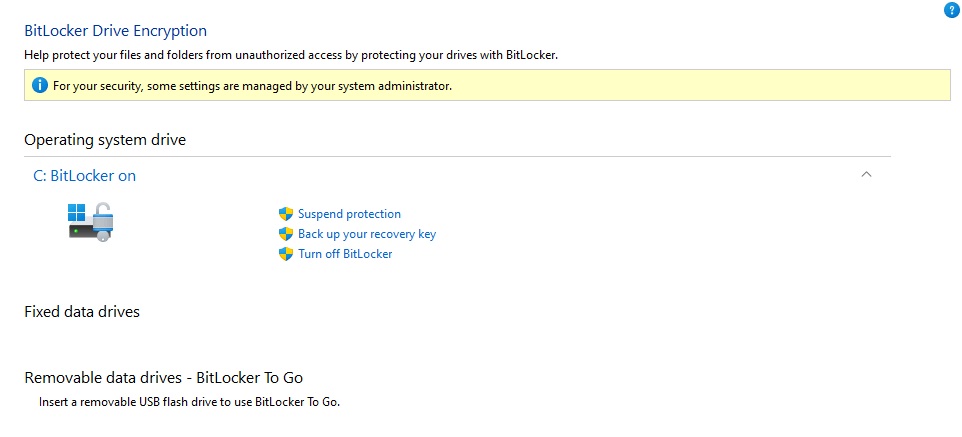
Microsoft confirmed the issue in a support document, saying that the issue affected unmanaged PCs and those that use a TPM module, which includes all modern PCs, by the way.
“For your security, some settings are managed by your administrator” was the error, which is only shown when your PC is managed by an organization.
There was no fix available, but Microsoft patched it in later updates.
#4 Moving and dragging clips in the Adobe Premiere Pro Timeline broke
The optional update KB5050094 broke the ability to drag and move clips on the timeline in Adobe Premiere Pro, specifically affecting multi-monitor setups with different scaling.
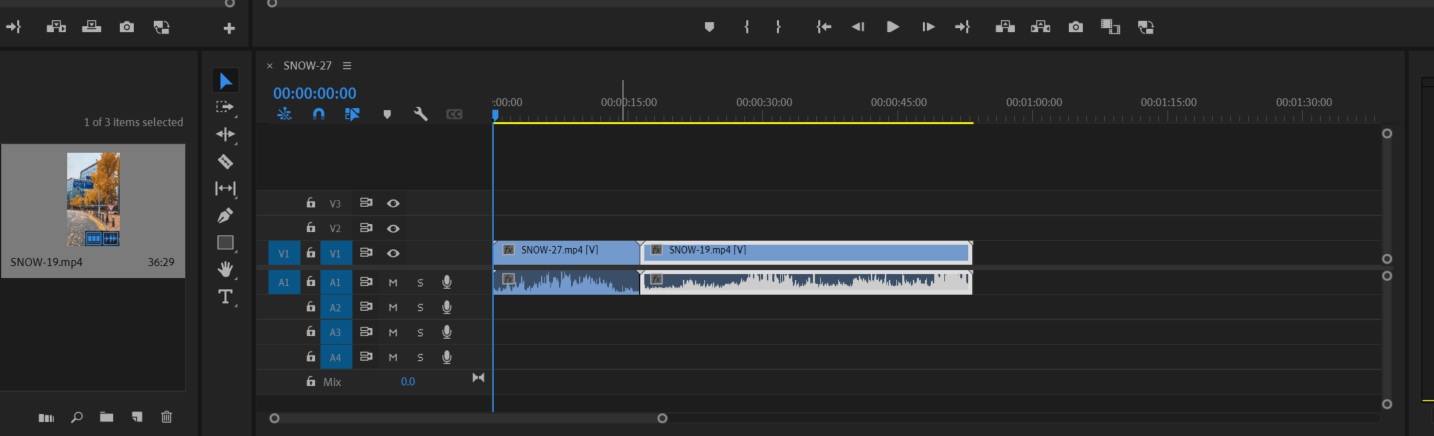
The “Selection” tool on the app showed a not allowed (x) sign, or was not ready to accept anything when you tried to drag and drop. Windows Latest got confirmation from Adobe support staff that they were aware of the issue and that the issue wasn’t widespread and limited to specific setups, like using multiple monitors, which, as far as creators are concerned, isn’t an uncommon thing.
The workarounds included uninstalling the updates, avoiding a multi-monitor setup, or adjusting the display scaling. We also found that enabling the “Override high DPI scaling behaviour” did the trick.
#5 Cursor spinning on Windows 11 24H2
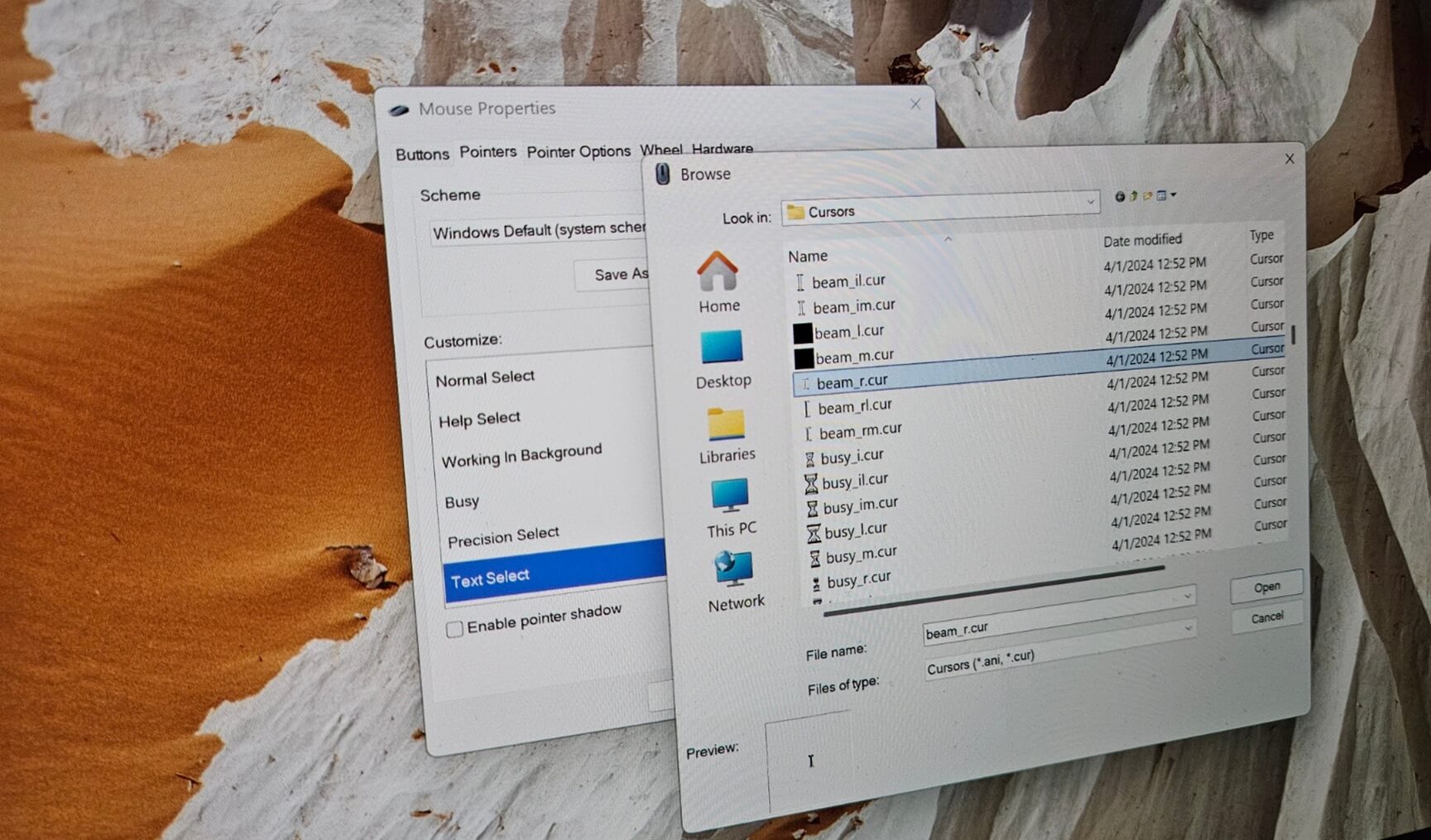
We were told by many users that the optional KB5050094 update caused the cursor to load continuously, which we were also able to replicate in our tests, making us feel that Windows 11 was trying to load something randomly.
The only fix was to uninstall the update. However, the update itself was a fix to a cursor disappearing bug first reported by Windows Latest in October 2024.
#6 Windows update installation failures & game crashes
At first, the Windows 11 update KB5052093 failed to install for some users due to 0x800f0983 and 0x800f0993, then Microsoft pulled back the update and re-released it, fixing the installation issues.
However, there were other issues. The very popular Call of Duty HQ (Black Ops 6) failed to launch for some users. Their Xbox app loading page opened, waited for almost 17 seconds, and then said the game has crashed with error code 0x0. Microsoft’s support document listed a bug where the Roblox game didn’t work on ARM PCs.
#7 Remote Desktop sessions automatically disconnected after update
RDP, which allows users to control a computer remotely, broke in Windows 11 24H2 and was first reported by Windows Latest. Our tests showed that the RDP connections did not work even when RDP service was running.
Microsoft later confirmed the issue in their updated documentation and was investigating the remote desktop failure. The company even claimed to fix the issues with Windows 11 KB5052093, which was the February optional update. However, we noticed the issue persisting even in the March update.
Following our report, Microsoft updated its support document, confirming that the Windows 11 March update made the RDP issues worse. The company also rolled out an emergency server-side fix for RDP issues.
#8 Windows 11 March update deleted the Copilot App
This has to be among the top funniest things a Windows update has done, especially since Microsoft infamously has the Golden Child Sydrome with Copilot.
Windows Latest was the first to spot the Copilot disappearance on for users who installed KB5053602 Windows 11 23H2 update. Even Windows 10 installations with KB5053606 update had the same issue.
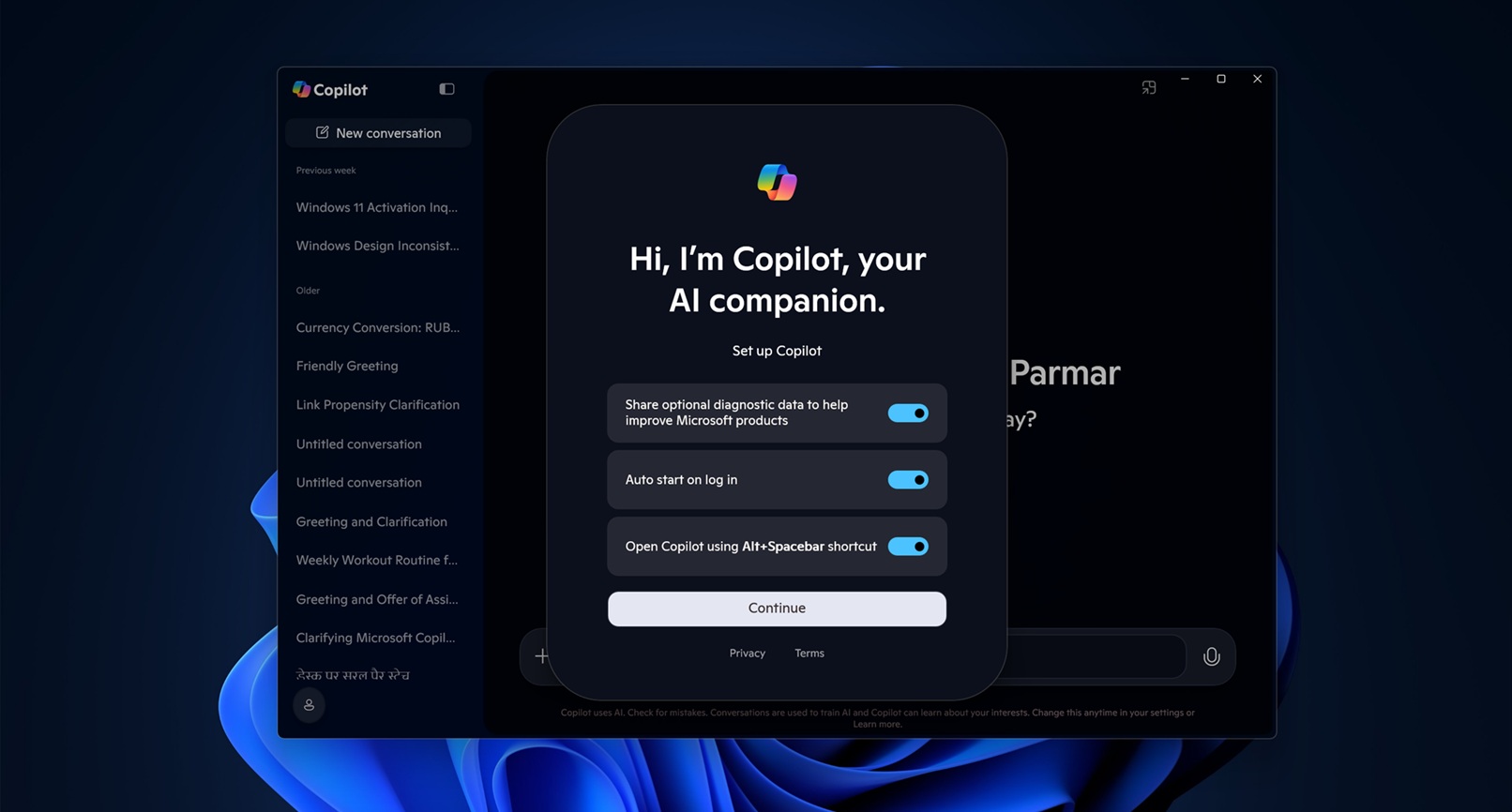
Microsoft quietly updated its support document to confirm the issue where Copilot got unpinned from the taskbar and would be automatically uninstalled. Fortunately, for Microsoft at least, the issue wasn’t widespread. Of course, the issue was solved with subsequent updates.
#9 BSOD and boot failures in a mandatory Windows 11 update
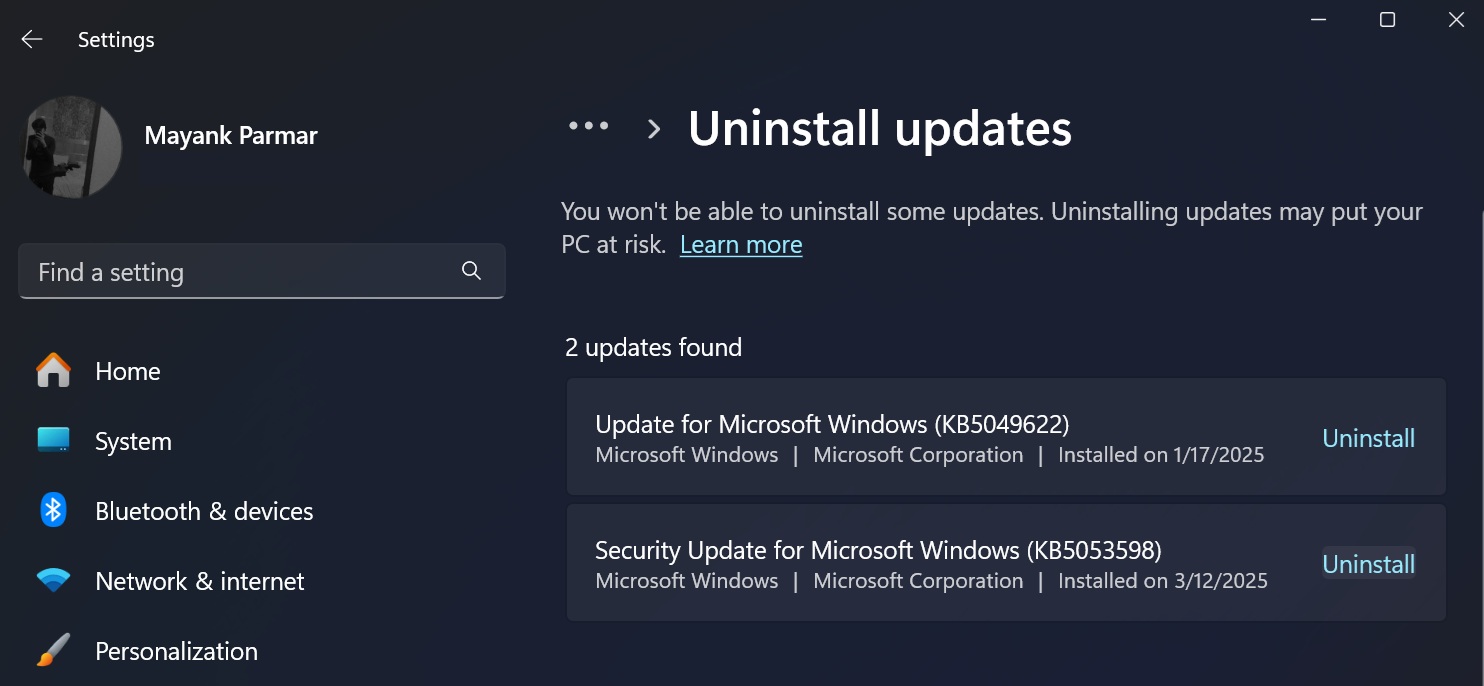
Windows 11 24H2 KB5053598 was not an optional update, and yet it ran into failed installations, and the worst of them all, the infamous Blue Screen of Death. So much for an update with critical security fixes…
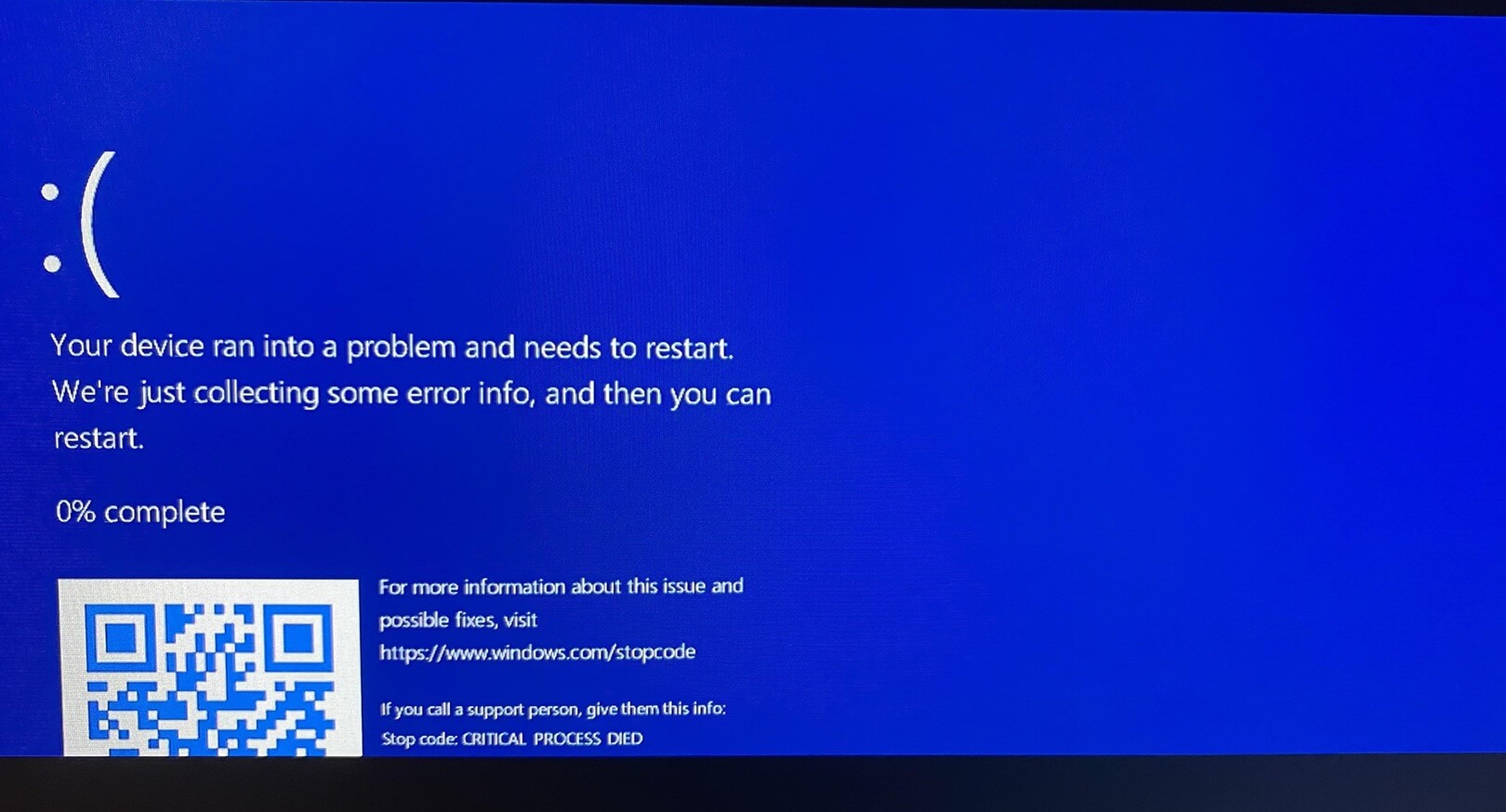
Windows Latest found that the Windows 11 24H2 Patch Tuesday update in March gets stuck at various percentages, such as 6%, 20%, 38%. For some users, the installation got stuck in an “install, fail, revert, and try again on the next restart” loop.
We were unaware of any possible workarounds for the installation issues with March 2025 Update, and the only thing we recommended was uninstalling the update.
The boot loop issues were finally addressed in the Windows 11 April optional update (KB5055627).
#10 Windows Hello completely failed
Remember that the whole point of Windows Hello is to be a reliable and secure way to login and access sensitive information in your PC. But with KB5055523 update made it impossible to use Windows Hello if you had covered your webcam with a privacy shutter, like the ones common in Lenovo laptops, and instead opted for the IR camera.

The IR camera is better since it works even at night, and it broke with the April update. Windows Latest was able to test the issue in our HP Spectre, but fortunately, we found a way to fix the Windows Hello issues after April 2025 update.
Microsoft, on the other hand, updated their support document, confirming that the company is aware of some issues with Windows Hello failing. However, we found that it was unrelated to what we saw after the update.
#11 File Explorer became unresponsive
Installation failures continued with the Windows 11 KB5058411 May 2025 update as well. Fortunately, only a few users were affected. However, the File Explorer toolbar buttons became unclickable, and the interface froze.

It’s crazy that such issues happen with mandatory security updates, even if only some users were affected. Users noted that both their mouse and keyboard inputs failed randomly in the File Explorer, and it became unresponsive.
Windows Latest also noticed a weird issue in Windows 11 KB5058411, where something as trivial as fonts broke. Fortunately, the issue was specific to the CJK (Chinese, Japanese, Korean) languages.
The only fix we recommended to users was to roll back the update.
#12 Game stability issues and FPS drops with Windows 11 24H2
When one of the most popular games, like Fortnite, would randomly reboot PCs, the already hated Windows 11 was slated for an even worse reputation. Windows Latest also observed FPS drops in both Fortnite and CS: GO.
The culprit wasn’t any GeForce drivers as we initially thought; it was, in fact, due to monthly Cumulative Updates that started in May
Microsoft identified the root cause later and updated their support document for Windows 11 KB5062660, which was a July optional update that fixed these performance issues.
#13 False Firewall error (Event 2042), but it was harmless
With the Windows 11 June 2025 update KB5060829, we noticed a bug that caused Event Viewer to flag critical Firewall errors falsely.
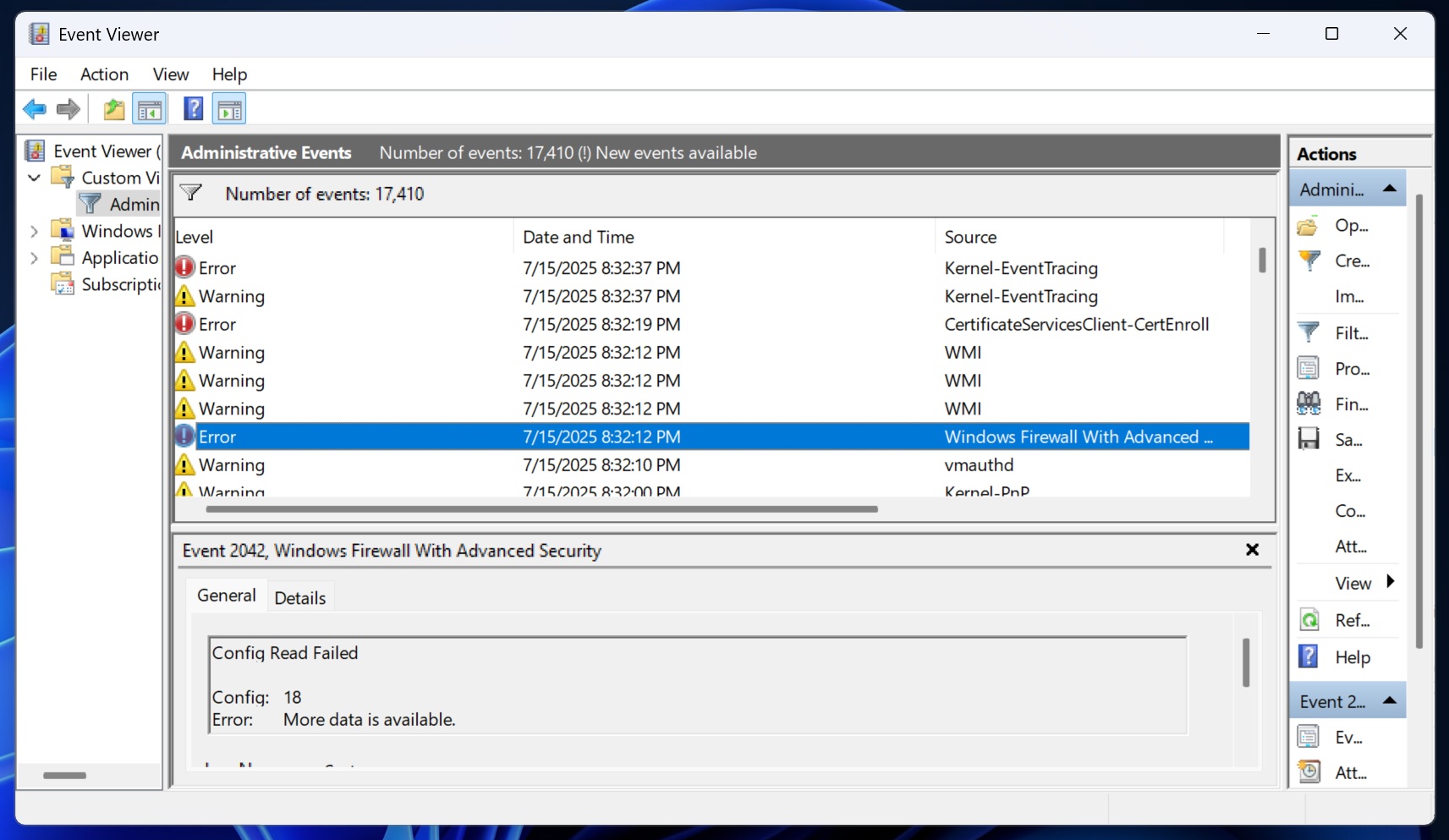
Microsoft initially claimed it was fixed in July (KB5062553), but Windows Latest found out and reported that the Firewall issue wasn’t fixed. We also had a lot of users tell us that their PCs ran into the same “Windows Firewall With Advanced Security 2042 None” issue.
Later, Microsoft updated their documentation, admitting that they falsely claimed Windows Firewall errors were fixed. Microsoft promised a real fix in a subsequent update.
#14 “Reset This PC” broken after August 2025 updates
The KB5063875 update for Windows 11 23H2 and KB5063709 for Windows 10 broke the Reset and Recovery features, but fortunately Windows 11 24H2 was safe.
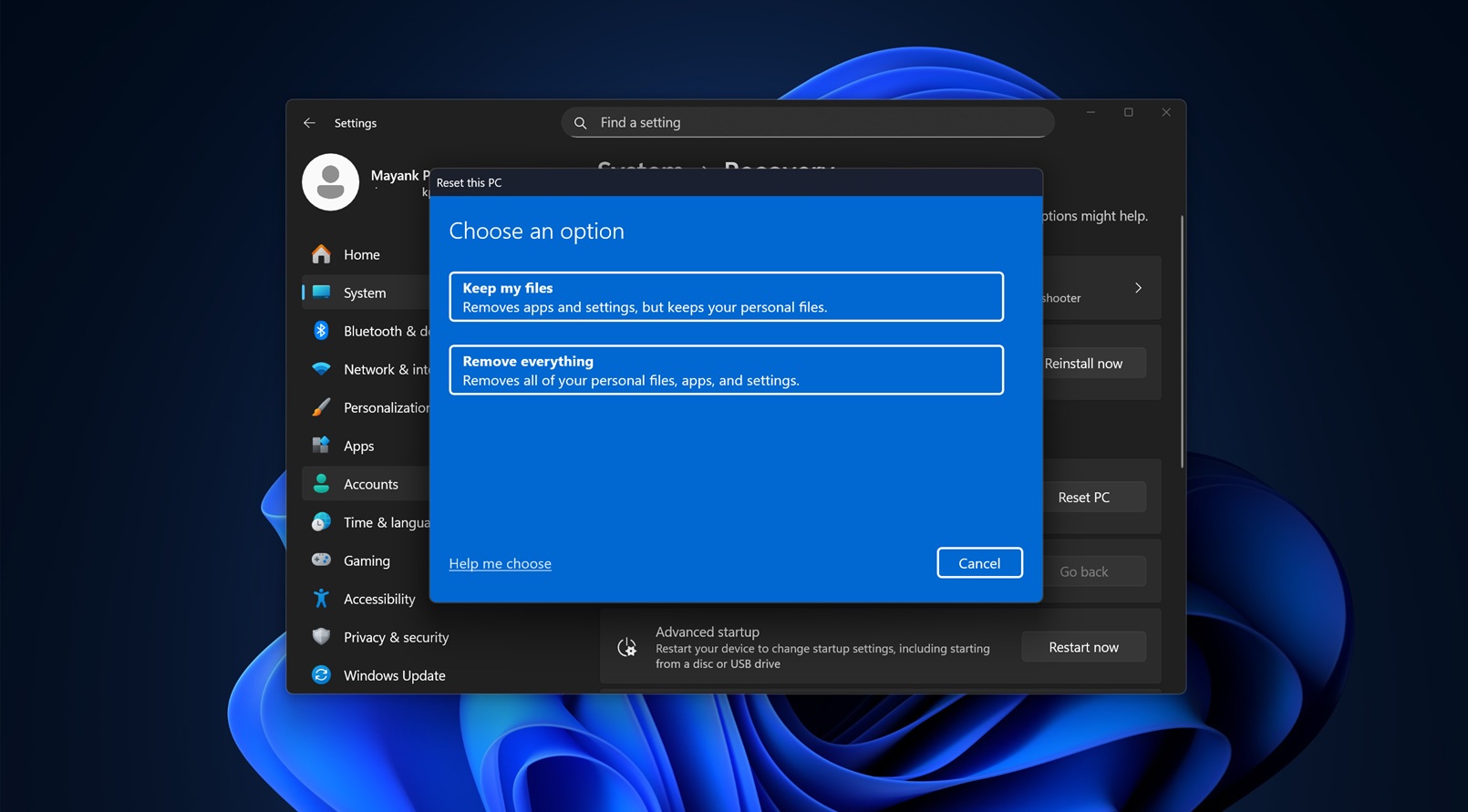
The issue was first noted by Windows Latest, and the problem was that of you use “Reset this PC” or “Fix problems when using Windows Update” on a PC running Windows 11 23H2, Windows 11 22H2, the process would fail, and Windows would roll back the changes.
Microsoft later quietly confirmed that the company accidentally broke the Reset & Recovery feature and rolled out an emergency out-of-band update following Windows Latest’s report.
#15 DRM Video playback issues
Windows 11 September 2025 Update KB5065426 caused video jitters and sluggishness in apps using Enhanced Video Renderer with Digital Rights Management (DRM) (e.g., Digital TV apps).
We have already reported that the update wouldn’t install in some PCs, but for the ones who did manage to install it, they ran into DRM issues.
Microsoft confirmed our reports and mentioned that the issue went back to the August 2025 optional update. The company noted that some videos could have jitters, especially in digital TV and DVD apps. Netflix didn’t have any issues in our tests.
Microsoft acknowledged the issue and planned a future fix.
#16 WinRE (Recovery) mouse/keyboard failure
Windows Latest first reported about a Windows Recovery Environment bug that blocks the mouse or keyboard from working after the mandatory Windows 11 KB5066835 October update.
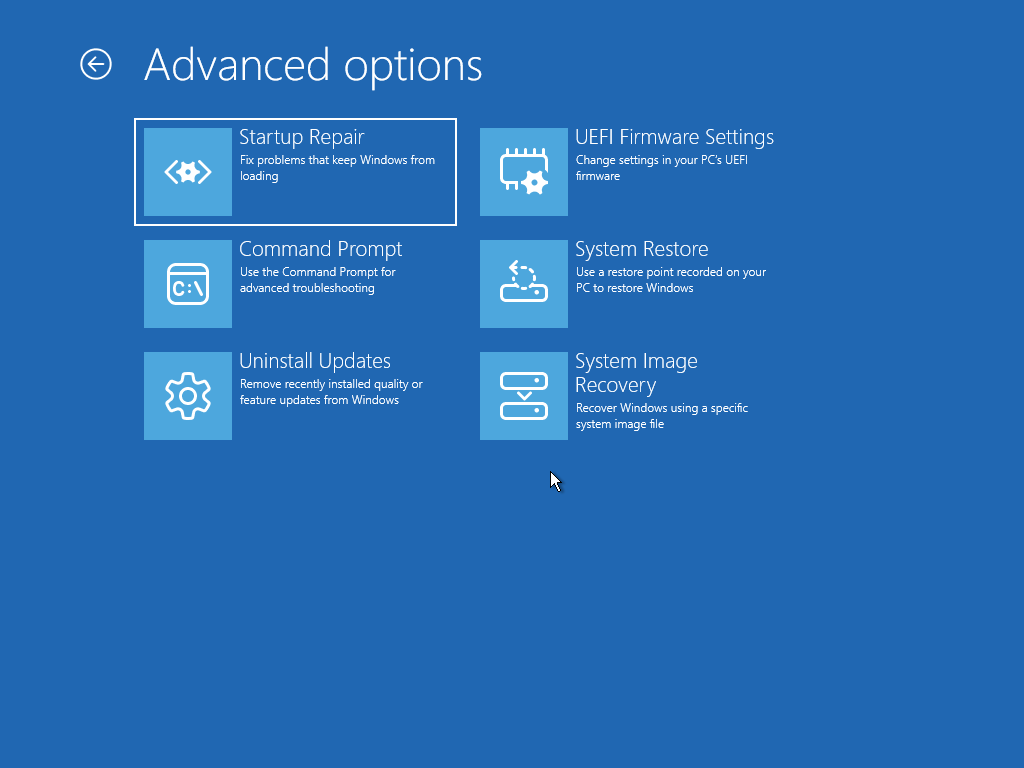
Microsoft later confirmed our findings saying that the company was aware of the issue and was investigating the root cause. The issue was fixed via emergency update.
WinRE is an important part of an ever-so-unreliable Windows 11, and with it, users can get back their PC when Windows refuses to boot, especially during a Blue/Black screen of Death error.
In our report, Windows Latest also provided a guide to fix the unresponsive keyboard and mouse issue in WinRE after the October 2025 update, which helped a lot of users avoid getting their PCs bricked.
#17 October update broke localhost and File Explorer preview got blocked
The same October 2025 update broke localhost (127.0.0.1) connections for developers and blocked File Explorer’s preview pane with a false security warning (“The file you are attempting to preview could harm your computer”).
Unfortunately, the Windows 11 KB5066835 was a mandatory security update for versions 24H2 or 25H2, and it installed automatically in PCs and broke localhost (127.0.0.1) HTTP/2 connections, which any apps that you’ve been working on, which were locally hosted, can no longer connect to your network.
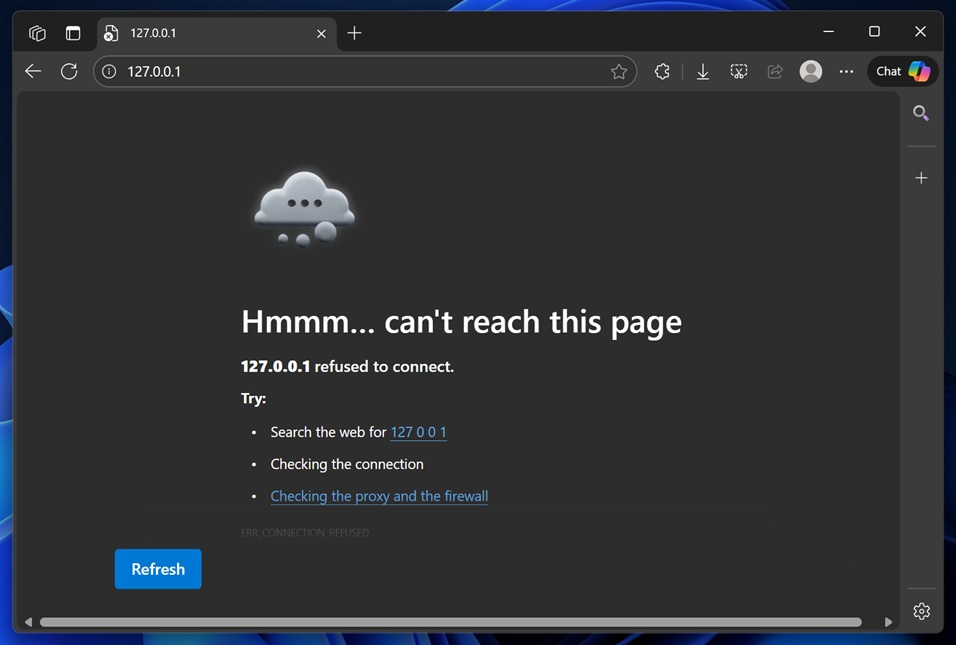
Windows Latest also gave out guides to fix the local host issues after the October 2025 update KB5066835, which was helpful to a lot of users.
The update also blocked File Explorer from showing document previews, falsely claiming a security issue, even when there was none.
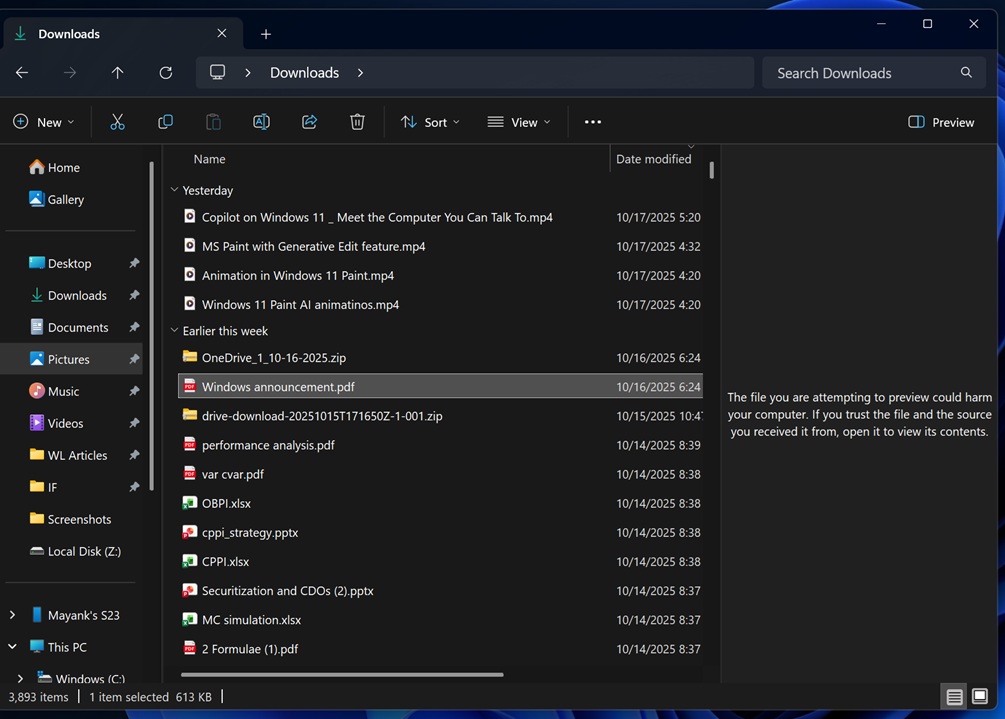
Localhost was fixed via server-side update, but the File Explorer Preview pane required workarounds or later patches.
#18 Task Manager refused to quit and spawned multiple instances
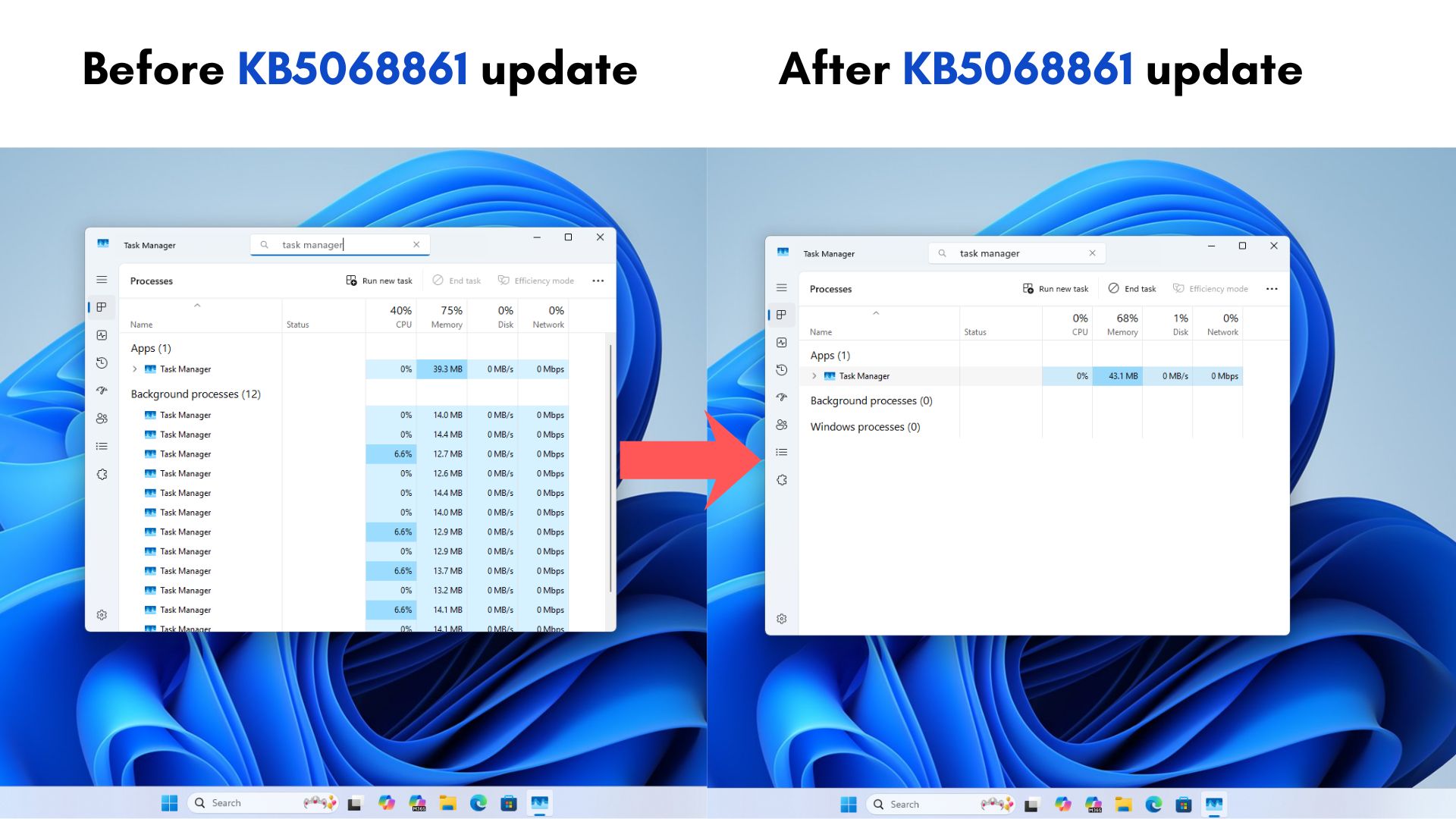
Windows Latest found a weird bug after updating to the optional late-October Windows 11 KB5067036, where the Task Manager refused to quit, and would run as new instances every time you close the application and open it again.
Following our detailed report, Microsoft confirmed that the issue with Task Manager not quitting could “potentially degrade” an affected PC’s performance.
We tested it thoroughly and found that the bug that caused Task Manager to spawn multiple background instances was, in fact, degrading performance in PCs, especially those with lower-end hardware.
Although Microsoft said that they were investigating the issue, Windows Latest promptly gave a temporary workaround to fix it. Fortunately, the Windows 11 November 2025 update fixed the issue, as first reported by Windows Latest.
#19 Broken Dark Mode & hidden password icon
The November optional update (KB5070311) caused white flashes in File Explorer (breaking Dark Mode) and hid the login password icon for Windows Hello users.
Dark mode for File Explorer was a much-requested feature, but it caused white flashes to appear when doing certain activities in the File Explorer. Our extensive tests showed the issue was inconsistent. However, Microsoft acknowledged the issue.
The update also had an issue for Windows Hello users, where when users chose to select the “Sign-in with other options” button, the password icon was missing.
We found that the password icon was not broken, but just hidden. In fact, the workaround that Microsoft recommended was hovering over the space where the icon usually appears and selecting the placeholder to open the password text.
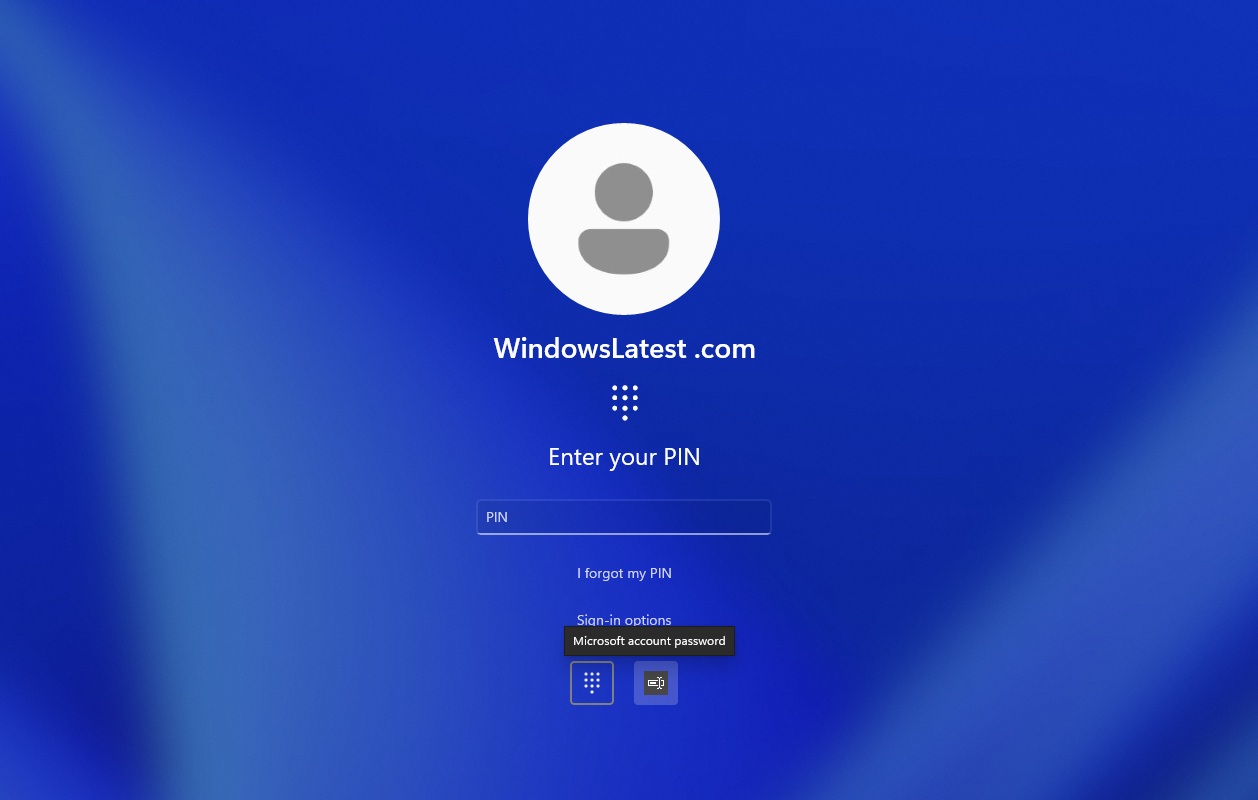
Both issues were fixed in the December 2025 Patch Tuesday update (KB5072033).
#20 NVIDIA gaming performance dropped after Windows update
Both the October 2025 update and the November 2025 update caused FPS drops in several games, and Windows Latest was first to observe it in our tests.
Later, NVIDIA confirmed our reports and started rolling out a new display driver (version 581.94) to fix it. Our speculation was that the gaming performance issues were mostly affecting GeForce drivers, because neither Intel nor AMD acknowledged the issue so far.
2025 was probably a tipping point for Microsoft, but we are still unsure if the company plans to change things around in 2026. If Microsoft wants Copilot and its AI-first vision to succeed, Windows 11 has to stop getting in the way. Users don’t care how smart an assistant is if their PC can’t install updates reliably or breaks core features. Trust is built on stability and reliability.
If Microsoft keeps prioritizing Copilot over fixing the foundation, there may not be enough willing users left to showcase those AI features in the first place.
The post Windows 11 had 20+ major update problems in 2025 and and 2026 started badly too. What are you doing, Microsoft? appeared first on Windows Latest