
Microsoft told Windows Latest that Microsoft Lens is now officially in the ‘retired’ phase, starting January 9, 2026, for iOS and Android devices. However, it’s not going to stop working today, as Microsoft has announced that it plans to support ‘Lens’ until at least March 9, 2026, and previously scanned documents will remain accessible for now.
You might wonder what the point of retiring Microsoft Lens is. Well, AI adoption doesn’t just mean fewer jobs or the need for expensive memory or GPUs, as it has other consequences too. One of these is that companies may be less willing to maintain products, as the money can be invested in AI.
Microsoft Lens is one of the victims of the company’s efforts to merge similar products into one. Lens capabilities are now inside OneDrive, so it’s no longer required. That’s the explanation we got from Microsoft when we reached out for a statement and other details, and Microsoft won’t change its decisions.
Microsoft says it’ll remove Lens from the Play Store and App Store on February 9
On February 9, you’ll no longer find Microsoft Lens when you search for it in the Play Store and Apple’s App Store.
Microsoft told me that it’ll begin removing the app from the Play Store starting February 9, and the Lens will move from “retired” status to “unsupported.” While these two terms may sound similar, ‘retired’ means Office Lens won’t receive any updates, and ‘unsupported’ means that if a future Android update breaks the app, Microsoft won’t fix it.
Microsoft Lens processes your images using its cloud tech, so once the company turns off access to the underlying tech, Lens will stop working. This happens on March 9, 2029.
“You can continue to scan documents in the app until March 9, 2026,” Microsoft told Windows Latest. “You will still be able to access your previous scans if the app remains installed on your device,” Microsoft added.
If you want to use Microsoft Lens until at least March 9, 2026, make sure you install the app or the app is not removed from your phone by Feb 9, 2026.
“You need to be signed into your last active account on the Microsoft Lens app to access past scans,” the company warned.
Is there any other way to use Microsoft Lens after it’s retired?
Microsoft says it moved Lens-like capabilities to OneDrive, but the catch is that when you scan images using OneDrive and convert them to a document, it’s saved to OneDrive, not your local storage.
This means you’ll manually need to download scanned documents from OneDrive. On the other hand, Lens allowed you to save scans to your preferred local storage.
How to use Microsoft Lens inside OneDrive?
It’s actually quite simple to use the Microsoft Lens-like feature in OneDrive. On your mobile, once you’ve opened OneDrive, click the plus icon and select scan.
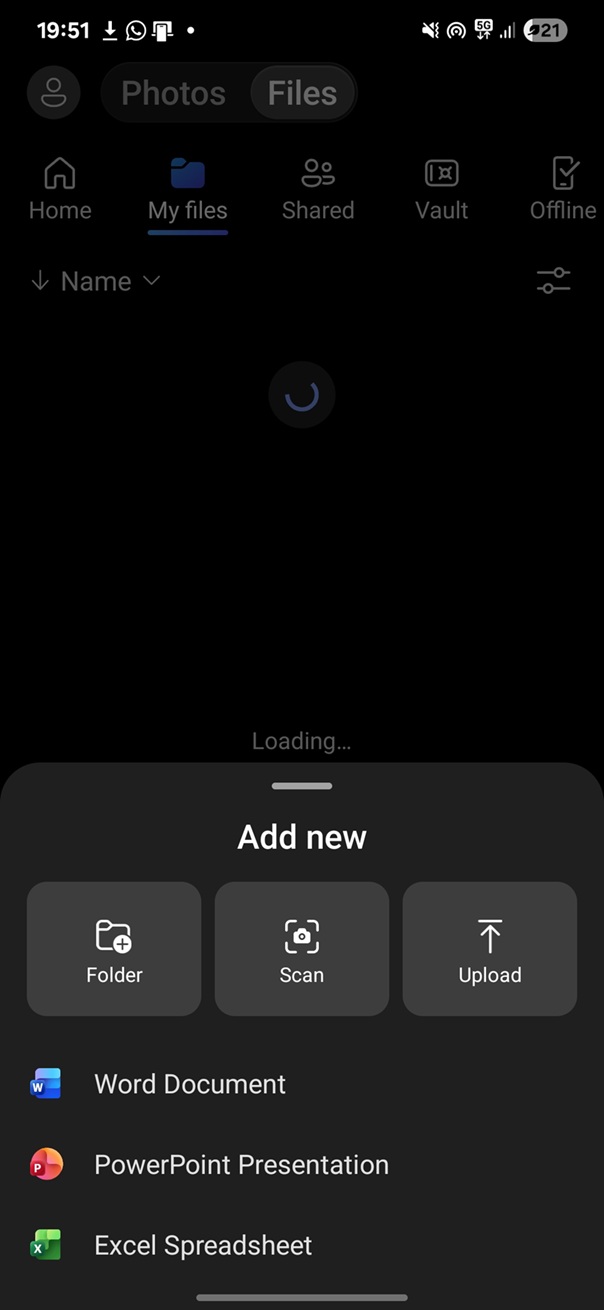
This opens the camera, and you need to scan the image. After the image is scanned, Microsoft turns it into a Lens-edited style document, and you can edit or save it to OneDrive.
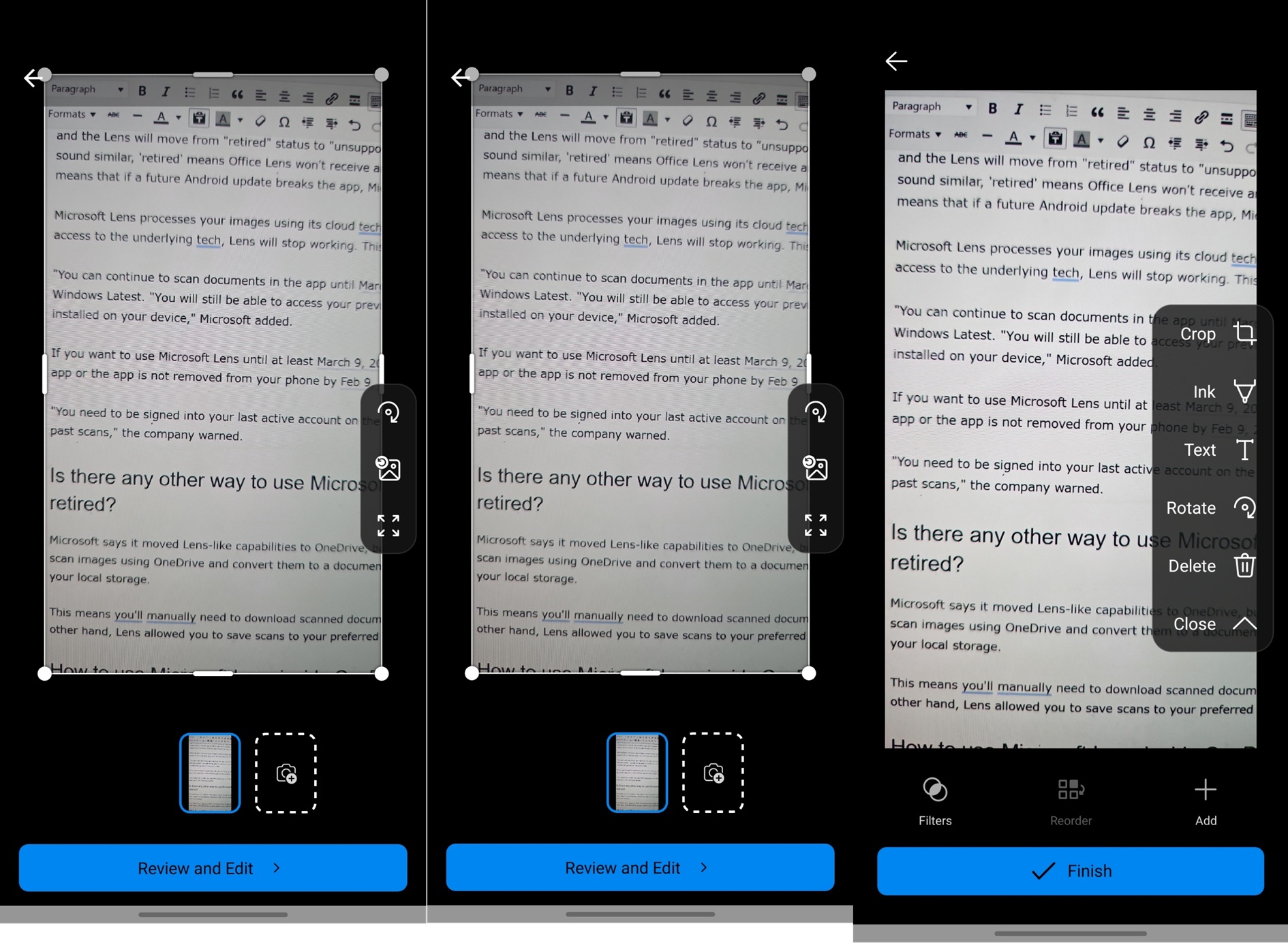 You cannot save OneDrive scans to local storage directly, but you can always go to the location in the cloud and manually download them.
I’m definitely going to miss Microsoft Lens, as it was one of the cleanest apps to scan images or documents. What about you?
The post Microsoft Lens just retired on iOS and Android, stops working March 9, as the company wants to focus on Copilot appeared first on Windows Latest