
Microsoft is testing a new feature that integrates Copilot into the File Explorer, but it’s not going to be another ‘Ask Copilot’ button in the right-click menu. This time, Copilot will live inside File Explorer, likely in a sidebar or Details/Preview-pane-like interface, according to new references in Windows 11 preview builds.
Microsoft watchers @PhantomOfEarth and @a_donglee worked together to uncover a hidden “Chat with Copilot” feature in File Explorer.
@PhantomOfEarth confirmed the details to Windows Latest, and even shared screenshots of the strings that seem to suggest Copilot will be integrated into File Explorer as a “chat view,” not an extra app (where you’re asked to open Copilot).
How Copilot integration in File Explorer works right now
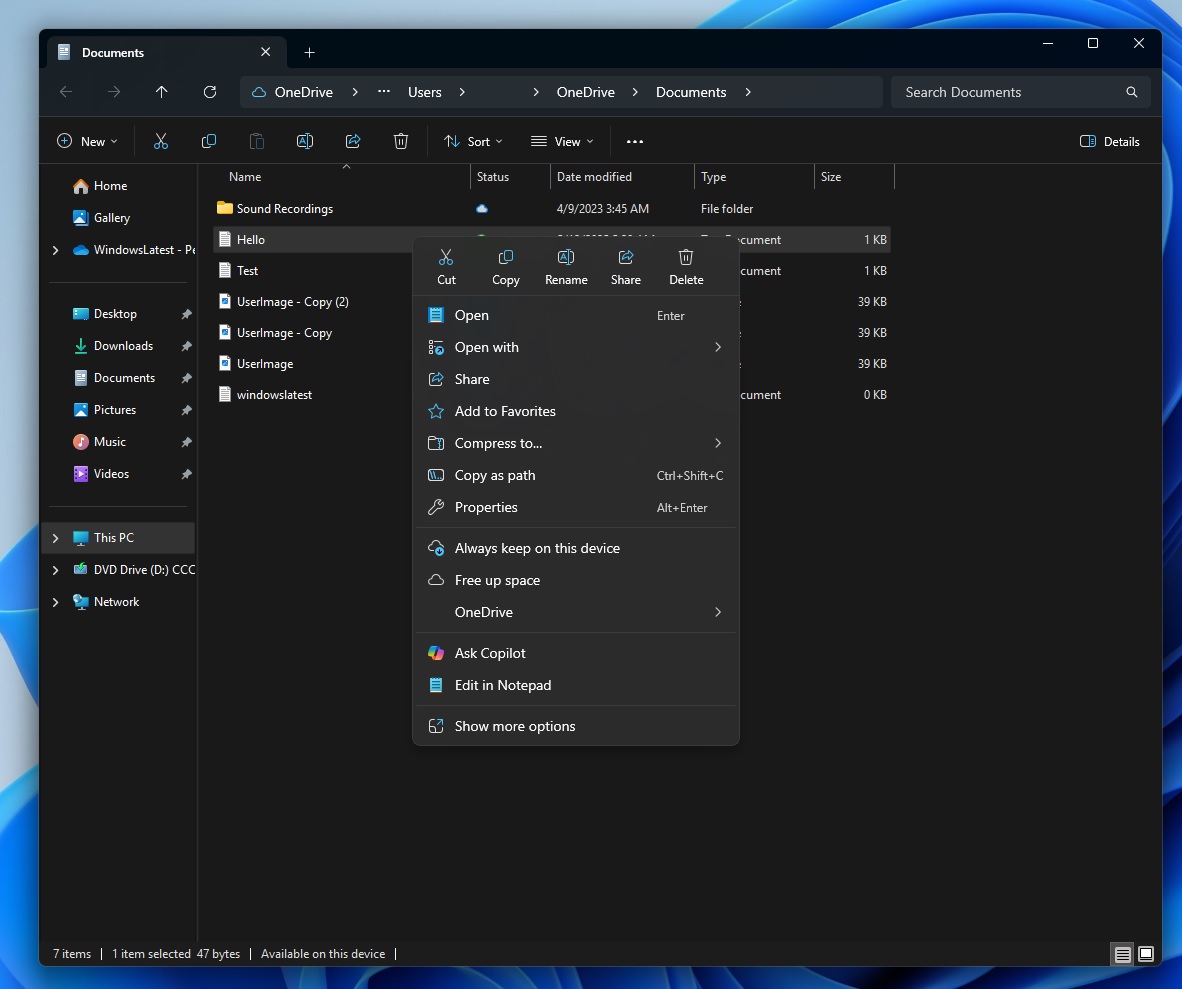
Technically, Microsoft added Copilot to File Explorer via the right-click menu, but I would not call what we have a full-fledged integration. At the moment, if you right-click any file, an ‘Ask Copilot’ button shows up, which sends the file or image to the Copilot. The option disappears when the Copilot app is removed.
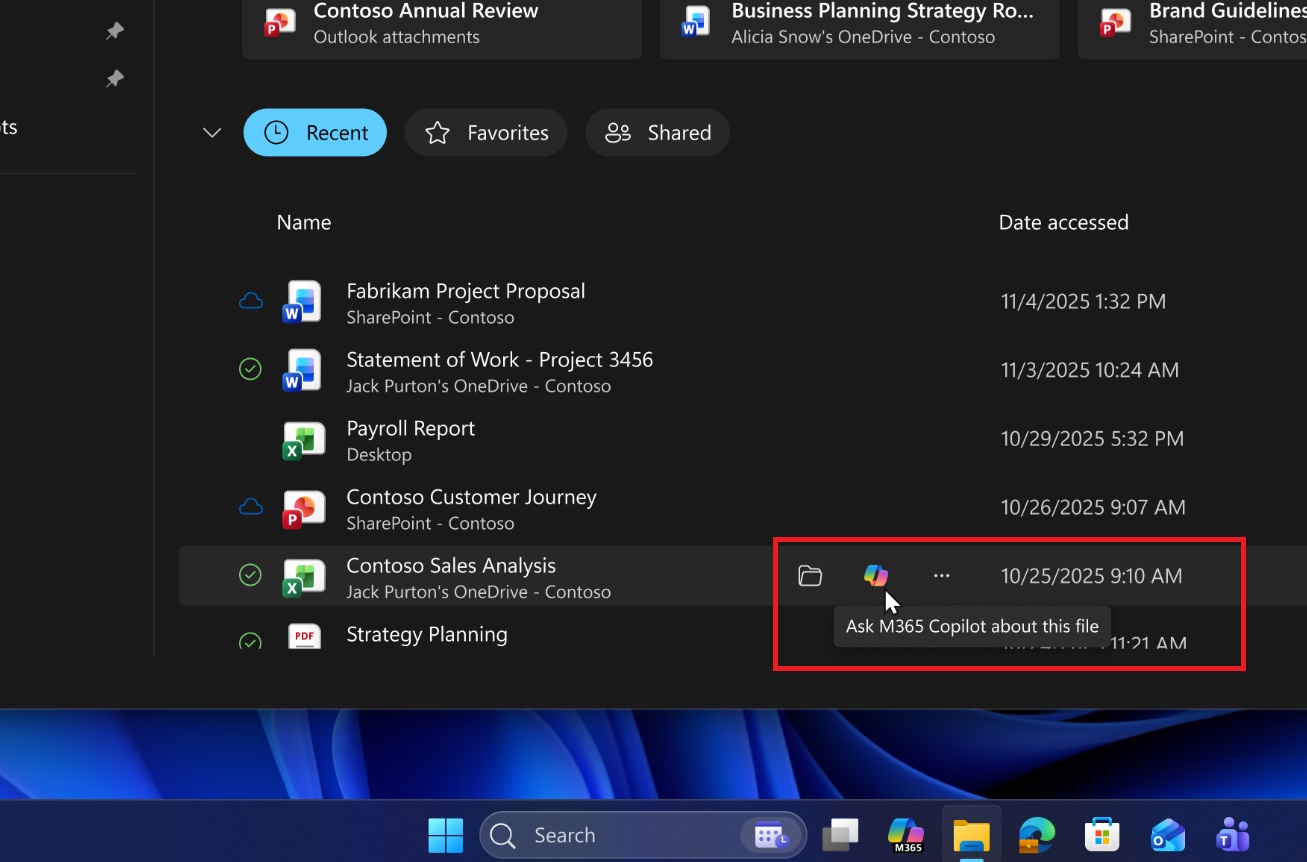
Some of you might have also noticed that the ‘Ask Copilot’ or ‘Ask M365 Copilot’ toggle is in the ‘Home’ tab of File Explorer. These two or three toggles simply opened Copilot or Microsoft 365 Copilot apps. Copilot answers never appeared inside File Explorer, but that could change soon.
Microsoft plans to load Copilot INSIDE File Explorer
In Windows 11 Build 26220.7523, the resources.pri for FileExplorerExtensions SystemApps contain references to two strings. The first is “Chat with Copilot,” and the second is “Detach Copilot.”
What makes this convincing is that the hidden button spotted in Windows 11 build 26220.7523 isn’t just a random placeholder. It is traced to an internal name, “AppAssistantLaunch”, and there are matching string resources inside FileExplorerExtensions.
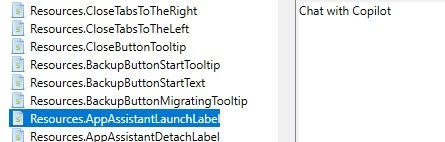
In the above screenshot, the key Resources.AppAssistantLaunchLabel points to “Chat with Copilot”, which suggests that it’s a feature intended to open a Copilot chat experience directly within Explorer, rather than the Copilot app.
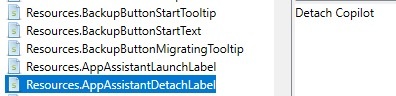
Then, the second screenshot has references to Resources.AppAssistantDetachLabel, which points to “Detach Copilot.”
“Detach” only makes sense if Copilot is first attached to File Explorer, so it’s possible that Copilot will be attached to the sidebar within the File Explorer. By default, Copilot in File Explorer could be docked to a panel, but it can be detached and popped out into its own window.
All of that makes sense because if these references were only about launching Copilot as a separate app, you’d expect references to strings like “Open Copilot” or “Launch Copilot.” But here, we have references to “Chat with Copilot” and “Detach Copilot.”
Microsoft hasn’t confirmed the reports yet, but it could begin rolling out to File Explorer in the coming months. Of course, you’ll be able to turn off Copilot integration in File Explorer, but we don’t know if it’s going to be the default behaviour.
The post Copilot could soon live inside Windows 11’s File Explorer, as Microsoft tests Chat with Copilot in Explorer, not just in a separate app appeared first on Windows Latest