
Windows 10 KB5071546 is now available, and I tested it on my PC, signed up for Extended Security Update (ESU). As expected, there’s nothing new in the December 2025 patch for Windows 10, but it’s still worth downloading because of security fixes. Microsoft has also posted direct download links for the KB5071546 offline installer.
KB5071546 is a mandatory update, and it shows up as “2025-12 Cumulative Update for Windows 10 Version 22H2 for x64-based Systems (KB5071546)” only when you sign up for Extended Security. This update advances PCs to Windows 10 Build 19045.6691 / 19044.6691.
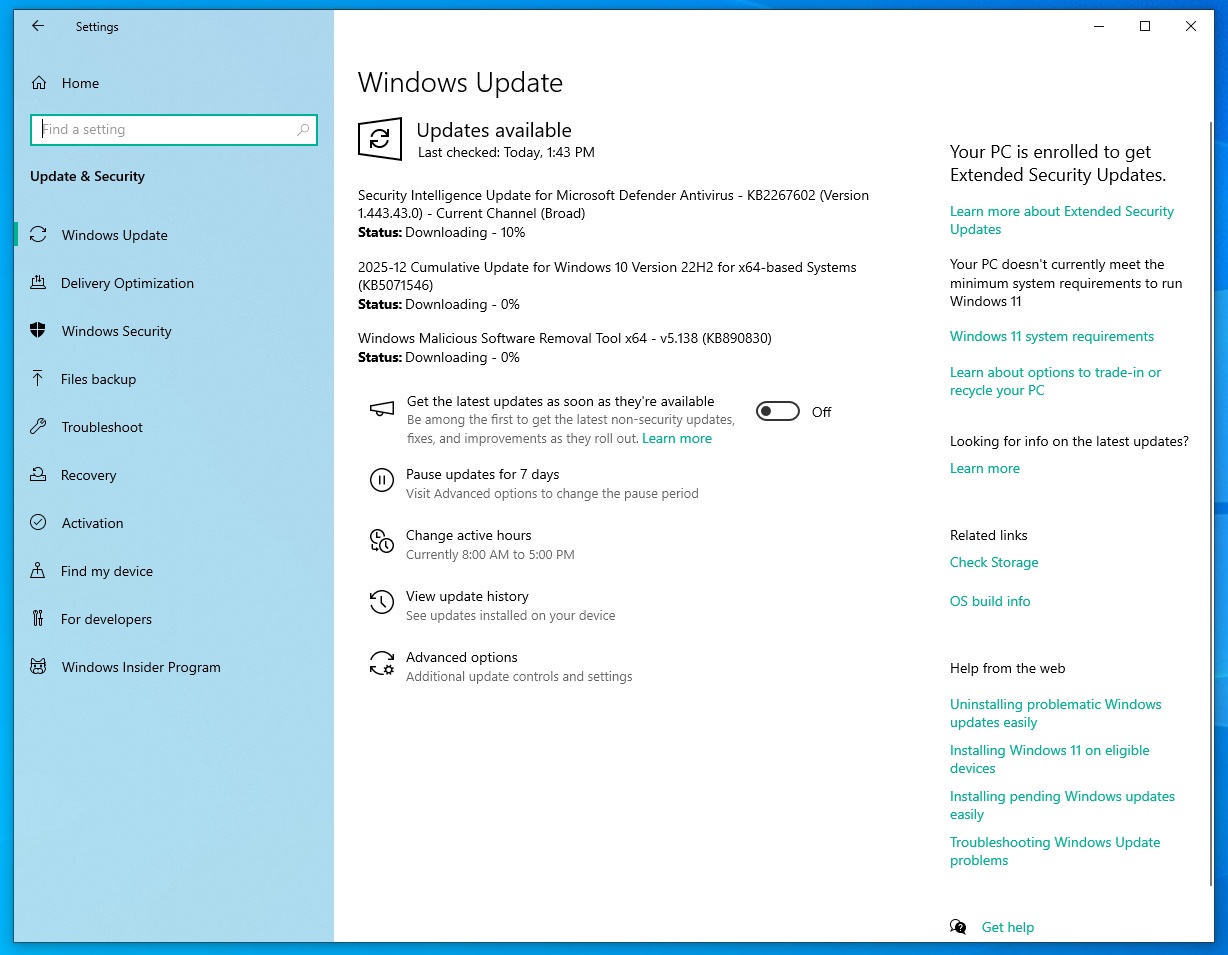
In our tests, Windows Latest observed that the update takes approximately 5 minutes to complete, from download to installation.
I asked Microsoft for more details on the update, but the company had nothing to share beyond the fact that there are security fixes. Microsoft also won’t tell us what the specific fixes are in the release notes, which are empty, but I’ve some details.
Based on our research, the December 2025 update patched about 57 security issues, which is about 5% less than the November 2025 update, if that matters. But there are at least two bugs that are zero-day, and one issue is being actively exploited, so that makes this December patch very important for Windows 10.
To sum up, Microsoft patched the following issues in Windows 10 KB5071546:
- Two bugs under the “Spoofing” category.
- Three Denial of Service issues, which could disrupt the workflow.
- 28 bugs under the Privilege Vulnerabilities category.
- 19 issues that can be remotely executed/exploited.
Windows 10 KB5071546 makes a change to PowerShell
Microsoft found a bug where PowerShell scripts would be exploited if they were embedded in a webpage, and you accidentally run the script. When a PowerShell script is executed from a webpage, it uses Invoke-WebRequest. By default, this command is supposed to send HTTPS requests and parse the response to get the content.
But some attackers exploited special elements used in a command in Windows PowerShell, which allowed attackers to run code locally. After the update, if you use PowerShell’s ‘Invoke-WebRequest,’ you’ll see the following warning:
“Invoke-WebRequest parses the content of the web page. Script code in the web page might be run when the page is parsed,” the warning reads after I installed Windows 10 KB5071546 and trying using Invoke-WebRequest in PowerShell. “RECOMMENDED ACTION: Use the -UseBasicParsing switch to avoid script code execution.”
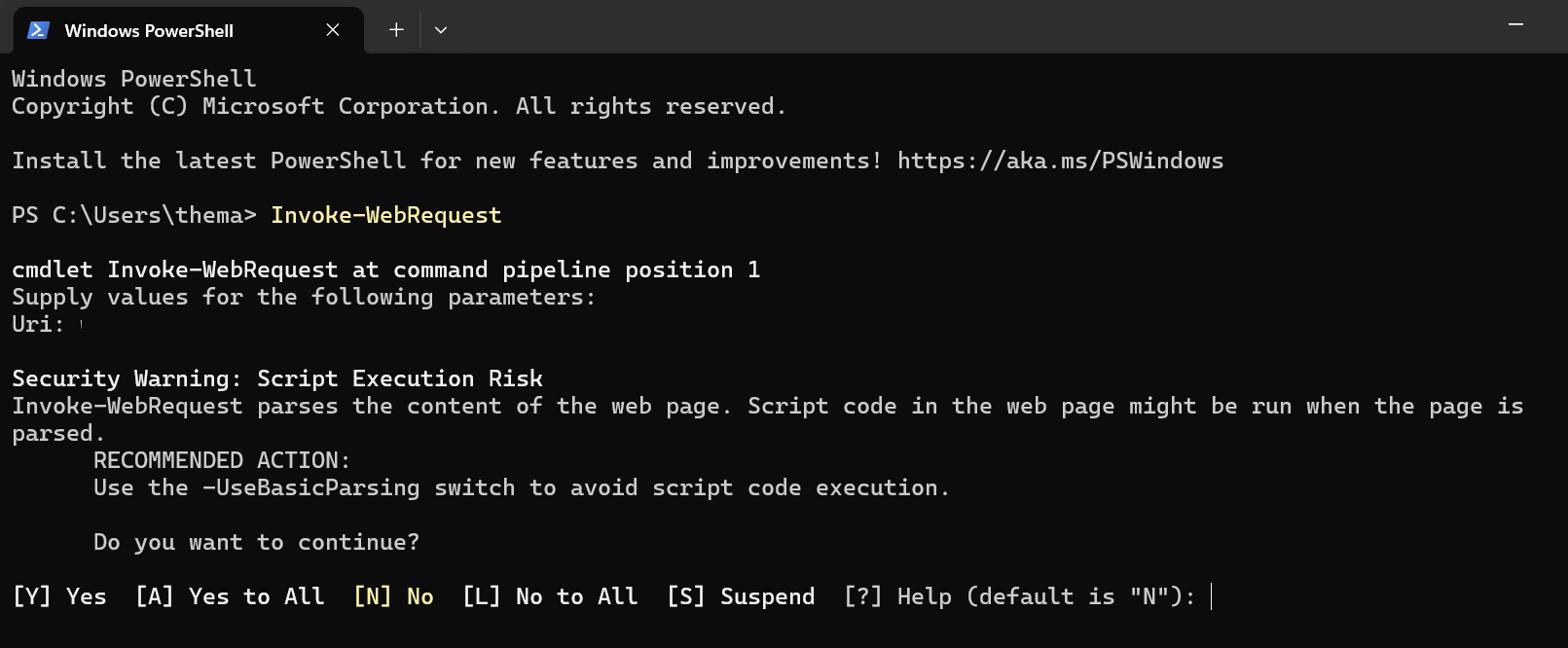
However, it’s just a warning, so I can choose to ignore it and continue running the command. It’s the only change that’s noticeable after the December 2025 update, but you’re getting the same fix in Windows 11 with KB5072033.
Download Links for Windows 10 KB5071546
Windows 10 KB5071546 Direct Download Links: 64-bit and ARM-64 | You can still use Update Catalog to download offline installers for Windows 10 ESU, but they may not work unless you opt for the ESU from Windows Update. And you should do it.
I don’t see why there’s a good reason to hold off on signing up for ESU, so if you use Windows 10, just get yourself one year of free upgrade.

As you might be aware, you just need to open Windows Update, and you’ll automatically find a new Enroll now button. When you choose it, it automatically kicks off the Windows 10 ESU enrollment wizard, and signs up for extended updates as long as you’ve a Microsoft account signed in.
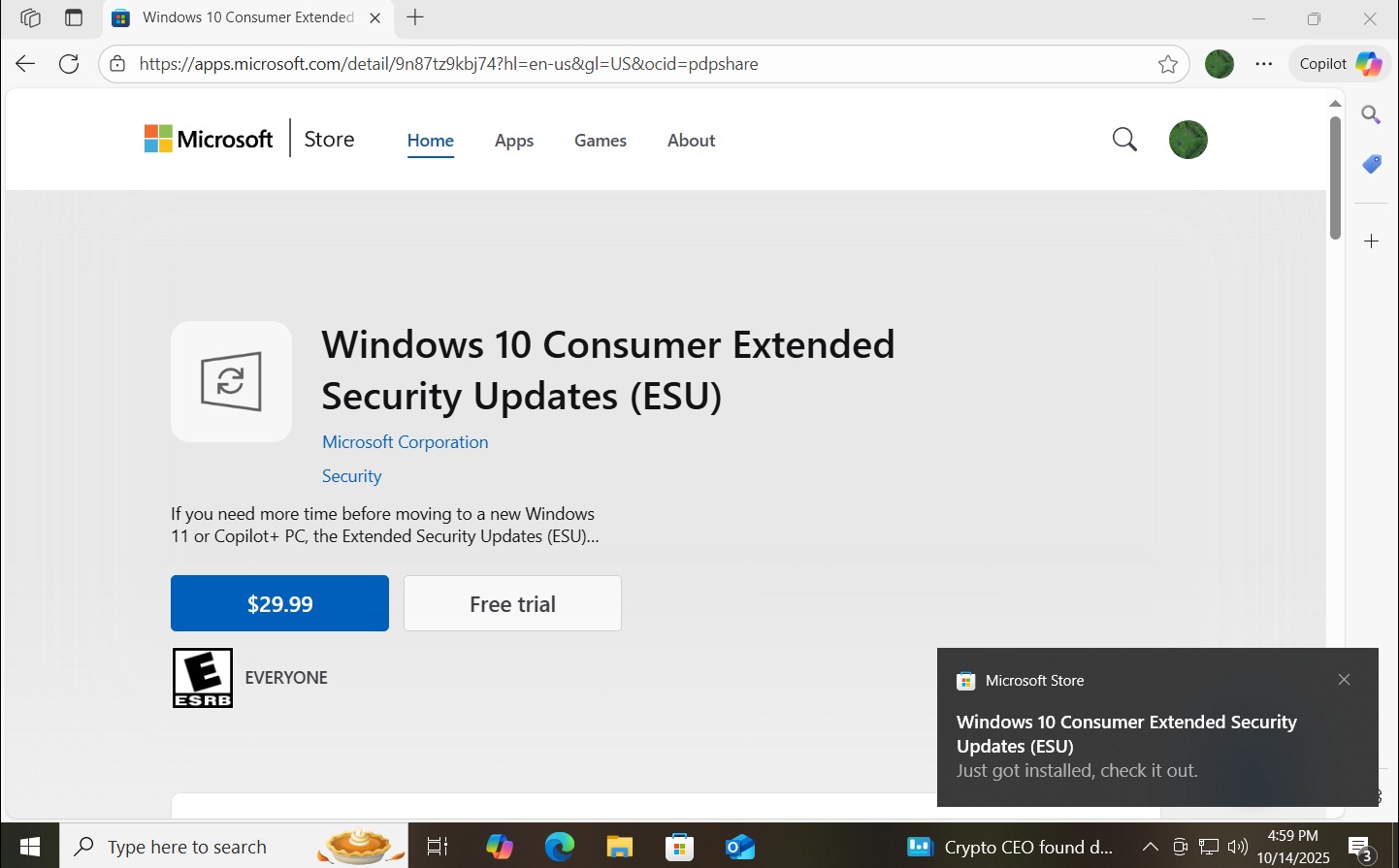
But if you’d like, you can also opt for $29.99 ESU, which lets you have one year of Windows 10 updates using a local account.
The post Windows 10 KB5071546 ESU released, direct download links for offline installer (.msu) appeared first on Windows Latest