
WhatsApp is now warning more users that they’ll be logged out of their PC apps with the next update that starts from December 9, 2025. This is not the first warning from the Meta subsidiary, and it is likely a staged replacement of the old UWP WhatsApp with the new web-wrapper WhatsApp.
By the end of October, some WhatsApp desktop users got a warning notification from the most popular messaging service that they’ll be logged off from the app starting November 5. Windows Latest reported first about the announcement, which appeared just below the “Search or start a new chat” box on our PC’s WhatsApp.
The frustrating part here is that we have received the update by the end of the first week in November, and our initial impressions showed that the new Chromium-based WhatsApp uses 1GB RAM all the time, as opposed to the native version, which rarely crossed 100MB.
Now, the company is informing more users, who haven’t updated their apps the first time, that they’ll be logged off from the app to complete the update, after which the native WhatsApp will transition to the resource-hungry Chromium-based WhatsApp.
WhatsApp sends a warning message to more users
Some users have received the new warning sign from WhatsApp, which sounds like you’ll be forced to update the app to the newer version, but that’s not the case, as you can manually stop the app from updating, for now.
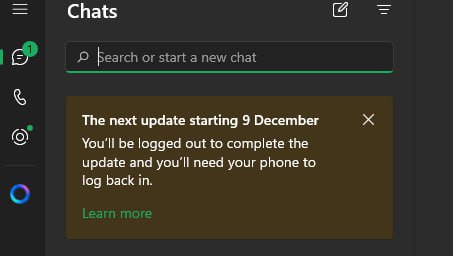
The notification reads:
“The next update starting 9 December
You’ll be logged out to complete the update and you’ll need your phone to log back in.”
Clicking “Learn more” at the bottom of the notification will show you a pop-up message telling you that some changes are coming to WhatsApp for Windows. The messaging app goes on to say that the update gives you Channels and the ability to do more with Status and Communities.
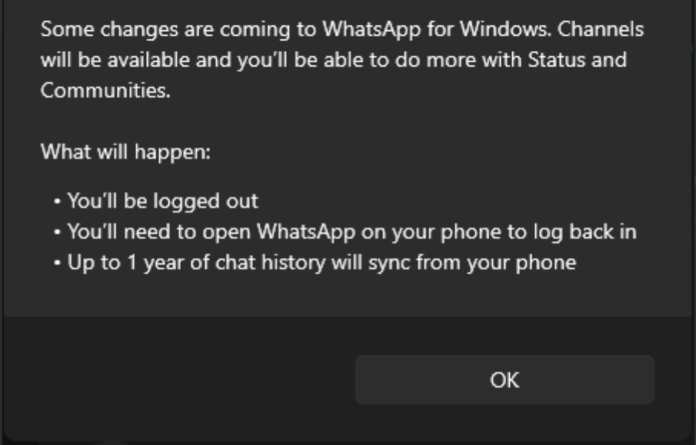
After the update, you’ll be logged out of the app, and you’ll need to open WhatsApp on your phone to log back in. The company promises up to a year of chat history sync from your phone.
To be clear, such a warning message isn’t in any way necessary for a regular app update. It exists here only because you’ll be logged off from the app. But, as you’ll see now, that’s not the worst part.
How bad is the new WhatsApp (Chromium) when compared to the old WhatsApp (native)
Windows Latest has done extensive testing on the new Chromium-based WhatsApp for Windows and has compared it side by side with the old WhatsApp, and we are absolutely clear that Meta can’t justify transitioning its millions of users on Windows PCs from a smooth native app to a laggy web wrapper.
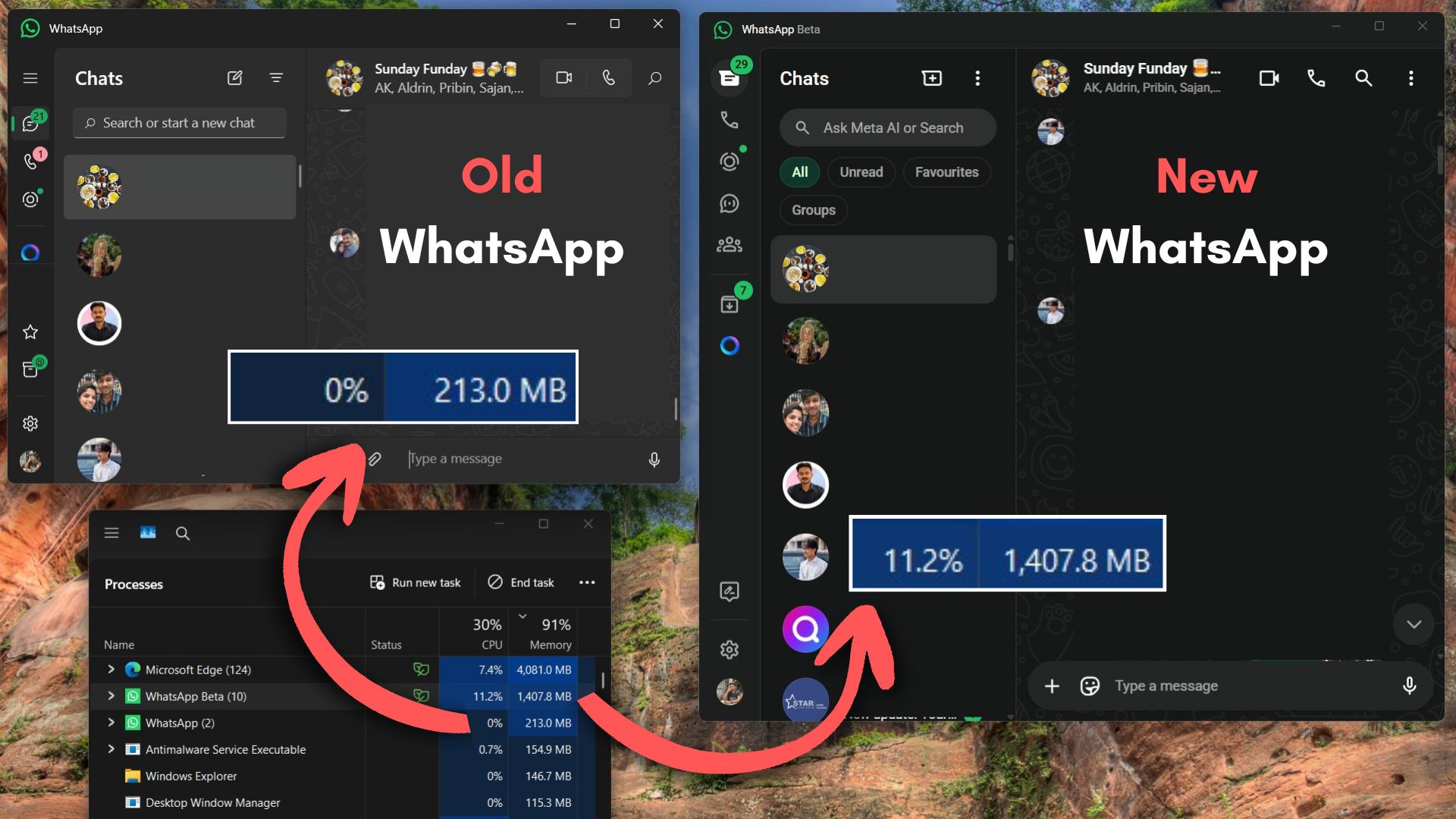
In our testing, the new Chromium WhatsApp uses up to 7X more RAM than the old native WhatsApp. This wouldn’t have been a problem if the app were at least snappy, but as we expect from any web wrapper, the new WhatsApp is as sluggish as it gets.
Switching between chats is noticeably slower on the new WhatsApp, as seen from the video above. And every time you restart your PC, the app takes a good 10 to 20 seconds to load all your chats, which is absurd for an instant messaging app.
Just opening the new WhatsApp takes about 600MB of RAM, and it surges to 1.2GB as we scroll through chats, which is something that most people do on a daily basis.
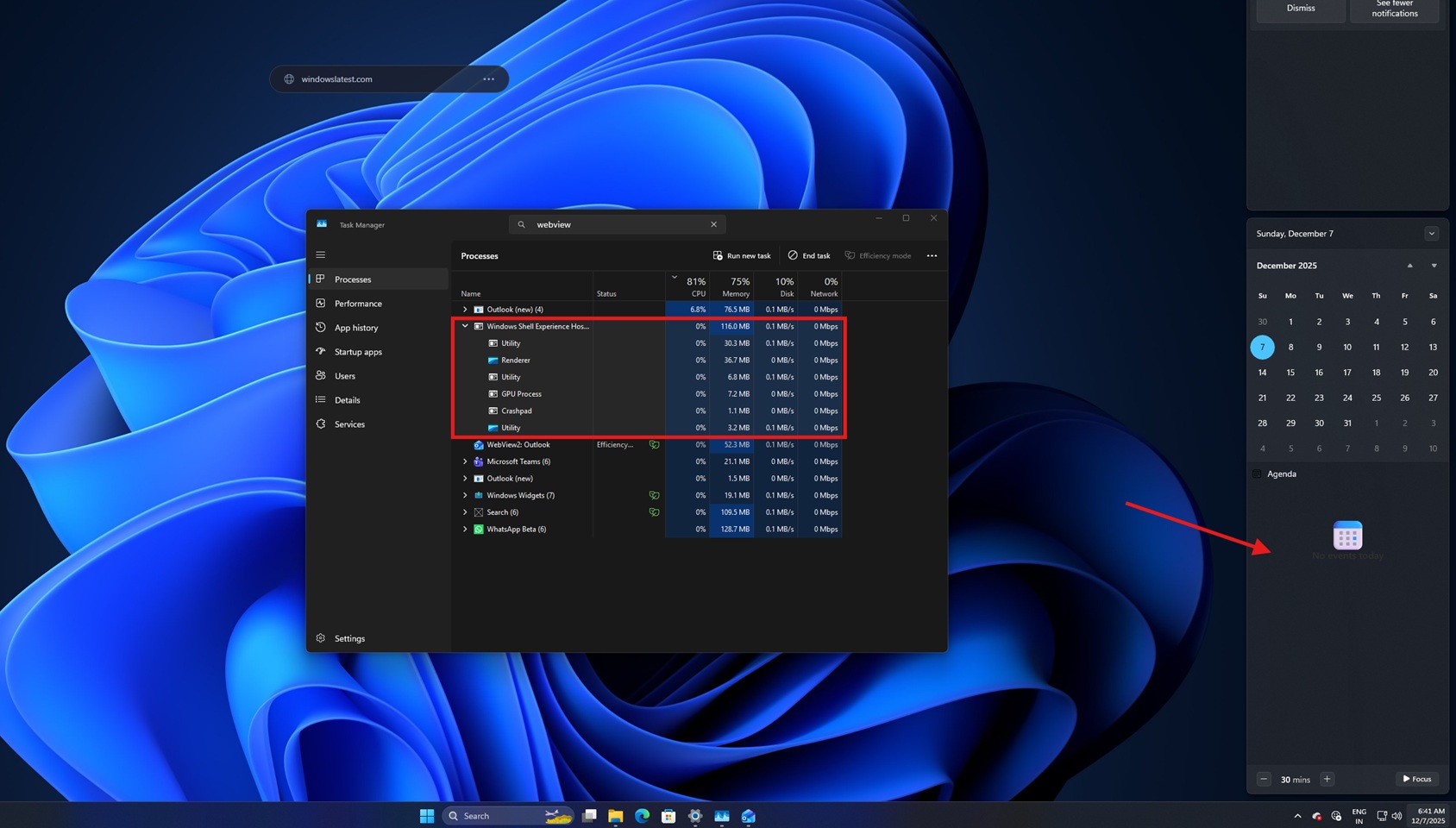
The issue is more persistent on PCs with lower-end hardware, like 8GB of RAM, which is now classified as low-end because even Microsoft, in their infinite wisdom, decided that their version of web wrappers (WebView2) is enough for new features like Agenda view in Notification Center.
Now, there is no point in blaming other popular apps like Discord, which admitted that its Windows 11 app eats RAM like it’s an unlimited entity, to the point where Discord restarts as the RAM usage goes above 4GB.
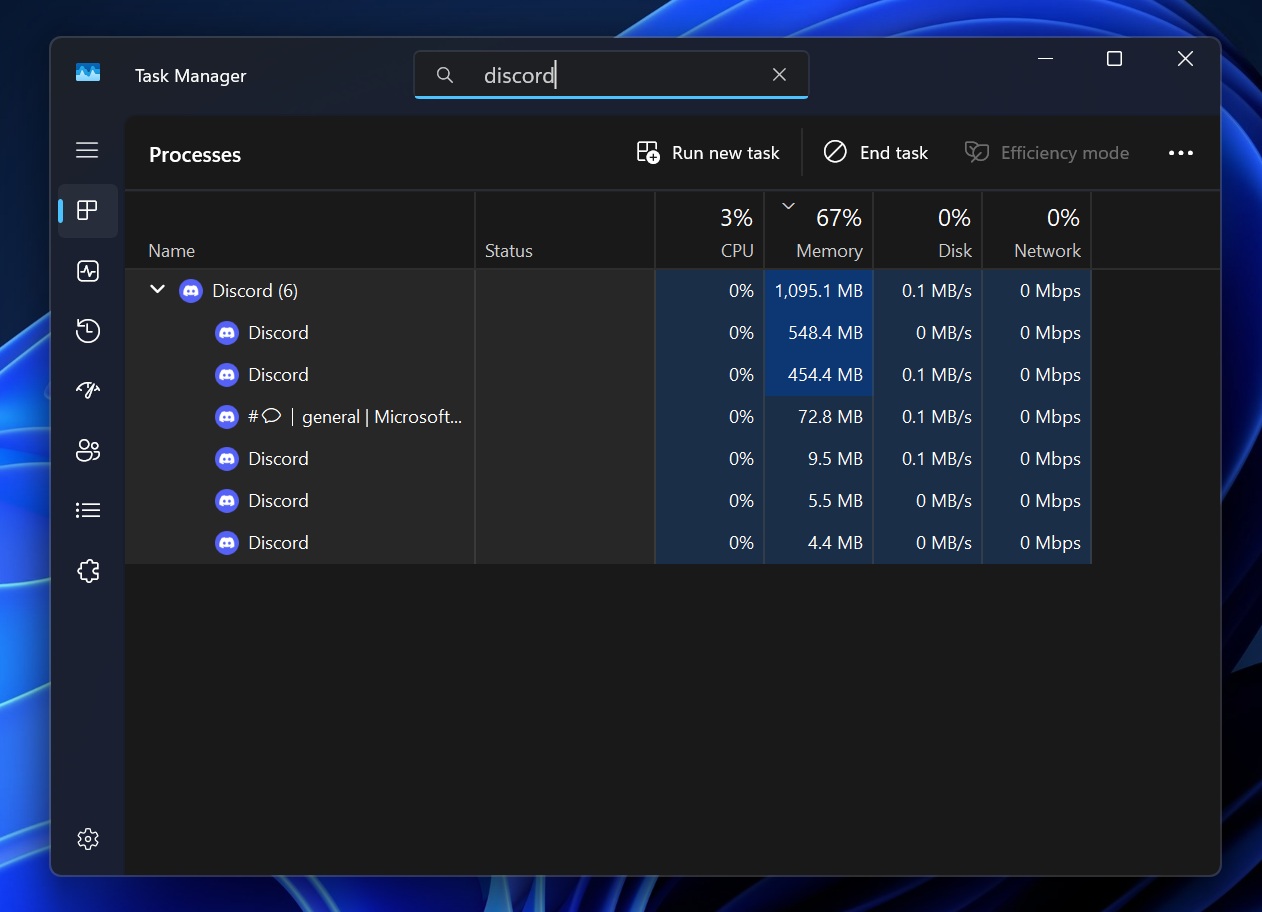
App RAM usage is now more concerning than ever, as memory prices are at an all-time high, and instead of optimizing apps to use less memory, popular Windows 11 apps are using more RAM due to Electron and Web components.
Can you use the old WhatsApp instead?
Yes, at least for the time being.
As of now, WhatsApp isn’t forcing the update on its users, and this has only been the second official warning from the messaging platform. But that is not to say that the company wouldn’t force an update in the future, as they have done in the past with other platforms, where you can’t use the app unless you update it.
The only solution, for now, is to pause automatic Microsoft Store updates, which avoids the app updating by itself when you connect to WiFi.
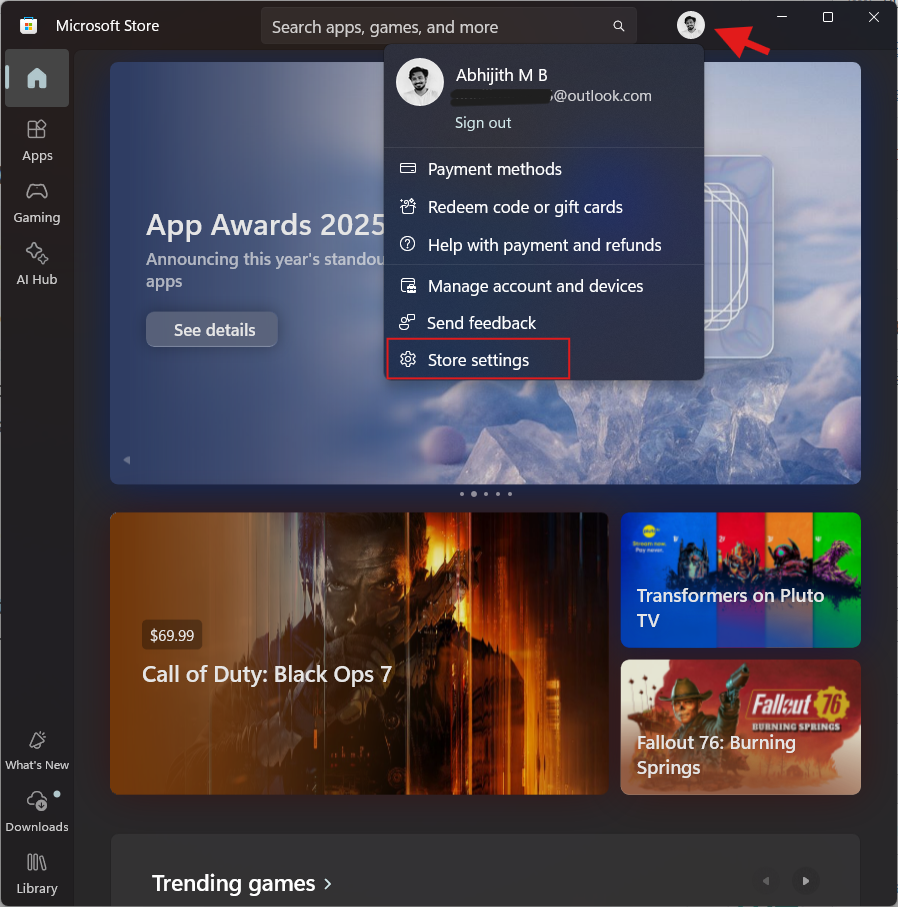
To do that, open the Microsoft Store, click your profile icon on the top right, and select Store settings. Turn off the first option, which is App updates.
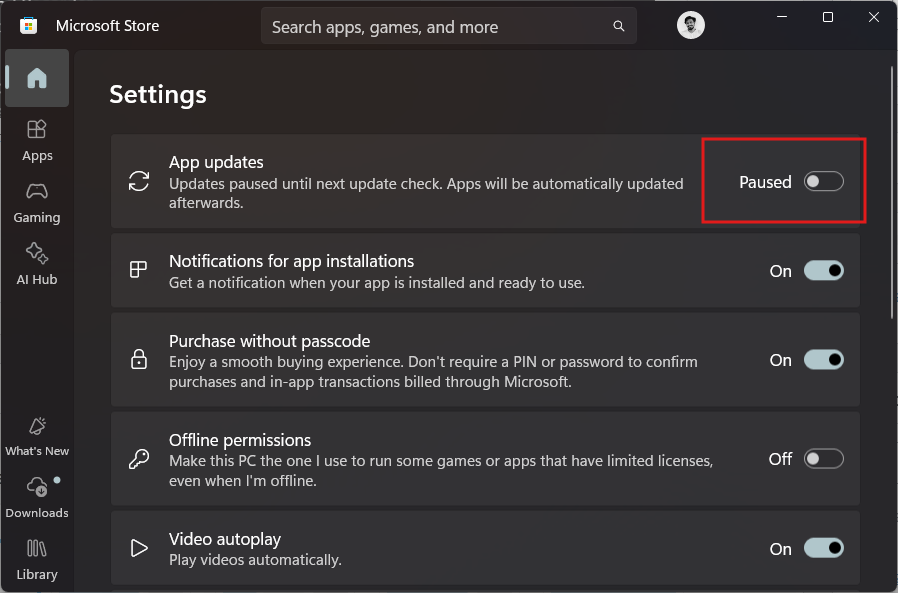
Turning the toggle off doesn’t mean that you’ll stop getting app updates. The Microsoft Store will still show you the available updates, which you can choose to manually update if you wish to do so.
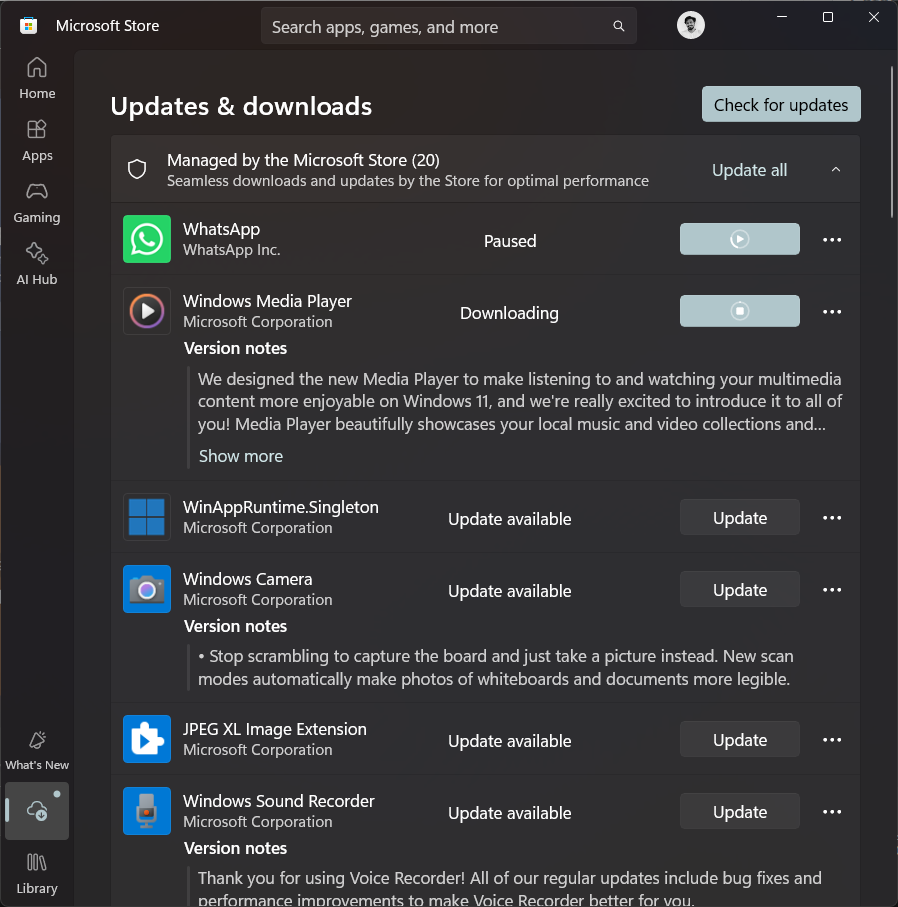
After testing out the new Chromium-based WhatsApp, I have decided to continue using the old native version as long as I can. The lack of Channels and Communities in the native WhatsApp is a tradeoff that I’m willing to take, because WhatsApp, to me, is a messaging app, and I don’t wish to use it as a social media app.
Have you “upgraded” to the new WhatsApp? If so, how has the experience been?
The post WhatsApp is logging more Windows 11 users out to push its new slow web-wrapper app appeared first on Windows Latest