
Microsoft is rolling out “Update Orchestration Platform (UOP),” which could allow Windows 11 to scan for app updates and automatically download or even install the updates based on how you use an app. This API is available for all apps, including those published outside the Windows Store, and it could actually make app updates less painful on Windows 11.
Until now, Windows has allowed you to manage app updates in the Microsoft Store, or you can also use winget. These two are in addition to the built-in app updaters supplied by some developers. While Store takes care of app updates on Windows 11, some apps have their own updater, and many apps are not available in the Store.
Microsoft argues that Windows 11 has too many ways to update products. We’ve Windows Update that handles monthly security updates, and then we’ve the Microsoft Store updater for store apps. At the same time, we also have Windows components, developer tools, and third-party software that all scan, download, install, and nag you in their own way.
Microsoft is building a new Windows-side update system that allows an app or a developer tool to plug into using the Update Orchestration Platform (UOP) API. Even third-party driver releases, which are not offered via Windows Update, can use this API. And Windows will decide when to update the app or driver using the updater provided by the developer.
We don’t know about drivers, but the UOP API is now being tested for app updates.
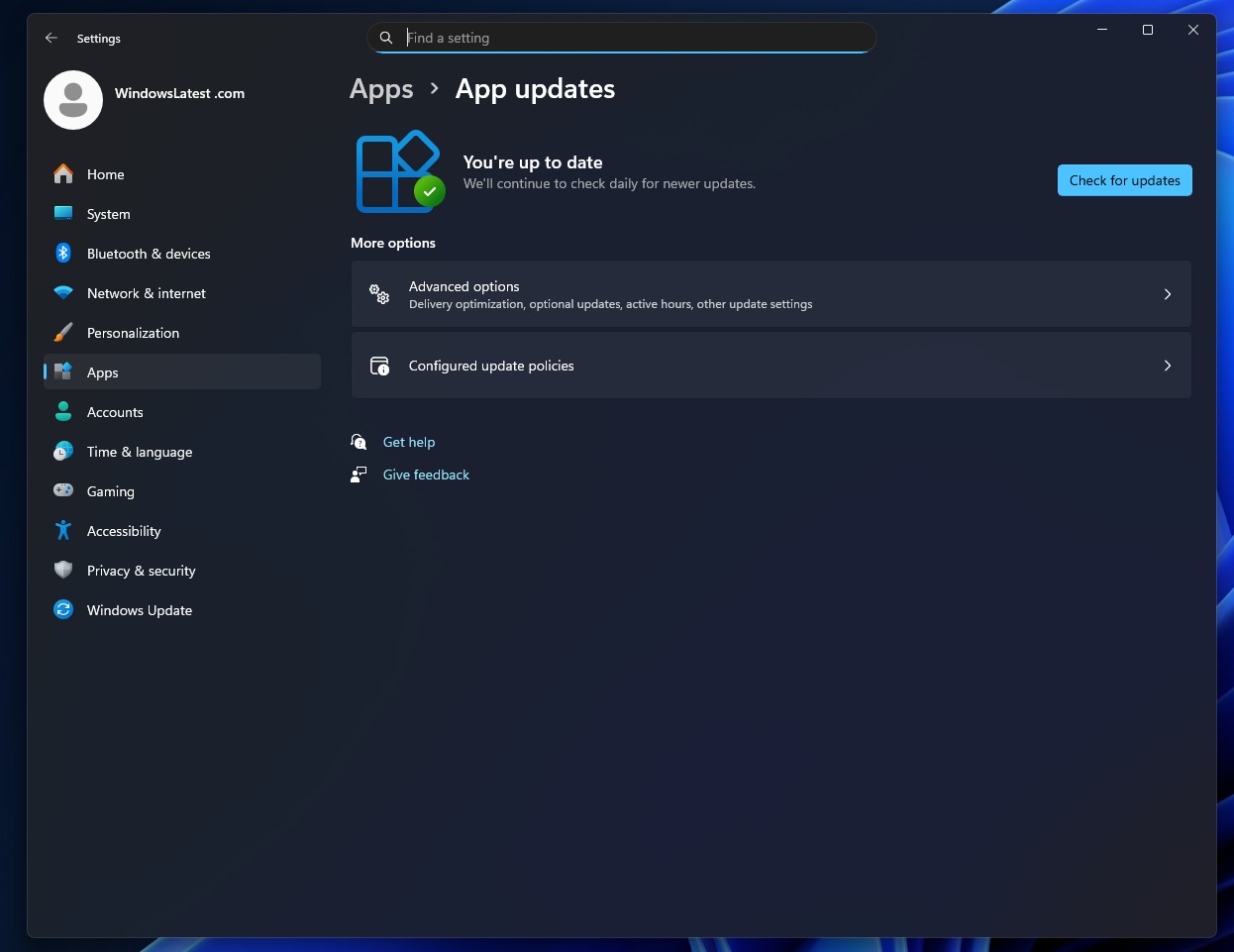
In our tests, Windows Latest found a new “App updates” page inside Settings > Apps, and it’ll have all your apps that use this new API. This means Windows will now automatically download or install updates for third-party apps that are not available in the Microsoft Store. And you’ll be able to manage everything on the above page.
But it’s going to be an optional feature, as the developer needs to register the app as an “update provider” with the orchestrator. During registration, developers need to give Windows the path to an executable that knows how to scan for updates. Windows then runs that scanner on a regular basis.
When the new scanner finds a new update, it uses the API to describe that update to Windows. Windows also takes care of older apps, which use a custom Win32-style installer, but the third-party app still uses its own backend and its own installer logic. Windows is not replacing those.
Instead, Windows takes over the timing and coordination, bringing all app updates in one place.
The post Microsoft says it wants to make app updates less painful on Windows 11 appeared first on Windows Latest